
.png)
12 Best Bug Report Templates to Streamline Your Workflow in 2025

Nothing drains a team's productivity faster than a vague bug report. The dreaded "it's broken" ticket arrives, devoid of context, leaving developers to guess what went wrong, where it happened, and how to replicate it. This guessing game leads to wasted hours, frustrating back-and-forth communication, and delayed fixes. The solution is surprisingly simple: a standardized bug report template.
A great template enforces clarity by providing a structured format for all critical information. It ensures every report includes essential details like a clear summary, precise steps to reproduce the issue, the expected versus actual results, and crucial environment data such as browser, OS, and screen resolution. By making these fields mandatory, you eliminate ambiguity and empower your engineering team to diagnose and resolve issues efficiently.
This guide is your definitive resource for finding the perfect bug report templates for your specific workflow. We've compiled 12 distinct options, from fully integrated solutions within platforms like Jira and GitHub to highly customizable templates for Notion, and even downloadable files from marketplaces like Etsy. For each option, we provide the template itself, a filled-out example, and practical advice on its best use case. We’ll also show you how to elevate any template by integrating a visual feedback tool like Beep, allowing you to attach annotated screenshots and screen recordings for ultimate clarity. Stop the guesswork and start shipping better products faster.
1. Beep
Beep is a powerful visual feedback platform that transforms how teams handle bug reporting by moving the process directly onto the live website. Instead of relying on static forms or separate documents, Beep allows users to point, click, and leave contextual comments on any web page. This visual-first approach fundamentally streamlines the creation of high-quality bug report templates by automatically capturing the essential context that text-only reports often miss.
The platform excels by turning every comment into a rich, actionable task. Each annotation automatically includes a screenshot, browser details, screen resolution, and OS information, effectively building a comprehensive bug report without manual data entry. This drastically reduces ambiguity and eliminates the back-and-forth communication that plagues traditional QA cycles. For teams aiming to standardize their reporting, Beep provides a consistent, structured format for every piece of feedback submitted.

Why Beep Stands Out
Beep's key advantage is its frictionless workflow for both internal teams and external stakeholders. With a simple Chrome extension, you can start reporting bugs in under a minute. The ability to invite clients and guest testers via a shareable link, without requiring them to sign up, is a significant benefit. This feature makes it an ideal tool for user acceptance testing (UAT) and gathering feedback from non-technical users who might struggle with complex bug tracking software.
The built-in kanban board converts visual feedback directly into a manageable workflow. Comments become tasks that can be assigned, prioritized, and tracked through statuses like "To Do," "In Progress," and "Done." This integration of feedback collection and project management ensures that no bug report gets lost.
Key Features and Use Cases
Feature | Best Use Case |
|---|---|
Point-and-Click Comments | Quickly identifying and documenting visual glitches, UI misalignments, and layout issues directly on the webpage. |
Automatic Environment Capture | Ensuring developers receive complete technical context (OS, browser, screen size) with every report to reproduce bugs faster. |
Guest Collaboration Links | Collecting feedback from clients or external testers during UAT without requiring them to create an account. |
Built-in Kanban Board | Managing the entire bug lifecycle from report to resolution within a single platform, improving team oversight. |
Workflow Integrations | Pushing detailed bug reports from Beep directly into existing project management tools like Jira, Notion, or Asana. |
Pros and Cons
Pros:
Highly Contextual: Visual feedback with automatic screenshots removes guesswork.
Extremely Fast Onboarding: Start reporting bugs in minutes with the Chrome extension.
Client-Friendly: No-signup guest access makes it easy to involve external stakeholders.
Integrated Workflow: Turns comments directly into trackable tasks with a built-in kanban board.
Robust Integrations: Connects seamlessly with popular tools like Jira, Slack, and Notion.
Cons:
Browser-Focused: Primarily designed for web-based projects and less suited for native mobile or desktop app feedback.
Pricing Transparency: Detailed pricing for higher-tier or enterprise plans requires direct contact.
Beep offers a free plan to get started, making it a zero-risk option for teams looking to upgrade their bug reporting process.
Website: https://www.justbeepit.com
2. Atlassian Jira
For teams seeking an integrated, enterprise-grade solution, Atlassian's own Jira platform offers a powerful, pre-configured bug report project template. This isn't a simple downloadable file; it's a full-fledged project setup within Jira, complete with standardized issue fields, established workflows (e.g., To Do, In Progress, Done), and reporting dashboards. It’s the ideal starting point for teams already embedded in the Atlassian ecosystem or those planning to adopt a robust, scalable issue tracker.
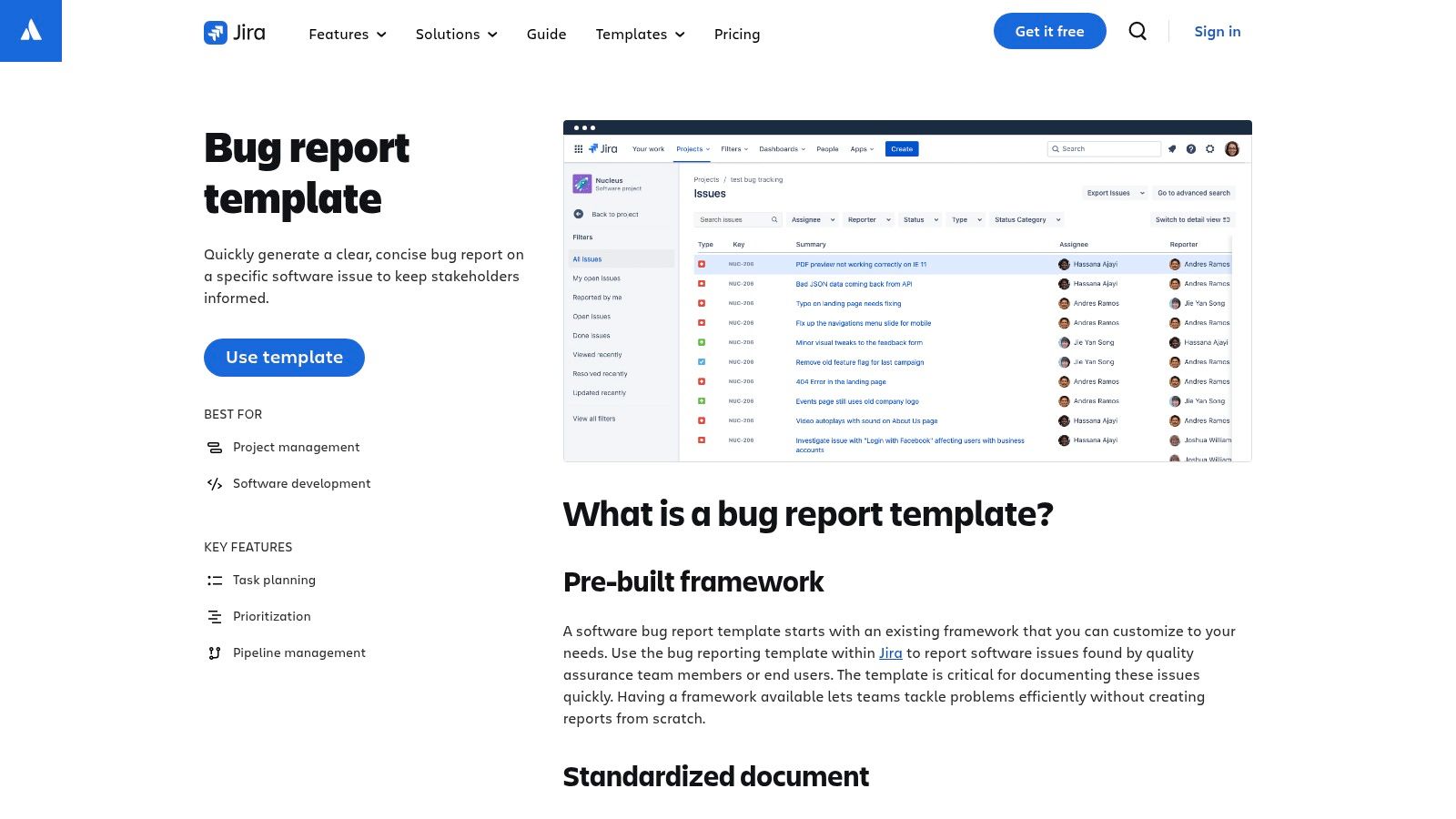
The template provides a structured "Bug" issue type with essential fields like Steps to Reproduce, Actual Results, and Expected Results. The real power, however, lies in its customizability and integration. You can add custom fields, create complex automation rules, and connect reports directly to Confluence for documentation or Bitbucket for code commits. While this system is immensely powerful, it requires a Jira account to access and can feel overly complex for small teams or solo developers needing a quick, lightweight solution.
Key Details & Access
Best For: Teams needing a scalable, workflow-driven bug tracking system.
Accessibility: Requires signing up for a Jira Cloud site. A free plan is available for up to 10 users, making it accessible for smaller teams to start.
Unique Feature: Deep integration with the entire Atlassian suite and a vast marketplace for third-party apps.
3. GitHub
For developers and open-source projects, GitHub provides a native, repository-integrated solution for creating standardized bug report templates. This isn't just a document; it's a configurable system within your repository that guides contributors to submit well-structured issues. Using either simple Markdown files or more powerful YAML-based Issue Forms, you can define the exact fields, labels, and metadata needed for every bug report, ensuring consistency directly at the source. It’s the default choice for any team managing their code on the platform.
The system works by placing template files in a folder. The YAML-based Issue Forms are particularly powerful, allowing you to create interactive forms with dropdowns, text inputs, and checkboxes, complete with validation to ensure required fields like Steps to Reproduce and System Environment are never missed. This dramatically reduces the back-and-forth needed to get essential information from the reporter. While it’s seamlessly integrated for code-centric projects, setting it up requires admin permissions on the repository and a basic understanding of either Markdown or YAML syntax.
Key Details & Access
Best For: Open-source projects and development teams managing code within a GitHub repository.
Accessibility: Free for all repositories, including public and private ones. Setup requires repository admin access.
Unique Feature: YAML-based Issue Forms that create structured, interactive submission forms with input validation, directly within the GitHub UI.
4. GitLab
For development teams deeply integrated with their version control system, GitLab offers a powerful, code-centric approach to bug report templates. Rather than a UI-driven setup, GitLab uses Markdown files stored directly in your project's repository (in a folder). This "template-as-code" method ensures that your bug reporting format is version-controlled, easily shareable, and can be standardized across numerous projects through group and instance-level inheritance. It's an ideal solution for teams that value transparency and want their issue tracking process to live alongside their codebase.
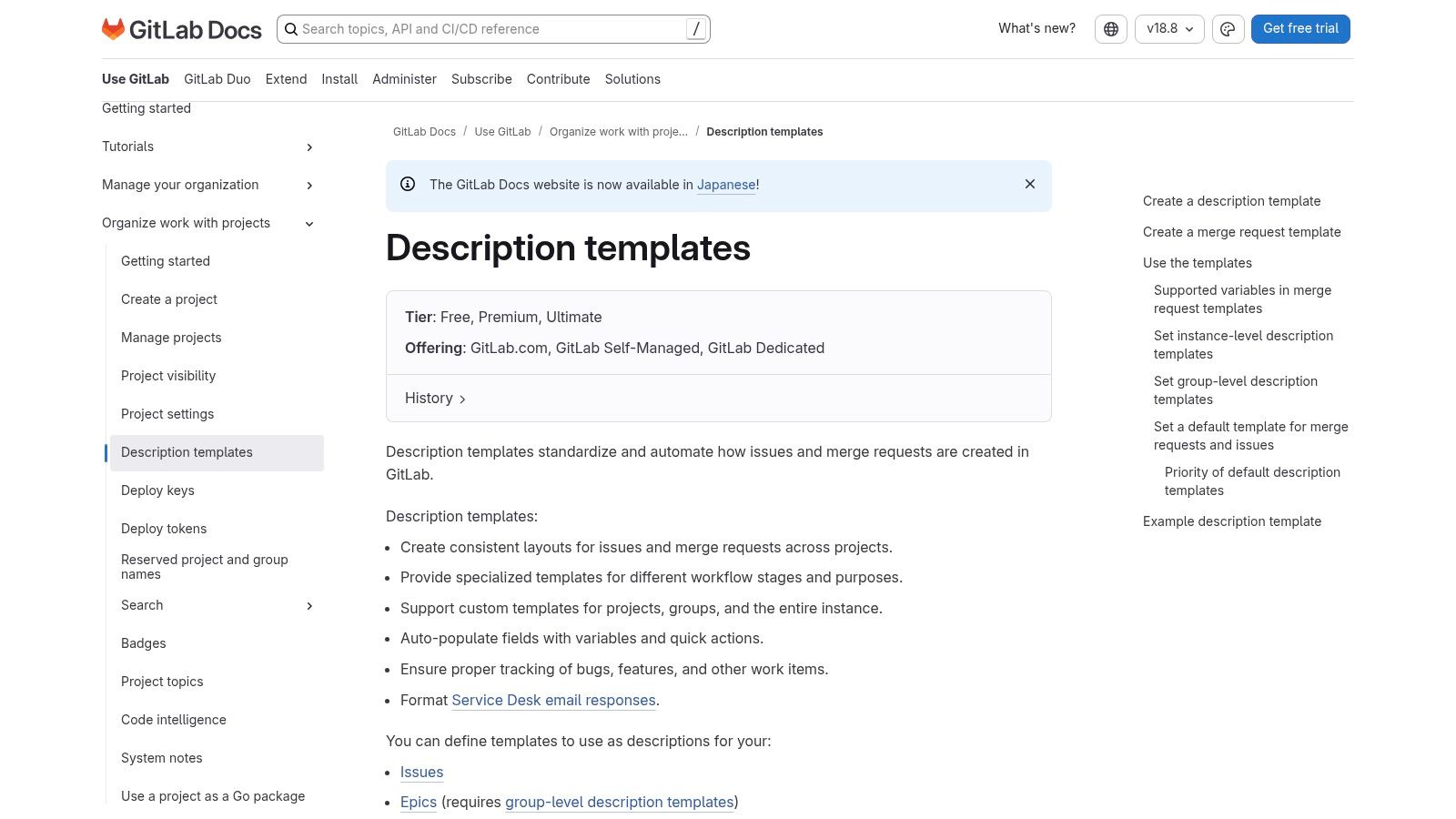
The system is highly flexible, allowing you to create multiple templates for different issue types, not just bugs. Its support for quick actions and variables elevates it beyond a simple text file; you can pre-populate fields, assign labels (like ), or ping specific team members () automatically when a new bug report is created using the template. While this requires some initial setup within the repository and familiarity with Markdown, it provides unparalleled consistency for regulated workflows and large organizations. The direct integration with the rest of the GitLab DevOps platform is its core strength.
Key Details & Access
Best For: Development teams wanting version-controlled templates and deep CI/CD integration.
Accessibility: Available on all GitLab tiers, including the generous Free plan for both SaaS and self-managed instances.
Unique Feature: Template inheritance allows organizations to enforce a consistent bug report structure from the top-down, ensuring all projects adhere to the same standards.
5. Notion
For teams that value flexibility and simplicity, Notion offers a free and highly adaptable "Report a Bug" template. This isn't a dedicated bug tracking tool but rather a pre-configured database within Notion's versatile workspace environment. It’s perfect for startups, smaller teams, or product operations managers who need a lightweight system that non-technical stakeholders can easily contribute to without the learning curve of a complex, specialized platform.
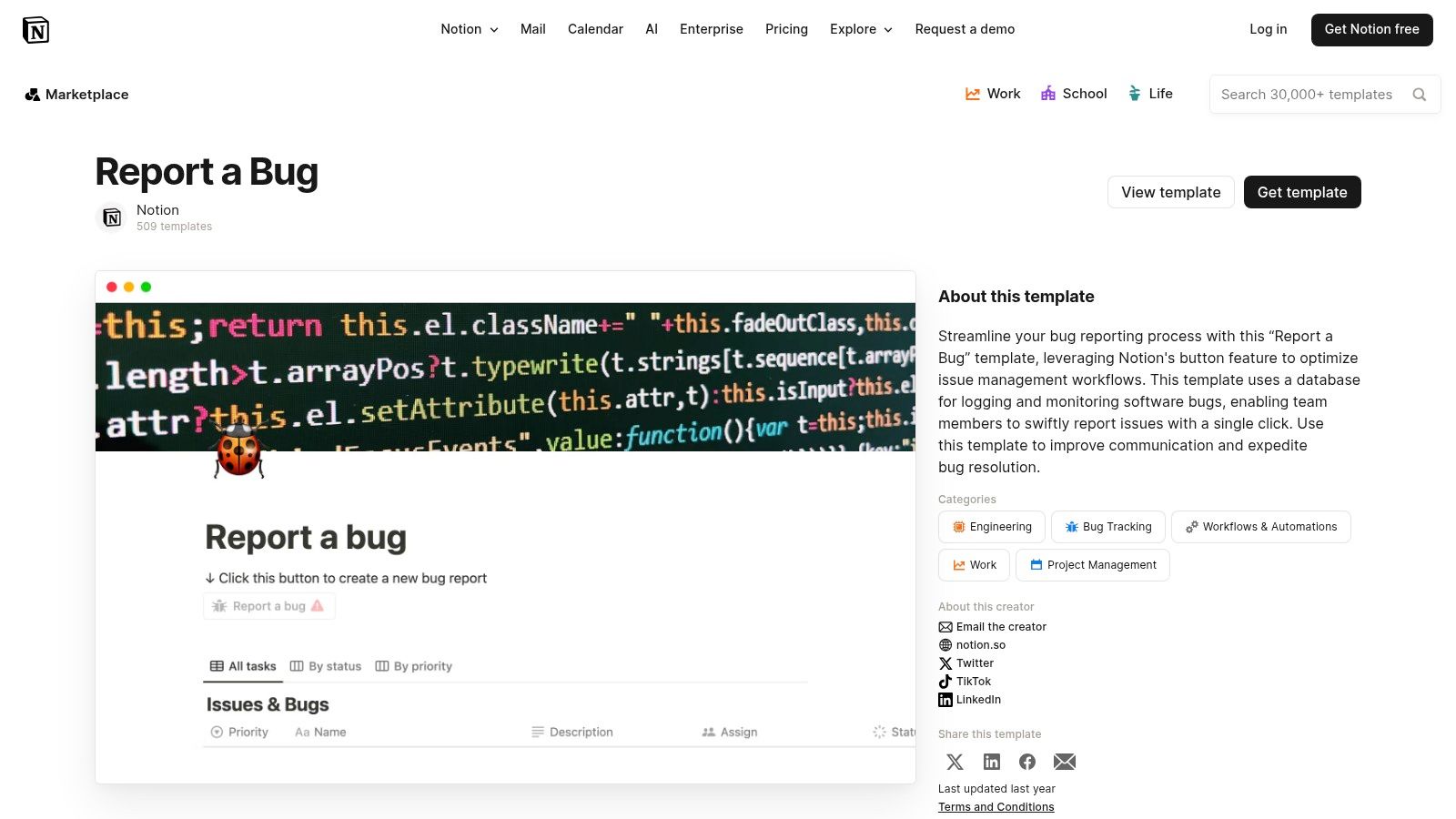
The template comes ready with essential properties like Severity, Status, Assignee, and Deadline, which can be customized with just a few clicks. Its strength lies in its multiple database views, allowing you to visualize bugs on a Kanban board, in a list, or on a calendar. While it lacks the rigid workflow automation and deep developer tool integrations of a platform like Jira, its ease of use and customizability make it an excellent choice for centralizing feedback and managing triage. It serves as a fantastic, user-friendly hub for collecting bug report templates before they are moved into a more formal development backlog.
Key Details & Access
Best For: Teams needing a fast, flexible, and highly collaborative bug collection hub.
Accessibility: Completely free to access and use. Just duplicate the template into your Notion workspace, which has a generous free plan.
Unique Feature: The ability to embed bug reports directly within project plans, meeting notes, and other documentation all within the same Notion ecosystem.
6. ClickUp
For teams that prefer an all-in-one productivity hub over a dedicated issue tracker, ClickUp provides a comprehensive bug report template integrated directly into its project management platform. This isn't a simple document; it’s a fully functional task template within your workspace, pre-loaded with custom fields, assignees, priorities, and workflow statuses. It's designed for teams who want to manage bug tracking alongside their regular tasks, documents, and goals without switching contexts.
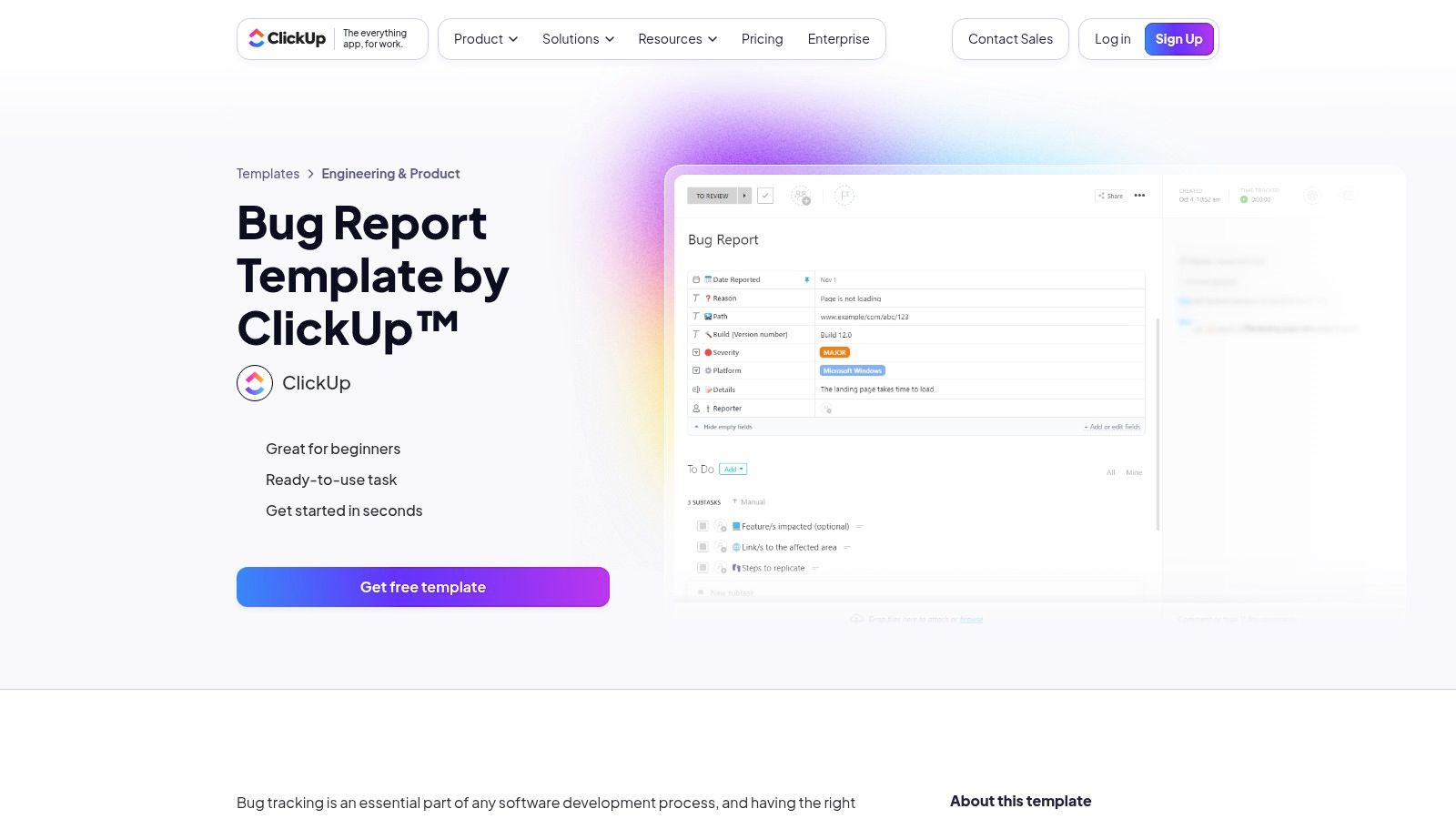
The template turns a bug report into an actionable task, complete with fields for Description, Steps to Reproduce, and Attachments. Its strength lies in its flexibility and visualization options; you can view bug reports in a List, Board, Calendar, or Gantt view to fit your team's workflow. Because it lives inside ClickUp, you can easily link bugs to other project tasks, sprints, or documentation. While it offers immense value as a unified solution, its full potential is only realized when your team fully commits to the ClickUp ecosystem, which might be a barrier for those using other project management tools.
Key Details & Access
Best For: Agile teams seeking to unify bug tracking with their overall project management and task workflow.
Accessibility: Requires a ClickUp account. The template is available on their "Free Forever" plan, which is very generous for small teams.
Unique Feature: The ability to visualize bug reports in over 15 different views, from standard Kanban boards to workload charts and mind maps.
7. Asana
For teams who manage more than just engineering tasks, Asana offers a versatile and user-friendly bug tracking template. This isn't just a document; it's a pre-built project board designed to streamline bug intake, triage, and resolution within a broader work management context. It’s perfect for teams that need to provide clear visibility to non-technical stakeholders (like marketing or support) while still integrating with developer tools. The template simplifies the creation of bug report templates through easy-to-use forms that feed directly into the project board.
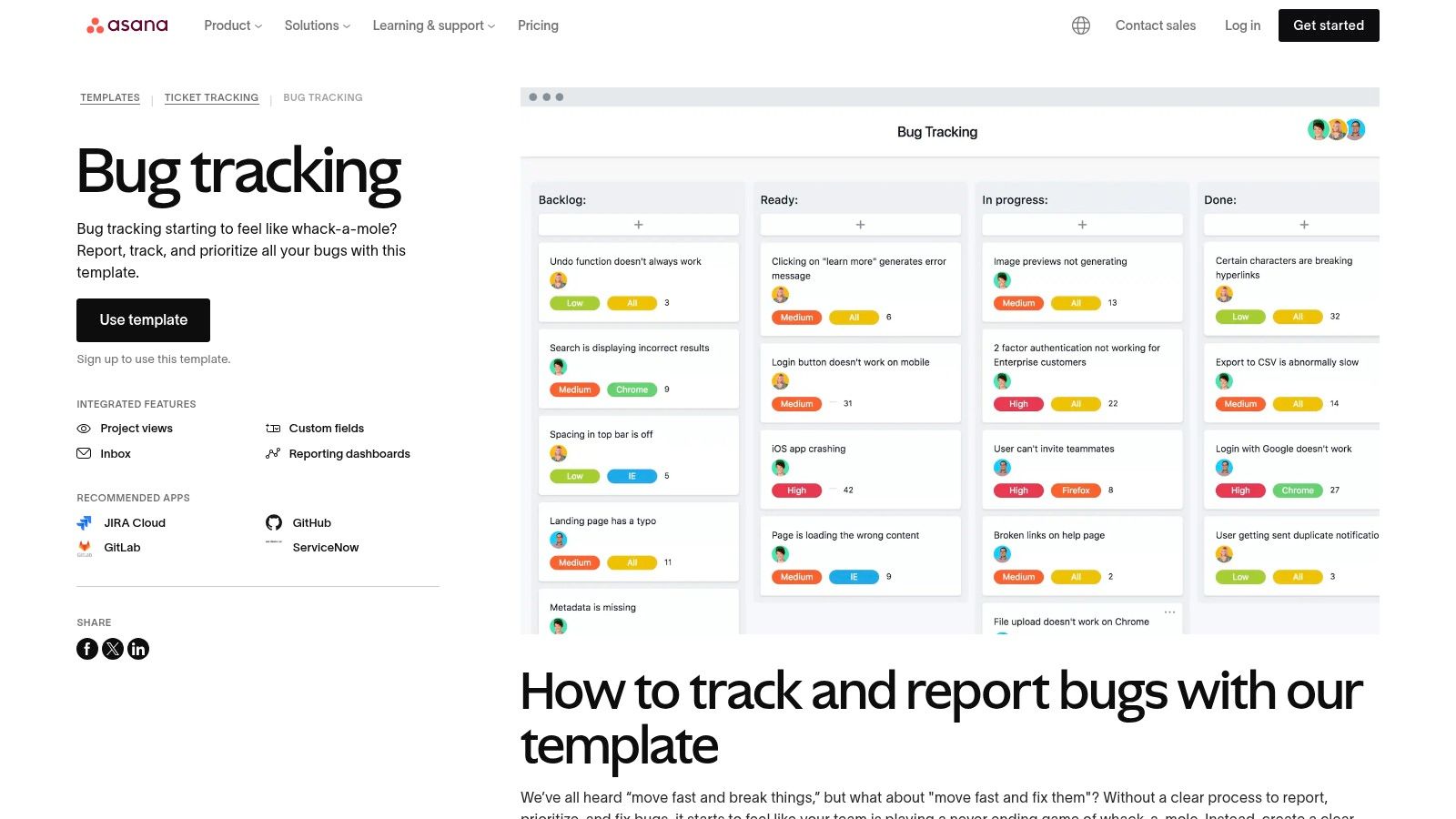
The Asana template comes with pre-configured sections like "New Bugs," "In Triage," "Prioritized," and "Fixed," along with helpful custom fields for priority, browser, and OS. Its main strength lies in its accessibility and reporting capabilities. Multiple project views (List, Board, Timeline, Dashboard) allow different team members to see bug progress in the format that works best for them. While it’s less developer-centric than a dedicated tool like Jira, its powerful integrations with GitHub, Slack, and even Jira itself allow it to serve as a central hub for bug communication without requiring everyone to learn a complex, engineering-focused platform.
Key Details & Access
Best For: Cross-functional teams that need a simple, visible system for tracking bugs alongside other project work.
Accessibility: Available to all Asana users, including those on the free "Basic" plan. The template can be deployed with a few clicks.
Unique Feature: Excellent for creating simple bug intake forms that anyone can fill out, which automatically populate the tracking board with all necessary details.
8. Linear
For product and engineering teams that prioritize speed and a refined user experience, Linear offers a powerful, built-in issue template system. Rather than a simple document, Linear provides configurable issue templates, including a default bug report, directly within its platform. This approach is perfect for fast-moving startups and scale-ups that need to streamline their bug intake process from various sources like Slack, Zendesk, or Intercom, ensuring every report is consistent and actionable from the start.
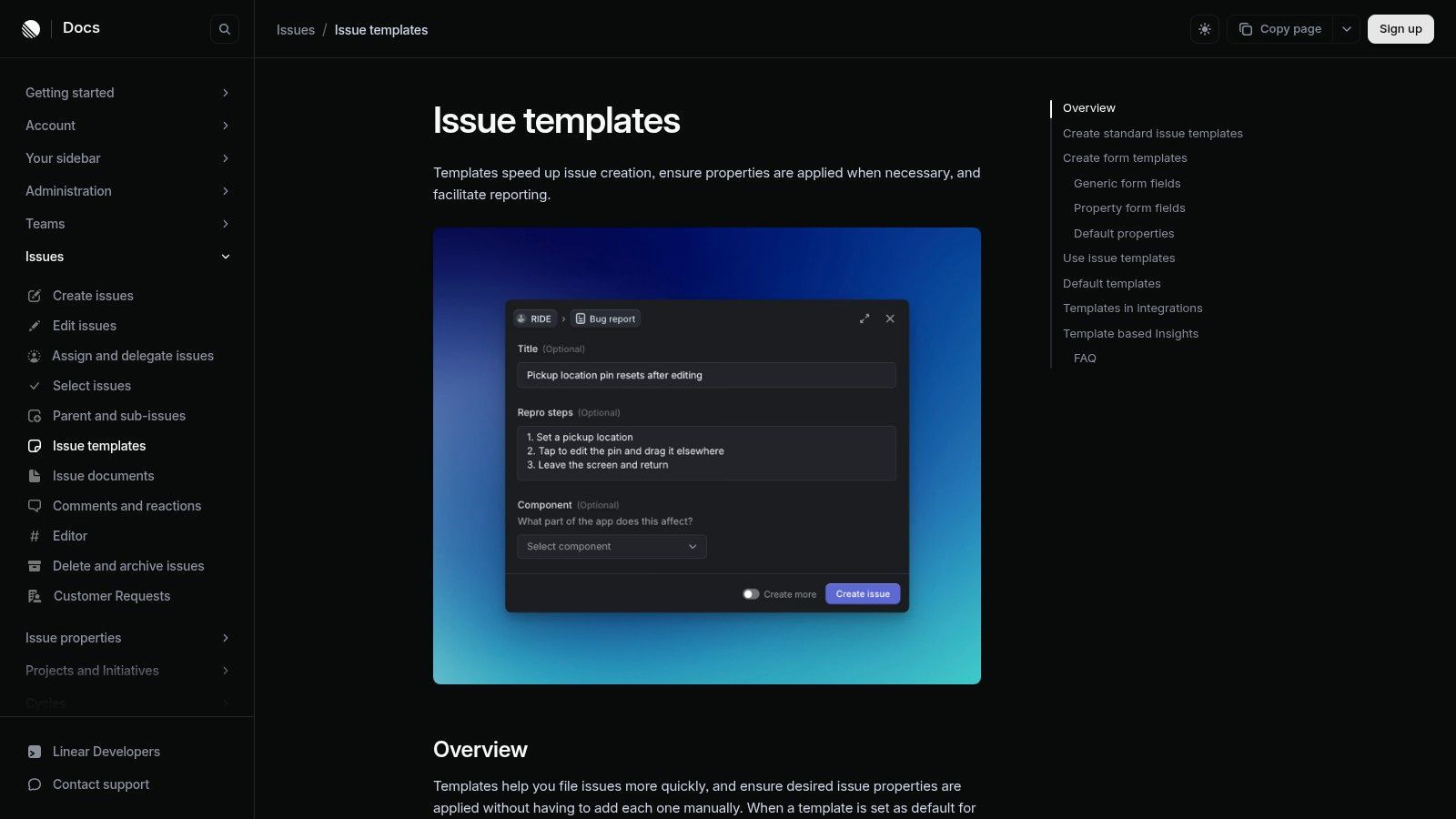
Linear’s templates allow teams to pre-fill descriptions with placeholder prompts, guiding reporters to provide crucial information like Steps to Reproduce, System Details, and expected behavior. The true strength of this system is its seamless integration into the engineering workflow. Teams can set default templates for each project, automatically apply labels, and even trigger specific workflows upon creation. While deeply integrated and efficient, its value is most realized by teams already committed to the Linear ecosystem for project management, as it's not a standalone template resource.
Key Details & Access
Best For: Fast-paced product and engineering teams seeking a streamlined, integrated bug intake and management process.
Accessibility: Requires a Linear account. A free plan is available for small teams, with paid plans offering advanced features.
Unique Feature: Integration-driven intake allows for creating structured bug reports directly from tools like Slack and Zendesk.
Link: Linear Issue Templates
9. Template.net
For teams that prefer traditional document-based workflows or need a physical or PDF-based bug report, Template.net provides a wide variety of downloadable templates. Unlike integrated platform solutions, these are standalone documents available in formats like MS Word, Google Docs, Apple Pages, and PDF. This approach is ideal for creating formal, client-facing reports or for organizations where issue tracking happens outside of a dedicated software development tool. The templates are ready to be filled out, printed, or shared as email attachments.
The collection includes several "IT Bug Report Form" variations, providing a solid foundation with fields for issue description, reporter details, severity level, and steps to reproduce. While these static documents offer high flexibility in formatting and distribution, they lack the dynamic capabilities of a live tracking system. There are no automated workflows, status updates, or integration with development tools. Their strength lies in their simplicity and platform independence, making them a straightforward choice for teams who need simple, editable bug report templates without committing to a specific software ecosystem.
Key Details & Access
Best For: Teams needing formal, printable, or distributable bug report documents.
Accessibility: Offers both free and premium (subscription-based) templates for immediate download. No account is needed for many free options.
Unique Feature: Provides templates in a wide range of editable document formats (Word, Docs, Pages, PDF) instead of being tied to a single platform.
Link: Template.net Bug Report Templates
10. Etsy
For those who prefer the familiarity and simplicity of spreadsheets, Etsy offers a surprisingly diverse marketplace of downloadable bug report templates for Excel and Google Sheets. These aren't cloud-based platforms but instantly accessible digital products created by project managers, developers, and designers. You'll find a range of pre-formatted trackers that go beyond basic columns, often including dashboards with charts, automated priority calculations, and print-ready layouts. This is an excellent solution for freelancers, small agencies, or project managers who want a self-contained, offline-capable system without monthly subscription fees.
Most templates on Etsy provide a comprehensive spreadsheet with columns for Bug ID, Priority, Status, Assigned To, and key dates. The main advantage is the one-time cost and total customizability; you can easily add or remove columns, modify formulas, and change color schemes to fit your team's workflow perfectly. However, the quality and complexity vary significantly between sellers, so it's crucial to read reviews and carefully examine product images. These templates also lack the real-time collaboration and automation features of dedicated bug-tracking software unless you build it yourself with advanced spreadsheet functions.
Key Details & Access
Best For: Individuals and small teams who manage projects in Excel or Google Sheets.
Accessibility: Requires a one-time purchase from a seller on Etsy, with instant digital download.
Unique Feature: Completely self-hosted and customizable templates that work offline and don't require any new software accounts or subscriptions.
Link: Etsy Bug Tracking Templates
11. Gumroad
For those who prefer a more personalized or community-driven approach, Gumroad is a creative marketplace teeming with bug report templates built by independent creators. Instead of a single, standardized format, you’ll find a wide array of options, predominantly built for Notion, but also available for other platforms like Coda or as simple downloadable documents. This variety allows teams to find a pre-made system that closely matches their specific aesthetic and workflow needs, often for a very low cost or even for free.

Many creators on Gumroad design their bug report templates as part of a larger project management or development dashboard, providing a cohesive, all-in-one solution. You can expect to find templates with fields for Severity, Priority, Reproduction Steps, and Assignee. Since these are made by individuals, the quality and ongoing support can vary significantly. However, a key advantage is that many creators include video walkthroughs or detailed guides to help you get the most out of their system, offering a level of direct insight you won't find in corporate solutions.
Key Details & Access
Best For: Individuals or teams, especially Notion users, looking for unique and affordable templates with a personal touch.
Accessibility: Templates are available for instant download or duplication after purchase, with prices ranging from free to a nominal one-time fee.
Unique Feature: Access to a diverse ecosystem of creator-made templates, allowing you to support independent builders while finding a solution that fits your exact style.
Link: Gumroad
12. Highfile
For teams that prioritize simplicity and a document-based workflow, Highfile offers a straightforward, free bug report template. This resource is designed for quick adoption, providing a clean, vendor-agnostic document available in both Microsoft Word and Google Docs formats. It serves as an excellent zero-friction starting point for standardizing bug submissions without committing to a complex project management platform, making it ideal for smaller teams or those documenting issues for external partners.
The template includes all the essential fields needed for a comprehensive bug report, such as Steps to Reproduce, Expected vs. Actual Results, and a Severity scale. Its biggest advantage is its immediate accessibility and ease of use; there are no sign-ups or logins required to download and start using it. While it lacks any built-in tracking or workflow automation, it excels as a simple, shareable form that can be easily branded and integrated into existing documentation processes, like attaching it to an email or a Trello card.
Key Details & Access
Best For: Teams wanting a simple, downloadable document to standardize bug reports without a dedicated tool.
Accessibility: Completely free with no login required. Available for direct download as Word or Google Docs files.
Unique Feature: Its vendor-neutral, document-first approach makes it universally compatible and easy to share with anyone, regardless of their software ecosystem.
Link: Highfile Bug Report Template
Top 12 Bug Report Templates Comparison
Tool | Core features | UX & Rating | Price / Value | Target audience | Unique selling points |
|---|---|---|---|---|---|
Beep 🏆 | In‑page annotations + auto-screenshots; kanban task board; integrations | Excellent 4.9★ — fast onboarding | Free plan available; paid tiers (contact) 💰 | 👥 PMs, UX/UI designers, web devs, clients | ✨ Visual, in-context feedback; guest links (no signup); quick setup |
Atlassian Jira | Bug issue template, workflows, dashboards, automations | Enterprise-grade ★★★★ | Paid tiers; scalable for orgs 💰 | 👥 Enterprises, QA & dev teams | ✨ Deep workflow automation & marketplace |
GitHub | Repo-level Issue Templates & YAML Issue Forms | Ubiquitous for OSS ★★★★ | Free for public repos; paid for private 💰 | 👥 Open-source & repo-centric teams | ✨ Structured, validated issue intake |
GitLab | Project/group/instance templates for issues/MRs/incidents | Solid & consistent ★★★★ | SaaS or self-managed; free tier 💰 | 👥 Teams needing cross-project consistency | ✨ Template inheritance + quick actions |
Notion | Prebuilt "Report a Bug" DB; board/list/calendar views | Easy for non-technical users ★★★ | Free tier; paid for advanced features 💰 | 👥 PMs, product ops, non-technical stakeholders | ✨ Flexible views & simple duplication |
ClickUp | Task-level bug template; custom fields; multiple views | Feature-rich ★★★★ | Freemium; strong free tier 💰 | 👥 Teams wanting all‑in‑one workspace | ✨ Integrates tasks, docs, goals |
Asana | Bug Tracking project template; forms & dashboards | Simple & visible ★★★ | Freemium; paid for advanced reporting 💰 | 👥 PMs, stakeholders, small teams | ✨ Low setup effort + integrations |
Linear | Native issue templates with team defaults & integrations | Fast, product-focused UI ★★★★ | Paid plans (startup-friendly) 💰 | 👥 Startups & engineering teams | ✨ Speedy workflow & integration intake |
Template.net | Downloadable Word/Google/PDF bug forms | Document-based, reliable ★★★ | Free & paid one-time downloads 💰 | 👥 Formal/client-facing teams | ✨ Multiple editable formats (Word/PDF) |
Etsy | Spreadsheet-based trackers (Excel/Google Sheets) | Quality varies ★★–★★★ | One-time purchase (seller-dependent) 💰 | 👥 Small teams/PMs who prefer Excel | ✨ Offline, highly customizable sheets |
Gumroad | Creator-made Notion/trackers & templates marketplace | Quality varies ★★–★★★ | Many low-cost or free options 💰 | 👥 Teams seeking varied templates & walkthroughs | ✨ Wide variety; creator support & updates |
Highfile | Free downloadable Word & Google Docs bug template | Simple & immediate ★★ | Free to download 💰 | 👥 Teams needing vendor-agnostic forms | ✨ No-login, quick standardization |
Choose Your Template and Start Shipping Faster
We've explored a comprehensive landscape of bug report templates, from the developer-centric powerhouses like Jira and GitHub to the versatile project management hubs of Asana and ClickUp, and even the flexible, collaborative canvases offered by Notion. Each solution presents a unique framework for capturing critical information, but the core takeaway remains the same: a well-structured bug report is not just a document; it is a catalyst for speed, clarity, and collaboration. It transforms a vague complaint into an actionable development task, eliminating the costly back-and-forth that plagues so many teams.
The right template acts as a force multiplier, creating a standardized communication channel between reporters and responders. By systematically collecting details like steps to reproduce, expected versus actual results, and environmental data, you build a foundation of shared understanding. This structured approach ensures that when a developer opens a ticket, they have the necessary context to start diagnosing the problem immediately, rather than spending their first hour on detective work.
Finding Your Perfect Fit
Choosing the best of these bug report templates is less about finding a single "best" option and more about identifying the best fit for your team's existing ecosystem and workflow.
For Development-Heavy Teams: If your team lives and breathes in environments like Jira, GitHub, or GitLab, leveraging their native issue templates is the path of least resistance. These templates are deeply integrated into your version control and sprint planning, keeping bug tracking directly alongside your codebase.
For Project and Product-Centric Teams: For teams organized around broader project management tools like Asana, ClickUp, or Linear, integrating bug reports into your existing tasks and boards maintains a single source of truth for all work, not just engineering tasks.
For Ultimate Flexibility and Collaboration: Teams that prioritize open collaboration and documentation might find Notion's customizable databases to be the ideal solution. It allows you to build a bug tracking system that is as simple or as complex as you need, right alongside your project wikis and meeting notes.
The Missing Link: Visual Context
Ultimately, the most significant accelerator in any bug reporting process is the removal of ambiguity. While a text-based template provides structure, it can still leave room for interpretation. What does "the button is broken" actually look like? Which specific element on a crowded dashboard is behaving incorrectly? This is where the true power of modern bug reporting emerges.
Regardless of which bug report template you choose, the key to unlocking maximum efficiency is to supplement it with rich, visual context. An annotated screenshot or a screen recording showing the bug as it happens is irrefutable. It transcends language barriers, bypasses technical jargon, and provides an instant, unambiguous record of the problem. Integrating a visual feedback tool like Beep is the final step in perfecting your workflow. It bridges the gap between your chosen template and the live web environment, making every bug report instantly understandable and actionable. This simple addition elevates your process from good to exceptional, empowering your team to fix issues faster and ship a better product.
Ready to supercharge your bug reporting workflow? Integrate Beep with your favorite template to add annotated screenshots and screen recordings directly to your tickets in Jira, Notion, Asana, and more. Stop describing bugs and start showing them. Try Beep for free and see the difference.
Great list having a solid bug report template really does cut down on back-and-forth with developers. Clear reproduction steps save everyone time. And if you're using DocuSign to get those reports signed off, knowing how to contact DocuSign can be useful when you need quick help with document status. Thanks for sharing.