
.png)
A Bug Reports Template That Developers Actually Love

A bug report template is just a simple, standardized way for testers and users to give clear, actionable feedback about software problems. The whole point is to kill vague feedback like "the button is broken" and replace it with something a developer can actually use to fix the issue—fast.
Honestly, adopting a good template is probably the single best thing you can do to stop wasting time and start squashing bugs efficiently.
Why Vague Bug Reports Kill Your Project Momentum
"It's not working."
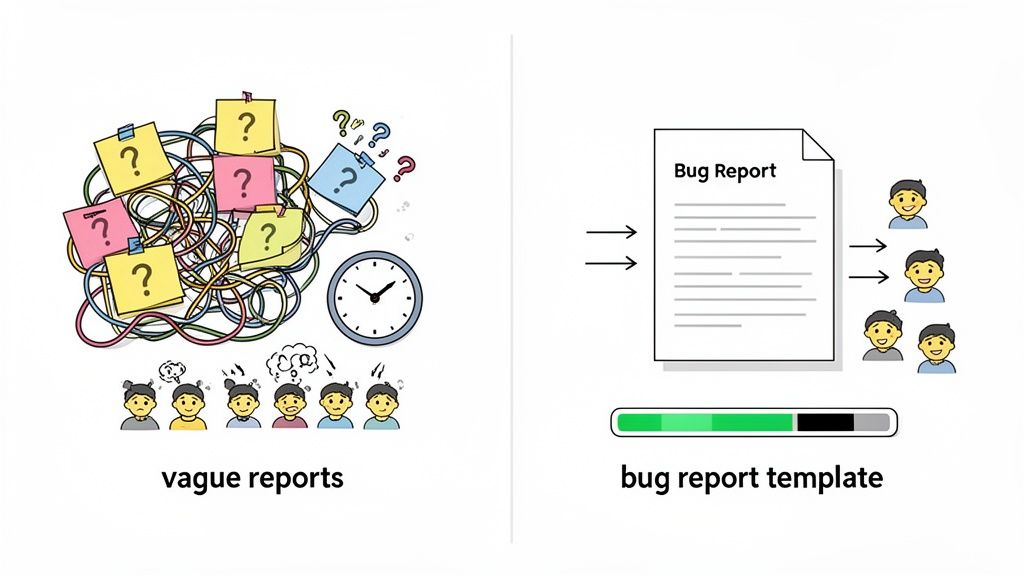
If you’re a developer, that five-word phrase probably sends a shiver down your spine. It’s the starting pistol for a frustrating race of back-and-forth questions: "What isn't working? What did you do? Which browser are you on?" Every single question is another delay, a small crack in your project's foundation that just gets wider with every vague report.
This communication breakdown isn't just an annoyance; it has a real, measurable cost. It eats up developer time, crushes QA team morale, and shoves deadlines further and further into the distance. A poorly written bug report turns a straightforward technical fix into a full-blown detective case, forcing engineers to burn hours trying to reproduce a problem that could have been detailed in just a few minutes.
The Hidden Costs of Ambiguity
The damage from unclear bug reports goes way beyond a single delayed task. When the feedback is consistently bad, it sends ripples across the entire project.
Wasted Developer Cycles: Engineers spend more time playing detective than actually fixing things. That’s time they could have spent building new features or making the product better.
Eroded Team Morale: The frustration is real. When issues are constantly marked as "cannot reproduce" because of bad info, it creates friction between QA, developers, and even stakeholders.
Increased Risk of Missed Bugs: Sometimes, a critical issue gets buried because the initial report was too fuzzy to signal its true severity. It can easily slip through the cracks.
A bug report template isn't about adding red tape. It’s about creating a shared language that kills the guesswork and lets your team communicate with precision. It's the difference between chaos and clarity.
Turning Chaos into Clarity with Standardization
This is where a solid bug reports template completely changes the game. It sets a baseline for quality, making sure every report has the essential details needed for a quick fix. This kind of structured approach is so vital that the global bug tracking software market—which is built around these templates—is expected to hit $601.64 million by 2026. That explosive growth, tracked by Allied Market Research, shows you just how much the industry values tools that deliver bug-free software on schedule.
By putting a simple template in place, you force the reporter to provide the crucial details upfront. All of a sudden, "it's not working" transforms into a detailed account with steps to reproduce, screenshots, and environment data—everything a developer needs to jump right in and get to work. This simple document is your first step toward a more efficient, collaborative, and ultimately more successful development process.
The Anatomy Of An Actionable Bug Report
Ever wonder what separates a bug report that gets ignored from one that gets fixed almost instantly? It’s not magic; it’s structure. A great report is like a perfect map, guiding a developer straight to the problem's source. A bad one? It's a cryptic note that just creates more questions than answers.
An actionable bug report has specific, predictable fields that kill ambiguity. Each piece of information serves a purpose, and together, they create a complete picture of the issue. Nailing this is fundamental for good software QA management and the bedrock of efficient problem-solving. Let's break down the essential fields you need in your bug reports template.
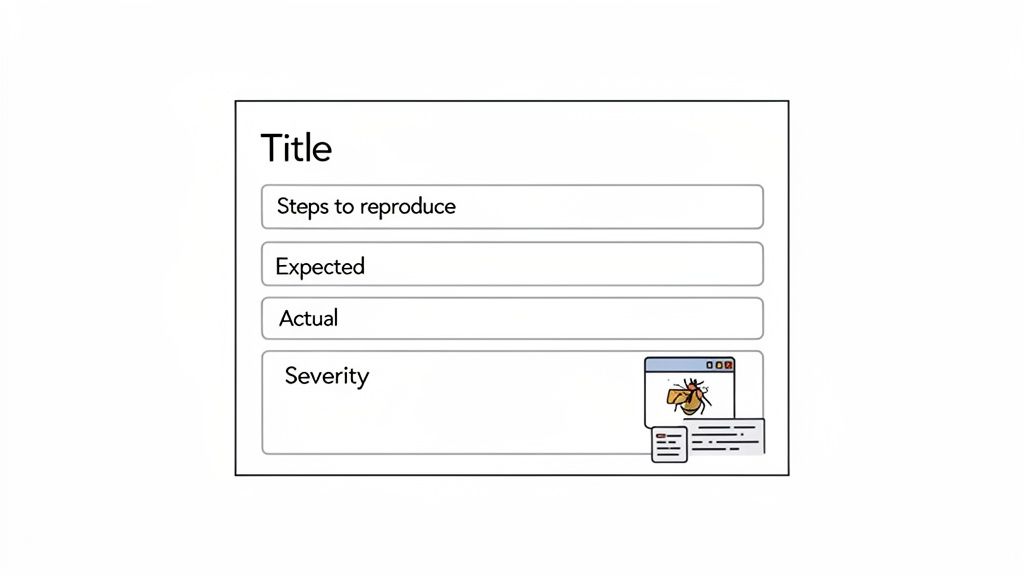
To make this crystal clear, here’s a quick rundown of the must-have fields for any solid bug report template. Think of this as your cheat sheet for creating reports that developers will actually thank you for.
Field Name | Purpose | Example |
|---|---|---|
Title | A concise, unique summary of the issue. | Login fails with 'Invalid Credentials' error via Google SSO. |
Steps to Reproduce | A numbered list of exact actions to trigger the bug. | 1. Navigate to the login page. 2. Click the 'Login with Google' button... |
Expected Result | What should have happened. | A 'Success!' message should appear, and the user is redirected to the dashboard. |
Actual Result | What actually happened. | A '500 Internal Server Error' page is displayed. |
Environment | The context where the bug occurred. | Chrome 125 on macOS Sonoma 14.5 |
Visual Proof | Screenshots or screen recordings of the issue. | Annotated screenshot pointing to the error message. |
Severity | The impact of the bug on the user/system. | High (blocks user login workflow). |
Getting these fields right every time is the key to moving from "What does this even mean?" to "Got it, fix is on the way."
A Clear And Unique Title
The title is the first thing a developer sees. It needs to be a short, powerful summary of the problem so anyone can get the gist without even opening the report.
A weak title like "Login Broken" is totally useless. It tells you nothing. A strong title, however, provides immediate context: "Login Fails with 'Invalid Credentials' Error When Using Google SSO on Chrome." Now that tells the team the feature, the symptom, and the context, making it a breeze to prioritize and assign.
The Critical Steps To Reproduce
This is the absolute heart of any bug report. If a developer can't reliably reproduce the issue, they can't fix it. Simple as that. These steps must be a clear, numbered list of the exact actions that triggered the bug.
Be Specific: Don't just say, "Clicked on profile." Instead, write, "Clicked the user avatar in the top-right corner of the navigation bar."
Be Sequential: List every single action from a known starting point. Assume the developer has zero context for what you were doing.
Keep it Simple: Cut the fluff. Focus only on the actions required to make the bug appear.
A perfect set of steps leaves no room for guesswork. It's a direct recipe for replication, turning a frustrating mystery into a solvable puzzle.
The single goal of a bug report is to empower a developer to see what you saw. Every field should serve that one purpose. Vague reports create delays; precise reports get fixed.
Expected vs Actual Results
This is where you clearly spell out the problem. The "Expected Result" describes what should have happened, and the "Actual Result" describes what actually happened. This simple side-by-side comparison immediately frames the bug.
For example:
Expected Result: "After clicking 'Submit,' a 'Success!' confirmation message should appear, and the user should be redirected to their dashboard."
Actual Result: "After clicking 'Submit,' a loading spinner appears for 10 seconds, followed by a '500 Internal Server Error' page."
This contrast removes all subjectivity. It’s a black-and-white illustration of where the software went off the rails.
Environment Details Matter
Bugs can be chameleons. They might pop up on one browser but not another, or on one OS but vanish on the next. That's why providing detailed environment information isn't just nice to have—it's non-negotiable for efficient debugging.
What to include:
Browser and Version: (e.g., Chrome 125.0.6422.113)
Operating System: (e.g., macOS Sonoma 14.5)
Device Type: (e.g., MacBook Pro M2, iPhone 15 Pro)
Screen Resolution: (e.g., 1920x1080)
This data helps developers isolate the problem, saving them from the soul-crushing task of guessing the testing conditions.
Visual Proof Is Undeniable
A picture is worth a thousand lines of code. Screenshots and screen recordings are gold because they show the problem exactly as you saw it, eliminating any chance of misinterpretation. Using a screenshot annotation tool is even better, as it lets you draw a big red box around the exact spot where things went wrong.
Even better? Attach a short video of the bug happening. It captures the entire sequence of events, including those subtle UI flickers or delayed responses that are a pain to describe in words.
Defining Severity And Priority
Finally, not all bugs are created equal. A typo on the "About Us" page isn't the same as the "Buy Now" button crashing the site. Assigning a severity level helps the team prioritize what to tackle first.
High/Critical: A total showstopper. It blocks a major user workflow, like being unable to complete a purchase. Fix this NOW.
Medium: A significant issue that hurts the user experience but has a workaround. Annoying, but not a fire.
Low/Minor: A cosmetic issue, a typo, or a minor layout problem that doesn't affect functionality.
By mastering these core components, you ensure every report you submit is actionable, respected, and—most importantly—gets resolved fast.
Copy And Paste Bug Report Templates For Any Situation
Knowing what makes a good bug report is one thing, but having a practical, ready-to-go template is a whole different ball game. A one-size-fits-all approach just doesn't cut it. The kind of feedback you need from a non-technical client is worlds apart from what a seasoned QA tester will provide. That's exactly why having a few different bug report templates in your back pocket is a game-changer.
The right template makes sure you get the right info, from the right person, at the right time. Below are three templates you can copy and paste for different situations—from a quick note to a deep technical dive. Feel free to grab them and tweak them to fit how your team works.
Simple Bug Report Template For Quick Feedback
This one is perfect for clients, non-technical stakeholders, or anyone on your team who needs to flag an issue without getting lost in the weeds of technical jargon. It’s all about simplicity, focusing on what they saw and what they were trying to do.
The whole point here is to capture the essential context without overwhelming the person reporting. This approach actually encourages people to share feedback because they aren't intimidated by a complex form.
1. What were you trying to do? (Example: I was trying to log into my account using the 'Login with Google' button.)
2. What happened that you didn't expect? (Example: An error message popped up saying 'Authentication Failed', and I was sent back to the login page.)
3. Can you add a screenshot or a short video? (Please attach a visual of the error message or the screen you were on.)
Pro Tip: When you send this to clients, make it clear they shouldn't worry about the technical details. Just a simple reassurance that describing the problem from their point of view is a huge help can massively improve the quality and quantity of feedback you get.
Detailed Bug Report Template For QA Teams
Now, when your QA team or developers are logging bugs, you need a much higher level of detail. This comprehensive bug reports template is designed to give your engineers everything they need to reproduce, diagnose, and crush the bug on their first try, cutting down on all that frustrating back-and-forth.
This structured format is pretty much the gold standard for internal testing and formal QA. If you're looking for more options, check out our guide on the best bug report templates to find the perfect fit for your workflow.
Title: [Feature] - [Brief, clear summary of the bug] (Example: Login - Google SSO fails with 500 Internal Server Error)
Steps to Reproduce: 1. 2. 3.
Expected Result: (Describe what should have happened.)
Actual Result: (Describe what actually happened.)
Environment:
Browser/Version:
OS/Version:
Device:
Severity:
( ) High - Blocks a critical user workflow.
( ) Medium - Significant impact but has a workaround.
( ) Low - Minor UI or cosmetic issue.
Visuals/Logs: (Attach screenshots, screen recordings, and any relevant console logs.)
Think of this template as a checklist. It makes sure no critical piece of information gets missed and creates a standard format that developers can scan quickly to get the full picture, speeding up the whole debugging process.
Visual Feedback Template For UI and UX Issues
Sometimes a bug isn't a crash or an error message. It's just... something that looks wrong or feels clunky. For these UI and UX issues, visual context is everything. A text-only report just can't do justice to a misaligned button, a weird animation, or confusing on-screen instructions.
This template is built around the visual, making it perfect for designers, product managers, and anyone reviewing the front-end experience. The screenshot or screen recording is the star of the show here, with text just playing a supporting role.
How It Works
This approach flips the traditional bug report on its head. Instead of writing a long description and tacking on a screenshot as an afterthought, you lead with the visual proof.
Start with the visual: Take a screenshot or a screen recording. Tools like Beep are perfect for this, as they let you comment right on the live page, automatically capturing all that visual context.
Annotate directly: Use arrows, shapes, and text right on the image to pinpoint the exact problem.
Add a little text: Just provide enough context to clarify the issue and what should be happening instead.
Here’s what that looks like in a simple format you can copy.
[ATTACH ANNOTATED SCREENSHOT/RECORDING HERE]
1. The Problem: (Briefly describe the visual issue. Example: The 'Submit' button is not vertically aligned with the input field next to it.)
2. The Expected Behavior: (Describe how it should look or function. Example: The button and the input field should have their vertical centers aligned.)
3. Why it Matters: (Explain the impact on the user experience. Example: The misalignment makes the form look unprofessional and slightly broken, which can reduce user trust.)
This visual-first approach is incredibly effective because it kills ambiguity. The developer sees exactly what the reporter saw, leading to faster, more accurate fixes for any front-end or design-related issue.
Getting Your Bug Reports Fixed Faster
Having a killer bug report template is a huge head start, but it's only half the battle. The real magic happens when you fill it out the right way. A well-written report respects a developer's time, cuts out the guesswork, and turns a frustrating problem into a clear, solvable puzzle. It’s all about building a culture of high-quality feedback.
And this isn't just about being polite; it's about pure efficiency. When developers get clear, objective, and reproducible information, they can jump straight into the fix instead of burning hours just trying to figure out what you meant. Your goal is to give them everything they need to nail it on the first try.
This level of clarity has a massive domino effect on how fast a project moves. I’ve seen teams adopt standardized templates and watch their key software quality metrics transform. Their Mean Time to Resolve (MTTR) can drop from days to hours, and bug reopen rates plummet from a painful 15-20% down to under 3%. In fact, vague reports are the main culprit in 60% of reopened cases, which really drives home the value of being precise. You can find more insights about how templates improve bug tracking metrics on skyquestt.com.
The One Bug, One Report Rule
One of the most important habits to get into is simple: one bug, one report. It’s tempting to bundle a few seemingly related issues into a single ticket to save a minute, but trust me, this almost always backfires.
Imagine you submit a report titled "Checkout Page Issues" that lists a broken button, a typo in the pricing, and a slow-loading image. You've just created chaos.
Tracking becomes impossible. How do you mark the report as "done" when only one of the three issues is fixed?
Assignment gets complicated. The button fix might be for a front-end developer, while the slow image is a back-end issue. Who gets the ticket?
Prioritization is a mess. That broken button might be a critical, stop-everything bug, but the typo is a low-priority task for later.
By creating a separate report for each distinct issue, you ensure every single bug can be tracked, assigned, and prioritized on its own. It keeps the entire workflow clean and makes sure nothing slips through the cracks.
A bug report is a unit of work. Keeping it focused on a single, reproducible problem is the fastest way to get it from 'reported' to 'resolved.'
Search for Duplicates First
Before you hit that submit button, take thirty seconds to check if someone else already reported the same bug. Firing off a duplicate report just creates noise and wastes time for whoever has to triage and merge the tickets. A quick search in your bug tracking tool—whether it's Jira, Asana, or Beep—can prevent this headache.
If you do find an existing report, don't just walk away. You can still add a ton of value by commenting with any new information you have. For instance:
Confirming you experienced the same issue on a different browser or device.
Providing additional console logs or a clearer screen recording.
Adding more context about what you were trying to accomplish when it happened.
Stay Objective and Ditch the Assumptions
When you're describing a bug, stick to the facts. Your job is to be a reliable witness, not a detective trying to solve the case. Avoid subjective language and making assumptions about what's causing the problem.
Instead of this (Subjective): "The checkout page feels really slow and broken. I think the server is probably overloaded again."
Write this (Objective): "When clicking the 'Complete Purchase' button, the page took 12 seconds to respond, and then a 500 Internal Server Error was displayed."
The first example is an opinion mixed with a wild guess. The second provides a clear, measurable fact that a developer can immediately start investigating. Sticking to objective observations—what you did, what you saw, and what you expected to see—makes your report far more credible and, most importantly, actionable.
Explain the Goal, Not Just the Glitch
Finally, always provide context about what you were trying to achieve. Understanding the user's goal helps developers see the bigger picture and can sometimes reveal deeper issues they wouldn't have otherwise spotted. Just as vague reports can stall progress, understanding the common reasons for template rejection on other platforms highlights how crucial clear communication and structure are.
For example, instead of just reporting, "The export button is greyed out," give them the user's intent: "I was trying to export my monthly sales report to a CSV file, but the export button was greyed out." This context is invaluable. Perhaps the button is disabled intentionally because a required date range wasn't selected first. Knowing the goal helps developers not only fix the bug but maybe even improve the user experience around it.
How To Automate Your Bug Reporting Workflow
A great bug reports template is a solid start, but let's be honest—its real magic is unleashed when it just blends into your team's daily rhythm. Manually filling out templates is definitely a step up from chaos, but it's still a chore. The real win is automating the whole process, turning the pain of documenting bugs into an effortless, integrated workflow.
This is where you graduate from theory to genuine efficiency. By hooking up the right tools, you can kill the manual data entry that grinds teams to a halt. Bug tracking starts to feel less like a task and more like a natural part of the conversation.
Ditch Manual Entry With Visual Bug Reporting
What’s the biggest time-suck in bug reporting? The whole manual dance of capturing and describing an issue. You have to stop what you're doing, snag a screenshot, fire up an image editor, draw some circles and arrows, save the file, open up Jira, create a new ticket, and then painstakingly fill out every single field. It’s exhausting just thinking about it.
This is where visual feedback tools like Beep completely flip the script. Instead of that convoluted process, you can just comment directly on a live webpage. When you drop a pin and type, "This button doesn't work," Beep instantly grabs a screenshot, logs the browser version, OS, and screen resolution, and wraps it all up into a neat, actionable task.
This on-page commenting basically builds a visual bug report on the fly. A ten-minute headache becomes a ten-second action.
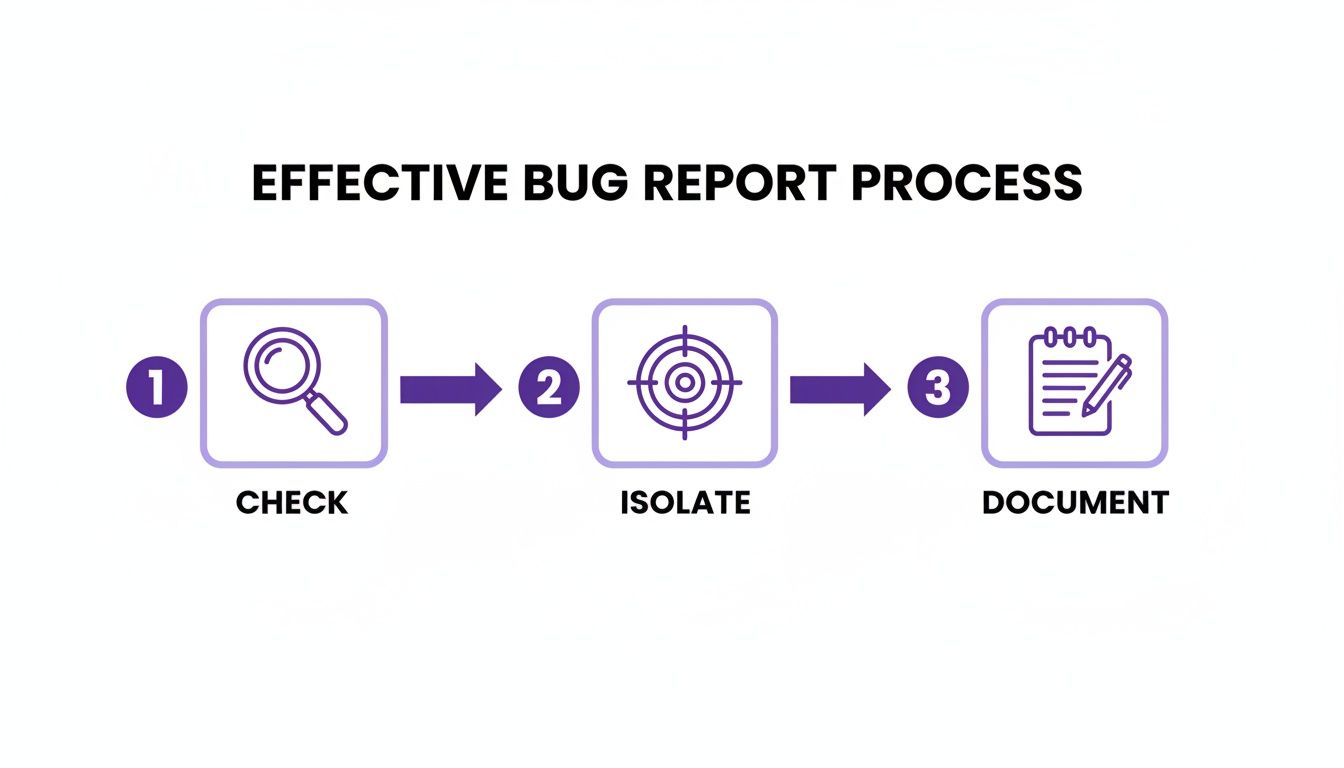
That final "document" stage is exactly where automation can claw back the most time for your team.
Connect Your Tools for a Seamless Flow
Automation really starts to sing when your tools talk to each other. A bug report is only useful if it lands in front of the right person in the right place. By integrating your feedback tool with your project management and communication hubs, you create a frictionless pipeline from the moment a bug is spotted to when it's squashed.
For example, connecting Beep to the tools you’re already living in, like Jira and Slack, is a total game-changer. It creates a powerful, automated loop that works for you.
Beep to Jira: A team member leaves feedback on a webpage in Beep, and—boom—a new ticket is automatically created in the correct Jira project. All the visual proof and technical data are instantly sent over, pre-populating your bug report template.
Beep to Slack: At the same time, a notification can pop up in a designated Slack channel, letting the team know a new bug has been logged. Everyone stays in the loop without anyone having to manually post updates.
The whole point of workflow automation is to sand down every possible point of friction. A bug should flow from a user's screen to a developer's to-do list without anyone having to stop and shuffle information between systems.
Setting Up Your First Automation
Making these connections happen is way simpler than you might think. Tools like Zapier act as a universal translator between your apps, letting you create "Zaps" that trigger actions. For a deeper look, you might want to check out our guide on how to integrate with Jira and automate your workflow.
Here’s a real-world automation you could set up in just a few minutes:
The Trigger: A new comment is created in Beep on your staging environment.
The Action: Zapier automatically creates a new issue in your "Website Bugs" Jira project.
The Details: The Jira issue title is pulled directly from the Beep comment text. The description is populated with the URL and all the technical data, and the screenshot is added as an attachment.
Another Action: Zapier then zips a message over to your Slack channel with a link to the new Jira ticket.
This hands-off process ensures every single piece of feedback is captured, tracked, and communicated without anyone lifting a finger. By putting in a little time upfront to set up these automations, you can save hundreds of hours in the long run, making your entire development cycle faster and way more efficient.
Got Questions About Bug Reports? We've Got Answers.
Even with the perfect template, you're bound to run into some head-scratchers. Bug reporting can get tricky, especially when you're chasing down those "ghost in the machine" issues or trying to get a whole team on the same page.
Let's tackle some of the most common questions I hear. Think of this as the troubleshooting guide for your troubleshooting process. Getting these details right will make your templates—and your team—so much more effective.
What Is The Most Important Part Of A Bug Report?
If I had to pick just one thing, it's the Steps to Reproduce. Hands down. Every other field provides context, but this one is the treasure map.
Without a clear, numbered list of actions that reliably trigger the bug, a developer is just guessing in the dark. It's the difference between a fixable problem and a frustrating mystery. A report without these steps almost always gets kicked back with a "cannot reproduce" tag, and that's a dead end for everyone. A great set of steps is simple, precise, and leaves zero room for misinterpretation. It's the heart of any bug report that actually gets actioned.
How Do I Report A Bug I Can't Consistently Reproduce?
Ah, the intermittent bug—every developer's nightmare. But just because you can't make it happen on command doesn't mean you shouldn't report it. For these tricky ones, your goal shifts from providing a recipe to providing clues for a detective.
Document everything you can think of. What were you doing right before it happened? What was the exact time? Have you noticed any weird patterns, no matter how small they seem?
For those flaky, intermittent bugs, context is everything. Grab console logs, network activity, and especially screen recordings. Even if you can't reproduce it on demand, this kind of evidence gives developers a fighting chance to track it down.
All that extra data can help an engineer connect the dots and spot a hidden cause, turning a ghost into a solvable problem.
How Can I Encourage My Team To Actually Use The Bug Reports Template?
Getting your whole team to adopt a new process is all about making it the easiest, most obvious choice. People will naturally follow the path of least resistance, so you need to make sure that path leads straight to a perfectly filled-out template.
Here’s how you do it:
Bake It Into Your Workflow: Don't make them hunt for a separate document or link. Build the template directly into the tools you already use every day, like Jira, Asana, or, even better, Beep.
Show Them the "Why": Run a quick training session. When you explain how each field directly helps developers crush bugs faster, the lightbulb goes on. Once people see that good reports lead to quick fixes, they're sold.
Lead the Way: Use the template yourself for every single bug. When you see a great report from a teammate, give them a shout-out. A little positive reinforcement makes a huge difference.
Should A Bug Report Include A Suggested Solution?
My take? It really depends on who you are. If you're a developer with a deep, technical understanding of the codebase, offering a potential fix can be a massive shortcut for the team. Go for it.
But if you're a QA tester, product manager, or a non-technical stakeholder, it's usually better to stick to describing the problem as perfectly as you can. Guessing at a solution can sometimes send the developer down the wrong rabbit hole, wasting precious time. Your main mission is to nail the "what," "where," and "how" of the bug—paint a crystal-clear picture of the issue and let the dev team handle the fix.
Ready to stop wasting time on vague feedback and start squashing bugs faster? Beep helps your team capture actionable, visual feedback directly on your website, automatically including all the technical details developers need. See how hundreds of teams are shipping better projects faster. Get started with Beep for free.
Replacing vague feedback with clear, actionable details is exactly what makes bug reports useful instead of frustrating. The focus on faster fixes and 4x turnaround really resonates—I've been using https://image-to-3d.art/free-image-to-3d-model
Replacing vague feedback with clear, actionable details is exactly what makes a bug report useful to developers. The 4x faster turnaround claim makes this template worth trying—I've been using https://yodayo.pro
Replacing vague feedback with reproducible steps, expected behavior, and actual results is exactly what makes a bug report useful. I’ve been using this approach with my team—check out https://influencer-marketing.online/how-to-become-an-influencer-marketer
Replacing vague feedback with clear, actionable details is exactly what helps developers fix issues faster. The promise of shipping 4x faster makes this template worth trying—I've been using https://pencilai.site/pencil-ai-for-google-ads
The site collects indie apps alongside developer interviews and launch stories, which makes it a useful reference for practical launch notes and early-stage product decisions.