
.png)
The 12 Best Digital Agency Project Management Software Options for 2026

In the fast-paced world of digital agencies, chaos is the enemy of profitability. Juggling client demands, creative workflows, and team capacity requires more than just a shared spreadsheet. It demands a robust command center. The right digital agency project management software acts as this central hub, bringing clarity to chaos, streamlining communication, and ensuring projects are delivered on time and within budget.
But with a crowded market, how do you choose the tool that actually fits your unique agency needs? This guide cuts through the noise. We move beyond generic feature lists to provide an in-depth, practical analysis of the top platforms specifically for agencies. We'll explore how each tool handles critical agency functions like resource allocation, client billing, and creative review cycles.
This comprehensive listicle is designed to be your definitive resource. We will dive deep into 12 of the best platforms, analyzing them not just on features, but on their real-world application for agency-specific challenges. We cover everything from client collaboration and profitability tracking to resource planning and seamless integrations, like using Beep for visual feedback on web projects.
Each entry includes a detailed breakdown of:
Key Features: What makes the software stand out for agency work.
Ideal Use Case: Which type of agency or team will benefit most.
Pros and Cons: An honest assessment of strengths and weaknesses.
Pricing: A clear overview of available tiers.
Complete with direct links and screenshots for each tool, this guide gives product managers, designers, developers, and marketing teams the information needed to select the perfect digital agency project management software and transform their operational efficiency.
1. Beep
Beep carves out a unique and powerful niche within the crowded digital agency project management software landscape by focusing intensely on one of the biggest agency bottlenecks: client and internal feedback on live web projects. Instead of being a generalized, all-in-one platform, Beep excels as a specialized visual collaboration tool that streamlines the review process, making it an indispensable component of an agency's tech stack. Its core function allows stakeholders to click anywhere on a live website, add a comment, and have Beep automatically capture an annotated screenshot, browser details, and screen size. This immediately eliminates the ambiguous "the button is broken" feedback emails that plague agency workflows.
Why Beep Stands Out for Agencies
What truly sets Beep apart is its ability to bridge the gap between subjective feedback and actionable development tasks. The platform's built-in Kanban board automatically converts every piece of visual feedback into a trackable task card. This integration means project managers don't have to manually transfer notes from emails or documents into a separate PM tool. The entire workflow, from comment to resolution, lives in one cohesive system. This approach is particularly transformative for remote or distributed agency teams, drastically reducing the need for screen-sharing calls and long, confusing email threads. The platform's design philosophy centers on minimizing friction and saving time, a critical value proposition for any agency billing by the hour. For a deeper dive into structuring these modern workflows, you can learn more about mastering web development project management strategies on justbeepit.com.
Practical Application & Core Features
Best For: Agencies specializing in web design, development, and marketing campaigns where live website review is a constant activity. It's ideal for UX/UI designers, developers, and account managers managing client feedback cycles.
Onboarding Experience: The setup process is remarkably fast, allowing teams to get started in under a minute without requiring a credit card for initial access. This low-friction entry point encourages rapid adoption.
Key Integrations: Beep connects directly to essential agency tools like Slack, Jira, Notion, and Zapier, ensuring that feedback can be routed into existing project management systems and communication channels seamlessly.
Limitations: While unparalleled for live web feedback, Beep is less suited for reviewing non-web assets like print materials or complex backend system testing that doesn't have a visual front-end component.
Pricing: Beep does not list public pricing tiers on its website. Interested agencies will need to contact their team directly for a quote based on team size and usage, though a credit card is not required to start.
Website: https://www.justbeepit.com
2. Teamwork
Teamwork is a project management platform purpose-built for agencies and client-facing teams. It distinguishes itself by deeply integrating features essential for managing billable work, such as built-in time tracking, invoicing, and robust client collaboration tools. This focus makes it a standout choice for agencies that need to move beyond simple task management and require a unified system for tracking profitability and client deliverables.
Its interface is clean and user-centric, offering multiple project views like lists, boards, and Gantt charts to suit different workflow preferences. The platform excels at providing visibility into project health, with "Planned vs. Actual" reporting that helps agency managers quickly identify scope creep and budget overruns.
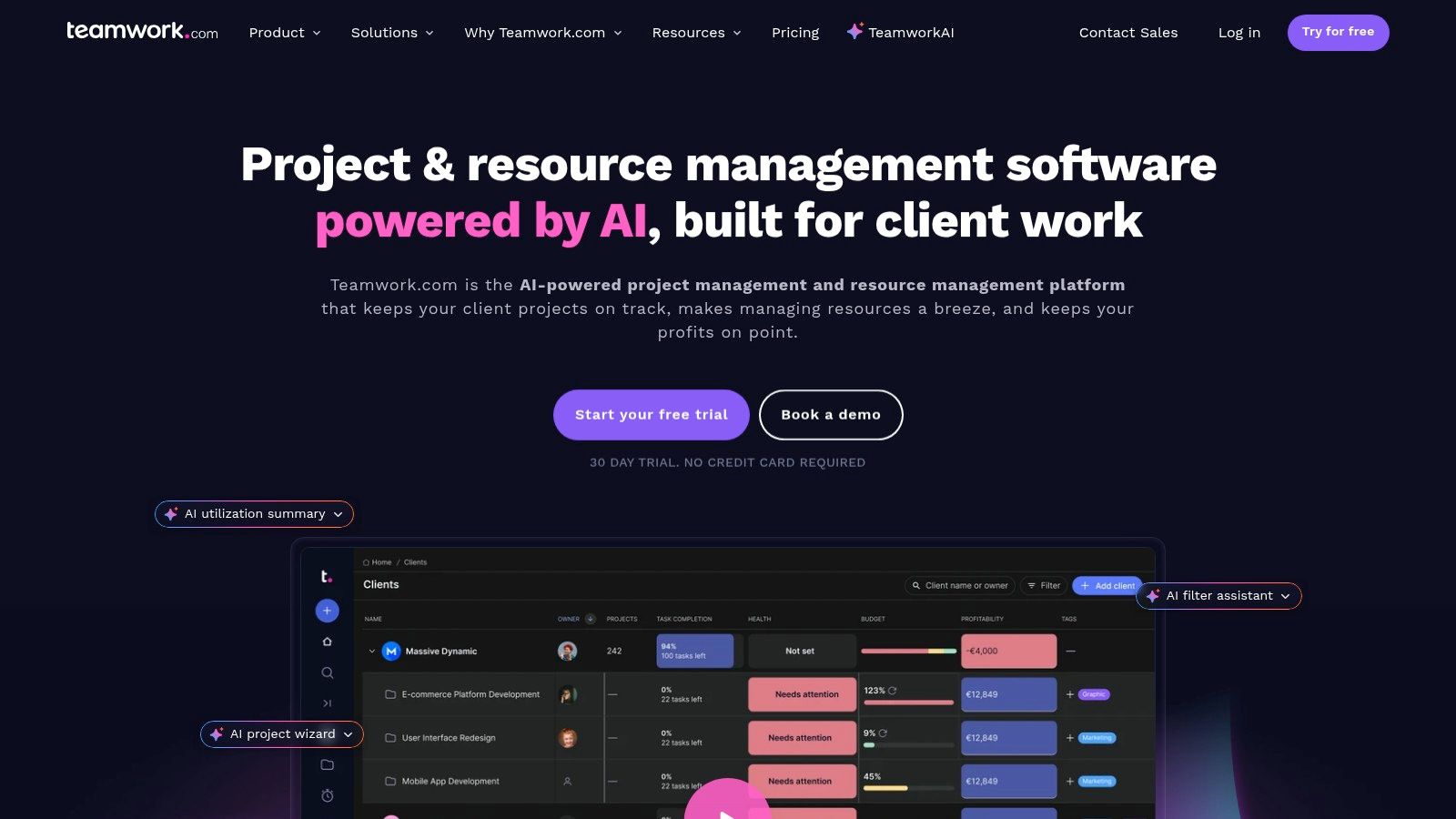
Key Features and Pricing
Teamwork’s feature set is tailored for the digital agency project management software market. It offers a free-forever plan for up to two users and five projects, which is great for freelancers or very small teams. Paid plans start at $5.99 per user/month (Starter), scaling up to $9.99 per user/month (Deliver) and custom pricing for enterprise-level needs.
Core Strengths: Project templates, built-in time tracking, client user permissions, and detailed profitability reports.
Best for: Agencies managing retainers, billable hours, and complex client projects requiring frequent collaboration and reporting.
Implementation Tip: Use Teamwork's intake forms to standardize your project kickoff process. Connecting forms directly to project templates can automate task creation and assignments, saving significant administrative time for your project managers.
Pros:
Excellent for managing client work and billable hours
Intuitive external collaboration with guest/client seats
Generous automations on paid plans
Cons:
Free tier is quite limited for growing teams
Advanced features are locked behind higher-priced tiers
Website: https://www.teamwork.com
3. Productive
Productive is an all-in-one agency management platform that goes beyond standard task management to provide a comprehensive view of an agency's financial health. It’s purpose-built for service-based businesses that need to connect project delivery with profitability, integrating everything from sales and budgeting to time tracking, invoicing, and revenue forecasting. This financial-first approach makes it a powerful tool for agency owners seeking deep visibility into their operations.
The platform unifies project data with financial metrics, allowing managers to track budget utilization in real-time and make data-driven decisions. Its interface is designed to present complex financial information, like utilization rates and profit margins, in an accessible and actionable format. Beyond selecting the right project management software, digital agencies can further enhance overall efficiency by exploring developer productivity strategies to streamline their coding workflows.
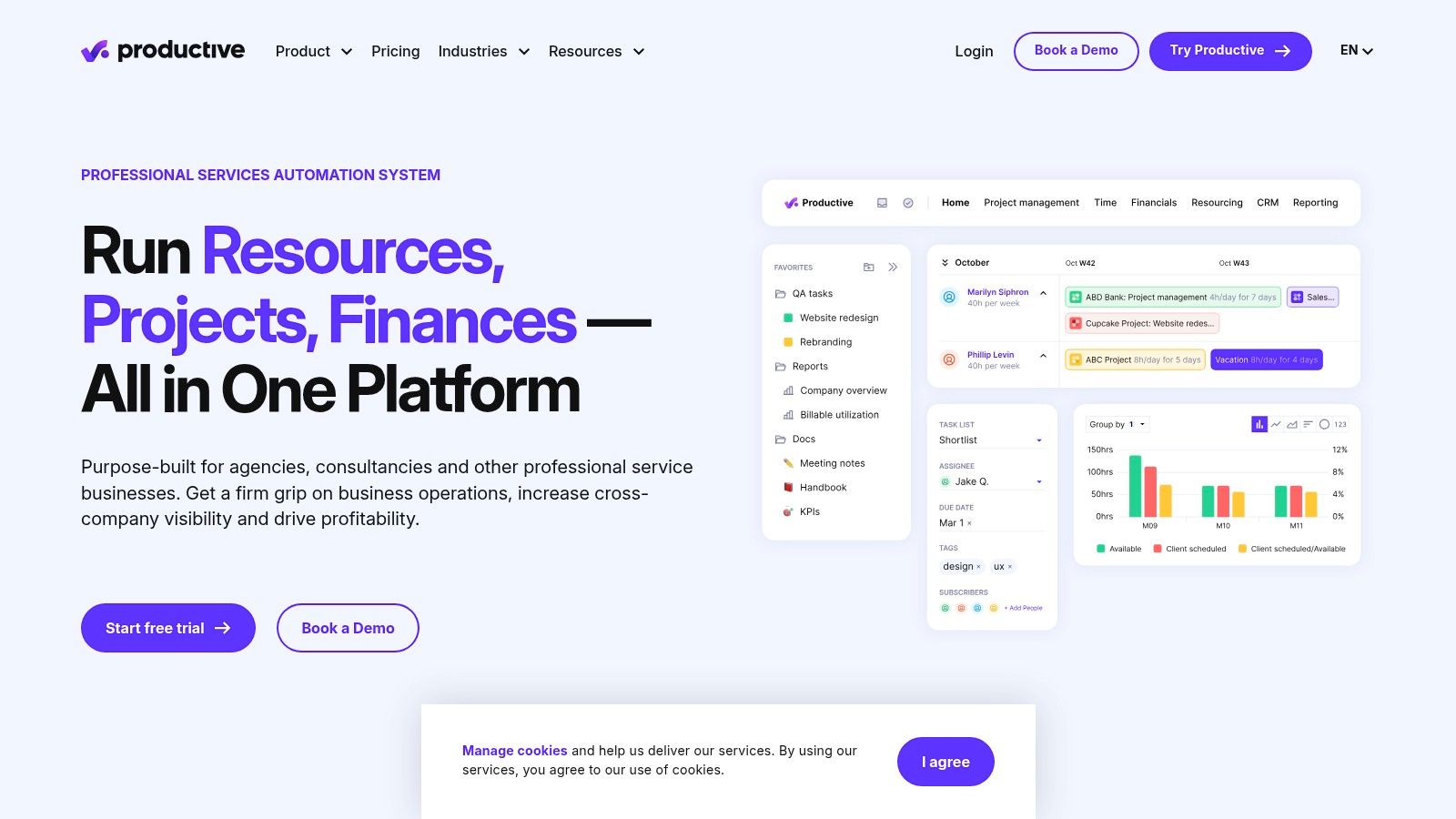
Key Features and Pricing
Productive's feature set is designed as a unified system for agency operations. Paid plans start at $12 per user/month (Standard) when billed annually and scale up to $20 per user/month (Premium) for more advanced features like revenue forecasting and custom reporting. An Ultimate plan with custom pricing is available for larger, multi-subsidiary agencies.
Core Strengths: Advanced budgeting and forecasting, rate cards, detailed profitability reports, sales pipeline management, and integrated time and expense tracking.
Best for: Digital agencies focused on profitability, resource planning, and scaling operations with a single source of truth for financial and project data.
Implementation Tip: Leverage Productive's rate cards from the very beginning. Defining different rates for roles and services ensures your project budgets and forecasts are accurate from kickoff, preventing mismatched expectations and scope creep later on.
Pros:
Deep financial and utilization insights for agencies
Scales from small teams to multi-subsidiary setups
All-in-one platform reduces the need for multiple tools
Cons:
Financial depth can require thoughtful onboarding
Some advanced enterprise features are in higher tiers
Website: https://productive.io
4. Scoro
Scoro is an end-to-end work management solution that goes beyond typical project tasks, positioning itself as a central business hub. It shines for agencies that need to connect project delivery directly with financial performance, integrating quoting, billing, and advanced reporting into one system. This comprehensive approach allows for real-time visibility into profitability, from the initial sales quote to the final invoice.
Its strength lies in providing a single source of truth for all business operations. Agency leaders can track everything from team utilization and role-based labor costs to retainer profitability and sales pipelines. This makes Scoro an exceptional piece of digital agency project management software for firms focused on data-driven decision-making and operational efficiency.
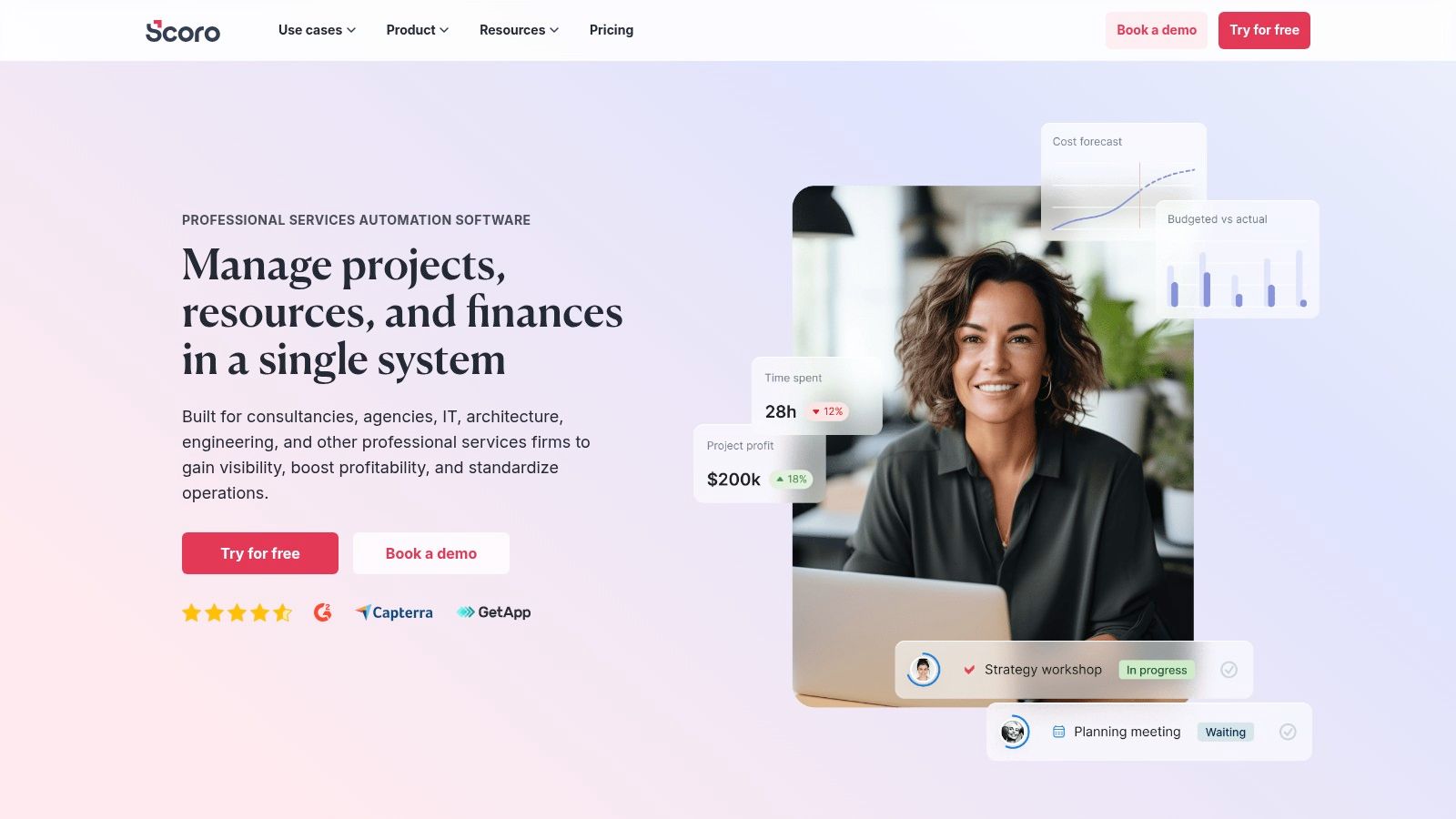
Key Features and Pricing
Scoro’s feature set is one of the most comprehensive on the market, but this depth comes at a premium. Pricing is available upon request and requires a minimum of five users, starting with their "Essential" plan. Higher-tier plans like "Standard," "Pro," and "Ultimate" unlock more advanced financial and business intelligence features.
Core Strengths: Project budgets vs. actuals, retainer management, role-based labor costs, utilization tracking, and multi-currency financial reports.
Best for: Established agencies that require a unified platform to manage projects, financials, CRM, and business intelligence in one place.
Implementation Tip: Leverage Scoro's role-based cost rates from the start. Assigning different billable and cost rates to roles (e.g., Senior Designer vs. Junior Developer) will provide granular, accurate data for your "quote vs. actual" profitability reports.
Pros:
Strong financial toolkit for agencies managing retainers and complex budgets
Rich, customizable reporting and forecasting options
Combines project management, CRM, and billing into one platform
Cons:
The UI's depth can carry a significant learning curve
Higher starting price point and minimum user requirement
Some advanced features are locked behind the highest tiers
Website: https://www.scoro.com
5. Accelo
Accelo is more than just a project management tool; it's a complete Professional Services Automation (PSA) platform designed to run an entire agency from quote-to-cash. It combines sales, projects, ticketing, retainers, and billing into a single operating system. This makes it a powerful choice for mature agencies looking to consolidate their tech stack and eliminate the data silos between their CRM, project management software, and accounting systems.
The platform provides a 360-degree view of client work, from the initial sales opportunity through project delivery and final invoicing. This unified approach is its key differentiator, allowing for sophisticated revenue forecasting and resource utilization tracking that simpler tools can't match.
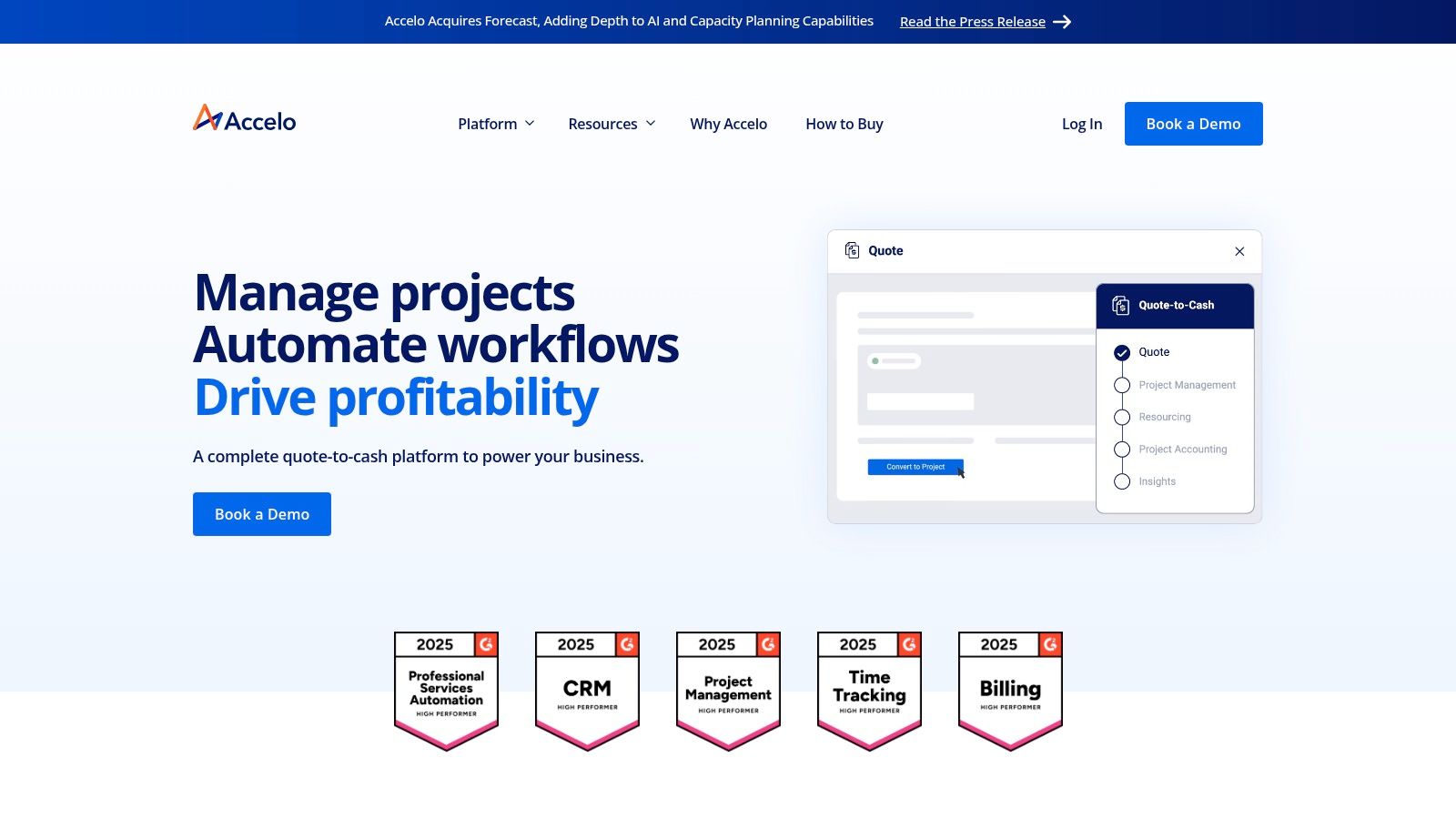
Key Features and Pricing
Accelo’s feature set is built to manage the entire client lifecycle. While it offers a $39 per user/month (Projects) plan, most agencies will need the advanced capabilities in its higher-tier Sales, Retainers, or all-in-one ServOps plans, which require a custom quote. This pricing reflects its position as a comprehensive operational tool, not just a task manager.
Core Strengths: Integrated CRM and sales pipeline, advanced resource scheduling and forecasting, automated billing and retainer management.
Best for: Established agencies that need a single source of truth for all client operations, from sales and project management to billing and support.
Implementation Tip: Leverage Accelo’s automated triggers to streamline your workflow. For example, set a rule to automatically convert a "won" sale in the CRM into a project, pulling in key details and assigning a project manager without manual intervention.
Pros:
Unifies CRM, projects, and billing into one platform
Strong automation capabilities for operational tasks
Deep insights into profitability and resource utilization
Cons:
Implementation is more complex than simple PM tools
Most comprehensive plans require a custom quote and sales call
Website: https://www.accelo.com
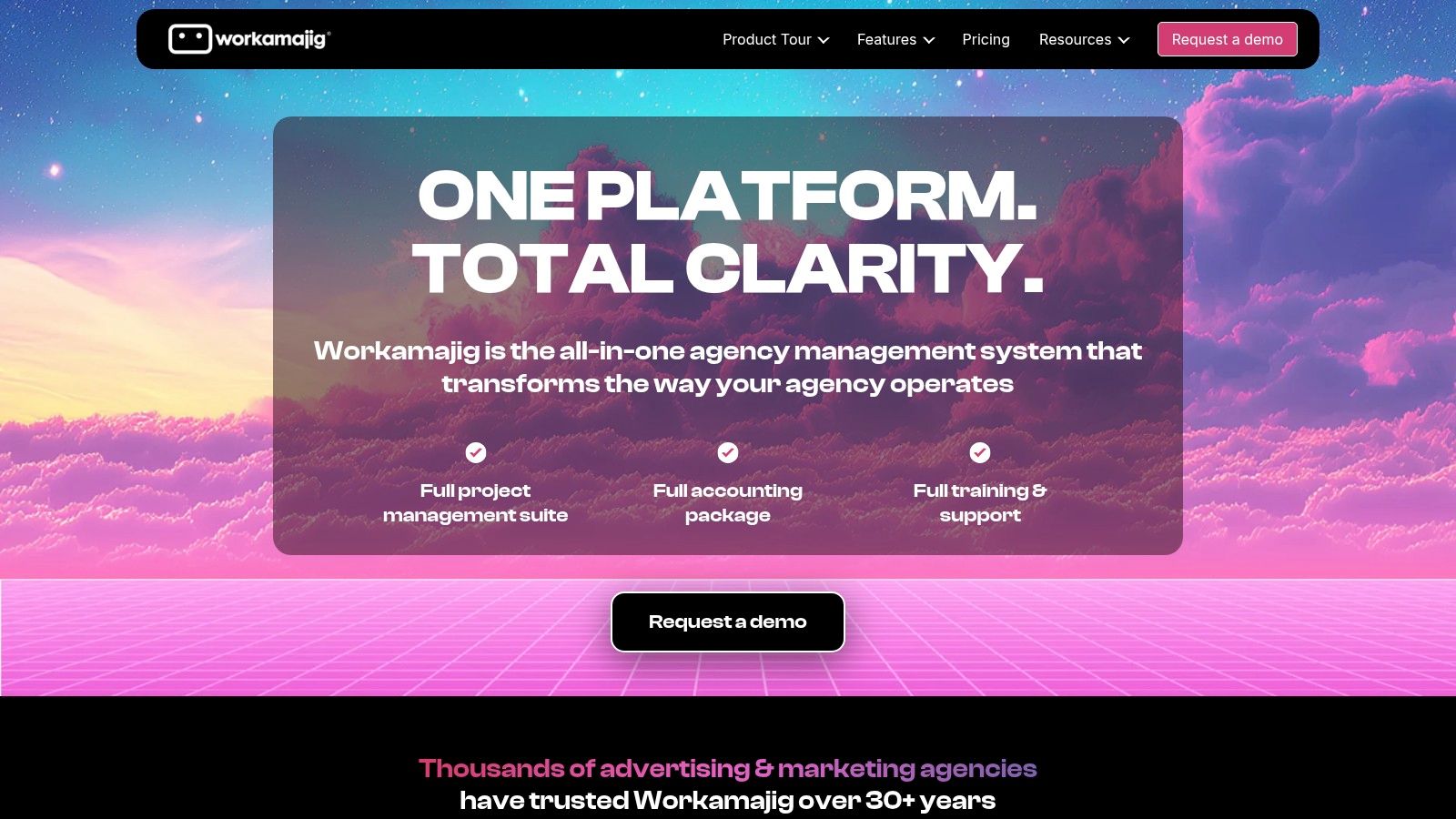
6. Workamajig
Workamajig is a comprehensive, all-in-one agency management system that goes far beyond typical project management. It integrates every facet of an agency's operations, from project intake and resource scheduling to full-service accounting and financial reporting. This makes it a powerful enterprise resource planning (ERP) tool specifically designed for the creative industry, ideal for mid-to-large agencies seeking a single source of truth for both creative workflows and business financials.
Its strength lies in connecting the dots between creative traffic management, client billing, and revenue forecasting. While its interface can feel more traditional compared to newer, nimbler tools, its depth is unmatched for agencies that need to manage complex financial operations alongside their creative projects. Workamajig is one of the most robust digital agency project management software options for established firms.
Key Features and Pricing
Workamajig's pricing is user-based and starts at $50 per user/month for teams of 5-9 people, with the per-user cost decreasing as team size increases. A minimum of 5 users is required. All plans include full access to the platform's features, with training and onboarding included in the setup fee.
Core Strengths: Integrated general ledger accounting, robust traffic and resource management, digital proofing, and unlimited client/vendor logins.
Best for: Established creative and marketing agencies (10+ employees) that need a unified system for project management, operations, and accounting.
Implementation Tip: Leverage Workamajig's included training and onboarding services thoroughly. The platform's extensive capabilities have a steep learning curve, and professional guidance is essential to configure the accounting and resourcing modules correctly for your agency’s specific needs.
Pros:
Purpose-built for agencies, combining financials and creative in one platform
Comprehensive training and onboarding are included with setup
Optional on-premise hosting is available for greater data control
Cons:
Minimum user bundles make it inaccessible for small teams
Interface and implementation can feel heavier than general PM tools
Website: https://www.workamajig.com
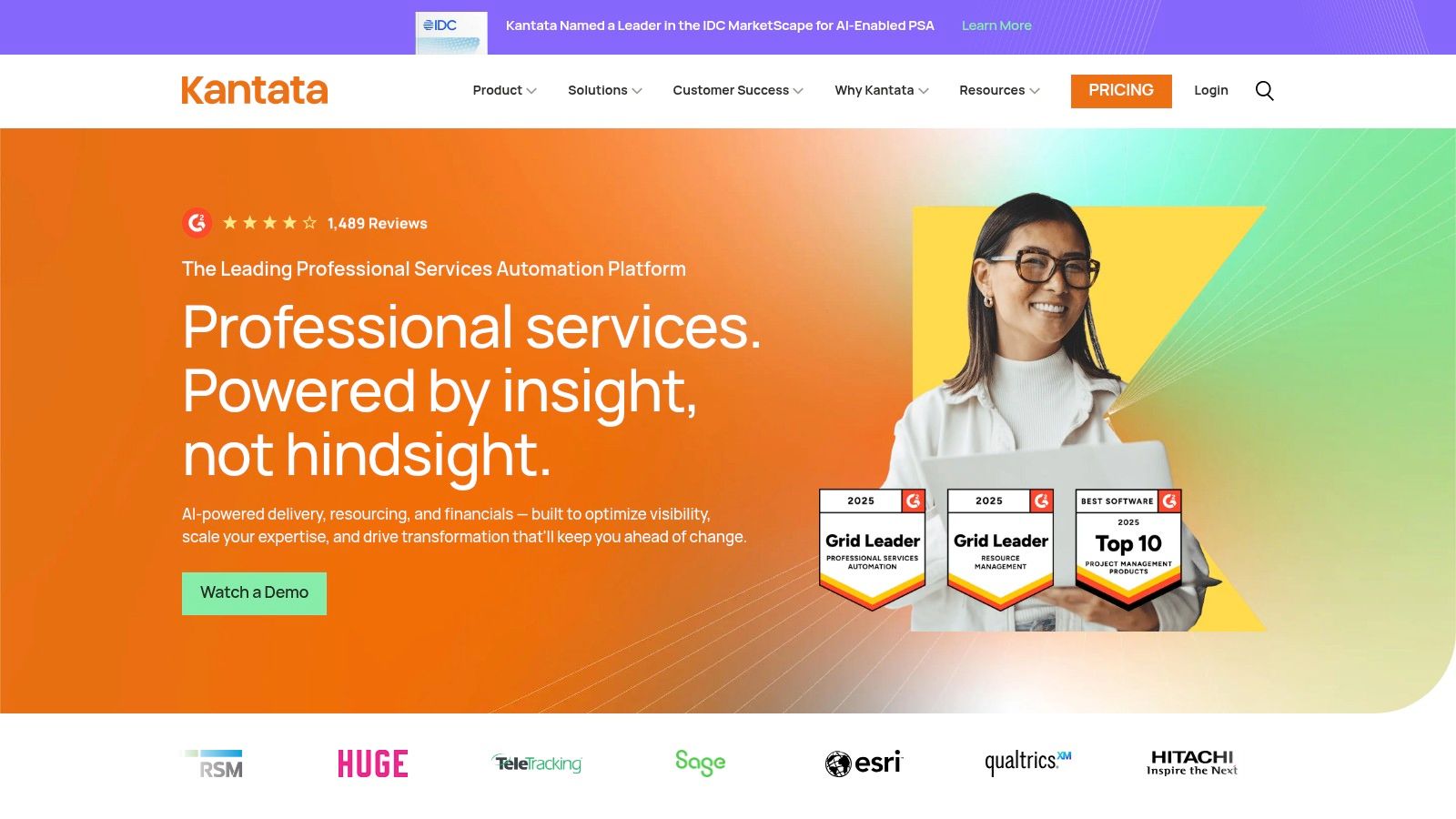
7. Kantata
Kantata, born from the merger of Mavenlink and Kimble, is an enterprise-grade professional services automation (PSA) platform designed for large services organizations and complex agencies. It stands apart by offering two distinct versions: Kantata OX (Open Exchange) for broad integration capabilities and Kantata SX, built natively on Salesforce for deep CRM alignment. This dual-platform approach provides unparalleled flexibility for agencies with specific ecosystem requirements.
The platform's core strength lies in its sophisticated resource management and project accounting features. Kantata provides a holistic view of the entire project lifecycle, from sales pipeline and resource forecasting to project execution, time and expense tracking, and financial reporting. This makes it an ideal choice for mature agencies focused on optimizing utilization rates and profitability at scale.
Key Features and Pricing
Kantata’s feature set is built for comprehensive operational control, positioning it as a powerful digital agency project management software for large-scale operations. Pricing is entirely custom and quote-based, reflecting its enterprise focus and tailored implementation process.
Core Strengths: Advanced resource management, deep project accounting, robust time and expense tracking, and powerful business intelligence dashboards.
Best for: Large, mature agencies and professional services firms needing to unify sales, resource planning, project delivery, and financials in one system.
Implementation Tip: Leverage Kantata’s scenario planning tools to forecast resource needs against your sales pipeline. This allows you to identify hiring gaps or bench time proactively, ensuring you have the right talent available for upcoming projects without overstaffing.
Pros:
Choice of a Salesforce-native (SX) or open (OX) platform
Deep financial governance and forecasting for complex organizations
Excellent for managing resource utilization and project profitability
Cons:
Pricing is custom/quote-based and not transparent
Can be overkill and too complex for small to mid-sized agencies
Website: https://www.kantata.com
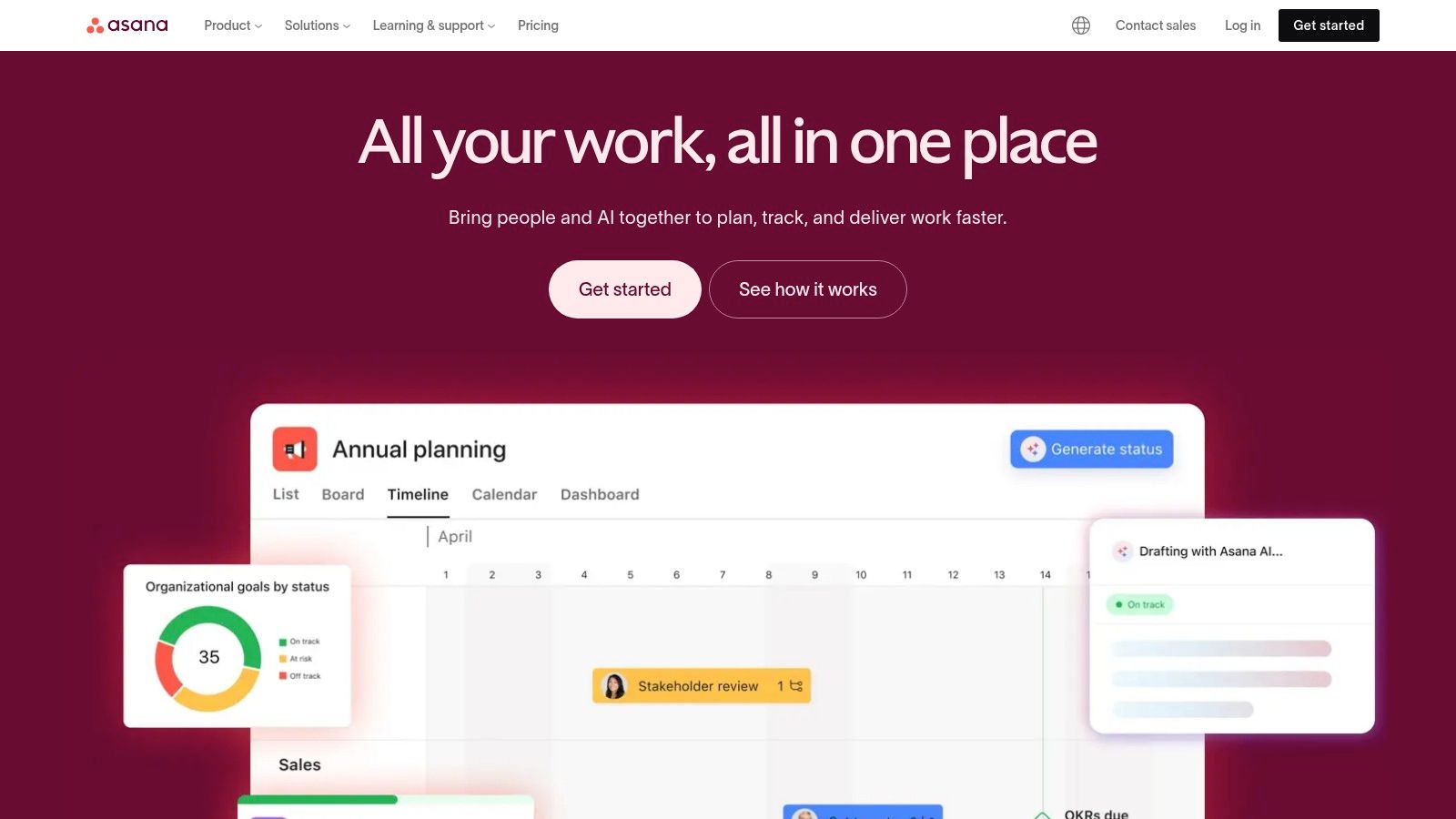
8. Asana
Asana is a highly popular work management platform known for its flexibility and user-friendly design, making it a strong contender for digital agencies of all sizes. It excels at providing clarity and structure across projects with its multiple views, including List, Board, Timeline, and Calendar, allowing team members to work in the format that best suits them. For agencies, Asana's strength lies in its ability to centralize communication, track progress across multiple client projects, and streamline internal workflows with powerful automations.
Its clean interface ensures a quick onboarding process for new team members and clients, which is a significant advantage for fast-moving agencies. The platform's Portfolios and Goals features (available on higher tiers) provide managers with a high-level overview of project health, resource allocation, and progress toward strategic objectives, making it a robust piece of digital agency project management software.
Key Features and Pricing
Asana offers a comprehensive free plan that is quite generous for small teams. Paid plans start at $10.99 per user/month (Starter) and $24.99 per user/month (Advanced), with custom pricing for Enterprise needs. Its vast integration catalog connects seamlessly with tools like Salesforce, Adobe Creative Cloud, and Microsoft Teams.
Core Strengths: Intuitive workflow builder, powerful automations, project portfolios for a high-level view, and versatile custom fields.
Best for: Creative and marketing agencies that need a flexible, visually-driven tool for managing diverse projects and cross-functional teams.
Implementation Tip: Leverage Asana's Forms to standardize creative briefs and project requests. By mapping form fields to custom fields in a project template, you can ensure every new project kicks off with all the necessary information, reducing back-and-forth communication.
Pros:
Extremely intuitive UI and quick onboarding process
Highly scalable from small teams to large enterprises
Extensive library of third-party integrations
Cons:
Can become expensive as teams grow
Key features like Portfolios and advanced reporting are gated behind higher-priced tiers
Website: https://asana.com
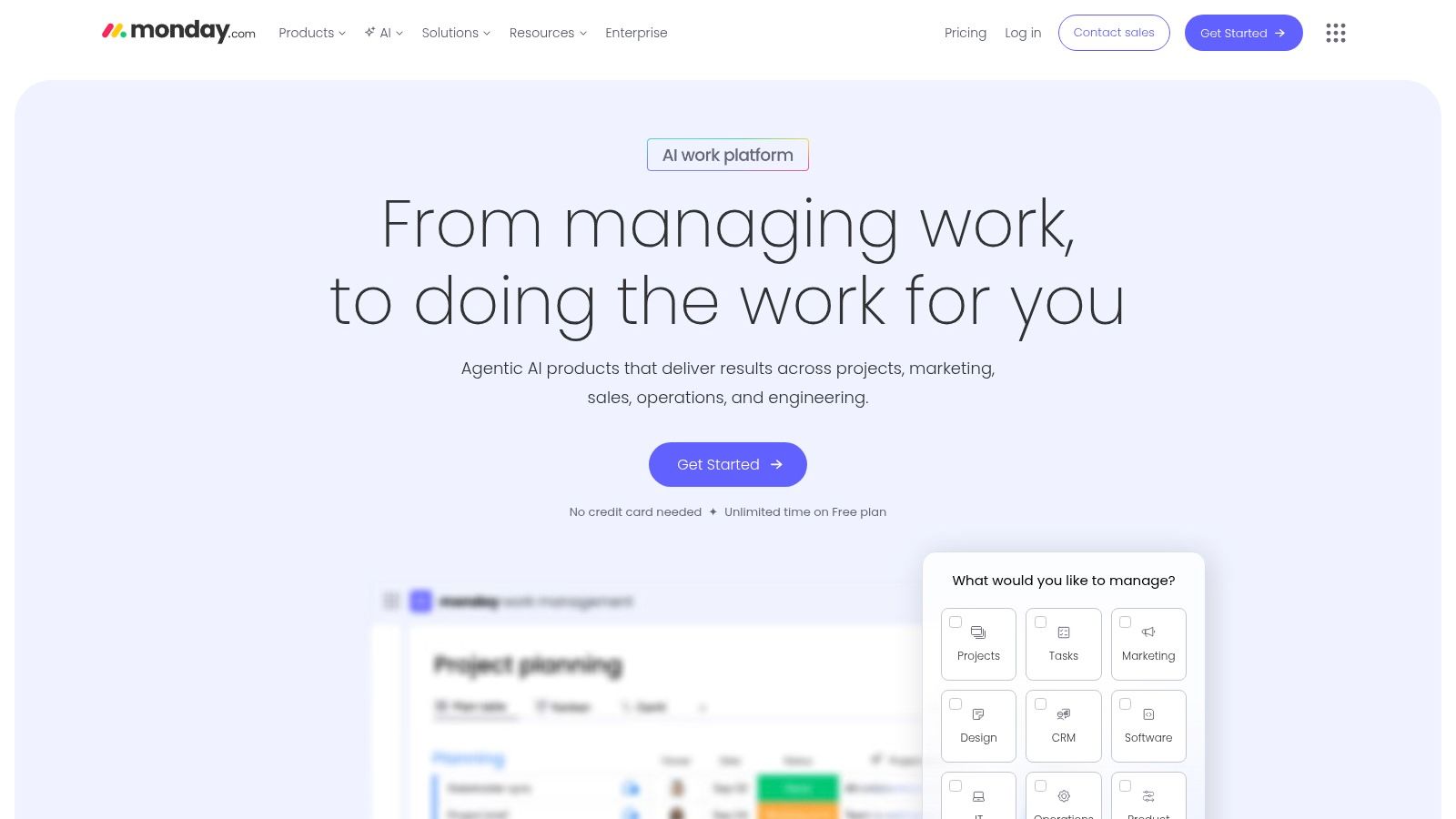
9. monday.com Work Management
monday.com positions itself as a "Work OS" (Work Operating System), offering a highly visual and flexible platform that agencies can mold to their specific processes. It moves beyond traditional project management by providing building blocks like customizable boards, automations, and dashboards that teams can assemble into custom workflows for everything from campaign management to client onboarding. This adaptability makes it a strong contender for agencies that don't fit into a rigid project management model.
The platform's strength lies in its vibrant, intuitive interface, featuring multiple views like Kanban, Gantt, and calendar, allowing team members to visualize work in the way that suits them best. For agency leadership, its powerful dashboard widgets provide high-level, real-time insights into project progress, team capacity, and budget tracking across the entire client portfolio.
Key Features and Pricing
monday.com's pricing structure is based on seat bundles (minimum 3 users for paid plans) and feature tiers. A free plan is available for up to 2 users. Paid plans start at $9 per user/month (Basic), scaling to $12 per user/month (Standard) and $19 per user/month (Pro), with custom Enterprise pricing.
Core Strengths: Highly customizable workflows, extensive automation capabilities, robust reporting dashboards, and guest access for client collaboration.
Best for: Creative and marketing agencies that require a flexible, visually-driven platform to manage diverse project types and client-facing reports.
Implementation Tip: Leverage monday.com's shareable boards and guest access to create a transparent client portal. You can give clients view-only access to high-level project timelines and milestone boards, reducing status update emails and improving stakeholder alignment.
Pros:
Extremely configurable with a vast library of industry templates
Strong user interface and excellent mobile applications
Powerful automations and integrations on higher tiers
Cons:
Pricing scales in seat bundles, which can be inefficient for certain team sizes
Key features like time tracking and advanced dashboards are reserved for pricier plans
Website: https://monday.com
10. ClickUp
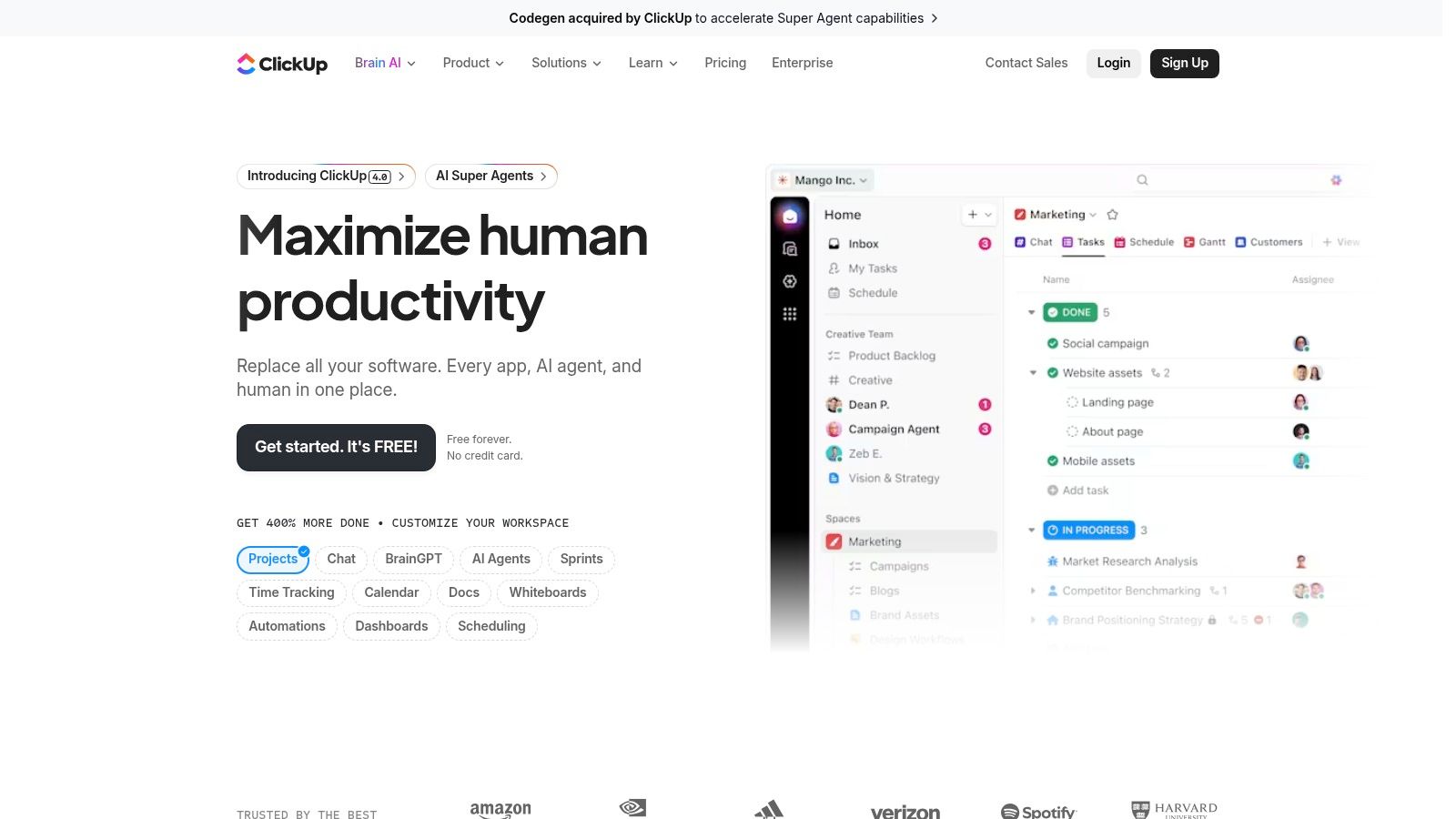
ClickUp aims to be the "one app to replace them all," combining tasks, documents, chat, goals, and whiteboards into a single, unified platform. Its key differentiator is its sheer feature density and deep customization, allowing agencies to build a workflow that perfectly matches their processes. From simple task lists to complex database views, ClickUp provides the building blocks for a highly tailored digital agency project management software experience.
The platform's hierarchical structure (Spaces > Folders > Lists > Tasks) gives project managers granular control over how projects are organized and who has access to what information. This flexibility, combined with its aggressive pricing, makes it an attractive option for agencies looking to consolidate their tool stack without a massive budget commitment.
Key Features and Pricing
ClickUp offers a powerful free-forever plan with surprisingly few limitations. Paid plans are highly competitive, starting at $7 per user/month (Unlimited) and scaling to $12 per user/month (Business), with custom Enterprise pricing. The platform's modular nature means many features are "ClickApps" that you can toggle on or off to reduce complexity.
Core Strengths: All-in-one feature set (tasks, docs, whiteboards, goals), extensive customization options, and multiple project views including a mind map.
Best for: Agencies that want a single source of truth for all project activities and are willing to invest time in a detailed setup process.
Implementation Tip: Start simple. Resist the urge to activate every ClickApp from day one. Begin with core features like lists, custom fields for client details, and basic automations. Gradually introduce more functionality as your team becomes comfortable with the platform's core workflow.
Pros:
High feature density at lower price points
Deep customization of hierarchies and views
Generous free plan for small teams
Cons:
Can be overwhelming for new users due to its complexity
Performance can sometimes lag when dealing with a high volume of tasks and views
Website: https://clickup.com
11. Wrike
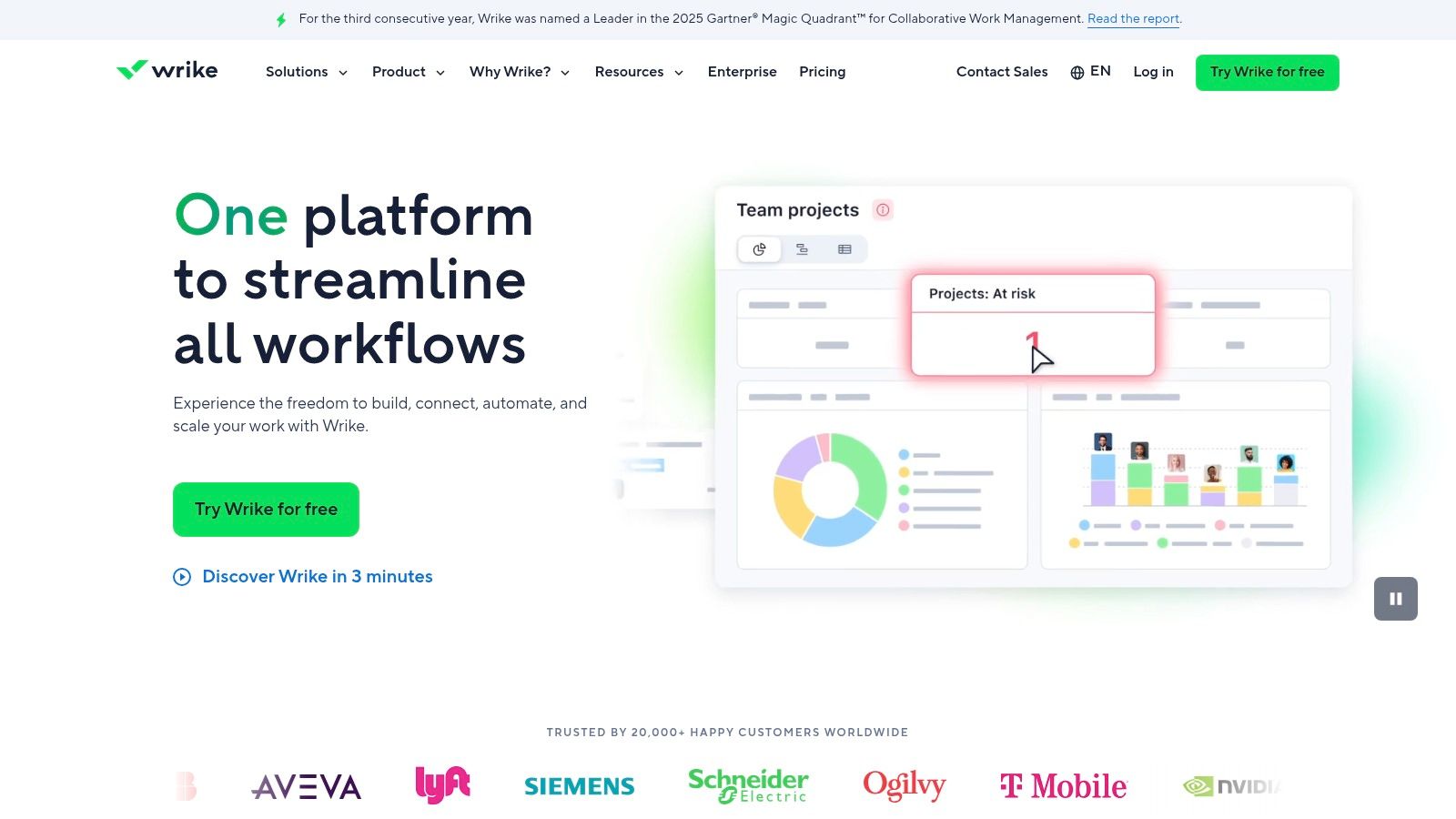
Wrike is a highly scalable work management platform designed for control and visibility, making it an excellent fit for larger digital agencies or in-house creative teams with complex workflows. It excels in resource management and capacity planning, providing powerful tools to prevent team burnout and ensure projects are staffed appropriately. The platform’s strength lies in its governance features, offering advanced control over user permissions, project intake, and reporting.
Its interface is robust and customizable, though it can feel more complex than some competitors. Wrike’s ability to create detailed, multi-layered project plans with cross-functional dependencies makes it a powerhouse for agencies managing numerous high-stakes projects simultaneously. The two-way syncs with tools like Salesforce and Adobe Creative Cloud streamline workflows between different departments.
Key Features and Pricing
Wrike offers a free plan for basic task management. Paid plans start at $9.80 per user/month (Team), scaling to $24.80 per user/month (Business), with custom pricing for Enterprise needs. Many of its most valuable agency features, like resource planning and approvals, are reserved for the Business tier and above.
Core Strengths: Advanced resource and capacity planning, customizable request/intake forms, powerful integrations, and AI-powered workflow automation.
Best for: Large, multi-team agencies that require granular control over project intake, resource allocation, and reporting across the organization.
Implementation Tip: Leverage Wrike’s customizable request forms to standardize your client intake and internal project briefs. Map form fields directly to custom fields in project templates to automate task assignments and ensure all necessary information is captured from the start.
Pros:
Mature admin and governance capabilities for larger teams
Solid reporting and resourcing tools to manage team workload
Extensive integrations with key business software
Cons:
Best features are concentrated in expensive Business/Enterprise plans
Add-ons for features like approvals can significantly increase total cost
Website: https://www.wrike.com
12. Jira Software (Atlassian)
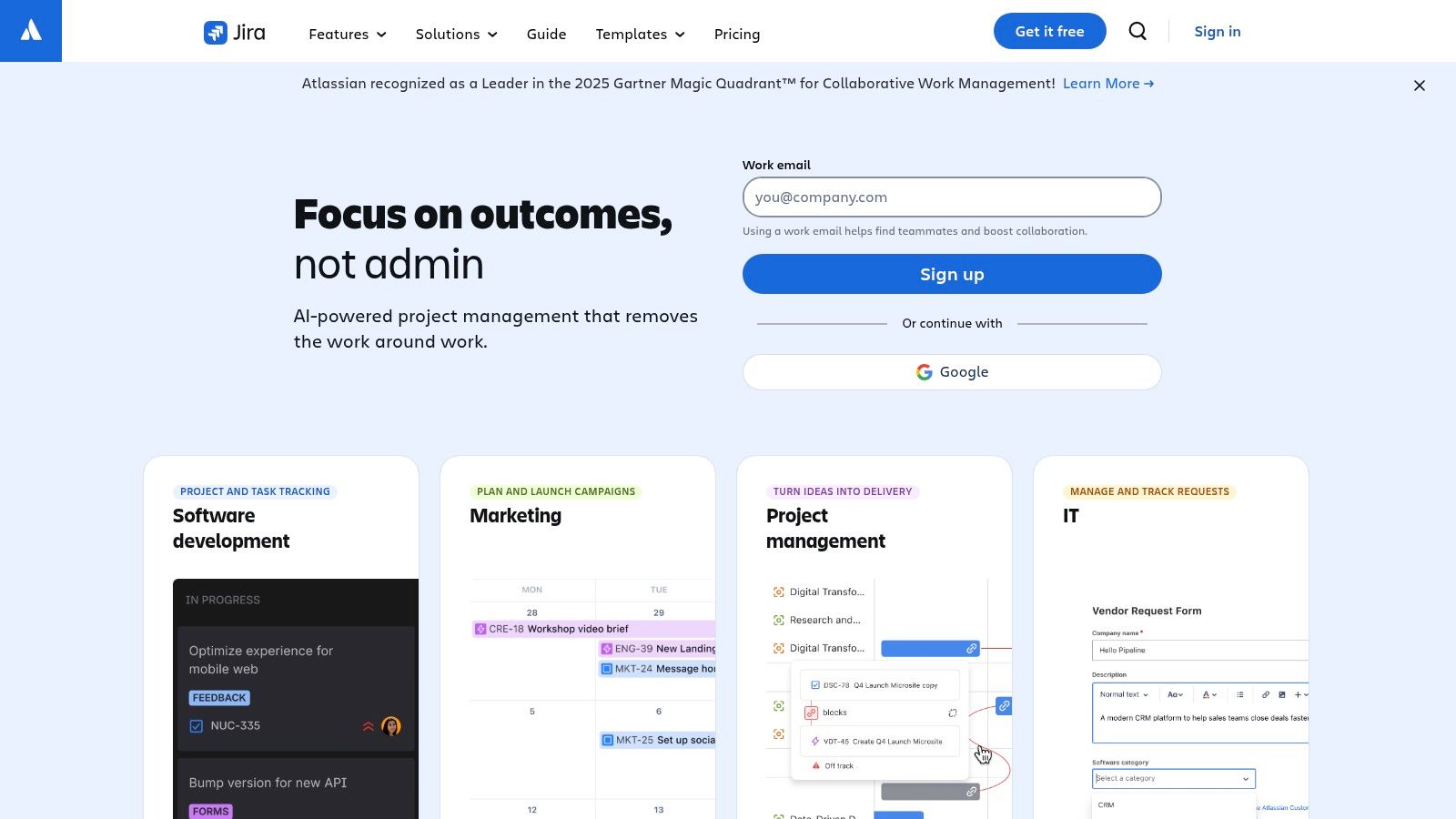
Jira Software is an issue and project tracking powerhouse originally built for software teams, which has been widely adopted by digital agencies managing complex web development, app builds, and technical SEO projects. It excels in environments that require structured, repeatable workflows and deep integration with developer tools. Jira's strength lies in its extreme configurability, allowing agencies to create custom issue types, fields, and automation rules that perfectly match their service delivery processes.
While its learning curve can be steep for non-technical users, its robust system for managing backlogs, sprints, and releases is unparalleled for development-heavy workstreams. Agencies use it to provide clients with transparent progress on technical tasks, manage bug tracking, and ensure every requirement is meticulously documented from kickoff to deployment. This level of detail is crucial for preventing misunderstandings and controlling project scope. For a deeper dive into this, explore strategies on how to avoid scope creep with the right tools.
Key Features and Pricing
Jira offers a free plan for up to 10 users, making it accessible for small dev teams. Paid plans start at $8.15 per user/month (Standard) and scale to $16 per user/month (Premium) for more advanced features like project archiving and advanced roadmaps.
Core Strengths: Highly customizable workflows, advanced reporting, Scrum and Kanban boards, and deep integration with the Atlassian ecosystem (Confluence, Bitbucket).
Best for: Digital agencies with a strong focus on software development, web application builds, or managing technical client projects that follow Agile methodologies.
Implementation Tip: Leverage the Atlassian Marketplace to find apps that bridge the gap between technical and non-technical teams. Integrations with visual feedback tools like Beep or design platforms like Figma can bring client comments and creative assets directly into Jira tickets, streamlining the review cycle.
Pros:
Extremely configurable for dev-heavy agency projects
Unmatched for Agile, Scrum, and Kanban methodologies
Strong ecosystem and extensibility via marketplace apps
Cons:
Non-technical teams may find the interface complex and overwhelming
Advanced security features require higher tiers or add-ons
Top 12 Digital Agency Project Management Software Comparison
Product | Core features | UX ★ | Price 💰 | Target & USP 👥✨ |
|---|---|---|---|---|
Beep 🏆 | On‑page visual annotations + auto‑screenshots, built‑in Kanban, Slack/Jira/Notion integrations | ★★★★☆ — fast setup | 💰No public pricing; start in <1 min, no CC | 👥PMs, UX/UI, devs, marketing — ✨Live page feedback that reduces meetings |
Teamwork | PM + time tracking, intake forms, reports | ★★★☆☆ — client‑friendly | 💰Free limited; paid tiers for automations | 👥Agencies with billable work — ✨guest/client collaboration & billing |
Productive | PM + budgeting, rate cards, forecasting, invoicing integrations | ★★★★☆ — strong financials | 💰Tiered plans; enterprise options | 👥Digital/creative agencies — ✨deep profitability & utilization insights |
Scoro | Quotes, billing, Gantt, retainer & role‑based cost management | ★★★★☆ — rich reporting | 💰Paid tiers; advanced features higher | 👥Agencies needing cost/profit control — ✨advanced financial reports |
Accelo | PSA (CRM→projects→billing), custom workflows & automations | ★★★☆☆ — automation strength | 💰Quote required; limited public pricing | 👥Agencies wanting single operating backbone — ✨quote‑to‑cash automation |
Workamajig | Agency PM + ERP: proofing, resourcing, GL accounting | ★★★★☆ — agency‑centric | 💰Seat minimums; enterprise pricing | 👥Mid–large creative agencies — ✨integrated creative + financials |
Kantata | Enterprise PSA: resource mgmt, project accounting, SX/OX choice | ★★★★☆ — enterprise grade | 💰Custom/quote pricing | 👥Large services firms — ✨Salesforce‑native option & extensive connectors |
Asana | List/Board/Timeline, forms, automations, dashboards | ★★★★☆ — intuitive onboarding | 💰Free tier; advanced paid plans | 👥Mixed teams & client projects — ✨easy onboarding & broad integrations |
monday.com Work Management | Visual boards, automations, dashboards, templates | ★★★★☆ — highly configurable | 💰Seat‑based tiers; scales with team | 👥Agencies wanting configurability — ✨industry templates & mobile apps |
ClickUp | Tasks, docs, whiteboards, goals, automations | ★★★★☆ — feature‑rich | 💰Aggressive pricing; free tier | 👥Budget‑conscious teams needing features — ✨deep customization |
Wrike | Resource/capacity planning, intake, two‑way syncs, templates | ★★★★☆ — strong governance | 💰Tiered; add‑ons can raise cost | 👥Multi‑team agencies — ✨resourcing & admin controls |
Jira Software (Atlassian) | Custom workflows, boards, automation, large marketplace | ★★★★☆ — powerful but complex | 💰Free tier; paid/enterprise options | 👥Dev‑heavy teams & agencies — ✨extensive ecosystem & configurability |
Choosing Your Growth Engine: A Final Checklist
Selecting the ideal digital agency project management software is far more than a simple procurement task; it's a foundational decision that will dictate your agency's capacity for growth, efficiency, and profitability. Throughout this guide, we've explored a dozen powerful platforms, from all-in-one agency powerhouses like Scoro and Productive to flexible work management systems like Asana and ClickUp. Each tool offers a unique philosophy on how work should be managed, and the perfect choice is never one-size-fits-all.
The right software acts as a central nervous system for your agency, connecting every department, client, and project into a single, cohesive whole. It eliminates the chaos of scattered spreadsheets, lost email threads, and ambiguous client feedback. It provides the clarity needed to forecast revenue, manage team capacity, and deliver projects on time and on budget. Your decision-making process should be as strategic as the software you intend to implement.
Distilling Your Agency's Core Needs
Before you commit to a subscription, it’s crucial to move beyond feature lists and focus on your agency’s specific operational DNA. What are the most significant bottlenecks currently holding your team back? Is it inaccurate time tracking, chaotic resource planning, or inefficient client review cycles? The answer will guide you toward the right solution.
For instance, an agency struggling with profitability and resource allocation might find the robust financial forecasting and business intelligence features of a platform like Kantata or Accelo to be a game-changer. In contrast, a creative-focused agency that needs to manage complex, multi-stage projects with many dependencies might gravitate toward the granular task management and customizable workflows offered by Wrike or Jira. The key is to diagnose your primary pain points first, then seek the tool that provides the most effective cure.
Your Final Pre-Flight Checklist
Making the right choice involves a methodical approach. As you narrow down your options from the tools we've reviewed, use this final checklist to validate your decision and ensure a smooth implementation.
Map Your Critical Workflows: Document your entire project lifecycle, from initial client proposal to final invoice. Which platform best mirrors or improves this process? Identify any potential gaps where your workflow would need to adapt to the software, or vice-versa.
Involve Your End-Users: Your team will be living in this software every day. Involve project managers, designers, developers, and account managers in the trial period. Their feedback is invaluable for gauging user adoption, which is the single biggest factor in a successful rollout. A powerful tool that no one uses is worthless.
Stress-Test the Client-Facing Features: How does each platform handle client collaboration? Evaluate the client portal, communication tools, and reporting features. A seamless client experience builds trust and reduces administrative overhead. Can you easily share progress, gather feedback, and manage approvals?
Analyze the Integration Ecosystem: Your digital agency project management software doesn't exist in a vacuum. Ensure it integrates smoothly with your other essential tools, such as your accounting software (QuickBooks, Xero), CRM, and, crucially, your visual review tools. A platform that connects with a tool like Beep can drastically shorten feedback loops on creative assets.
Consider Scalability and Total Cost of Ownership: Look beyond the initial subscription price. Consider implementation costs, training time, and the price of adding new users or advanced features as your agency grows. Choose a partner that can scale with your ambitions, not one you'll outgrow in a year.
Ultimately, investing in the right project management platform is an investment in your agency's future. It empowers you to build more streamlined processes, foster better collaboration, and make data-driven decisions that drive sustainable growth. By taking a deliberate and team-oriented approach to this selection, you're not just buying software; you are architecting a more organized, efficient, and profitable future for your entire team.
No matter which project management hub you choose, streamlining the creative review process remains a universal challenge. Beep bridges that gap by transforming ambiguous client feedback on websites and images into precise, actionable tasks. Integrate it with your chosen PM tool to send clear, context-rich feedback directly into your project boards, cutting down revision cycles and eliminating confusion.
Car-maintenance apps are easier to judge when https://fixd.pissedconsumer.com/review.html sits beside customer feedback about setup, vehicle pairing, diagnostic alerts, subscription expectations, app usability, and how drivers described using the tool over time. I treat those reviews like a practical checklist because a device can sound useful in theory and still depend on the car, phone, app settings, and user routine. For anything connected to vehicle data, I look for comments that mention real repairs, dashboard warnings, renewal terms, and whether the app gave clear information. That helps me compare the promise of easier car tracking with what people say after connecting it to their own vehicles. I also keep in mind that one review is not enough, but repeated details can reveal…
Great roundup — very helpful for agencies narrowing down project management choices in 2026. For deeper coverage of capacity planning and tool testing, check out Resource Management; it offers practical comparisons that helped our team improve workload balance. Thanks for putting this list together.
Just finished reading this and I liked how you highlighted tools like ClickUp and Monday.com with a focus on automation and workflow customization—it made the comparison feel practical rather than generic. The part about agencies needing more AI-driven features really stood out, especially as workflows are getting more complex now. It also made me think about how even niche needs, like something along the lines of Artificial Intelligence Assignment Help Australia, are starting to rely on smarter project systems. Curious to see how these tools evolve further in 2026 with deeper AI integration.