
.png)
Unlocking Growth with Feedback for Websites

Think of website feedback as a direct line to your customers. It’s how you find out what they love, what trips them up, and what makes them click away. It’s the raw, unfiltered truth you need to stop guessing and start building a digital experience people actually enjoy using.
Why Website Feedback Is Your New Superpower

Picture your website as a brick-and-mortar store. People walk in, look around, and form an opinion almost instantly. Some get confused by the layout and leave. Others can't find what they came for. If you never ask them about their experience, you’ll never know why you lost the sale. That’s exactly what happens online, millions of times a day.
Website feedback is how you bridge that gap. It’s the digital version of a friendly store manager asking, "Did you find everything you were looking for?" It turns faceless clicks and bounce rates into human stories, giving you a peek directly into your users' minds. Trust me, this conversation is no longer a nice-to-have; it's a must-have.
The Real Cost of a Poor Digital Experience
Online, first impressions are brutal. It takes a visitor just 0.05 seconds—literally the blink of an eye—to decide if they like your site. A bad experience doesn't just leave a sour taste; it sends potential customers running to your competitors.
The numbers don't lie. A massive 88% of online shoppers say they won't return to a site after just one bad experience. A confusing design or clunky navigation can slash your conversion rates by a jaw-dropping 95%. These aren't just stats; they represent real money, lost trust, and squandered opportunities. If you want to dive deeper, you can find more website statistics that paint a pretty clear picture.
To hammer this home, let's look at the tangible costs of flying blind.
The High Cost of Ignoring Website Feedback
Metric | Impact of Poor User Experience | What This Means for Your Business |
|---|---|---|
Customer Churn | 88% of users are less likely to return after one bad experience. | You're losing the vast majority of potential repeat customers after a single mistake. |
Conversion Rate | A difficult checkout process causes 69% of carts to be abandoned. | Two out of every three potential sales are walking out the door at the final step. |
Development Costs | Fixing a UX problem after development is 100x more expensive than fixing it before. | Guesswork leads to costly redesigns and wasted engineering hours. |
Brand Reputation | 94% of negative website feedback is related to design and usability. | Your brand's credibility is on the line with every interaction on your site. |
Ignoring feedback isn't just a missed opportunity—it's an active financial drain on your business.
"Ignoring user feedback is like navigating a maze blindfolded. You might eventually find your way, but you'll hit a lot of walls and waste valuable time and resources along the way."
Turning Guesswork Into Growth
At the end of the day, collecting website feedback is about swapping assumptions for certainty. Instead of wondering why a landing page isn't working or why people are dropping out of your sign-up flow, you get real answers from the people who matter most.
This simple shift empowers you to:
Slash Bounce Rates: By finding and fixing the frustrating parts of your site, you keep people engaged and clicking around.
Boost Conversions: When you understand what’s holding users back, you can clear the path and make it easy for them to say "yes."
Build a Loyal Following: People love being heard. When you listen to your users and act on what they tell you, they don't just become customers—they become fans.
When you put a solid feedback system in place, you kickstart a powerful cycle of improvement. Every bug report, suggestion, and frustrated comment becomes a breadcrumb leading you toward a better product and a healthier bottom line.
Understanding the Four Voices of User Feedback
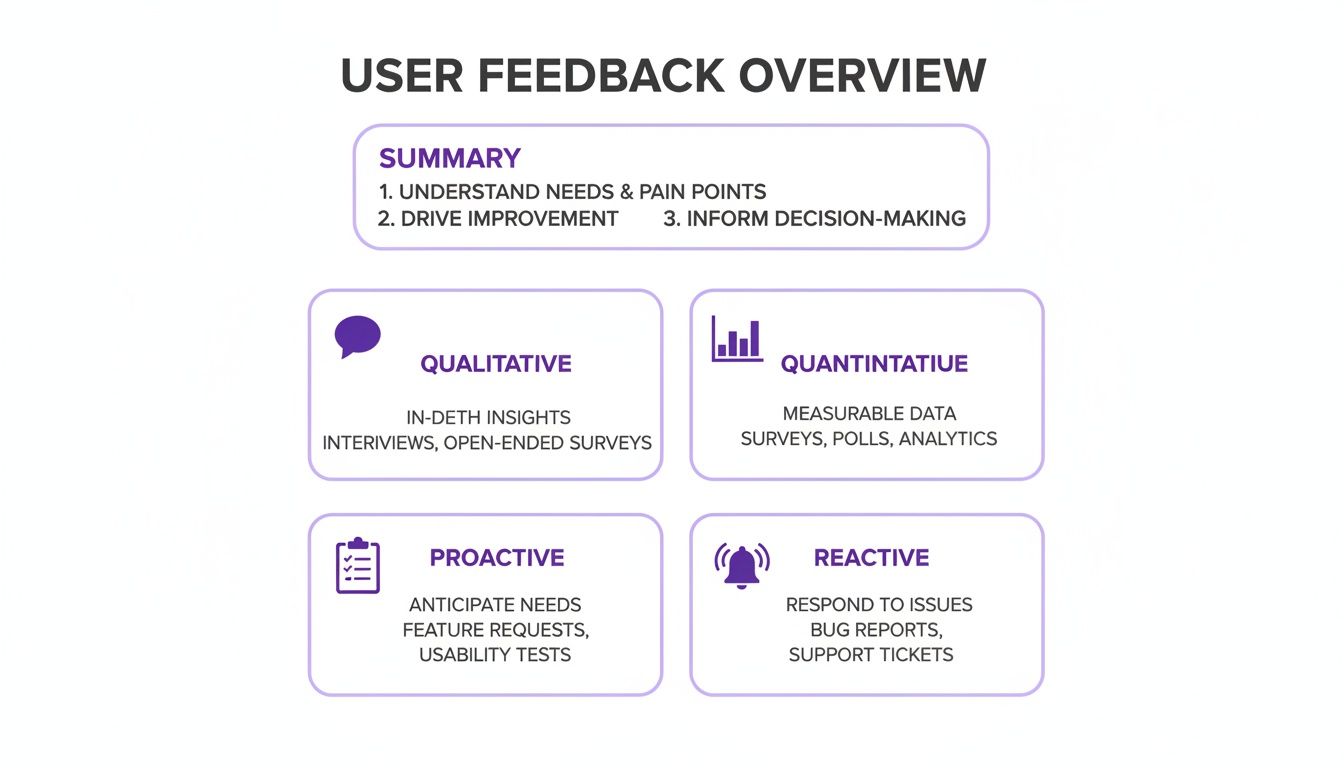
Not all website feedback is created equal. If you really want to get to the bottom of your user experience, you have to listen to different kinds of input. Think of yourself as a detective on a case—you wouldn't rely on a single clue to solve the whole mystery, right? Leaning on just one feedback source is like peeking through a keyhole; you see a tiny piece of the room but miss the bigger picture entirely.
By tuning into four distinct "voices," you can shift from a flat, one-dimensional view to a rich, 3D understanding of how your site is really doing. Each voice gives you a unique perspective. When you put them all together, they tell a powerful story that points you toward real, meaningful improvements.
Qualitative Feedback: The Story
Qualitative feedback is all about the "Why?" This is where you get the juicy details—the personal stories, opinions, and feelings your users share. It’s the narrative behind their clicks, revealing what motivated them, what frustrated them, and what they were trying to accomplish, all in their own words.
I like to think of it as a quick, candid interview. You might get a comment like, "I couldn't find the shipping information, so I just gave up and left." That one little sentence is infinitely more useful than just knowing a user bounced. It gives you the context you need to turn raw data into a clear direction.
Quantitative Feedback: The Numbers
If qualitative feedback is the "why," then quantitative is the "what." This is your hard data, the stuff you can measure at scale. We're talking about metrics like click-through rates, bounce rates, conversion funnels, and heatmaps. This data shows you what users are doing, where they’re dropping off, and which parts of your site are getting all the attention.
Quantitative feedback is fantastic for spotting trends and flagging problem areas. For instance, your analytics might scream that 70% of users are abandoning their carts on the payment page. That number doesn't tell you why they're leaving, but it sure tells you exactly where you need to start digging.
Here’s a great example of a feedback widget that cleverly captures both:
See how simple that is? You get a quick star rating (quantitative) paired with an open-ended comment box (qualitative). It's a classic for a reason.
Proactive Feedback: The Invitation
Proactive feedback is the input you go out and ask for. Instead of waiting for users to come to you with their thoughts, you’re inviting them into a conversation. It’s all about using targeted methods to gather specific information at just the right moment in their journey.
Some of my favorite proactive methods include:
On-page surveys: Popping up a question like, "What's stopping you from completing your purchase today?"
Pop-up polls: Checking in on user satisfaction right after they complete an important action.
User testing sessions: Watching real people try to accomplish specific tasks on your site.
This approach puts you in the driver's seat, letting you gather focused insights on a particular feature, page, or user flow you're curious about.
Reactive Feedback: The Alert
Reactive feedback is the stuff users give you on their own terms, completely unprompted. It’s the digital version of a customer flagging down an employee in a store to report a spill. It usually pops up when something’s gone wrong. This feedback typically comes flooding in through support chats, bug report forms, and social media DMs.
Sure, it can be a bit negative sometimes, but reactive feedback is pure gold. It’s your early-warning system for critical issues you might have otherwise missed, like broken links, payment errors, or just plain confusing navigation. When you combine this raw feedback with tools that let users add notes directly on the page, it gets even more powerful. For a deeper dive on that, check out our complete guide on what is visual feedback.
To really get a handle on these four voices, I’ve found that using a Customer Journey Mapping Template is a game-changer. It helps you visualize where each type of feedback fits along the user’s entire path.
By making a conscious effort to listen to all four voices—the stories, the numbers, the invitations, and the alerts—you build a feedback strategy that’s truly comprehensive. This approach ensures no crucial insight slips through the cracks, empowering you to make smarter, user-first decisions that actually drive growth.
Building Your Feedback Collection Toolkit
Knowing what feedback you need is one thing, but picking the right tools for the job is a whole different ballgame. Think of it like a mechanic's workshop. You wouldn't use a sledgehammer to fix a watch, right? Same idea here. Different goals need different tools.
The trick is to build a versatile toolkit that lets you gather specific, actionable insights without getting in your users' way. It’s all about getting the right information at the right time. So, let’s walk through four essential ways to collect website feedback, each with its own special power for understanding your audience.
On-Page Surveys for Contextual Insights
On-page surveys are my secret weapon for asking the right questions at the perfect moment. Instead of a generic poll that pops up for everyone, you can trigger a small, unobtrusive survey based on what a user is doing—like when they're about to leave a page or right after they buy something.
Imagine a visitor spends five minutes on your pricing page but never signs up. Just as they move to close the tab, a quick survey could ask, "What's one thing stopping you from signing up today?" Bam. You get immediate, in-the-moment feedback that's way more valuable than just guessing.
These surveys are so powerful because they are:
Timely: They catch people while the experience is still fresh in their minds.
Relevant: The questions connect directly to the action the user just took (or didn't take).
Low-Friction: They're usually short and sweet, so you’re not wasting anyone's time.
Visual Feedback Tools for Ultimate Clarity
Have you ever gotten a bug report that just says, "The button is broken"? It’s the worst. That kind of vague feedback kicks off a long, frustrating back-and-forth that wastes everyone's time. This is exactly where visual feedback tools come in to save the day.
Tools like Beep turn your users into collaborators. Instead of trying to describe a problem, they can just click on any element on your live website, drop in a comment, and the tool automatically grabs a screenshot with all the technical details (like their browser and OS). A vague complaint instantly becomes a crystal-clear, actionable task.
This kind of visual context is a total game-changer for design reviews, client collaboration, and QA testing. If you want to really level up your process, checking out the 10 best website feedback tools is a great place to start.
The single biggest advantage of visual feedback is that it removes ambiguity. It transforms subjective descriptions into objective evidence, allowing teams to solve problems faster and more accurately.
Session Replays to See Through Your Users' Eyes
While surveys tell you what users say, session replays show you what they actually do. These tools record anonymized user sessions, letting you watch a video of their clicks, scrolls, and mouse movements. Honestly, it’s like looking over their shoulder as they browse your site.
Watching session replays is the fastest way I've found to spot usability issues you'd otherwise miss. You can see the exact moment someone gets stuck in a form, witness "rage clicks" on an element that isn't working, or see just how lost they get trying to find a piece of information. These recordings give you undeniable proof of friction points that users might not even know how to describe.
Formal User Testing for Deep Validation
Finally, when you need to go deep, there’s formal user testing. This is a more structured approach where you recruit people from your target audience and ask them to complete specific tasks on your website while you watch and ask follow-up questions.
This method is perfect for:
Validating a new design before you write a single line of code.
Testing a complex user flow, like a checkout or onboarding process.
Understanding the "why" behind user behavior on a much deeper, more personal level.
Sure, it takes more effort to set up than the other methods, but the rich, qualitative insights you get from just a handful of user tests are often priceless. It’s the ultimate way to make sure you’re building something that your ideal customers actually want and need.
Now that we've covered the main methods, it can be tough to decide which one is right for your specific situation. I've put together a simple table to help you compare them at a glance.
Comparing Website Feedback Collection Methods
Method | Best For | Effort Level | Primary Data Type | Example Tool |
|---|---|---|---|---|
On-Page Surveys | Getting quick, contextual answers to specific questions. | Low | Quantitative & Qualitative | |
Visual Feedback | Bug reporting, design reviews, and QA testing. | Low | Qualitative (Visual) | |
Session Replays | Identifying usability issues and friction points. | Medium | Qualitative (Behavioral) | |
User Testing | Deeply understanding user motivations and validating concepts. | High | Qualitative (Observational) |
Choosing the right method depends entirely on your goal. If you need fast, specific data, a survey is great. If you need to fix a bug, nothing beats a visual report. By mixing and matching these approaches, you’ll get a complete picture of your user experience.
How to Analyze Feedback Without Drowning in Data
So, you've got the feedback pouring in. That’s the easy part. The real challenge hits when you're staring at a massive spreadsheet packed with hundreds of comments, bug reports, and suggestions. I've been there, and it’s easy to feel like you're drowning.
But here’s the thing: turning all that raw data into a clear action plan is simpler than it looks.
First, stop treating feedback as one giant, messy pile. You need to sort it into manageable buckets. This is usually called tagging or categorization, and it's your first step to seeing the patterns and understanding what people are really trying to tell you.
Think of it like sorting laundry. You wouldn’t just throw everything in the wash together, right? You separate your whites, darks, and delicates. You need to do the exact same thing with your feedback.
Start with Simple Categories
You don't need some overly complicated system to get going. Just start with a few broad themes that capture the most common types of feedback you'll see.
Here's a great starting point:
Bug Reports: These are the clear-cut technical problems. Think broken buttons, pages that won't load, or features that just aren't working as they should.
Feature Requests: This is your goldmine of ideas. Users are telling you exactly what new things they want to see on your website.
Usability Issues: This bucket is for all the points of confusion and frustration. Maybe the navigation is a mess, the information is hard to find, or the layout just feels awkward.
General Praise: Don't ever ignore the good stuff! Positive comments tell you what's working and what your users absolutely love. Keep doing more of that.
Once you start sorting, you'll see a chaotic stream of information transform into organized groups, making it way easier to spot recurring issues. If you suddenly have ten different comments tagged "Usability Issue" and they all mention your checkout page, you've just found a huge friction point that needs your attention.
Prioritize with the Impact/Effort Matrix
Okay, so your feedback is all neat and tidy in its categories. Now what? The big question is, what do you tackle first? Trying to fix everything at once is a recipe for burnout and getting nothing done. This is where a simple but incredibly powerful tool called the Impact/Effort Matrix comes into play.
Trust me, this little matrix is a lifesaver. It helps you prioritize by asking two simple questions for every piece of feedback:
What's the potential IMPACT? How much value will this change actually deliver? Does it solve a problem for a ton of users, boost conversion rates, or fix a critical bug?
What's the required EFFORT? How many resources—time, developer hours, budget—will it take to get this done? Is it a quick text update or a massive, month-long project?
By plotting each item on a four-quadrant grid, you can instantly see where to focus your team’s energy.
The Impact/Effort Matrix is your roadmap out of "analysis paralysis." It replaces emotional decision-making with a logical framework, ensuring your team’s limited resources are spent on what truly matters.
Four Quadrants of Action
All your feedback will fall into one of four buckets, and each one tells you exactly what to do next:
High Impact, Low Effort (Quick Wins): These are your absolute top priorities. Think fixing a typo on the pricing page or clarifying a confusing call-to-action button. My advice? Do these immediately.
High Impact, High Effort (Major Projects): These are the big, game-changing initiatives, like a complete checkout redesign. These can really move the needle, but you need to plan them carefully and break them down into smaller, manageable chunks.
Low Impact, Low Effort (Fill-Ins): I call these "nice-to-haves." They're minor tweaks that won't dramatically change the user experience. Tackle these when you have some downtime between the bigger projects.
Low Impact, High Effort (Time Sinks): Just avoid these. These tasks will eat up a ton of your resources for very little return. Acknowledge the feedback, but put these items way on the back burner.
To really nail this process, it helps to explore different analytical reporting strategies to present your findings to the team in a way that gets everyone on board. This systematic approach ensures every piece of feedback gets heard, evaluated, and acted on logically—turning all those user voices into real, measurable growth for your business.
Turning Insights into Action with Smart Workflows
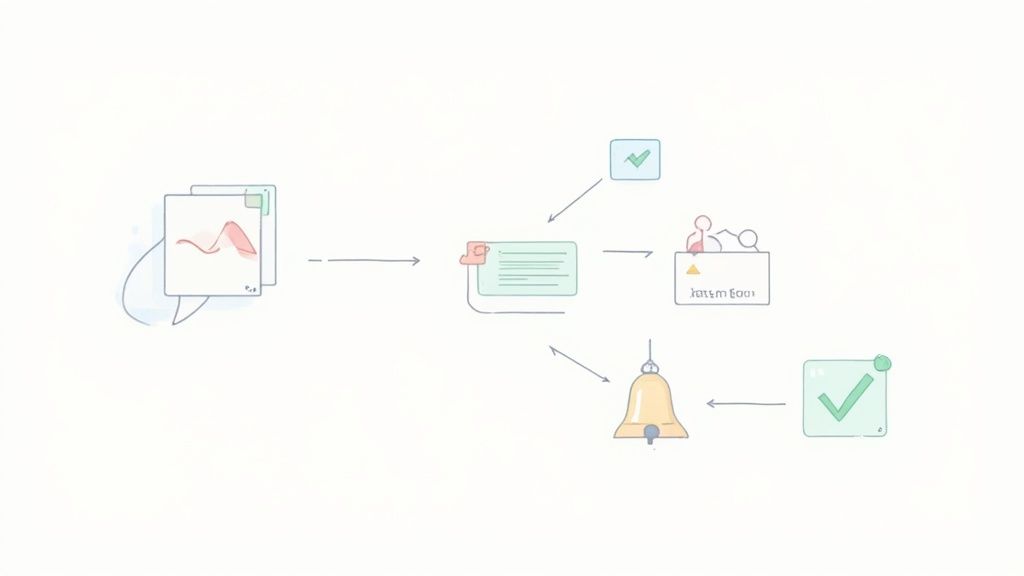
Let's be honest, collecting feedback is only half the battle. An insight sitting in a spreadsheet or an email inbox is just dormant data. Its real value is only unlocked when you actually do something with it. This is where smart workflows come in, creating a solid bridge between what your users are saying and what your team is building.
Think of it like a relay race. A user passes you the baton (their feedback), but if you don't have a clear path to the next runner (your development or design team), the race grinds to a halt. A well-designed workflow ensures that every piece of feedback gets to the right person, at the right time, with all the context they need.
Building Your Feedback Pipeline
The goal here is to create a repeatable process that kills manual data entry and makes sure nothing ever slips through the cracks. It all starts by hooking up your feedback collection tools directly with the project management systems your team already lives in every day. Automation is your best friend.
Imagine this all-too-common scenario: a user finds a bug on your checkout page. Using a visual feedback tool like Beep, they click the problematic element and leave a comment. Without a workflow, that report might sit in an inbox for days. With a smart workflow, that single click can trigger a whole chain of events automatically:
A ticket is instantly created in Jira or a card is added to a Trello board.
The ticket automatically includes the user's comment, a screenshot of the issue, and crucial diagnostic data like their browser, OS, and screen resolution.
The right team gets notified immediately in a dedicated Slack channel.
This seamless handoff transforms a vague report into an actionable task in seconds. It completely cuts out the time-sucking back-and-forth that absolutely kills productivity.
Connecting Your Favorite Tools
Creating these automated pipelines is easier than you might think, thanks to platforms like Zapier or the native connections built right into modern feedback tools. The whole idea is to connect your "listening" posts directly to your "action" centers.
A great workflow doesn't just move data; it builds accountability. When feedback automatically becomes a trackable task assigned to a team member, it's far less likely to be forgotten or ignored.
Here's a simple example of how you can route information between tools to keep everyone on the same page. This shows how a new Jira issue can trigger an automatic notification in a specific Slack channel, keeping the entire team in the loop without anyone having to send a manual update.
Popular Workflow Integrations
While every team's tech stack is a little different, there are a few core integrations that form the backbone of most successful feedback workflows.
Project Management (Jira, Trello, Asana): This is the most critical link. It turns raw feedback directly into tasks your development, design, and marketing teams can prioritize and get done.
Team Communication (Slack, Microsoft Teams): Instant alerts mean that high-priority issues, like critical bugs or major usability problems, get immediate eyeballs from the right people.
Knowledge Base (Notion, Confluence): Don't let valuable insights disappear after a task is completed. Send categorized feedback to a central knowledge base to build a long-term library of user intelligence. This helps you spot trends over time.
By building these connections, you create a powerful system that not only captures feedback but ensures it drives continuous improvement. To dive deeper into optimizing this part of your process, you can enhance your client feedback process for better results with some proven strategies.
Of course, here is the rewritten section following your guidelines.
Common Mistakes to Avoid in Your Feedback Strategy
I’ve seen it happen a thousand times. A team gets excited about gathering feedback, sets up a bunch of tools, and then... crickets. Or worse, they get a flood of useless noise. Learning from others' mistakes is the fastest way to get this right, so let's talk about the common traps that can completely sink your feedback efforts.
Getting this wrong can turn a goldmine of user insights into just another source of frustration. Here are the critical errors I see people make over and over again—and how you can sidestep them.
Asking Biased Questions
This one is probably the most common and damaging mistake: asking leading questions. It’s when your question subtly nudges users toward the answer you want to hear, poisoning the well from the start.
Instead of honest insights, you just end up confirming your own biases. You create this dangerous little echo chamber where you feel great about your product, but real user problems are completely ignored.
A leading question always has an assumption baked into it. For instance, asking, "How much did you enjoy our new, streamlined checkout process?" basically assumes the user found it streamlined and enjoyable. What if they thought it was a confusing mess? They'll be much less likely to tell you the truth.
A much better, more neutral way to ask is something like, "Please describe your experience with our checkout process." This is an open invitation for genuine, unfiltered thoughts, good or bad.
Dismissing Negative Feedback
Another huge pitfall is brushing off negative feedback. It's totally human to want to hear praise, but trust me, the critical comments are where the real growth happens. When a user takes the time to point out a flaw, they’re handing you a gift—a literal roadmap for making your product better.
You have to treat negative feedback as your most valuable source of truth. That single complaint about a confusing navigation menu? It could easily represent the silent frustration of hundreds of other users who just gave up and left without a word.
Think of negative feedback as a free consultation from a user who cares enough to want you to improve. Ignoring it is like turning away an expert who is offering to help you for free.
Failing to Close the Loop
Picture this: you report a problem to a company and hear absolutely nothing back. You're left wondering if they even got your message, let alone did anything about it. It’s a terrible feeling, right? That’s exactly what happens when you fail to close the loop with your users.
When you actually implement a change based on someone's suggestion, a quick email saying, "Hey, thanks to your feedback, we've fixed the issue you reported," can turn a frustrated user into a loyal fan for life. If you don't, people feel ignored and probably won't bother giving you feedback ever again.
Collecting Data Without a Plan
And finally, the classic error: collecting a mountain of feedback with zero plan for what to do with it. This is how you end up with overwhelming dashboards, messy spreadsheets, and a bad case of "analysis paralysis" where nothing ever gets done.
Before you launch any kind of feedback campaign, you need to ask yourself a few simple questions:
What specific question are we trying to answer here?
Who is on point to review this feedback?
How are we going to prioritize and act on what we learn?
Without a clear game plan, you're just collecting data for the sake of it. A purposeful approach, on the other hand, ensures your feedback program becomes a powerful engine for improvement, not just another cluttered inbox.
Got Questions About Website Feedback? We've Got Answers.
Even with the best game plan, you're bound to have questions when you start a new process. I've been there. Getting a handle on the common sticking points can save you a ton of headaches down the road. This section is all about tackling those frequent queries we hear from teams just like yours.
Think of it as your quick-start guide to make sure your feedback process gets off the ground without a hitch. Let's jump in.
How Often Should I Collect Website Feedback?
Here's the thing: website feedback isn't a one-and-done project. It's an ongoing conversation. Your site is always changing, and so are your users' needs. An "always-on" approach is really the only way to make sure you're not missing crucial insights.
A good rhythm I've seen work well looks something like this:
Quarterly Surveys: Perfect for taking the pulse of your user base and tracking general satisfaction over time.
Always-On Widgets: These are lifesavers for specific pages or user journeys. They let people flag an issue the exact moment they hit a snag.
Post-Launch Blitz: Right after a big redesign or a new feature drop, you’ll want to ramp up collection big time. It's the fastest way to find and squash those inevitable bugs.
What Is the Best Tool for a Small Team to Start With?
If you're a small team just getting your feet wet, a visual feedback tool is your best bet, hands down. It packs an incredible punch by giving you rich, contextual info without the steep learning curve of some of the more complex analytics platforms out there.
Imagine a user just clicks on a part of your site and drops a comment right there. The tool automatically grabs a screenshot and all the important technical details—like their browser and OS. This simple step cuts out all the guesswork and ends those painful back-and-forth email chains. Trust me, your dev team will thank you.
The right tool removes friction for both your users and your own team. A visual feedback system is the straightest line from a user’s problem to your team’s solution, making it the perfect place to start.
How Can I Encourage More Users to Give Feedback?
Getting people to share their thoughts boils down to one simple idea: make it ridiculously easy for them. People are busy. Any friction at all, and you'll lose them.
But the most powerful thing you can do? Show people you're actually listening. When you fix a bug someone reported, shoot them a quick, personal email to say thanks. Closing that loop is the single best way to build a loyal community of users who are genuinely happy to help you make things better.
Ready to stop guessing and start seeing exactly what your users see? Beep lets you collect clear, visual feedback directly on your live website, turning confusing comments into actionable tasks in seconds. Get started for free today and streamline your feedback workflow.
Comments