
.png)
A Project Communication Plan Template That Actually Works

We’ve all seen it happen: a project with a brilliant team and a solid goal goes completely sideways because of a simple misunderstanding. It’s a frustratingly common story. But this isn't about pointing fingers; it's about a broken system. A downloadable project communication plan template is more than just another document—it’s your strategic playbook for stopping these problems before they even start.
Why Most Project Communication Fails
Let’s be real for a second. Project chaos rarely comes from a single, dramatic explosion. It’s usually the slow burn of mixed signals, missed updates, and key people feeling completely out of the loop.
Picture a software development project. The marketing team is all geared up for a Q3 launch, but the engineering lead just found a critical bug that’s going to push the timeline back. Without a formal plan, that crucial update gets buried in a 50-reply email thread or mentioned offhand in a Slack channel.
The result? Marketing plows ahead, building an entire campaign around a deadline that’s already history. Time and money are wasted, and you’re left dealing with a whole lot of internal friction. Constantly being in that reactive, fire-fighting mode is just plain exhausting.
Moving From Reactive to Proactive
A communication plan forces you to be intentional. It’s the difference between hoping the right people hear the right things and ensuring it happens, every single time. This isn’t about scheduling more meetings or sending more emails. It's about making every interaction count.
You’ll figure out, right from the start:
Who needs the info (from the executive sponsor down to the end-user).
What they need to know (a high-level summary or the nitty-gritty technical specs).
When they need it (daily stand-ups, weekly summaries, or only at major milestones).
How they’ll get it (an email, a Slack update, a formal report, or a quick sync).
By defining all this upfront, you kill ambiguity. Everyone knows where to look for information and what to expect, which is huge for building trust and keeping things moving smoothly.
This structured approach pays off, big time. In fact, good communication planning can slash project failure rates by up to 30%. According to some project management findings on monday.com, organizations that standardize these plans often see higher on-time delivery because the process becomes second nature. Think of this template as your first step toward getting those same results.
Mapping Your Stakeholders to Prevent Surprises
Before you even think about writing an update or scheduling a meeting, you need to get the foundation of your communication plan right. And that foundation, my friend, is all about your stakeholders. It’s the process of figuring out exactly who your audience is so you can avoid sending the wrong message to the right person—or worse, missing someone critical entirely.
Think of a project like a ship. Your stakeholders are everyone from the captain and the passengers to the folks on the shore just watching it sail by. Each one has a totally different perspective and needs a different kind of information to feel good about the journey. Skipping this step is like setting sail without a map; you’ll spend your time reacting to storms instead of navigating around them.
Putting in the work here is what moves your communication from chaos to clarity.
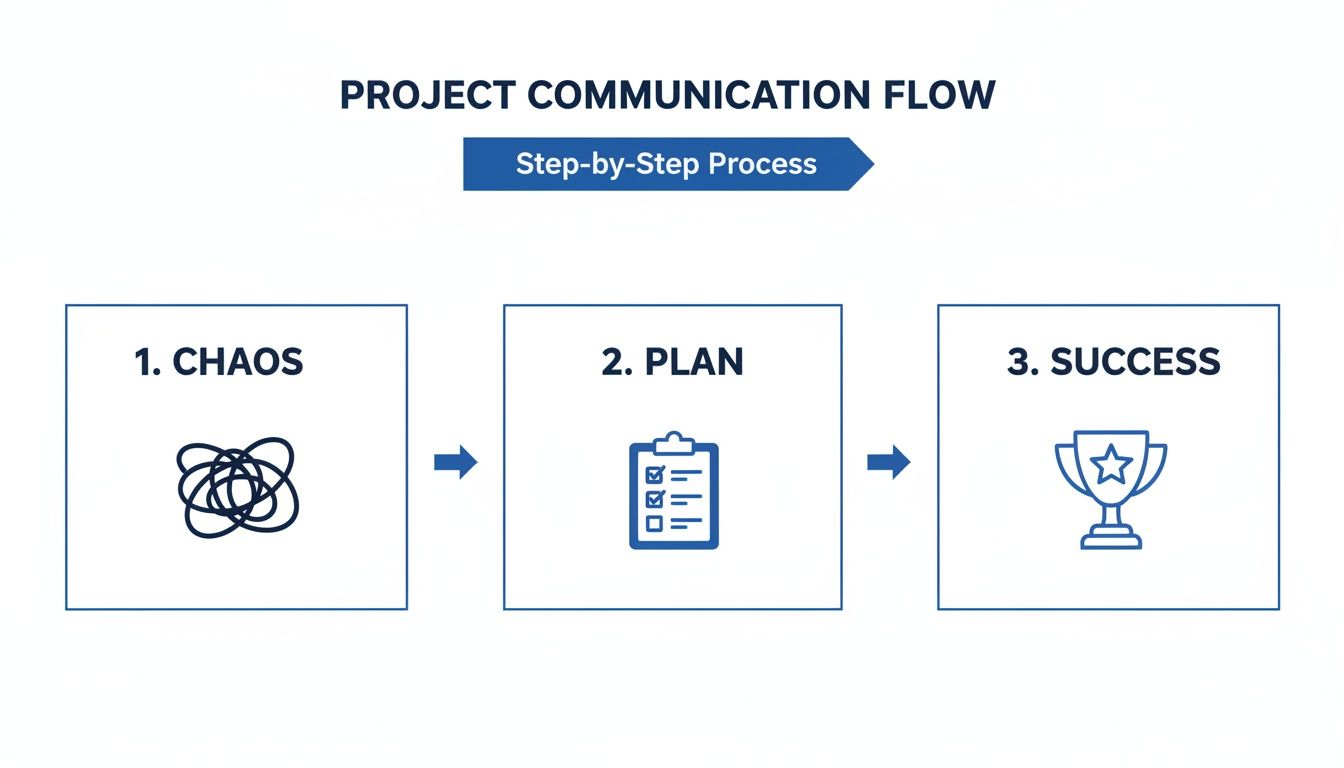
As you can see, a deliberate plan is the only bridge between project confusion and hitting your goals.
Identify and Categorize Everyone Involved
First things first, grab a whiteboard or a blank doc and brainstorm every single person, group, or department that could be affected by your project. Don't hold back here. List everyone from the executive sponsor and end-users to that one person in the legal team who might need to glance at a deliverable. Think both inside and outside the company walls.
Once you have your massive list, the real work starts. You need to sort them out based on two key things:
Influence: How much power do they have to actually affect the project’s outcome? Can they approve budgets, green-light scope changes, or get roadblocks out of your way?
Interest: How much do they care about the day-to-day progress and final success of the project? Are they an end-user whose entire workflow is about to change, or an exec who just wants to see the final ROI?
This simple grid helps you sidestep a classic project management mistake: over-communicating with low-influence stakeholders while keeping the high-influence decision-makers in the dark. Trust me, it’s a super common cause of delays and misunderstandings. In fact, fully understanding what is stakeholder engagement and why it matters is one of the most important things you can do for your project.
Tailor Your Communication Approach
Okay, with your stakeholders mapped out, you can start building a communication strategy that actually works. Not everyone needs (or wants) a dense 20-page weekly report. Sending one to a busy executive is a surefire way to get all your future updates sent straight to the trash.
I like to break them down into four distinct groups:
High-Influence / High-Interest: These are your MVPs—people like the project sponsor. They need frequent, detailed communication. Manage them closely and keep them in the loop on everything.
High-Influence / Low-Interest: This group often includes senior leadership. Your goal here is to keep them satisfied without drowning them in details. Concise, high-level summaries like executive dashboards or milestone reports are perfect. Respect their time.
Low-Influence / High-Interest: This is often where your end-users live. They need to be kept informed about changes that will affect them directly. Regular updates through newsletters or team demos work great.
Low-Influence / Low-Interest: Monitor this group, but don’t spam them. A light touch is all that's needed here. Minimal effort, maximum efficiency.
Here’s a quick matrix you can use to visualize this. It’s a great tool to paste right into your communication plan.
Stakeholder Analysis Matrix Example
Stakeholder Category | Influence/Interest Level | Primary Communication Goal | Example Action |
|---|---|---|---|
Key Players | High Influence / High Interest | Manage Closely | Schedule weekly one-on-one meetings; include in all major decision-making. |
Keep Satisfied | High Influence / Low Interest | Provide High-Level Updates | Send a monthly executive summary email with key milestones and ROI tracking. |
Keep Informed | Low Influence / High Interest | Share Regular Progress | Include in a bi-weekly project newsletter; invite to user acceptance testing (UAT). |
Monitor | Low Influence / Low Interest | Minimal Effort | Add to a general company update list; provide information only if requested. |
Using this approach ensures your messages actually land, you get the buy-in you need, and you prevent the dreaded "stakeholder fatigue" from setting in.
By segmenting your audience this way, every email, meeting, and report becomes more purposeful. For more hands-on methods, check out our guide on the top stakeholder engagement strategies for project success. This isn't just about creating a document; it's about turning your communication plan into a powerful tool for building alignment and driving your project forward.
Designing a Communication Matrix That People Use
Alright, you've mapped out who needs to know what's going on. Now comes the fun part: figuring out the what, when, and how. This is where your stakeholder map turns into a real, day-to-day guide—the communication matrix. A solid matrix is the beating heart of your entire communication plan.
Forget those dense, over-the-top spreadsheets that everyone ignores after week one. Our goal here is to create something simple, clear, and actually useful. It should be so intuitive that a new team member can glance at it and immediately get the project's communication rhythm.
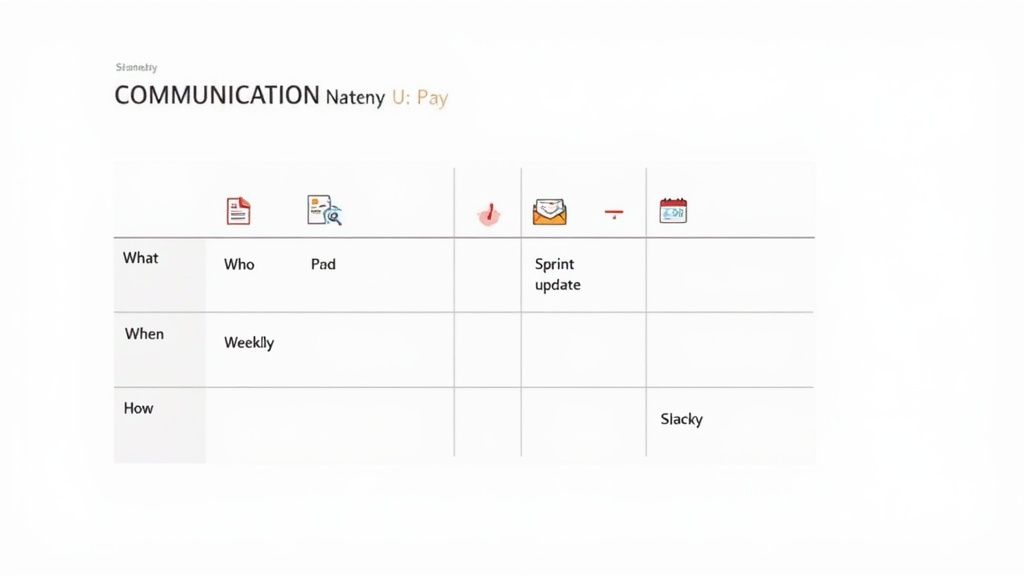
Think of this matrix as your single source of truth for all project updates. It’s your best defense against the classic "I never got that memo" excuse that can quietly poison a project's progress.
Breaking Down the Core Components
A good communication matrix doesn’t need to be complicated. In fact, the simpler, the better. It just needs to answer four basic questions for every single message your project sends out.
Let’s break them down:
What is the message? Get specific. Is it a high-level status update for the execs, a deep-dive on a new risk, a budget review, or a technical bug report for the dev team?
Who is the audience? This pulls directly from your stakeholder analysis. Is this for your executive sponsor, the core project team, your end-users, or a third-party vendor?
When is it sent? Set a clear cadence. This could be daily, weekly, bi-weekly, or only when you hit a major milestone. Consistency is your best friend here.
How is it delivered? This is all about picking the right tool for the job. A quick question might just be a Slack message, but a formal sign-off absolutely needs an email with a paper trail.
Here's a hard truth: information overload is a real project killer. I’ve seen it cause up to 17% of project delays. By nailing down these components, you ensure every message is tailored, respects people’s time, and doesn't get lost in the noise.
Choosing the Right Channel for the Message
The "how" can be the trickiest part. Using the wrong channel is just as bad as sending the wrong message. Trust me, you don’t want to be the project manager sending urgent risk alerts in a weekly newsletter. That’s a recipe for disaster.
Think about two completely different teams: a remote software development team and a co-located construction crew.
For the software team, everything is likely digital-first. Their matrix would lean heavily on tools like Slack for daily stand-ups, Jira for task-level updates, and Zoom for sprint planning.
For the construction crew, communication has to be immediate and work on-site. Their matrix would probably feature daily on-site huddles, walkie-talkies for instant alerts, and a massive physical whiteboard for critical safety notices.
The medium has to fit the message's urgency and the team's environment. As you build your matrix, keep the realities of modern work in mind—especially if your team is spread out. For some great pointers, check out these best practices for managing remote teams.
Here’s a quick cheat sheet for matching the channel to the communication type:
Communication Type | Best Channel(s) | Why It Works |
|---|---|---|
Urgent Decisions | Phone Call, In-Person Chat | Gives you immediate, two-way interaction to resolve things fast. |
Daily Team Sync | Slack/Teams Channel, Stand-up Meeting | Low-friction, fast-paced, and keeps the core team on the same page. |
Formal Status Report | Email, Shared Document (Notion/Confluence) | Creates a formal record and is easy to share with senior leadership. |
Technical Feedback | Visual Feedback Tool, Ticketing System (Jira) | Keeps feedback contextual and ties it directly to the work item. |
The tools you pick are crucial for making your plan a reality. If you're looking for what's out there, we've put together a guide on the top communication tools for teams to boost teamwork. At the end of the day, this matrix isn’t just a document; it’s a commitment to clarity that will save you headaches all the way through the project.
Creating Clear Escalation Paths And Feedback Loops
Even with the best communication plan in the world, things will go sideways. I’ve seen it a hundred times: a critical bug pops up the day before a launch, or a key vendor suddenly goes dark. When that happens, your team needs a clear playbook, not a full-blown panic. This is exactly why an escalation path is one of the most critical parts of your plan.
Think of an escalation path as a simple roadmap. It tells your team exactly who to contact and when, especially as a problem gets more serious. It’s what stops a small hiccup from spiraling into a project-ending catastrophe by getting the right people involved at just the right time. Without one, you’ll waste precious hours while your team scrambles to figure out who can actually make a decision. Even worse, the issue might get ignored completely.
Building A Tiered Escalation Process
From my experience, the most practical escalation paths are built in tiers. Each level has a designated owner, a set timeframe for getting it solved, and crystal-clear criteria for when to bump the issue up the chain. This structure gets rid of all the guesswork and empowers your team to act fast.
Here’s a simple three-tiered approach you can steal and adapt:
Tier 1: The Project Team. This is your frontline. Team members directly involved with the issue get the first crack at solving it. Give them a 24-hour window. If they can’t fix it within that time, it escalates.
Tier 2: The Project Manager. Now it’s on the PM’s plate. Their job is to tackle it within 48 hours, which might mean shuffling resources around or rejigging priorities.
Tier 3: The Project Sponsor or Steering Committee. For the big, hairy problems that threaten to derail the entire project, you bring in the heavy hitters. This is reserved for those critical decisions that need executive-level authority.
By laying out these steps in your plan, you build a system where problems are handled efficiently instead of getting lost in a black hole of emails and Slack messages.
Making Your Plan A Living Document With Feedback
Great communication is never a one-way street. Your plan has to grow and adapt as the project moves forward, and the only way that happens is by creating solid feedback loops. A plan that never changes is just a static document gathering digital dust. But a plan that actively incorporates feedback? That becomes a powerful, dynamic tool.
A feedback loop is simply any process you use to gather insights from your team and stakeholders to make your communication strategy better. It’s about listening as much as you broadcast.
This doesn't need to be some overly complicated process. Simple, consistent methods for gathering feedback can make a huge impact. Try sending out post-milestone surveys, running sprint retrospectives, or even just setting up a digital "suggestion box" in your project’s shared workspace.
Some research even shows that structured feedback loops can boost a plan's effectiveness by as much as 28%. If you want to dig deeper, you can learn about communication plan findings from Asana. This iterative approach helps you see what’s working, ditch what isn’t, and keep your communication plan sharp from kickoff all the way to the finish line.
Bringing Your Communication Plan To Life
Let's be honest, even the most brilliant project communication plan template is worthless if it just sits in a shared drive collecting digital dust. We've all seen it happen. The real magic begins when you weave it into your team’s daily rhythm, making it a living, breathing guide instead of just another static document.
The goal here is to make your plan disappear into the background. It shouldn't feel like more work. A good plan should integrate seamlessly into the tools your team already uses every single day, making their existing workflows smoother and more predictable.
This is where modern project management tools are a huge help. Many of them let you automate big chunks of your plan. You can set up recurring tasks for weekly status reports or create automatic notifications when a project hits a key milestone. This kind of automation is a lifesaver—it handles the busywork so you can focus on the human side of communication.
From Plan to Action: A Real-World Scenario
Okay, theory is great, but let's talk about how this looks in the real world. I want to walk you through a common scenario that goes beyond simple status updates: the messy world of creative feedback.
Picture a marketing team launching a new website. Without a solid plan, feedback on a new design mockup is pure chaos. The designer gets hit with a dozen separate emails, each with vague comments like "I don't love this blue" or "can we make the logo bigger?" It’s confusing, it lacks context, and it creates a nightmare of back-and-forth.
Now, let's see what happens when we apply a communication plan that specifies using a visual feedback tool.
The Channel: Forget email. The plan designates a visual feedback tool (like Beep) as the only channel for design reviews. No exceptions.
The Process: Stakeholders are told to comment directly on the live webpage preview. When someone leaves a note, the tool automatically grabs a screenshot and all the technical details.
The Outcome: The designer gets one clear, centralized list of feedback that is 100% actionable. Every single comment is tied to a specific visual element on the page, killing any ambiguity.
This shift from scattered emails to a structured, visual process is a perfect example of a communication plan coming to life. It directly addresses a known pain point—inefficient feedback—and replaces it with a clear, effective system.
This approach doesn't just speed up approvals; it dramatically improves the quality of the feedback itself. When people can literally point to what they’re talking about, their comments become way more specific and helpful. This is an absolute game-changer for distributed teams where you can't just huddle around a single monitor.
For more great ideas on this, check out these top remote team communication tips to boost collaboration. By connecting your plan to tangible, everyday tasks, you turn it from a document into an indispensable asset for getting things done.
Got Questions About Your Communication Plan?
Even the most buttoned-up communication plan can leave you scratching your head once you start putting it into practice. Getting ahead of the common sticking points is the best way to keep small issues from turning into major headaches.
Let's walk through some of the questions I hear most often from project managers.
How Often Should I Really Be Updating This Thing?
One of the first questions people ask is whether the communication plan is a "set it and forget it" kind of document. Definitely not.
Think of it as a living document. I’ve found the sweet spot is to give it a formal review at major project milestones or phase gates. It’s a natural time to pause and make sure the plan still makes sense for where the project is headed.
Of course, you’ll also want to pull it up anytime there's a big shift in project scope, timeline, or key stakeholders. For massive, year-long projects, a quick monthly check-in is just good housekeeping. The whole point is to have a plan that evolves with your project, not one that gathers dust.
What's The Real Difference Between A Stakeholder Analysis And A Communication Matrix?
This one trips people up all the time. It’s easy to see them as the same thing, but they are two very different—though closely related—pieces of the puzzle.
Here’s how I break it down for my teams:
Stakeholder Analysis: This is all about the "who" and "why." It’s where you do the detective work to figure out every single person involved. You’ll map out their influence, their interest in the project, and what they actually care about.
Communication Matrix: This is your operational playbook—the "what," "when," and "how." It turns your analysis into a concrete set of actions, spelling out the specific messages, channels, and timing for each group.
You absolutely have to do the analysis first. Without it, you’re just guessing. The analysis is what makes your matrix smart, ensuring the right messages hit the right people in a way they’ll actually pay attention to.
Can I Use a Communication Plan for Agile Projects?
Yes, and you absolutely should. While Agile has its own communication rhythm with daily stand-ups, retrospectives, and sprint reviews, those ceremonies are mostly for the core team.
What about everyone else? Your executives, marketing leads, or the sales team aren’t sitting in on your daily stand-ups, but they still need to know what’s going on.
A formal communication plan bridges that gap. You can even plug your Agile events right into the matrix. This helps external stakeholders understand the purpose of a sprint review while you plan for the bigger-picture updates they need, like progress against the roadmap or a heads-up on a major feature launch. It connects the fast-paced world of the dev team with the strategic pulse of the rest of the business.
Stop wasting time in endless feedback loops. Beep lets you comment directly on live websites, turning chaotic email threads into clear, actionable tasks. See how hundreds of teams deliver projects faster by starting for free at https://www.justbeepit.com.
Comments