
.png)
How to Improve Team Communication: Proven Ways to Boost Collaboration

Improving team communication isn't just about sending fewer emails or having more meetings. It's about building a system—clear rules of engagement, the right tools for the job, and a culture where transparency is the default. The goal is simple: reduce ambiguity and centralize information. Everyone on the team should know exactly where to go for answers and how to give feedback without hitting a wall.
The Hidden Costs of Disconnected Teams
Let’s be honest, poor team communication is more than just a minor headache. It's a silent killer of productivity, project timelines, and morale. We've all seen the symptoms: missed deadlines, soul-crushing rework, and teammates who just seem checked out. But we often miss the real culprit lurking beneath the surface.
This disconnect creates a vicious cycle of wasted effort. A quick question gets buried in a chaotic Slack channel, forcing a developer to guess. That guess leads to a feature being built the wrong way, which then requires hours of backtracking after a painful review call. Each one of these small missteps snowballs, burning through precious time and money.
The Financial Drain of Miscommunication
The scale of this issue is frankly staggering. We're not talking about small inefficiencies; poor communication is a multi-trillion-dollar drag on the global economy. Some estimates show that communication hurdles cost U.S. companies something like $1.2 trillion every year.
A huge chunk of that cost comes from low employee engagement, which sits at a dismal 21–23% worldwide. It makes sense—when people feel out of the loop, their motivation tanks. On the flip side, companies that nail their communication see productivity jump by as much as 30%. If you want to dive deeper, you can explore more data on these workplace communication statistics to see the full impact.
When communication fails, it’s rarely a single, catastrophic event. It’s a slow leak of a thousand tiny misunderstandings that eventually sink the project.
Beyond the Balance Sheet
But the damage goes way beyond the numbers on a spreadsheet. When communication breaks down, so does trust. Team members start to hesitate before asking questions, worried they’ll look incompetent or bother a busy colleague. This creates a culture of silence where problems fester just below the surface, waiting to explode into full-blown crises.
This is a massive risk for remote and hybrid teams, where you can't just swivel your chair to ask a quick question. Without those spontaneous, in-person moments, intentional and clear communication becomes non-negotiable. It’s critical to tackle these top virtual team challenges head-on to keep everyone aligned and moving forward.
At the end of the day, a team that can't communicate well can't truly collaborate, no matter how much talent you've assembled. Investing in better communication isn't just an operational upgrade; it's about building a team that's resilient, trusting, and ready to perform at its peak.
Transforming Ambiguous Feedback into Clear Actions
We’ve all been there. You get feedback like, "this just doesn't feel right" or the classic, "can we make this pop more?" Honestly, it's a project-killer. It sends designers and developers straight down a rabbit hole of guesswork, burning hours on revisions that completely miss the mark. If you want to fix your team's communication, you have to build a system that demands context and turns those abstract feelings into actual to-dos.
The best way I’ve found to do this is to ditch the endless text-based feedback loops and go visual. Forget the long email chains trying to describe a visual problem. Your team needs a way to point directly at the issue on the screen. This one change pretty much eliminates the ambiguity that poisons most communication channels.
From Vague Comments to Visual Clarity
Picture this common scenario: a designer gets feedback on a new landing page. The old way? Screenshots pasted into a Google Doc, a Slack thread that’s a mile long, and a follow-up call just to figure out what "the button looks weird" really means. It’s a mess, and frankly, it's frustrating for everyone.
Now, imagine this instead. The reviewer opens the live webpage, clicks an icon, and leaves a comment right on top of the "weird" button. That single comment automatically grabs a screenshot, browser details, and the screen size. What was once a vague complaint is now a super-precise, actionable piece of feedback.
When communication stays muddy, the consequences are real. It's not just about frustration; it leads to disengagement, lost time, and a serious financial drain.
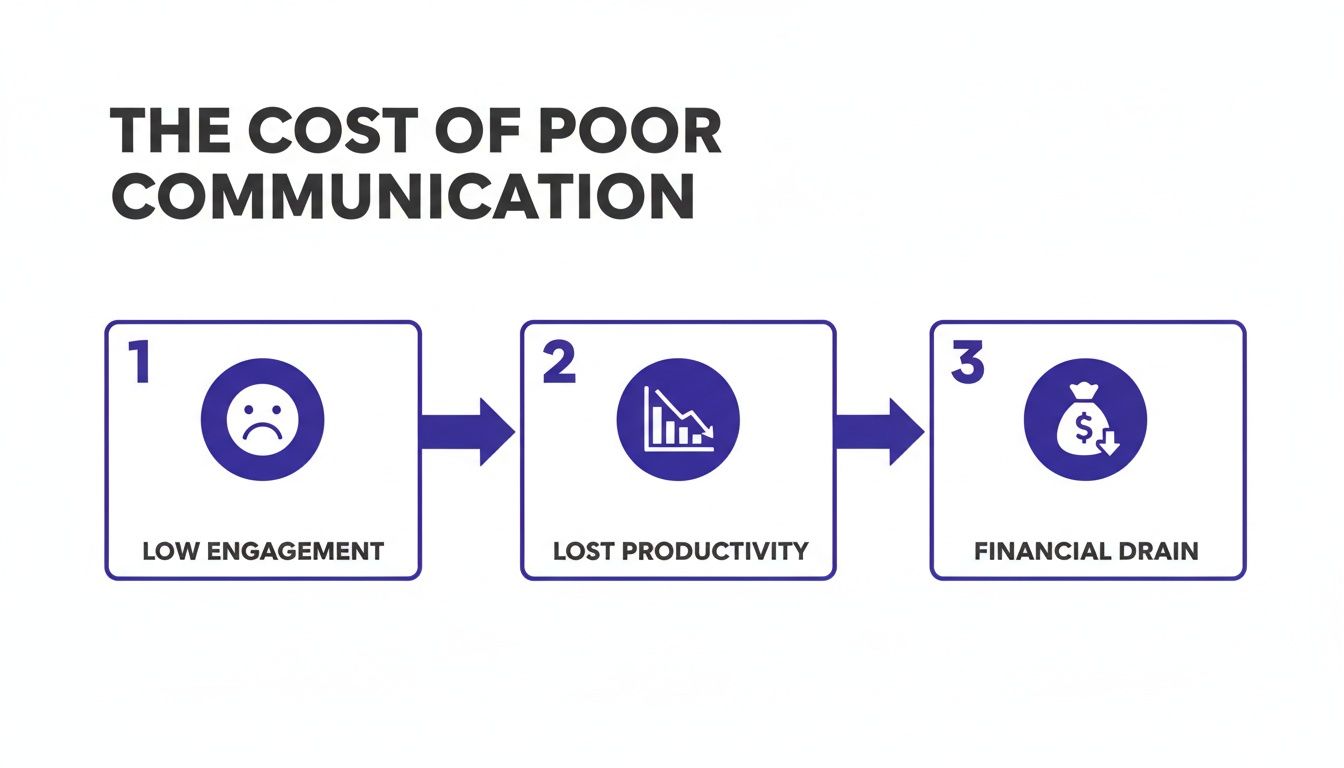
This shows that ambiguous feedback isn't just confusing—it directly fuels the low engagement and productivity sinks that hit your bottom line hard.
I've put together a quick table to show just how different these two approaches are. It really highlights the shift from frustrating guesswork to getting things done.
From Vague Feedback to Visual Clarity
Metric | Traditional Method (Email, Slack, Calls) | Visual Feedback Method (e.g., Beep) |
|---|---|---|
Clarity | Low. Relies on written descriptions of visual issues, leading to misinterpretation. | High. Pinpoints the exact element, providing immediate visual context. |
Time to Report | Slow. Requires taking screenshots, writing long explanations, and follow-up calls. | Fast. A few clicks to leave a comment directly on the live page or design file. |
Actionability | Low. Often requires back-and-forth to understand the actual task. | High. Clear, contextual feedback becomes an instant, actionable to-do item. |
Technical Context | Manual. Reporter has to remember and type out browser, OS, and screen size. | Automatic. Captures all technical metadata (browser, OS, screen size) with the comment. |
The difference is night and day. Moving to a visual system just cuts out so much of the noise and lets your team focus on solving the actual problem.
Making Feedback Actionable and Trackable
Once you've got clear feedback, the next hurdle is making sure it doesn't disappear. A comment floating in an email or a Slack channel is as good as gone. The trick is to connect that feedback directly to your team’s project management workflow.
When a tool like Beep turns every visual comment into a task on a built-in kanban board, you create a single source of truth. From there, you can push those tasks into the tools your team already lives in, like Jira or Notion.
A piece of feedback isn't finished when it's given; it's finished when it's resolved. Tying every comment to a trackable task ensures nothing falls through the cracks.
This integration is where communication really starts to click. A bug report from QA or a design suggestion from a stakeholder instantly pops up in the developer's workflow, packed with all the context they need. No more copy-pasting or manually creating tickets. For more ideas, check out these actionable feedback examples to improve performance. https://www.justbeepit.com/post/7-actionable-feedback-examples-to-improve-performance
Cultivating a Culture of Clear Communication
Bringing in new tools is just one piece of the puzzle. You also need to build team-wide habits around giving and getting feedback. It’s not always easy, which is why learning some strategies for handling difficult conversations can be a huge help.
I always encourage my team to follow a few simple guidelines:
Be Specific: Instead of "I don't like this," try "Can we change this button color to our primary blue? The contrast is a bit low right now."
Explain the 'Why': Give the reasoning behind your feedback. "This will help it align with our brand guidelines and improve accessibility for visually impaired users."
Propose a Solution: Whenever you can, offer a suggestion instead of just pointing out what’s wrong.
When you combine visual feedback tools with a culture that actually values clarity, you get rid of so much of the friction that bogs projects down. Your team will spend way less time trying to decode vague comments and a lot more time doing the work that matters.
Choosing the Right Tools Without Adding More Noise
Adding another app to your team's tech stack can feel like a quick win, but I’ve learned the hard way it often does the opposite. More tools rarely lead to better communication. Usually, they just create more digital noise, another tab to check, and one more place for crucial information to get lost. The secret to a high-functioning team isn't having an app for everything—it's having the right tools that actually work together.
The first step toward clarity is a simple tool audit. Seriously, just make a list of every single application your team uses for communication and collaboration. Think Slack, email, project management boards like Jira or Notion, design software, and any other platform where work-related conversations are happening. Then, get honest about the overlaps.
This process isn't about blaming anyone for the "tool sprawl." It’s just a practical way to see exactly where conversations are getting fragmented and why your team might be feeling so overwhelmed.
Consolidating Channels to Boost Focus
Once you see your entire tech stack laid out, the problem of tool overload becomes crystal clear. It's not just a feeling; there's data to back it up. Recent surveys found that employees using more than 10 apps report communication issues at a 54% rate, compared to just 34% for teams using fewer than five. This data, which you can dig into more in these workplace collaboration statistics on zoom.com, points to one thing: complexity breeds confusion.
The goal here is to consolidate, not just eliminate. Look for opportunities to unify conversations by picking platforms that bring context directly into your primary workflow. Here’s what I aim for:
Centralize project-specific feedback. Instead of debating a website design in Slack DMs, email threads, and a Trello card, use a visual feedback tool like Beep to keep every single comment pinned directly on the webpage itself.
Integrate your core tools. Make sure your feedback tool can sync up with the project management platforms you already use. This turns a simple comment into a trackable ticket automatically, which kills all the manual data entry and keeps everyone on the same page.
Define a clear purpose for each tool. Create dead-simple guidelines for your team. For example: Slack is for quick, informal chats, while all formal project feedback lives in your visual collaboration tool.
This approach stops the constant context-switching that absolutely drains mental energy and leads to sloppy mistakes. When your tools work together, your team can too.
Selecting Tools That Solve Real Problems
When you're looking at new software, the most important question to ask is: "What specific problem does this actually solve for us?" A flashy new app is totally useless if it doesn't address a genuine pain point your team is struggling with right now.
Don't chase features; chase solutions. The best tools are the ones that feel invisible because they integrate so naturally into your team's existing habits and workflows, making their jobs easier, not harder.
Instead of grabbing another standalone chat app, look for tools that reduce the need for back-and-forth communication in the first place. For instance, a platform that automatically captures technical details (like browser version and screen size) with every single bug report saves your developers from having to ask for that same information over and over again. Our guide on the top communication tools for teams dives into platforms specifically designed to cut through this kind of repetitive noise.
Ultimately, building an effective tech stack is an exercise in subtraction. By carefully auditing your tools, consolidating communication channels, and choosing solutions that bring clarity, you create an environment where your team spends less time hunting for information and more time doing incredible work.
Building a Culture of Transparency and Trust
Having the right tools is a great start, but let's be real—they're only half the battle. The true foundation for killer team communication is your company culture. Without a genuine commitment to transparency and trust, even the slickest software will just collect digital dust.
This kind of culture has to start at the top. It needs leaders who don't just talk about openness but actively create an environment where sharing feedback feels safe, normal, and productive.
Building this atmosphere doesn't just happen. It takes intentional effort. This means setting up clear, simple ground rules for how your team communicates, celebrating candid feedback (especially the tough stuff), and making sure everyone can see project progress, not just the managers.
Fostering Psychological Safety
The absolute cornerstone of a transparent culture is psychological safety. It's that shared belief that you won't get shot down or embarrassed for speaking up with ideas, questions, concerns, or even mistakes. When people feel safe, they're way more likely to take smart risks and have the open conversations that crush problems before they get big.
A simple way to build this is to truly celebrate feedback instead of just putting up with it. When a team member points out a flaw in a process or a bug on the website, their input should be shouted out and valued. This reinforces the idea that constructive criticism is a gift that helps everyone level up, not a personal attack.
Making Progress Visible to Everyone
One of the quickest ways to build trust is to tear down information silos. When everyone can see the status of a project, who’s handling what, and what's coming up next, all the ambiguity that breeds anxiety and mistrust just melts away. This is where visual tools are an absolute game-changer.
Using a shared platform, like a central kanban board that’s linked to visual feedback, creates a single source of truth for the entire team.
Everyone knows the goal: The project’s objectives are crystal clear and easy to find.
Roles are defined: Each person understands exactly what they need to contribute.
Progress is public: Team members can see tasks moving from "To Do" to "Done" in real-time.
This kind of visibility empowers everyone and makes sure you're all pulling in the same direction. It's a simple but profound shift from a "need-to-know" mindset to an "everyone-knows" default.
True transparency isn’t just about sharing the wins. It’s about making the entire journey—successes, roadblocks, and all—visible so the team can learn and adapt on the fly.
The payoff here is huge. The quality of leadership communication is a major predictor of team success, with 79% of employees saying it shapes how well they understand company goals. Teams in transparent environments have way higher job satisfaction, and companies with strong internal communication see up to 50% lower turnover.
You can discover more insights about workplace communication and how it impacts retention and deadlines. By putting a culture of trust first, you’re not just being nice—you're building a more resilient, motivated, and effective team.
Tailoring Communication Workflows for Your Team
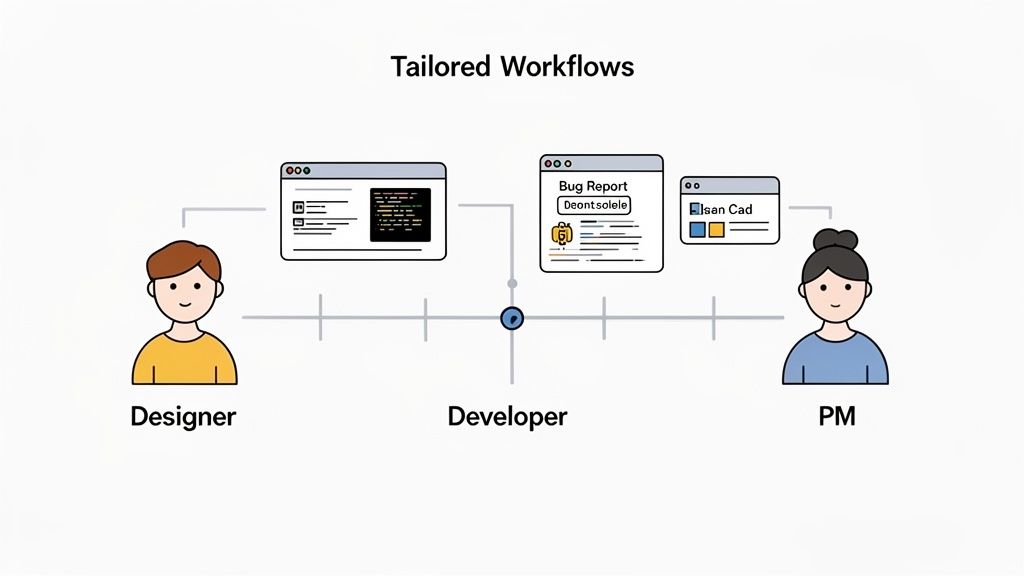
Let's be real: effective communication isn't a one-size-fits-all solution. It's about getting rid of the specific roadblocks that slow down each person on your team. Too often, we try a generic approach that fails because a developer's needs are worlds away from a marketer's.
By building workflows tailored to each role, you can move from just talking about communication to actually making daily improvements. The whole point is to create a process that feels natural for everyone, giving them exactly what they need without the extra noise. That's how you fix real problems.
For UX/UI Designers Gathering Feedback
Designers think in visuals. So why do we force them into text-heavy feedback loops? Vague comments like "it feels cluttered" during user testing are frustratingly unhelpful. A better workflow gives them a way to get precise, visual feedback right where they work.
Instead of trying to interpret notes from a call, a designer can use a tool like Beep to let stakeholders click and comment directly on a prototype. This simple shift provides instant context. Suddenly, you know exactly which element feels "cluttered" and why. It’s a game-changer that turns vague opinions into actionable revisions, seriously speeding up the entire design cycle.
For Developers Streamlining Bug Reports
Nothing kills a developer’s momentum faster than a half-baked bug report. The back-and-forth for browser versions, screen sizes, and console logs is a massive time sink. A smarter workflow can automate this whole mess.
Imagine a QA tester spots a bug. Instead of typing out a novel and taking manual screenshots, they just use a visual tool to comment on the broken element. That one click can automatically capture all the critical info:
Browser and OS data: No more guessing games about the user's setup.
Console logs: Instant access to the errors happening under the hood.
Screen resolution: See the exact environment where the bug occurred.
All this data gets bundled with the visual feedback and shot straight to the developer’s task board. The bug report arrives ready to go, turning hours of frustrating detective work into minutes of focused coding. Of course, this is just one piece of the puzzle. Beyond bug reports, running effective team meetings is also vital for keeping everyone on the same page.
For Product Managers and Marketers
If you’re a PM or marketer, you’re constantly juggling feedback from all directions—the CEO, the sales team, you name it. Trying to keep track of comments buried in emails, Slack threads, and meeting notes is a recipe for disaster. Something will get missed.
A centralized workflow isn't just nice to have; it's a necessity. By getting all stakeholders to leave their feedback on a single, live link, you create one source of truth. Every comment is captured, tracked, and can be turned into a task right away.
This stops feedback from falling through the cracks and gives you a clear, transparent view of every requested change. It lets PMs and marketers manage reviews without losing their minds, prioritize with confidence, and ultimately, ship better work faster.
Of course. Here is the rewritten section, crafted to sound completely human-written and natural, following the style of the provided examples.
Let's Tackle Some Common Communication Hurdles
Alright, let's get real. Even with the best game plan, improving team communication isn't a "set it and forget it" kind of deal. It’s a constant work in progress, and specific challenges are always going to pop up. I’ve been there, and I’ve seen teams wrestle with the same questions time and time again.
Let's break down some of the most common ones I hear and talk through some practical ways to solve them.
How Can We Actually Make Communication Work in a Fully Remote Team?
For remote teams, the biggest game-changer is mastering asynchronous communication. I see so many teams burn out trying to force everyone into back-to-back video calls across a dozen time zones. Trust me, that's a losing battle. The real win comes from using tools that let people give feedback on their own time, without needing to be online at the same moment.
This is where visual annotation tools are a lifesaver. Instead of trying to describe a design change over a crackly video call, team members can just point, click, and comment directly on the website. This keeps everything in context and lets people contribute when they’re most productive.
When you centralize all that feedback and connect it to your project management system, you create one place for everyone to check for updates. No more digging through emails or Slack threads—just a single source of truth that anyone can tap into, whenever they need it.
We’re Drowning in Apps. What’s the First Step to Cutting Through the Noise?
Start with a simple tool audit. I know, it sounds a bit corporate, but it’s just a fancy way of saying: "make a list of every single app your team uses to talk to each other." Once you see it all laid out, you'll immediately spot the overlaps. The goal here isn't just to slash your subscription budget, but to bring some sanity back to your workflow.
Get your team involved. Ask them which tools they genuinely can't live without and which ones just feel like more noise. From there, you can create a super simple guide for what tool to use for what. For us, it looks something like this:
Slack is for quick, casual pings and updates.
Beep is the go-to for all website and design feedback. No exceptions.
Jira is where we track all the nuts and bolts of development tasks.
Just defining a primary job for each tool makes a massive difference. It stops the confusion and keeps conversations right where they belong.
I've learned that the fastest way to get your team to actually use a new tool is to prove it solves a problem that's been driving them crazy. Show them how it kills a specific pain point—like vague, confusing feedback—and they'll jump on board way faster than if you just send a memo.
How Do You Get People to Actually Adopt New Tools Without a Fight?
You have to show them the "what's in it for me" right away. Rolling out a new platform to the whole company at once is a recipe for disaster. Don’t do it.
Instead, find a small, nagging problem your team faces all the time—like messy bug reports or endless back-and-forth on design tweaks. Then, run a small pilot project with a couple of team members who are usually up for trying new things.
Once the pilot is over, show off the results. Don't just say it was "better," give them the numbers. Did you save five hours of rework on a single feature? Did you completely eliminate a weekly follow-up meeting? When the rest of the team sees concrete proof that this new thing makes their lives easier, getting them to adopt it becomes a whole lot easier.
Ready to finally get rid of ambiguous feedback and chaotic project reviews? Beep gives your team the visual context they need to communicate clearly and get projects out the door faster. Get started for free in under a minute.
In my experience, team communication improves when everyone knows where information belongs. I’ve seen simple questions turn into long Slack threads, especially when someone is working remotely. Clear tool roles and specific feedback can save a surprising amount of time. I’ve also learned this applies outside work, when I’m trying to sort out a software issue, I prefer having a clear place to check rather than jumping between pages. I recently came across this Microsoft review page https://microsoft.pissedconsumer.com/review.html while looking for user experiences, which was useful for context.