
.png)
How to Improve Team Productivity with Quick Wins

Boosting your team's productivity isn't about cracking the whip or tracking every minute. It's about creating a space where people can actually get meaningful work done. The real secret sauce is a mix of crystal-clear goals, smooth workflows, and a feedback culture that actually helps people improve.
Let's walk through how to build exactly that.
The True Cost of Unproductive Teams
Let's get real for a second about what's at stake. When teams are disengaged or stuck in clunky processes, it's not just about a few missed deadlines. You can feel the energy drain from the room. Morale takes a nosedive, frustration bubbles up, and pretty soon, your best people are polishing their resumes.
The numbers are just as grim. A recent analysis found that with only 21% of workers feeling engaged, the global economy is bleeding around $438 billion in lost productivity. That's a staggering loss, but it's also a huge opportunity for leaders who are willing to fix what's broken.
Of course, to fix a problem, you have to measure it first. If you're not sure where to start, you'll need to learn how to measure team productivity effectively. And I'm not talking about creepy keystroke trackers—I mean understanding real outputs and what's getting in the way.
Common Productivity Killers vs. High-Impact Solutions
Before we dive into the playbook, let’s diagnose the problem. A lot of the biggest productivity vampires are sneaky; they've become so normal that nobody even questions them anymore. Spotting them is half the battle. Our guide on the biggest time wasters at work goes even deeper on this.
To get a quick snapshot, I've put together a table comparing the usual suspects with the solutions we'll unpack in this guide.
Common Productivity Killers vs. High-Impact Solutions
Productivity Killer | Effective Solution |
|---|---|
Vague goals and shifting priorities | Implement a clear goal-setting framework like OKRs to align the entire team on measurable outcomes. |
Endless, inefficient meetings | Adopt strict meeting agendas, define clear objectives, and favor asynchronous communication for updates. |
Ambiguous feedback and long review cycles | Use visual feedback tools to provide clear, contextual comments directly on project assets, cutting down revision time. |
Siloed information and clunky handoffs | Establish a transparent workflow with a Kanban system to visualize progress and identify bottlenecks instantly. |
Constant context switching and interruptions | Protect deep work time by batching tasks, minimizing notifications, and promoting focused work blocks. |
By tackling these head-on with smart, deliberate strategies, you can start building a culture where getting great work done feels natural, not like an uphill battle.
Get Your Team Pointing in the Same Direction with Clear Goals
Productivity without a clear destination is just busy work. I’ve seen teams spend weeks, even months, spinning their wheels on tasks that felt important at the moment but ultimately didn't move the needle. This is why getting everyone aligned on a shared direction is the single most critical thing you can do.
When every person on your team understands not just what they’re doing, but why it matters to the bigger picture, their whole mindset shifts. They go from just checking off a to-do list to actively solving problems to get the team a collective win.
Vague Goals Just Won't Cut It
The first thing to do is translate those big, fluffy company ambitions into something your team can actually grab onto. Abstract goals like "increase market share" are way too fuzzy. They don't give anyone a clear path forward, and honestly, they're not very motivating.
We need to create specific, measurable outcomes. This is where frameworks like OKRs (Objectives and Key Results) really shine. OKRs force you to connect those ambitious goals (your Objectives) with concrete, quantifiable milestones (your Key Results).
Think of it this way: your Objective is the destination, like "Become the go-to resource in our industry." The Key Results are the signposts that tell you you're on the right path, like "Increase organic blog traffic by 40% this quarter" or "Achieve a top-3 ranking for 10 target keywords."
This simple structure provides instant clarity. Anyone on the team can look at the Key Results and know exactly what success looks like and how it'll be measured.
Defining Key Results That Actually Mean Something
The real magic happens when you craft Key Results that are both a bit of a stretch and can be directly influenced by your team's day-to-day work. This is how you build genuine alignment and a sense of ownership.
Let’s look at a couple of real-world scenarios:
For a Marketing Team: Instead of a generic goal like "generate more leads," a much better objective is "Improve Sales Pipeline Quality." The Key Results could then be: "Increase marketing-qualified to sales-qualified lead conversion rate from 15% to 25%" and "Decrease customer acquisition cost by 10%." See the difference? Now the team is focused on value, not just volume.
For an Engineering Team: An objective to "Enhance Product Stability" is a great start, but it needs metrics. Key Results could include: "Reduce critical bug resolution time from 48 hours to 24 hours" and "Increase automated test coverage from 70% to 85%." To really get a handle on improving your team's output, you absolutely need a clear framework for engineering productivity measurement.
These examples draw a straight line from daily tasks to strategic impact. A content writer sees exactly how their articles affect keyword rankings; an engineer understands precisely how their code improvements contribute to those stability metrics.
Keep Score with Leading and Lagging Indicators
Once your goals are set, you need a way to track progress without waiting until the end of the quarter to find out if you won or lost. This means getting familiar with two types of metrics.
Lagging Indicators: These are your output metrics. They measure past success. Things like quarterly revenue, customer churn rate, and your net promoter score are all lagging indicators. They tell you if you hit your goal, but only after the fact.
Leading Indicators: These are your input metrics, and they’re predictive. They track the activities you believe will lead to success. Think weekly sales demos conducted, new articles published, or customer support tickets resolved within an hour.
A truly productive team keeps a close eye on both. Lagging indicators confirm if your overall strategy is paying off, while leading indicators give you real-time feedback. If your leading indicators start to slip (for example, you’re not publishing enough articles), you can course-correct early to make sure you still hit that big lagging goal (the traffic increase). It’s this proactive approach that really separates the high-performing teams from the rest.
Streamline Workflows and Eliminate Bottlenecks
Let’s be honest, clunky handoffs and vague processes are silent productivity killers. When nobody’s quite sure who owns the next step or where a task actually is, work just grinds to a halt. This is where visualizing your entire workflow becomes an absolute game-changer, turning that chaos into a clear, predictable system.
The goal here isn't micromanagement; it's empowerment. We want to create a transparent process that everyone on the team can see and understand. When the workflow is out in the open, your team can spot potential problems early, manage their own time better, and see exactly how their individual work pushes a project forward.
Visualize Your Work With a Kanban System
One of the best ways I’ve found to get this kind of clarity is with a Kanban board. It’s a simple visual system that started in manufacturing, but it’s incredibly powerful for the kind of work we do. You can use a physical whiteboard with sticky notes or a digital tool—the principle is the same: make the work visible.
A basic Kanban board is just a set of columns representing the stages of your work. For most teams, a simple setup is the best place to start:
Backlog: This is where every idea and upcoming task lives. Think of it as your team's future to-do list.
To Do: These are the prioritized tasks ready to be tackled in the current cycle (like this week or a two-week sprint).
In Progress: This column shows what each person is actively working on right now.
Review: Work that’s finished but needs a look-over or approval from a stakeholder or another teammate.
Done: Completed tasks that have been approved and shipped.
Here's what a typical digital Kanban board looks like, showing how work flows from left to right.
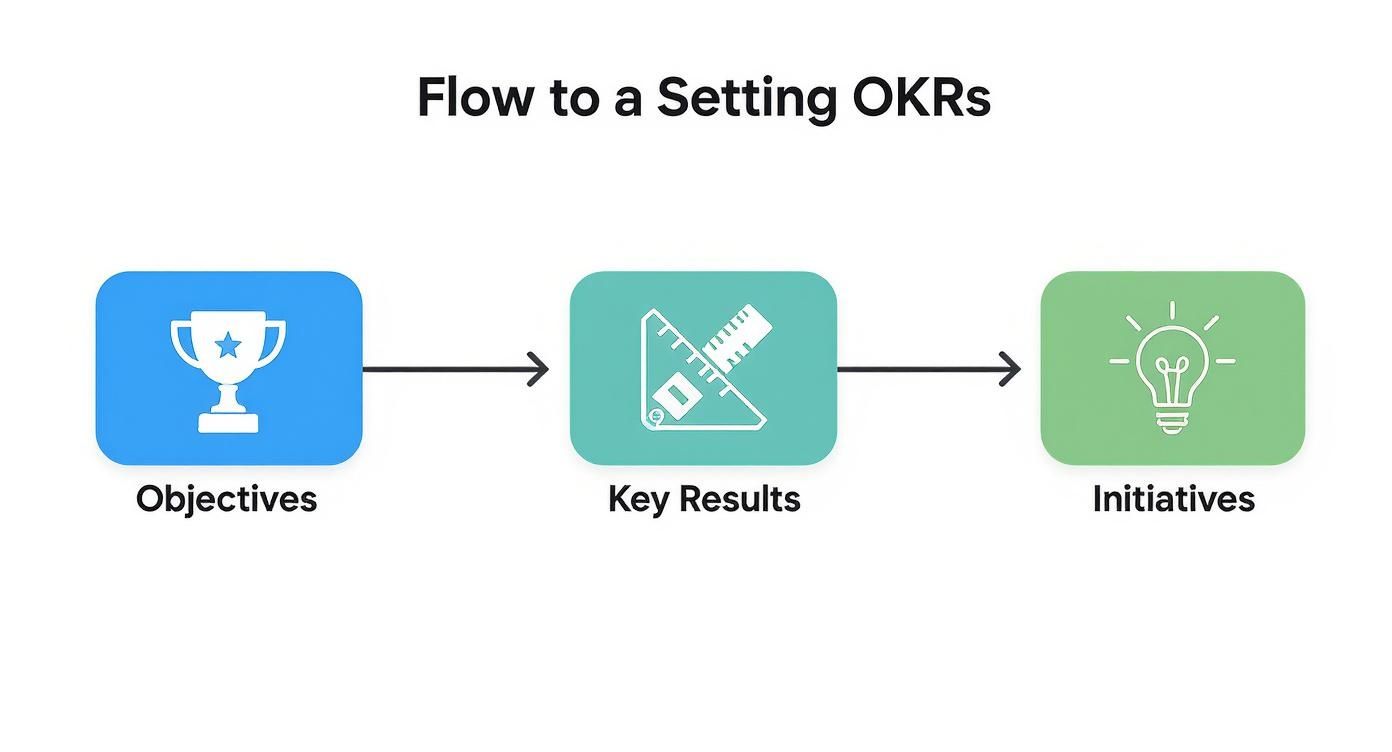
As you can see, a tool like this makes it dead simple for the whole team to track progress at a glance.
But the real magic of Kanban isn't just seeing the tasks; it's managing the flow. By laying out the process visually, you can immediately spot bottlenecks. Is your 'Review' column constantly overflowing? That’s a massive red flag that your feedback process is slowing everything down.
A core principle of Kanban is to limit Work-in-Progress (WIP). This means you set a hard limit on how many tasks can be in the 'In Progress' column at once. It feels weird at first, but it forces the team to focus on finishing tasks before starting new ones. This single change can dramatically reduce context switching and improve quality.
Master Asynchronous Reviews to Protect Deep Work
That overflowing 'Review' column is a classic pain point. I’ve seen it lead to endless meetings scheduled just to get feedback on a simple task. This is where asynchronous reviews, powered by the right tools, can make a huge difference. Instead of booking a 30-minute call to discuss a design mockup, team members can drop their feedback whenever it works for them.
This approach protects those long, uninterrupted blocks of time everyone needs for deep, focused work. A developer doesn’t have to break their coding flow for a review call, and a designer isn't stuck waiting for a meeting to get the feedback they need to move forward.
The secret to great async feedback is context. A vague Slack message like "I don't like this part" is completely useless. Modern tools fix this by allowing for visual, contextual feedback.
For example, with a tool like Beep, a product manager can comment directly on a live webpage prototype. They just click an element, and a screenshot is automatically captured with their note attached—something like, "Can we make this call-to-action button larger?" This gets rid of all ambiguity and gives the designer precise, actionable instructions without a single meeting. This is just one way automation can reshape your processes. To see more, check out our guide on the 12 best workflow automation tools for teams.
By combining a visual workflow like Kanban with context-rich asynchronous reviews, you eliminate two of the biggest productivity drains: lack of clarity and too many meetings. This approach doesn't just speed up project timelines; it also helps build a more focused and autonomous team culture.
Run Meetings That Actually Drive Action
If workflows are the arteries of your team, meetings are the heartbeat. When they’re healthy, they pump energy and clarity through the whole system. But when they’re bad? They clog everything up, draining time and morale until the whole operation feels sluggish. We've all been trapped in meetings that felt like a complete waste of an hour.
Let's be honest: most meetings are productivity black holes. A poorly planned meeting doesn't just waste the time of everyone in the room; it kills momentum and creates confusion that ripples through the rest of the day. The fix isn't to ban all meetings, but to get ruthless about the ones you keep.
Every single meeting invitation should be a contract with your team. It needs to clearly state what you're going to achieve together and why their presence is essential. If you can’t articulate that, you probably don't need a meeting.
The Non-Negotiable Rules for Effective Meetings
To turn your meetings from time-sucks into strategic sessions, you need some ground rules. These aren't just suggestions; they are the absolute minimum for any gathering that hopes to accomplish something real. Think of them as your meeting manifesto.
Your three core principles should be:
A Crystal-Clear Purpose: Every invite must include a single, concise sentence explaining the objective. "Decide on the Q3 marketing campaign theme" is a goal. "Marketing Campaign Discussion" is not.
A Shared Agenda: An agenda needs to go out at least 24 hours in advance. This doc should list discussion topics, who's leading each point, and how much time is allotted for it. This simple step allows people to actually prepare, making the conversation infinitely more productive.
A Dedicated Facilitator: One person has to be responsible for keeping the meeting on track. Their job is to steer the conversation back to the agenda, make sure all voices are heard, and ensure the meeting ends on time with clear next steps.
Adopting just these three rules can cut down on wasted meeting time in a huge way. They force the organizer to think critically before consuming anyone else's time.
Know When a Meeting Is Actually Needed
The most powerful productivity hack for meetings? Avoiding them altogether.
Before you schedule anything, ask yourself one critical question: "Could this be an email, a shared doc, or an asynchronous chat instead?"
Not every discussion requires a real-time conversation. Differentiating between meeting types is crucial for protecting your team’s focus time.
A study found that employees lose at least three hours of productivity per week due to poor collaboration—much of which stems from unnecessary meetings. By being selective, you give that time back to your team for deep, focused work.
Here’s a quick breakdown to help you decide:
Daily Stand-ups: Keep these under 15 minutes. They're quick syncs to unblock immediate issues, not for deep problem-solving.
Weekly Tacticals: This is where you solve problems. It's a dedicated time to tackle specific blockers that came up during stand-ups.
Brainstorming Sessions: These sessions need creative, real-time energy and are a great use of meeting time, as long as they're well-facilitated.
Status Updates: These should almost never be meetings. Use a shared document, a project management tool like Notion or Jira, or a dedicated Slack channel to share updates asynchronously.
A Simple Agenda Template to Get You Started
To make this super practical, here is a bare-bones agenda template you can copy and use right away. It’s designed to bring focus and ensure every meeting ends with a clear path forward.
Section | Description |
|---|---|
Meeting Goal | A one-sentence summary of what you need to accomplish. (e.g., Finalize the launch date for the new feature.) |
Attendees | List who needs to be there and why. |
Agenda Items | 1. Review launch checklist (10 min)2. Discuss feedback from beta testers (15 min)3. Finalize launch date and assign roles (10 min) |
Action Items | Leave space to document who is doing what, and by when. |
By enforcing this level of structure, you create a culture where time is respected. Meetings stop being a default and become a powerful tool used only when necessary to drive real, tangible action. Trust me, this shift alone can dramatically improve your team's output and overall happiness.
Choose the Right Tools for Seamless Collaboration
Your team's productivity isn't just about processes and goals; the technology holding it all together is just as important. The right tech stack is a massive force multiplier, smoothing out the friction from daily tasks. Get it wrong, though, and you’ll add layers of complexity that create more work instead of eliminating it.
Picking the right tools is less about chasing the latest shiny object and more about solving the specific, nagging problems your team faces every single day. The goal is a simple, integrated ecosystem where information flows freely and collaboration feels effortless. A clunky or bloated tech stack is a productivity killer, forcing people to constantly switch contexts and fight with their software just to get stuff done.
The Core Components of a Productive Tech Stack
To really move the needle on productivity, you need to cover three fundamental areas of work. Think of them as the pillars of your team's digital workspace.
A solid stack usually includes:
Project and Task Management: This is your team's single source of truth for who’s doing what, and by when. Tools like Trello or Asana are perfect for putting those Kanban workflows we talked about into practice. They make progress visible and keep everyone aligned without needing constant check-in meetings.
Real-Time Communication: For quick questions and urgent updates, a dedicated chat platform is a must. A tool like Slack cuts way down on internal email clutter and gives you a space for the kind of informal, rapid-fire conversations that keep work moving.
Specialized Feedback and Review: This is the piece that’s so often missing. General tools are great for tasks and chat, but they often fall flat when it comes to giving clear, contextual feedback on creative or technical work. This is where specialized tools become non-negotiable.
The real magic happens when these tools integrate well. When your Kanban board can automatically post updates to your team's chat channel, you create a seamless flow of information that keeps everyone in the loop without any extra effort.
Eliminating Ambiguity with Visual Feedback
One of the biggest—and most overlooked—productivity killers is ambiguous feedback. How many times have you gotten an email that says, "Let's change the hero section a bit," or a Slack message that just says, "I don't love this part"? That kind of vague input kicks off a frustrating cycle of follow-up questions, clarification meetings, and rework.
This is exactly the problem that visual feedback tools were built to solve. They bridge the gap between a comment and the actual context of that comment on a project.
Here’s a perfect example of how a tool like Beep lets you leave comments directly on a webpage, giving your feedback crystal-clear visual context.
This screenshot shows how feedback becomes instantly actionable when it’s tied to a specific element. It completely removes the guesswork for the person on the receiving end.
Let’s walk through a real-world scenario. Imagine a UX designer shares a link to a new website mockup in your team’s chat channel.
Without a visual feedback tool, you get a long thread of disconnected comments. That's usually followed by a 30-minute screen-share meeting where the designer has to guess what "the blue button on the top right" actually refers to. It’s slow and painful.
With a tool like Beep, the process is transformed. A team member simply opens the link, clicks on the button they want to discuss, and types their comment: "Let's make this button pop more with a brighter color." The tool automatically captures a screenshot of that specific element with the comment and turns it into a trackable task.
This one change has a massive ripple effect on your team's productivity.
It eliminates misunderstandings: The feedback is precise and visual, leaving no room for misinterpretation.
It speeds up revision cycles: Designers and developers get exactly what they need to make changes quickly and accurately.
It cancels unnecessary meetings: What once required a live call can now be handled asynchronously in just a few minutes.
When you're evaluating your current toolset, don't just look at features; look at the friction points in your workflows. Where do misunderstandings happen most? Where do projects get stuck waiting for input? Answering those questions will point you toward the tools that will truly boost your team's productivity. For a deeper dive, you might be interested in our guide on the top remote collaboration tools making a real difference for teams.
Still Have Questions About Team Productivity?
Even with a solid game plan, you're bound to run into a few tricky situations. That’s totally normal. Boosting team productivity isn’t a "set it and forget it" kind of deal; it's something you constantly tweak and improve.
Think of this section as your go-to guide for those nagging questions that pop up along the way. I've rounded up some of the most common ones I hear from other leaders.
How Do You Measure Productivity for Creative Roles?
This is a classic, and for good reason. You can't just count the number of widgets a designer or writer produces. For anyone doing creative or knowledge work, you have to stop thinking about output volume and start focusing on outcome and impact. Trust me, tracking hours worked or tasks checked off a list is a waste of time. What really matters is the value they create.
Instead of tracking activity, you've got to measure the results of that activity.
Here are a few ways I’ve seen this work in practice:
For a Graphic Designer: Forget counting how many mockups they make. Instead, look at the conversion rate of a landing page they designed. Or maybe the click-through rate on an ad campaign they put together.
For a Content Writer: It’s not about the number of articles published. What you should be tracking are things like organic traffic growth, how well they're ranking for target keywords, or the number of qualified leads their content brings in.
For a Software Developer: Shipping features is just one part of the job. Look deeper at metrics like how quickly they resolve bugs, system uptime, or the adoption rate of a new feature they built.
The big shift here is moving from asking, "How busy are they?" to "Are their contributions actually moving our key results forward?" This ties everything back to the OKRs you’ve already set and makes everyone's impact crystal clear.
My Team Is Resistant to New Processes. How Do I Get Them on Board?
Ah, the old "not another new process" eye-roll. Resistance is completely natural, especially if your team has been burned by initiatives that went nowhere in the past. The only way to get past this is with empathy and a really clear "why." A top-down mandate almost never works. You need to build buy-in by showing them what’s in it for them.
Kick things off by framing the new process as a solution to a problem everyone’s feeling. Nobody likes sitting in back-to-back meetings or getting vague feedback that requires five follow-up emails.
Try introducing a new workflow or tool by saying something like, "I've noticed our review cycles are getting really bogged down, and it’s causing some frustrating delays for everyone. I found something that I think could help us get clearer feedback faster and maybe even kill a few of our weekly meetings."
Then, get them involved. Don't just drop a finished solution in their laps. Ask for their input on setting up a new Kanban board or let a few people test-drive a new feedback tool. When people feel like they have a say in the change, they’re so much more likely to get on board. A small pilot with a few team members who are excited about it can also create internal champions who will sell the benefits to their peers for you.
What Is the Best Way to Handle Recurring Low-Priority Tasks?
Those small, repetitive tasks are the silent killers of productivity. They might not seem like a big deal one by one, but their constant interruptions can completely derail deep work and drain everyone's mental energy. I’ve found a three-step process works best: eliminate, automate, and consolidate.
Question Its Necessity: Seriously, is this task still necessary? A lot of legacy tasks hang around long after they’ve stopped adding any real value. Be ruthless about cutting them out.
Look for Automation: If the task is essential, can a tool do it for you? Something like Zapier can connect different apps and handle simple, repetitive stuff without anyone lifting a finger.
Batch and Time-Block: For the manual tasks that are left, group them together. Instead of handling admin stuff as it pops up, block off a specific one-hour slot on the calendar each week to knock it all out at once. This technique, called time blocking, protects your team's focus and stops tiny tasks from breaking up the day.
By systematically tackling these little disruptions, you reclaim a ton of time and mental bandwidth for the high-impact work that really drives results. It's a small habit change that makes a huge difference.
Ready to finally get rid of ambiguous feedback and cut down on all those unnecessary meetings? Beep gives your team the visual context they need to get projects done faster. Get started in under a minute and see what seamless collaboration actually feels like.
Comments