
.png)
Master UX With a Website Feedback Tool
- shems sheikh
- Dec 4, 2025
- 14 min read

Think of a website feedback tool as a direct line to your users. It’s a piece of software that lets people give you immediate, in-context feedback right on your live website or app. Forget vague complaints; this is about getting clear, actionable insights your team can actually use.
Why a Website Feedback Tool Is Your Digital Compass

Imagine running a brick-and-mortar store where you can't hear a single customer. You see them walk in, browse around, but you have no clue if they're frustrated, delighted, or just plain lost. A website without a feedback tool is basically flying blind in the same way.
A good website feedback tool is your digital compass. It closes the massive gap between what you think your users want and what they actually experience day-to-day. It goes way beyond basic analytics, which only show you what happened, and starts to uncover the crucial why behind people’s actions.
Uncovering the Voice of the Customer
Your analytics dashboard might scream that 75% of users are abandoning their shopping carts, but it won’t whisper why. Maybe it’s a confusing shipping form or a promo code field that doesn't work. This is exactly where a feedback tool becomes your MVP. It captures the raw, unfiltered voice of your customer at the precise moment of frustration.
For anyone serious about mastering digital experience design, this direct line to your user is non-negotiable.
Here’s what this direct feedback channel really gives you:
Find Hidden Friction: You’ll uncover bugs, confusing navigation, or broken links that your internal team would likely never spot.
Validate New Features: Get instant reactions to a new design or feature directly from the people who matter most—your users.
Prioritize What's Important: When you see the same issues popping up again and again, you know exactly where to focus your development resources.
A website feedback tool does more than just collect comments; it turns your users from passive visitors into active collaborators. You’re giving them a stake in your product’s future, building a sense of loyalty and community while your team gets a clear roadmap for improvements that count.
More Than Just a Support Function
The global market for customer feedback software has already blown past US$ 2.381 billion. That’s a huge number, and it tells you one thing: businesses see immense value in these insights. This isn't just a task for the support team anymore; it’s a core strategic function that product, marketing, and growth teams are leaning on heavily.
Ultimately, this kind of tool helps you build a better product by listening directly to the people who use it every single day. As we’ll see, the right user feedback tools are key to maximizing business growth, transforming raw opinions into your most valuable asset.
Cracking the Code on Great Feedback Tool Features
Look, not all feedback tools are cut from the same cloth. Plenty of platforms can collect comments, sure. But a truly effective tool is more like a diagnostic system for your website. It doesn't just tell you what's wrong; it digs into the crucial why behind every piece of user feedback. It’s time to move past a simple feature list and figure out which capabilities are just nice-to-have and which ones are absolute game-changers for your team.
The biggest leap forward in feedback tech? The power to capture visual context. Vague text comments like "the button is broken" are a developer's nightmare, sending them on a wild goose chase. Modern tools completely solve this by letting users show you the problem, not just tell you about it.
Visuals and Context: The One-Two Punch
Visual feedback is really the cornerstone of getting insights you can actually use. Instead of trying to decipher confusing emails, your team gets a crystal-clear picture of what the user was seeing and doing.
Here's what that looks like in practice:
Annotated Screenshots: Users can click anywhere on your live site, which automatically snaps a screenshot. They can then draw, highlight, or drop a note on it to pinpoint the exact UI element that’s giving them trouble. No more guesswork.
Screen Recordings: For more complex issues, like a checkout flow that keeps failing, a user can record their screen. This shows your team the exact sequence of clicks and actions that led to the bug, cutting out hours of frustrating back-and-forth.
But visuals are only half the story. The best tools automatically scoop up a ton of contextual data with every submission. This technical metadata turns a simple complaint into a fully detailed bug report without the user lifting a finger.
Think of it as a detective arriving at a crime scene. The visual feedback is the photograph of what happened. The contextual data is the forensic report, detailing everything from the browser version and OS to the screen resolution and even the console logs at the exact moment the issue popped up.
This combination is incredibly powerful. A report that once said, "I can't log in," now becomes, "A user on Chrome 125 running macOS Sonoma couldn't log in after clicking the 'Forgot Password' link, and here is a screen recording of the JavaScript error that appeared." That's the kind of detail that lets developers replicate and squash bugs in record time.
If you want to go deeper on this, we've written a whole post about what visual feedback is and how it can transform your workflow.
Before we move on, let's break down the most essential features you should be looking for.
Essential Features of a Modern Website Feedback Tool
This table breaks down the key features and the specific problems they solve, helping you prioritize what to look for in a solution.
Feature | What It Does | Why You Need It |
|---|---|---|
Point-and-Click Reporting | Lets users click anywhere on a live webpage to leave feedback. | Removes all friction. Users can report issues the instant they see them without leaving the page. |
Screen Capture & Annotation | Automatically takes a screenshot and provides tools for users to draw, highlight, or add text. | Pinpoints the exact UI element causing issues, eliminating vague descriptions like "the button is broken." |
Screen Recording | Allows users to record their screen to show multi-step processes or dynamic bugs. | Shows the exact sequence of actions that led to an error, making complex bugs easy for developers to replicate. |
Automatic Metadata Capture | Collects technical details like browser, OS, screen size, and console logs with every submission. | Gives developers all the diagnostic data they need to fix bugs fast, without having to ask the user for it. |
In-App Surveys (NPS, CSAT) | Lets you deploy targeted micro-surveys at key moments in the user journey. | Gathers proactive feedback on user satisfaction and loyalty, helping you measure sentiment over time. |
Integrations | Turns feedback directly into actionable tasks, streamlining your workflow and keeping everyone in sync. | |
Centralized Dashboard | Gathers all feedback—bugs, suggestions, and survey results—into one organized place. | Creates a single source of truth for user feedback, making it easy to spot trends and prioritize what to fix. |
Having these features in one place means you're not just collecting comments; you're building a powerful, actionable system for improving your website based on real user experiences.
Surveys and Getting a Vibe Check
Beyond just fixing what's broken, a great website feedback tool helps you proactively check the pulse of your users. This is where targeted surveys come in. Instead of just waiting for people to complain, you can actively ask for their thoughts at the moments that matter most.
Look for tools that can handle a few key survey types:
Net Promoter Score (NPS): This is the classic "How likely are you to recommend us?" question that measures overall customer loyalty.
Customer Satisfaction (CSAT): Perfect for gauging happiness with a specific interaction, like right after a customer support chat or completing a purchase.
Customer Effort Score (CES): This one asks users how easy it was to get something done, which is fantastic for sniffing out friction points in your user experience.
A top-tier platform doesn't just stop at collecting these scores; it helps you make sense of them. When you can pair a low CSAT score with a screen recording of the user struggling, you get the full picture. That’s how you make every piece of feedback both perfectly clear and totally actionable.
Putting Your Feedback Tool to Work in the Real World
Knowing the features of a website feedback tool is one thing, but seeing it solve real problems for your team? That’s something else entirely. Let's move from theory to practice and see how these tools actually slot into your daily work, turning abstract data into real improvements.
Think of the right tool as a bridge connecting your users directly to your project management systems. It helps your team get faster, smarter, and way more responsive.
We'll walk through three super common scenarios that show this power in action: seamless bug reporting, targeted user testing, and collecting killer product reviews. Each one is a mini-playbook for making your team more efficient.
Streamlining Bug Reporting and QA
Imagine this: a user lands on your checkout page, ready to buy. But something's wrong—the "Pay Now" button is totally misaligned. They get hesitant and bounce. Without a feedback tool, all you see is another abandoned cart in your analytics, leaving you to guess what happened.
With a website feedback tool, the story is completely different.
One-Click Reporting: The user just clicks the feedback widget, highlights the wonky button, and types, "This looks weird."
Automatic Data Capture: In the background, the tool automatically grabs a screenshot, their browser info (Chrome 125), their OS (macOS), and any pesky console errors.
Seamless Integration: This entire, context-packed report instantly shoots over to your team's Jira board. It's a brand new ticket, already assigned to the front-end dev queue.
Your developer doesn't have to chase the user for more details or spend an hour trying to replicate the bug blindly. They have everything they need to fix the issue in minutes, not hours.
This is basically how a modern feedback tool turns a user's visual note into clean, actionable data for your team.
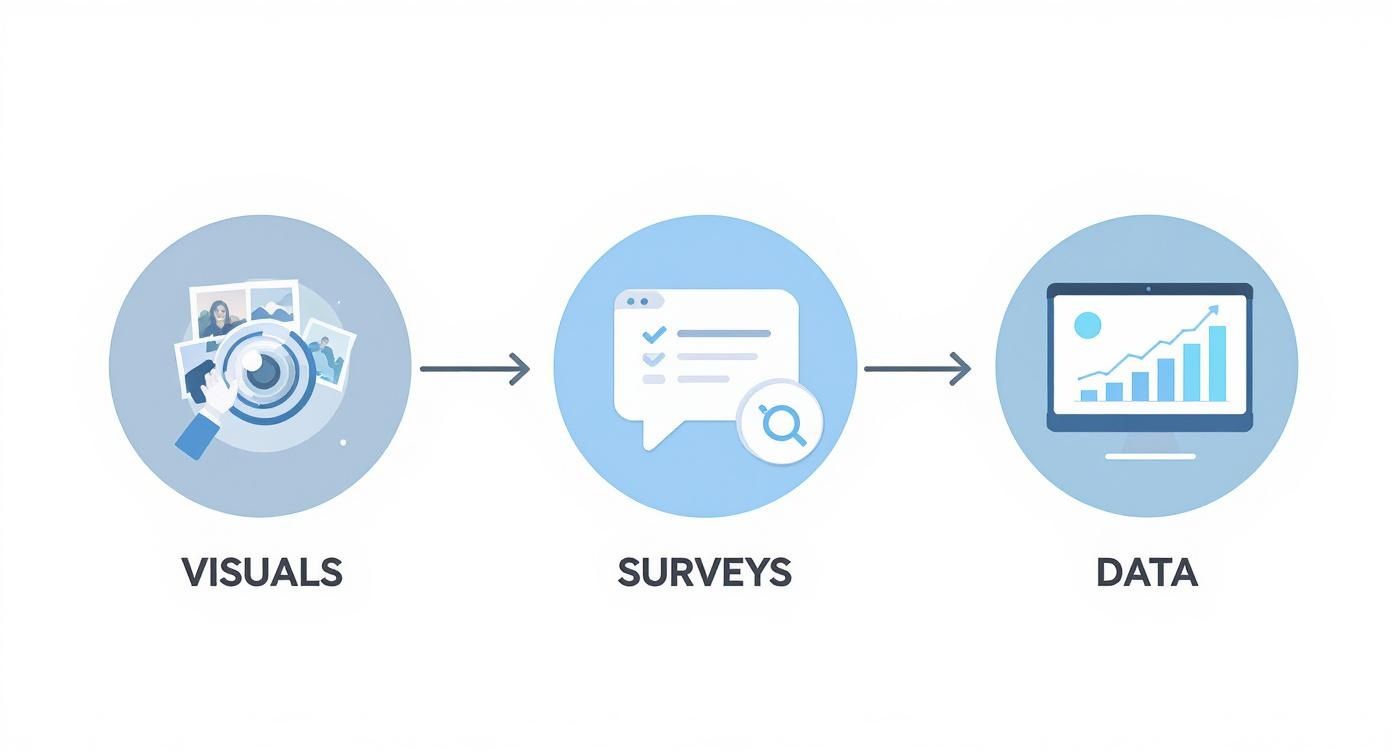
As you can see, it’s not just about collecting comments. It’s a full process, starting with a simple visual capture and ending with structured data that plugs right into your workflow.
Conducting Targeted User and Usability Testing
Okay, next scenario. You've just launched a new feature and you're dying to know what a specific group of users thinks about it. A website feedback tool lets you ditch the guesswork and get incredibly precise insights.
For example, you could set up a targeted micro-survey that only pops up for users who have used the new feature more than three times.
Then you can ask some really pointed questions, like:
On a scale of 1-5, how easy was it to use this feature? (CSAT)
What is one thing we could do to improve it? (Open-ended)
This focused approach gets you high-quality, relevant feedback instead of a bunch of generic opinions from your entire user base. To get deeper into setting up sessions like this, check out our guide on how to conduct usability testing with essential techniques.
By collecting feedback at the right moment from the right people, you create a continuous loop of improvement. You’re not just building features; you’re co-creating them with your most engaged users.
Gathering Powerful Product Reviews and Testimonials
Finally, a feedback tool is an absolute goldmine for finding your biggest fans. By setting up a Net Promoter Score (NPS) survey, you can ask that one simple question: "How likely are you to recommend us to a friend or colleague?"
Users who hit you with a 9 or 10 are your promoters. They love you! You can then automatically follow up with them to ask for a testimonial or a review on a third-party site. This simple workflow helps you systematically build social proof and collect amazing quotes for your marketing materials.
Of course, collecting feedback is just the start. To really make it count, you need to turn those insights into action. Exploring powerful conversion rate optimization techniques will show you how to connect the dots between what users say and what you build.
These real-world examples prove that a website feedback tool is so much more than a comment box—it's the central nervous system for user-driven growth.
How AI Is Changing the Game for Feedback Analysis

Let's be real: manually digging through thousands of user comments just doesn't work anymore. It’s a surefire way to get completely overwhelmed, and you end up leaving a goldmine of insights buried in the noise. This is where AI is stepping in and completely flipping the script on how we understand and act on user feedback.
Think of the AI features inside a modern website feedback tool as a tiny, super-efficient analysis team that works 24/7. Instead of your team spending hours reading, tagging, and categorizing comments one by one, these systems chew through huge amounts of messy feedback in minutes. It's a massive shift from tedious data entry to making quick, smart decisions.
Finding the Gold Without the Digging
The real magic of AI is its knack for understanding what people are actually saying and spotting patterns a human might easily miss. It’s not just about speed; it's about intelligence. Two key features are leading the charge here: sentiment analysis and theme extraction.
Sentiment Analysis: This is a fancy way of saying the tool automatically figures out the emotional tone of every comment. It instantly flags feedback as positive, negative, or neutral, giving you a bird's-eye view of how people are feeling without reading a single word.
Theme Extraction: This takes it a step further by clustering feedback into common topics. The AI is smart enough to see that hundreds of different comments are all talking about the "slow checkout process," "confusing navigation," or "mobile display bugs." It automatically sorts everything into neat buckets for you.
This kind of automated analysis means you can spot new trends almost as they happen. If a new bug from your latest update is making everyone angry, AI will flag it right away. That lets you jump on a fix before it snowballs into a bigger problem.
From Manual Grind to Strategic Wins
Platforms with AI built-in are now a must-have. They’ve moved way beyond simple comment boxes. You can read more about how AI is shaping these analytics tools on ClooTrack. The bottom line is that they dramatically cut down the hours your team spends doing manual grunt work.
AI doesn't just make feedback analysis faster; it makes it smarter. By handling the repetitive task of sorting and tagging, it frees up your product managers and UX designers to focus on what truly matters: understanding the user's problem and creating an elegant solution.
This isn't a small improvement; it's a huge efficiency boost. The time your team used to waste wrestling with spreadsheets can now be spent on high-value stuff like talking to users, brainstorming solutions, and actually shipping better features. An AI-powered website feedback tool helps you build a better product, faster, by making sure you're always working on what matters most to your users.
Choosing the Right Website Feedback Tool
With all the different website feedback tools out there, picking the right one can feel like trying to find a needle in a haystack. They all claim to be the magic bullet for your problems, but let's be real—the best tool is the one that actually fits your team's workflow and goals without making life more complicated.
Think of it this way: you need to look past the shiny features and focus on what really matters. It's about finding a partner that helps you get work done, not just another piece of software that gathers digital dust.
Start with Your Core Workflow
This is the big one. How well can a new tool slide into your team's existing habits? If your developers practically live in Jira and your project managers are glued to Trello, a feedback tool that doesn’t play nice with them is dead on arrival. Nobody wants to spend their day manually copying and pasting feedback from one app to another—it’s a surefire way to kill momentum.
Make sure to check for these key connections:
Project Management: Can it link up with tools like Jira, Trello, Asana, or Notion? A good integration turns a simple user comment into an actionable ticket in seconds.
Team Communication: Will it shoot a notification straight to a Slack or Microsoft Teams channel the moment new feedback rolls in?
Automation: Does it connect with a service like Zapier? This can be a lifesaver for creating custom workflows when your needs get more complex.
Match the Tool to Your Primary Goal
Not every feedback tool is built for the same job. Are you on a mission to squash bugs, dive deep into UX research, or just get a pulse on customer happiness? Your main objective should be your North Star here.
A tool that’s perfect for developers who need detailed console logs to hunt down bugs might be total overkill for a marketing team just looking to run a simple Net Promoter Score (NPS) survey. You’ve got to align the tool’s strengths with what you need to accomplish right now.
For instance, a team focused on bug tracking should be looking for a tool that’s amazing at capturing metadata and screen recordings. On the other hand, a team doing UX research will want powerful survey targeting features to get feedback from very specific groups of users.
Evaluate Ease of Use and Pricing
Last but not least, think about who's actually going to be using this thing. Can someone from the marketing team jump in and set up a survey without needing a week of training? A clean, intuitive interface is what separates a tool that gets used from one that gets ignored.
Pricing can also be all over the map, with options ranging from free plans to enterprise solutions that cost over $1,000 monthly. The market is pretty segmented, and you'll often see top-tier platforms bundle in analytics and survey features, banking on their reliability and all-in-one approach. As you can discover more insights on 2025's top website tools, it's obvious that companies are ready to pay for powerful, integrated platforms.
Your job is to find a tool that fits your budget today but also has a pricing plan that can scale with you as your team grows.
Got Questions About Website Feedback Tools?
Jumping into a new tool always brings up a few questions, and website feedback tools are no different. I've heard the same concerns from countless teams: Will it slow things down? How do we actually get users to participate? And what on earth do we do with all the data once it starts flooding in?
Let's cut through the noise and tackle these questions head-on. Getting these sorted out upfront means your team can hit the ground running and turn potential roadblocks into a clear path toward a website your users will love.
Will a Feedback Tool Slow Down My Website?
This is the number one concern for pretty much everyone, and for good reason. Nobody wants to trade user insights for a sluggish site. The good news? Modern, well-built feedback tools are designed specifically to have a practically invisible impact on performance. The secret sauce is asynchronous loading.
Think of it this way: your website's main content is the star of the show. Asynchronous loading lets the feedback tool wait patiently in the wings, only loading after the main performance is over. This means it never gets in the way of your page rendering, so your users won't notice a thing.
That tiny performance cost—which is usually negligible—is almost always a fantastic trade-off for the mountain of valuable insights you'll get. If you're still on the fence, you can always test a tool on a staging or development site first to see the impact for yourself before going live.
How Can I Encourage Users to Leave Feedback?
Getting users to share their thoughts can feel like pulling teeth, but it doesn't have to be. The real secret is making it completely effortless. If giving feedback feels like a chore, no one’s going to do it. You have to remove every bit of friction and pop the question at just the right moment.
Here are a few tricks that work like a charm:
Make It Stupidly Easy: A simple, one-click feedback widget that’s always there but never annoying is your best friend. The less work a user has to do, the more likely they are to jump in.
Ask at the Right Time: Context is everything. Don't just throw up a generic "How are we doing?" popup. Ask for feedback at a key moment in their journey—like on a confusing pricing page or right after they’ve checked out.
Show You're Actually Listening: This one’s huge. When users see their feedback leads to real changes on the site, they feel heard and valued. It creates a powerful loop where they're not just willing, but excited to help you again in the future.
What Is the Difference Between a Feedback Tool and Analytics?
This is a super important distinction. Analytics platforms like Google Analytics are brilliant at telling you what your users are doing. A feedback tool is all about discovering why they're doing it.
For example, your analytics might show a massive 60% drop-off rate on your signup form. That’s the what. A website feedback tool uncovers the why—suddenly you have a dozen comments from real users saying a required field is confusing or they were thrown off by a surprise request for a credit card. The real magic happens when you use both tools together.
How Do I Manage and Prioritize All the Feedback?
Once you open the floodgates, the feedback can start to feel overwhelming fast. A great tool won't just collect comments; it will help you manage the flow and turn all that raw input into tasks you can actually act on.
Look for tools that let you organize everything with features like tagging and categorization (e.g., ‘bug,’ ‘feature request,’ ‘UI issue’). Some modern platforms even use AI to do this for you automatically. From there, you can prioritize based on frequency and impact—a bug that’s stopping users from logging in is obviously way more critical than a suggestion to change a button color.
Ready to turn user feedback into your biggest competitive advantage? Beep gives your team the visual context and seamless integrations you need to build better products, way faster. See for yourself how easy it is to capture actionable insights and finally get your workflow in order. Start your free trial with Beep today.
Comments