
.png)
Approval Workflow Software: Streamline Approvals and Boost Productivity

At its core, approval workflow software is all about automating how your team gets things signed off. Think of it as the digital traffic controller for all your documents, tasks, and projects.
Instead of those messy email chains and endless manual follow-ups, it gives you a clear, structured system. This makes sure every request lands with the right people, in the right order, every single time. It’s the simplest way to kill bottlenecks and actually see what your team is working on.
Why Manual Approvals Are Holding Your Team Back
Picture this: a critical design mockup needs a final thumbs-up before the dev team can touch it. You kick things off by emailing three different stakeholders. What happens next? One person replies with feedback, another misses the email completely, and the third drops conflicting notes in a random Slack message.
Sound familiar?
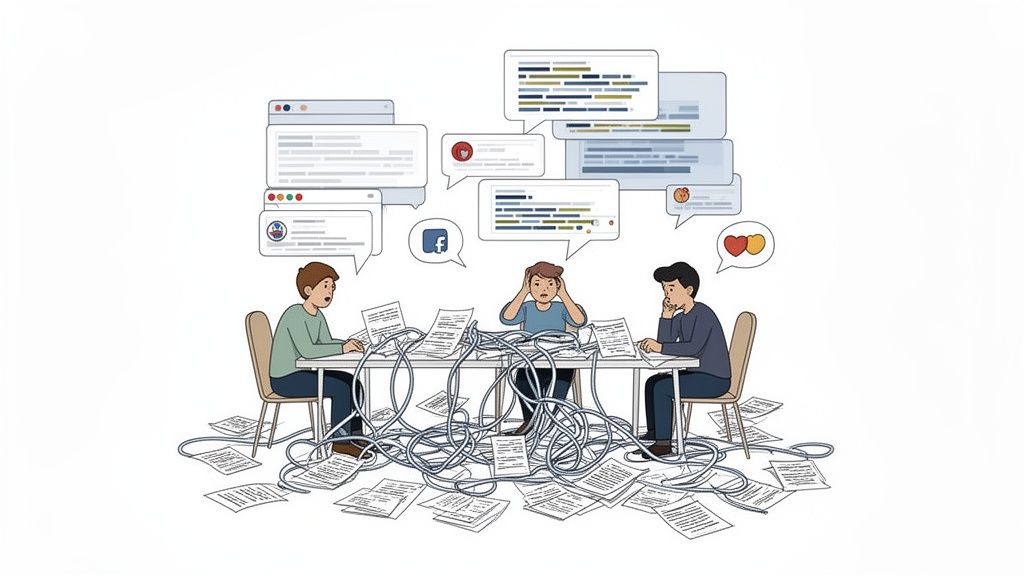
This is a daily nightmare for so many product managers, marketers, and designers. Relying on disconnected tools like email and spreadsheets for approvals is a recipe for chaos and delays. It creates friction where you desperately need flow.
The True Cost of Inefficiency
The real damage from these old-school approval methods goes way beyond just being annoying. It directly torpedoes your project outcomes and crushes team morale by creating some seriously expensive problems.
I’m talking about pain points like:
Endless Project Delays: One person is out of office or just misses a message, and the whole project grinds to a halt. Chasing people down for a simple "yes" or "no" practically becomes a full-time job.
Lack of Accountability: With no clear system, it's impossible to know who’s seen the request, who needs to act next, or why a deadline was blown. The blame game starts, and nobody wins.
Conflicting Feedback: Trying to piece together notes from five different email threads, a couple of documents, and a few chat messages is a version-control nightmare. It’s how great creative ideas get watered down into something nobody loves.
Zero Visibility: Project managers are stuck flying blind. You can't track progress or spot a bottleneck until it’s already causing major problems.
This lack of a structured system doesn't just slow you down; it actively sabotages collaboration and injects unnecessary risk into every single project. It turns a simple sign-off into a complicated, unpredictable mess.
The Growing Demand for a Better Way
These headaches are exactly why so many teams are finally ditching manual methods. This isn't just a trend; it's a smart business move to escape the high cost of doing things the hard way.
The global market for approval workflow software was pegged at around USD 4.5 billion in 2023 and is on track to more than double by 2032. You can dig into the numbers in DataIntelo's detailed report.
This boom shows that everyone is realizing manual processes just aren't cutting it anymore. By swapping out all that chaos for a smooth, automated system, teams can finally turn that approval friction into a serious productivity boost.
So, What Exactly Is Approval Workflow Software?
At its heart, approval workflow software is a tool that automatically manages a request from the moment it’s submitted to the final sign-off. I like to think of it as an air traffic controller for all your team's projects. Instead of letting approvals fly around randomly through emails, Slack messages, and hallway conversations, it creates a clear, predictable flight path for every single task.
This makes sure every request, review, and decision automatically gets to the right person, in the proper order, at exactly the right time. The real goal isn't just about moving tasks from A to B; it's about wiping out the manual chasing, constant confusion, and painful delays that kill traditional processes. Nothing gets lost, and nothing is forgotten.
Moving Beyond the Manual Mess
Let's be honest: manual approvals are fragile. They depend entirely on people remembering to forward an email, hunt down the latest version of a file, or follow up on a chat message they saw hours ago. This way of working isn't just slow; it's a huge source of risk for any project.
Approval workflow software steps in to replace this shaky, unpredictable system with a structured, automated process. It takes your approval rules and brings them to life digitally, creating a single source of truth for every request. This means you can see exactly where a task is, who needs to act next, and how long it’s been sitting there, all at a glance.
The big shift here is moving from a process that runs on manual check-ins and human memory to one guided by automated rules and total transparency. It’s about building a reliable system, not just relying on busy people hoping for the best.
This systematic approach transforms approvals from a frustrating bottleneck into a smooth, predictable part of your everyday operations.
To really get a feel for the difference, let's break it down side-by-side.
Manual Approvals vs. Automated Workflow Software
This table gives you a clear look at how a manual, old-school approach stacks up against a modern, software-driven one. You'll quickly see where the headaches come from in the manual column and how automation solves them.
Aspect | Manual Approval Process | Approval Workflow Software |
|---|---|---|
Routing | Relies on individuals to manually forward emails or files to the next person in the chain. | Automatically routes requests to the right people based on predefined rules and conditions. |
Transparency | Very low. It's difficult to track where a request is without sending follow-up messages. | High. A centralized dashboard shows the real-time status of every request. |
Accountability | Unclear. Disputes can arise over who was responsible for what and when. | Crystal clear. A full audit trail records every action, comment, and decision with timestamps. |
Notifications | Manual. Team members have to remember to ping colleagues for updates or approvals. | Automated. The system sends instant notifications and reminders for required actions. |
Efficiency | Inefficient. Prone to delays, lost requests, and version control issues. | Highly efficient. Eliminates bottlenecks and keeps work moving forward smoothly. |
Consistency | Inconsistent. The process can vary depending on who is handling the request. | Consistent. The same rules are applied every single time, ensuring a standard process. |
Record-Keeping | Scattered across emails, chat logs, and different file versions. Difficult to audit. | Centralized and permanent. A complete, unchangeable record is kept for compliance and reference. |
As you can see, the contrast is pretty stark. One method relies on chance and manual effort, while the other provides a reliable, repeatable system that saves time and reduces errors.
The Key Parts That Make It All Work
To understand how this kind of software brings order to the chaos, it helps to look at its core components. While features can differ from one platform to another, most of the really effective tools are built on a few key pillars that work together to automate your processes.
Here's what you'll typically find under the hood:
Rule-Based Routing: This is the engine of the whole system. You set the rules—like "if an invoice is over $1,000, it has to go to the finance manager"—and the software automatically directs the task to the right person based on those conditions. No more guesswork.
Automated Notifications: Instead of you having to constantly ping someone for a review, the software handles it. It sends automatic alerts via email, Slack, or in-app notifications when an action is needed, and it'll even send a gentle nudge if a task is overdue.
Centralized Dashboard: Every active, pending, and completed approval is visible in one place. This gives everyone, from managers to team members, a bird's-eye view of all the work in progress, making it super easy to spot bottlenecks before they derail a project.
Clear Audit Trails: Every single action—every submission, comment, revision request, and final sign-off—is automatically time-stamped and logged. This creates an unchangeable record that's absolutely critical for accountability, compliance, and settling any disagreements down the line.
By bringing these elements together, approval workflow software creates a tough, resilient framework that keeps your work flowing forward without all the friction.
The Core Benefits of Automating Your Approval Process
Let's be honest, manual approvals can be a total nightmare. Adopting an automated system for this stuff is about more than just getting organized—it completely changes how your team gets things done. It’s the difference between being stuck in a chaotic traffic jam and cruising down an open highway.
When you swap out the endless manual follow-ups and feedback scattered across emails and chats for a structured process, you unlock some serious benefits that hit your bottom line and make your projects way more successful.
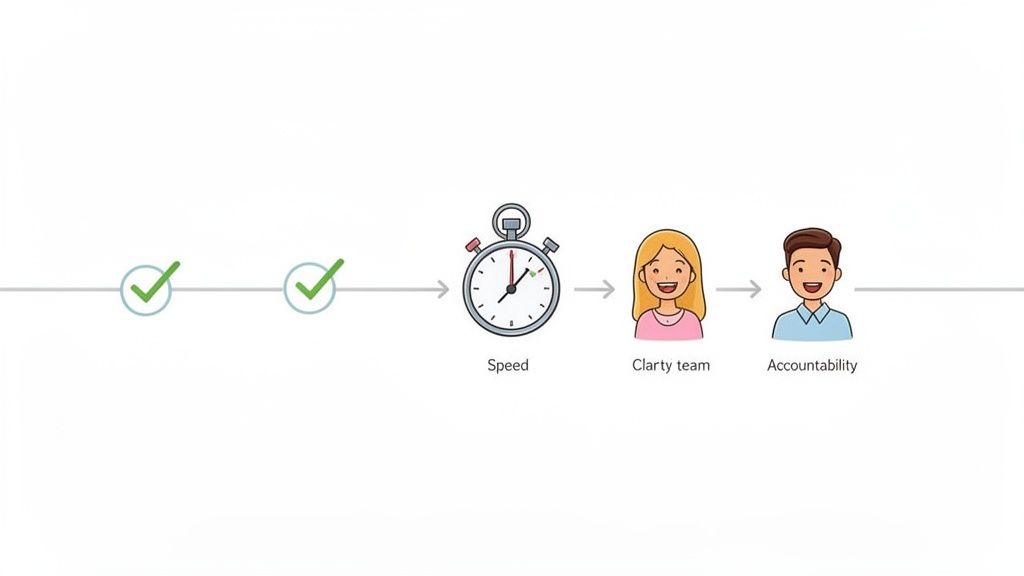
The biggest win? A massive boost in speed. When a project depends on someone remembering to forward an email, things just grind to a halt. Approval workflow software gets rid of that human bottleneck by automatically pushing requests to the next person in line the second a task is done.
This means no more chasing down stakeholders or wondering if your request got buried in a messy inbox. The system does the nagging for you, making sure work keeps moving.
Accelerate Project Timelines
Picture a marketing team trying to launch a new digital ad campaign. In the old manual world, getting approvals on the copy, design, and budget could take days for each piece, with feedback trickling in from different departments. A single small revision could throw the whole timeline off track.
With an automated workflow, that whole process is buttery smooth. The moment the designer uploads the creative, the copywriter gets a ping to review it. As soon as they give the thumbs up, it zips over to the marketing manager for the final sign-off.
A sequence like this can cut approval cycles down from weeks to just a few days. For a campaign with a tight deadline, that speed means launching a week early and grabbing market share while your competitors are still lost in email chains.
This kind of speed is only possible when you take manual steps out of the equation. To really squeeze every drop of efficiency out of your process, you have to get familiar with powerful automation features that can handle tricky routing rules and conditions without anyone lifting a finger.
Enhance Accountability and Transparency
One of the most frustrating things about manual approvals is the murky ownership. When a deadline gets blown, it’s tough to figure out exactly where things went wrong. Did they even see the request? Who was supposed to do what next? It just creates friction and kills team trust.
Approval workflow software fixes this by creating a crystal-clear audit trail of every single action. Every request, comment, and sign-off gets logged with a timestamp and tied to a specific person. With that kind of visibility, everyone knows exactly what’s on their plate and when it’s due.
This built-in accountability does wonders for team dynamics. A finance team using this software to close the quarterly books, for example, can see exactly which manager is holding up an expense report. No more excuses or finger-pointing—just a clear, verifiable trail that makes audits a breeze.
Improve Compliance and Reduce Risk
For a lot of industries, keeping a detailed approval record isn't just a good idea—it's a legal must-have. Manual processes are terrible for this. Critical decisions get buried in random email threads and chat logs, making it practically impossible to track down what you need for an audit.
An automated system is your single source of truth. It captures an unchangeable audit trail for every approval, making sure your processes are consistent, fully documented, and compliant with both internal policies and outside regulations.
This is a game-changer for teams dealing with sensitive info or high-stakes projects. You get a permanent, easy-to-access record that proves you followed the right procedures every single time, which seriously lowers your business risk. If you're looking to really level up your review process, checking out the best online proofing tools can give you even more specialized features for getting approvals done faster and more securely. You can find our top picks here: https://www.justbeepit.com/post/the-12-best-online-proofing-tools-for-faster-approvals-in-2025.
Essential Features of Approval Workflow Software
Picking the right approval workflow software can feel like a chore, but if you focus on a few core features, you can cut through the noise pretty quickly. These aren't just fancy add-ons; they're the engine that turns a chaotic manual process into a smooth, automated system. Knowing what to look for is the first real step toward finding a tool that actually clicks with your team.
The absolute must-have feature is a customizable workflow builder. Your business doesn't run on a one-size-fits-all template, so why should your software? A great tool lets you visually map out your exact approval process—defining stages, assigning reviewers, and setting deadlines, ideally with simple drag-and-drop controls.
This flexibility is everything. It means you can build a simple two-step review for a blog post or a complex, multi-stage approval for a huge website launch, all in the same place.
Automate Communication and Routing
Once you’ve built a workflow, the software should be able to run it without you constantly poking it. This is where automated notifications and smart routing come into play, and honestly, it's where the magic happens.
Automated notifications are the powerhouse of efficiency. Instead of you chasing people down with follow-up emails, the system automatically pings them via email or Slack when it's their turn to act. It also sends reminders for tasks that are overdue, making sure nothing slips through the cracks just because someone missed an email.
Seriously, this one feature alone can save your team hours of nagging and follow-up time every single week.
A well-designed approval system should make manual check-ins obsolete. The software should handle the back-and-forth, freeing up your team to focus on real work instead of getting bogged down in project management minutiae.
Another incredibly powerful feature is conditional logic. This lets the software make smart decisions on its own. For instance, you can set a rule that any invoice over $5,000 automatically goes to the finance director, while smaller amounts go straight to a department manager. When you're looking at different tools, give extra points to ones that offer a solid form builder with conditional logic, because that opens up all kinds of possibilities for dynamic, intelligent workflows right from the start.
Prioritize Contextual Feedback and Integrations
For any team working on creative or web projects, generic approval tools just don't cut it. The feedback gets totally disconnected from the actual work, which leads to confusion and what feels like a million revision cycles. That's why features that keep everything in context are so critical.
Look for tools that offer on-page commenting and visual feedback. For web projects, a solution like Beep is a game-changer. It lets reviewers click directly on a live webpage to leave a comment. The software automatically grabs a screenshot with every note, showing designers and developers exactly what needs to be changed and where.
This completely gets rid of vague feedback like "make the logo bigger" or "I don't like that blue button."
On top of that, no tool is an island. Your approval software has to play nice with the other apps your team uses every single day.
Project Management Integration: The ability to sync with tools like Jira or Notion is a big deal. It lets you turn feedback and approvals into actual, trackable tasks without anyone having to copy and paste. For a deeper look, check out our guide on how to streamline your Beep integration with Jira.
Communication Integration: Connecting with platforms like Slack means notifications and updates meet your team right where they're already working. This boosts how quickly people adopt the tool and respond to requests.
File Storage Integration: Links to Google Drive, Dropbox, or other cloud storage systems make sure all the important files are easy to get to from inside the approval workflow.
Ensure Visibility and Control
Finally, any top-tier approval platform gives you a complete, bird's-eye view and a rock-solid audit trail. A centralized dashboard is essential for managers who need to see the status of all ongoing requests at a glance, spot bottlenecks, and reassign tasks if someone's out sick.
Just as important is a comprehensive audit trail. This feature automatically logs every single action—from the first submission to each comment, revision, and the final sign-off. Every entry is time-stamped and tied to a specific person, creating an unchangeable record of the entire process. This isn't just for covering your bases; it's a crucial tool for compliance and for settling any arguments down the road. It gives you a single source of truth you can always fall back on.
How to Implement Your New Approval Software
So, you’ve decided to make the switch to an automated system. That’s a huge step toward killing off bottlenecks and getting your team’s productivity back on track. But here's the thing: just buying a tool isn't enough. A successful rollout needs a real strategy to make sure your team actually wants to use the new software. Without a solid plan, you'll just be trading manual chaos for digital chaos.
First thing's first: figure out what’s actually broken. Are projects always getting stuck waiting for one person’s sign-off? Is the team drowning in contradictory feedback that leads to endless rework? Get crystal clear on your biggest pain points. This focus will be your North Star through the whole process, making sure the tool you pick solves the problems that matter most.
Map Your Current Process
Before you can build a better workflow, you have to truly understand the one you have now. I mean really understand it. Take some time to map out every single step of your current approval process.
Who gets involved and when? How do people even submit something for review? Where does feedback live—email, Slack, a random Google Doc? This simple exercise is often an eye-opener, revealing all the hidden delays and pointless steps you never even noticed. This map becomes your baseline, showing you exactly where you can design a smarter, faster, and automated process with your new approval workflow software.
A well-documented process map is your blueprint for a successful rollout. It turns that vague feeling of "we're so inefficient" into a concrete action plan, pinpointing exactly where automation will make the biggest difference.
Once you have your map, you can start planning the launch. Trust me on this one: a phased approach is almost always the right call.
Roll Out Your Software in Stages
Trying to launch a new tool to everyone at once is a recipe for disaster. It’s just too overwhelming. A strategic, phased rollout is way less disruptive and helps you build momentum.
Start with a Pilot Project: Pick a small, low-risk project or a single team to be your guinea pig. This creates a safe space to iron out any kinks and get honest feedback from a handful of users.
Gather Feedback and Refine: Use what you learn from the pilot group to tweak the workflow. Are the notifications helpful or just annoying? Is the approval routing working the way you expected? Making adjustments based on real-world use is crucial before you go wide.
Provide Clear Training: Host a quick training session for the rest of the team. But don't just focus on the "how." Spend more time on the "why"—explaining how this tool will make their jobs easier, with fewer emails to chase and much faster sign-offs.
Expand Incrementally: Once your pilot is a proven success, start rolling the software out to other teams or projects. This staggered approach makes the change feel manageable and lets you give each new group the support they need.
Choose an Intuitive and Scalable Solution
Honestly, the success of your implementation comes down to the tool you pick. User-friendliness is completely non-negotiable. If the software is clunky or a pain to navigate, your team just won't use it. You’ll be right back where you started, chasing approvals in email threads. Prioritize a clean, intuitive interface that people can figure out without a massive training manual.
This is especially true for small and medium businesses (SMEs), which are one of the fastest-growing groups adopting these tools. They need digital solutions that are affordable, easy to use, and boost efficiency without a huge upfront investment. You can read more about this market trend.
This graphic breaks down the three pillars of a great workflow tool: the ability to customize processes, notify the right people automatically, and integrate with the other software you already use.
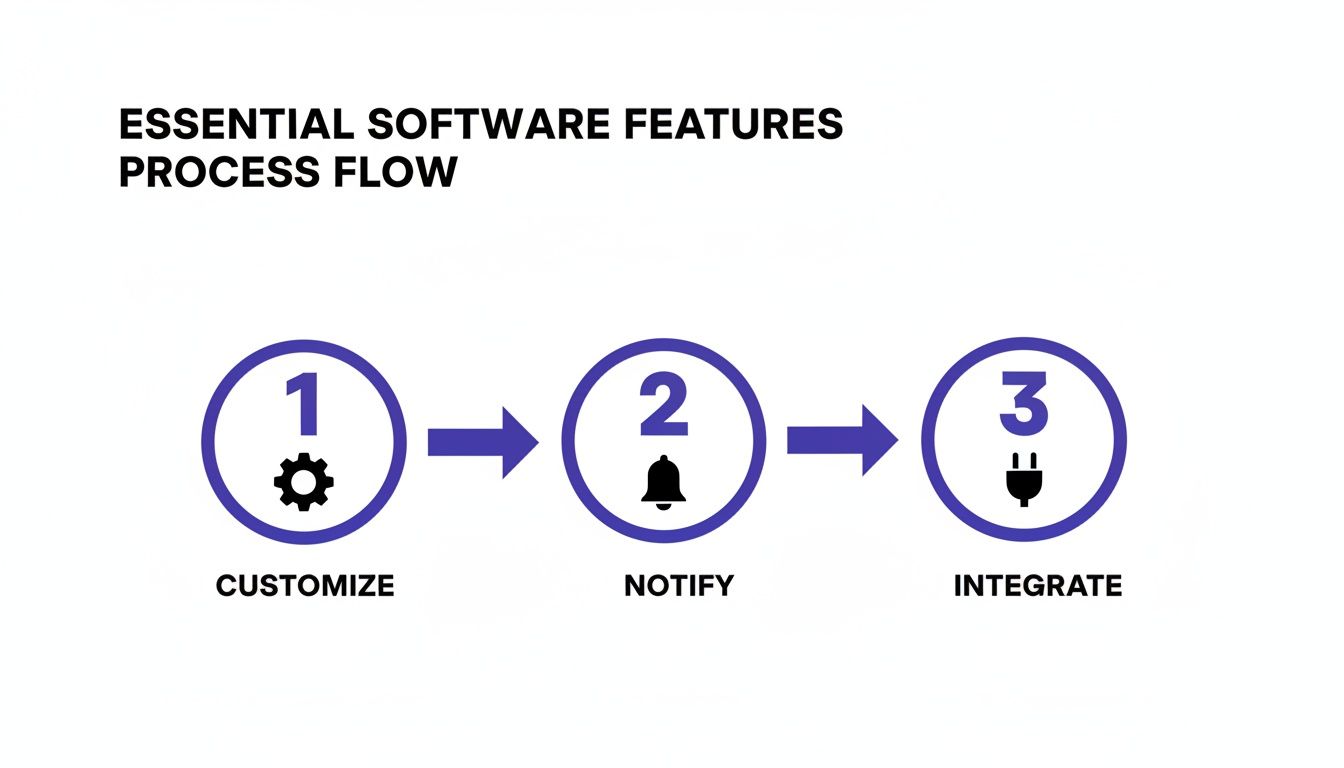
The flow here shows how a flexible tool lets you build workflows your way, keeps everyone in the loop without you having to do anything, and plugs right into your existing tech stack.
Finally, figure out how you'll measure success. Pick a few key metrics to track, like the average time it takes to get an approval or the number of revision rounds on a typical project. This data will show you the real-world impact of your new software.
How Beep Is a Game-Changer for Web Project Reviews
Sure, generic approval software works fine for things like documents and invoices. But when you’re trying to review a website, those tools just don’t cut it. Web projects are a completely different beast.
Feedback gets lost in translation all the time because it's totally disconnected from what you're actually looking at. You know the drill—getting a vague email that just says "change the button color." Which button? Where? That kind of comment kicks off a long, frustrating chain of back-and-forth emails, and honestly, nobody has time for that.
This is exactly where a purpose-built tool like Beep makes a world of difference. It was designed from day one to fix the specific headaches that come with web-based projects. It takes that messy, annoying review cycle and turns it into something clear, simple, and fast. With Beep, the conversation happens right on top of the work itself.
From Vague Feedback to Actionable Tasks
Let's imagine your team is reviewing a new landing page. The old way is pure chaos. You've got stakeholders sending you annotated PDFs, dropping notes in a random Slack channel, and updating confusing spreadsheets. The project manager is then stuck trying to piece it all together, spending hours just figuring out what feedback applies where. It's a nightmare.
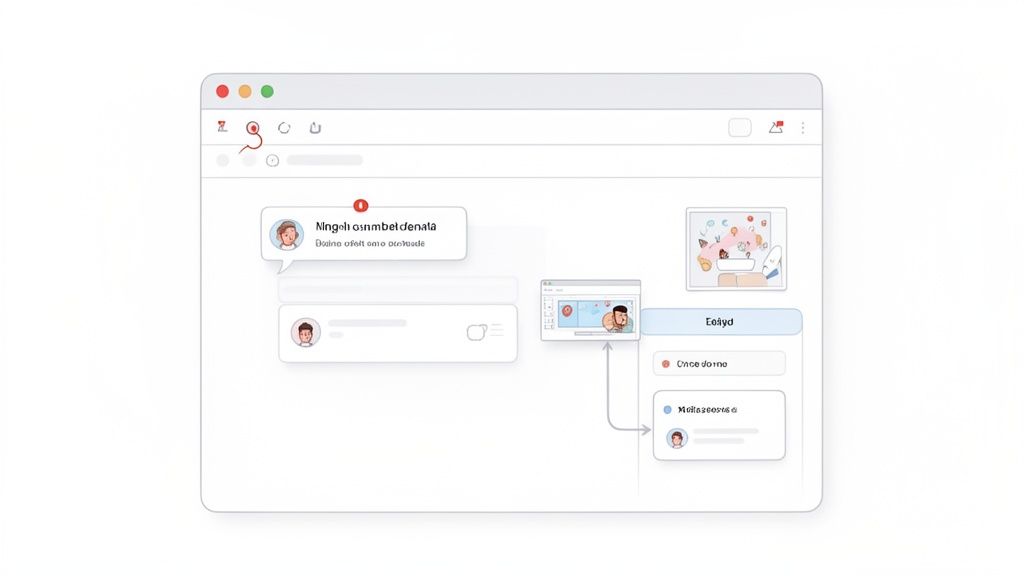
Now, picture that same review, but with Beep. Any team member can click directly on an element on the live webpage—a headline, an image, a form—and drop a comment right there.
Here's the magic: Beep automatically captures a screenshot with every single comment. This gives your designers and developers instant visual context, killing any guesswork. No more wondering which button needs a color change or what section of text needs a rewrite.
This one feature alone is a total game-changer. It turns those fuzzy requests into precise, actionable instructions. It cuts out the endless back-and-forth for clarification, letting your team jump straight into getting the work done and slashing revision time.
A Central Hub for All Web Project Approvals
Beep does more than just collect feedback; it organizes it. Every comment or suggestion automatically becomes a task on an integrated Kanban board. This creates a single source of truth for the entire project, so you never have to worry about a great idea getting lost in the shuffle.
This approach gives teams managing complex web projects some huge wins:
Complete Visibility: Everyone on the team can see all the feedback, what’s currently being worked on, and what’s already done. No more silos.
Clear Ownership: You can assign tasks to specific people, so there’s never any confusion about who is responsible for what.
A Smoother Workflow: The team works from a single, organized backlog instead of digging through emails, spreadsheets, and chat threads.
This system is especially clutch for things like bug tracking and user acceptance testing (UAT). Testers can report issues right on the page where they find them, and the dev team gets a perfectly organized to-do list, complete with visual proof. You can dive deeper into reviewing websites with this level of clarity to see it in action.
By bringing contextual feedback and structured task management together, Beep is the perfect approval workflow software built for how modern web teams actually work. It swaps confusion for clarity and helps you deliver projects faster and with way less friction.
Got Questions About Approval Workflow Software?
When you’re thinking about ditching the old manual way of doing things, a few questions always seem to pop up. Let's tackle them head-on, because getting straight answers can help you feel confident you're making the right move for your team.
Once these common concerns are out of the way, it’s much easier to see how you can get your team set up for a smoother, less chaotic future.
Isn't This Stuff Just for Big Companies?
Not anymore. It’s true that giant corporations were the first to jump on board, but the game has completely changed. Today’s cloud-based tools are built to be affordable, scalable, and dead simple to set up for small and medium-sized businesses.
Honestly, a lot of the best software out there is now designed specifically with smaller teams in mind. You get all the efficiency of an enterprise system without the insane price tag or the headache-inducing complexity. It’s all about finding a tool that fits your team's real-world needs and budget, no matter how big or small you are.
How Hard Is It to Actually Set Up an Automated Workflow?
I get this question a lot, and it's a valid concern. The good news is that the best platforms are all about user experience, with intuitive, no-code setups. Most modern tools give you visual, drag-and-drop workflow builders and a bunch of pre-built templates so you can map out and launch a new approval process in minutes, not days.
The whole point of this software is to make your life less complex, not add another frustrating tool to the pile. The setup is usually simple enough for anyone on your team to handle, no technical background required.
This focus on ease of use is key. It means you can get your team up and running fast, which makes everyone more likely to actually adopt the new system.
Can It Integrate with the Tools We Already Use?
Yes, and this is probably one of the most important things to look for. Solid integration capabilities are what separate the good tools from the great ones. Modern platforms are designed to connect seamlessly with the apps your team lives in every day.
This way, your new approval process slots right into how you already work instead of becoming just another island of information nobody checks. Common integrations usually include:
Communication tools like Slack for instant notifications.
Project management platforms like Jira or Notion to keep tasks in sync.
Cloud storage services like Google Drive so everyone can access the right files.
When you're checking out different options, always take a look at their integration list. It’ll tell you right away if the platform will play nicely with your current tech stack, creating a truly connected workflow from day one.
Ready to eliminate the chaos of web project reviews? Beep provides the clarity and speed your team needs with on-page commenting and automated task tracking. Start for free and transform your approval process today.
I've been stuck waiting on sign-offs that never arrive. I recently switched my team to an approval workflow tool and it cut our review cycles in half, which felt like magic. I had to look up Zoom phone number last week when a meeting invite didn't include dial-in info, and it reminded me how much tidy notifications matter. Clear routing, visual comments, and automatic reminders removed so much chasing.