
.png)
Team "team communication tools": Top Picks for 2025

In fast-paced development cycles, the right team communication tools are non-negotiable. They are the bridge between a brilliant idea and a shipped product. Yet, many teams struggle with a chaotic mix of endless pings, lost feedback in long email chains, and inefficient meetings that drain productivity. The problem isn't a lack of options; it's finding the right type of tool for the specific job, especially for product, design, and development workflows that demand clarity and speed.
This guide cuts through the clutter, offering a curated list of 12 essential tools designed for modern workflows. We'll explore everything from synchronous chat hubs like Slack and Microsoft Teams to specialized asynchronous feedback platforms such as Beep. Our goal is to help you build a communication stack that eliminates ambiguity, accelerates reviews, and empowers your team to focus on what they do best: building great products.
Each entry provides a concise summary, key features, ideal use cases, and pricing information, complete with screenshots and direct links to help you evaluate your options quickly. We’ll analyze how platforms like Zoom Team Chat, Google Chat, and even open-source solutions like Mattermost fit into specific team structures. For a broader market overview and to explore other highly-rated solutions, you might also find a comprehensive list of remote team collaboration tools beneficial. This curated resource is designed to be your definitive guide to selecting the team communication tools that will genuinely improve your team's workflow, not just add to the noise.
1. Slack
Slack is a powerhouse in the world of team communication tools, functioning as a digital headquarters for countless organizations. It centralizes conversations into dedicated channels for projects, topics, or teams, significantly reducing internal email clutter. Its familiar user interface makes it easy for new teams to adopt, while its robust feature set supports complex, enterprise-level workflows.
What truly sets Slack apart is its vast ecosystem of over 2,600 integrations, transforming it from a simple messaging app into a central command center. Connecting tools like Jira, Google Drive, or Salesforce allows teams to receive notifications, share files, and trigger actions directly within Slack, keeping workflows streamlined and contextual. For product, design, and dev teams, this means less time switching between applications and more time focused on productive work.
Key Features & Use Cases
Channels & Threads: Organize discussions by project (e.g., ), team (), or topic (). Use threads to keep conversations focused and channels uncluttered.
Slack Connect: Collaborate with external clients, freelancers, and partner agencies in a shared channel, removing the friction of email communication.
Huddles & Clips: Quickly start an informal audio or video call with your team using Huddles for spontaneous problem-solving. Record and share short audio or video messages with Clips for asynchronous updates.
Built-in AI: Paid plans offer AI-powered search, conversation summaries, and channel recaps to help users quickly catch up on important discussions.
Pricing & Considerations
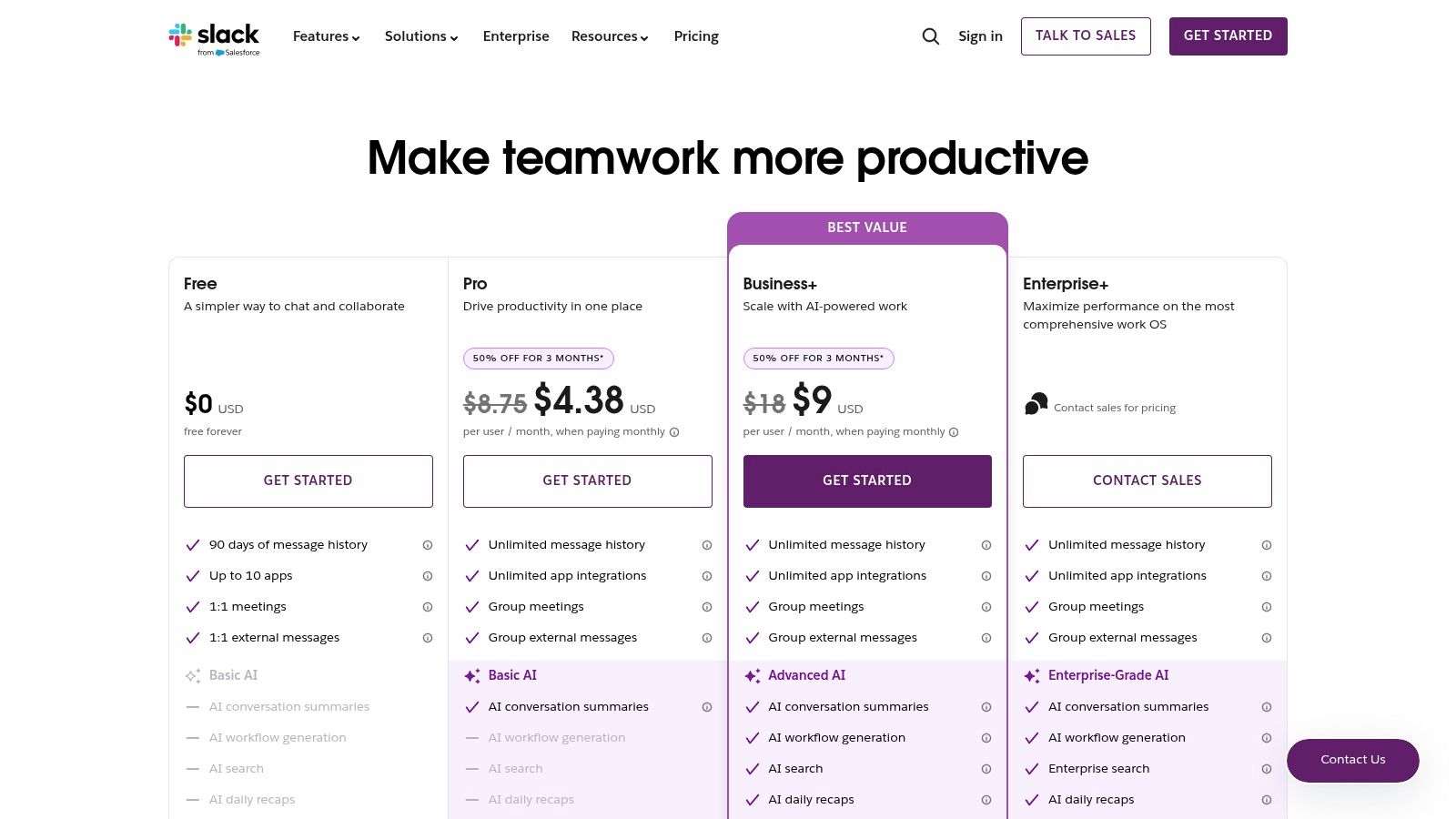
Slack offers a Free plan, but its 90-day message history limit is a significant drawback for long-term projects. Paid plans are Pro ($8.75/user/month) and Business+ ($15/user/month), which unlock unlimited history, more integrations, and advanced features like huddles with screen sharing. While its per-user cost can become substantial for large teams, its mature administrative controls, security compliance (like HIPAA), and unparalleled integration capabilities often justify the investment. Learn more about how Slack can boost teamwork for your specific needs.
2. Slack
Slack is a powerhouse in the world of team communication tools, functioning as a digital headquarters for countless organizations. It centralizes conversations into dedicated channels for projects, topics, or teams, significantly reducing internal email clutter. Its familiar user interface makes it easy for new teams to adopt, while its robust feature set supports complex, enterprise-level workflows.
What truly sets Slack apart is its vast ecosystem of over 2,600 integrations, transforming it from a simple messaging app into a central command center. Connecting tools like Jira, Google Drive, or Salesforce allows teams to receive notifications, share files, and trigger actions directly within Slack, keeping workflows streamlined and contextual. For product, design, and dev teams, this means less time switching between applications and more time focused on productive work.
Key Features & Use Cases
Channels & Threads: Organize discussions by project (e.g., ), team (), or topic (). Use threads to keep conversations focused and channels uncluttered.
Slack Connect: Collaborate with external clients, freelancers, and partner agencies in a shared channel, removing the friction of email communication.
Huddles & Clips: Quickly start an informal audio or video call with your team using Huddles for spontaneous problem-solving. Record and share short audio or video messages with Clips for asynchronous updates.
Built-in AI: Paid plans offer AI-powered search, conversation summaries, and channel recaps to help users quickly catch up on important discussions.
Pricing & Considerations
Slack offers a Free plan, but its 90-day message history limit is a significant drawback for long-term projects. Paid plans are Pro ($8.75/user/month) and Business+ ($15/user/month), which unlock unlimited history, more integrations, and advanced features like huddles with screen sharing. While its per-user cost can become substantial for large teams, its mature administrative controls, security compliance, and unparalleled integration capabilities often justify the investment. Learn more about how Slack can boost teamwork for your specific needs.
3. Microsoft Teams
For organizations already embedded in the Microsoft 365 ecosystem, Microsoft Teams is one of the most powerful and seamless team communication tools available. It goes beyond simple chat, serving as a comprehensive hub that deeply integrates chat, meetings, calling, and file sharing directly with apps like Outlook, SharePoint, and OneDrive. This native integration is its greatest strength, eliminating the friction of managing separate tools and providing a single source of truth for all project-related communication and documentation.
What makes Teams a compelling choice for technical and design teams is its all-in-one platform approach. Instead of juggling different subscriptions for video conferencing, file storage, and chat, Teams consolidates these functions under one license. This unified environment simplifies workflows, enhances security, and provides robust administrative controls, making it a go-to for enterprises that prioritize compliance and streamlined vendor management.
Key Features & Use Cases
Tight Microsoft 365 Integration: Automatically create team sites in SharePoint for file management and sync meetings with Outlook calendars without any extra setup.
Channels & Meetings: Organize conversations in channels similar to Slack, but with the added benefit of robust meeting capabilities, including live transcripts, recordings, and breakout rooms.
Teams Phone & Rooms: Extend the platform with optional add-ons for a full PSTN business phone system and dedicated hardware for conference rooms, creating a truly unified communications experience.
AI-Powered Copilot: With an additional subscription, teams can leverage Microsoft Copilot to summarize meetings, generate action items, and get answers from organizational data directly within Teams.
Pricing & Considerations
Microsoft Teams is included with most Microsoft 365 Business plans (starting from $6/user/month). A limited Free version is also available. While bundling offers incredible value, the advanced AI features through Copilot require a separate subscription ($30/user/month). The platform's extensive features can introduce administrative complexity, which might be overkill for smaller teams not already using the Microsoft suite. Learn how you can maximize Microsoft Teams for remote collaboration to improve your workflow.
4. Google Chat (in Google Workspace)
For organizations already embedded in the Google ecosystem, Google Chat is one of the most seamless team communication tools available. It lives directly within the Google Workspace suite, eliminating the need for a separate application and creating a unified hub for conversations, files, and meetings. Its tight integration with Gmail, Drive, Calendar, and Meet means that collaboration happens in context, right where work is already being done.
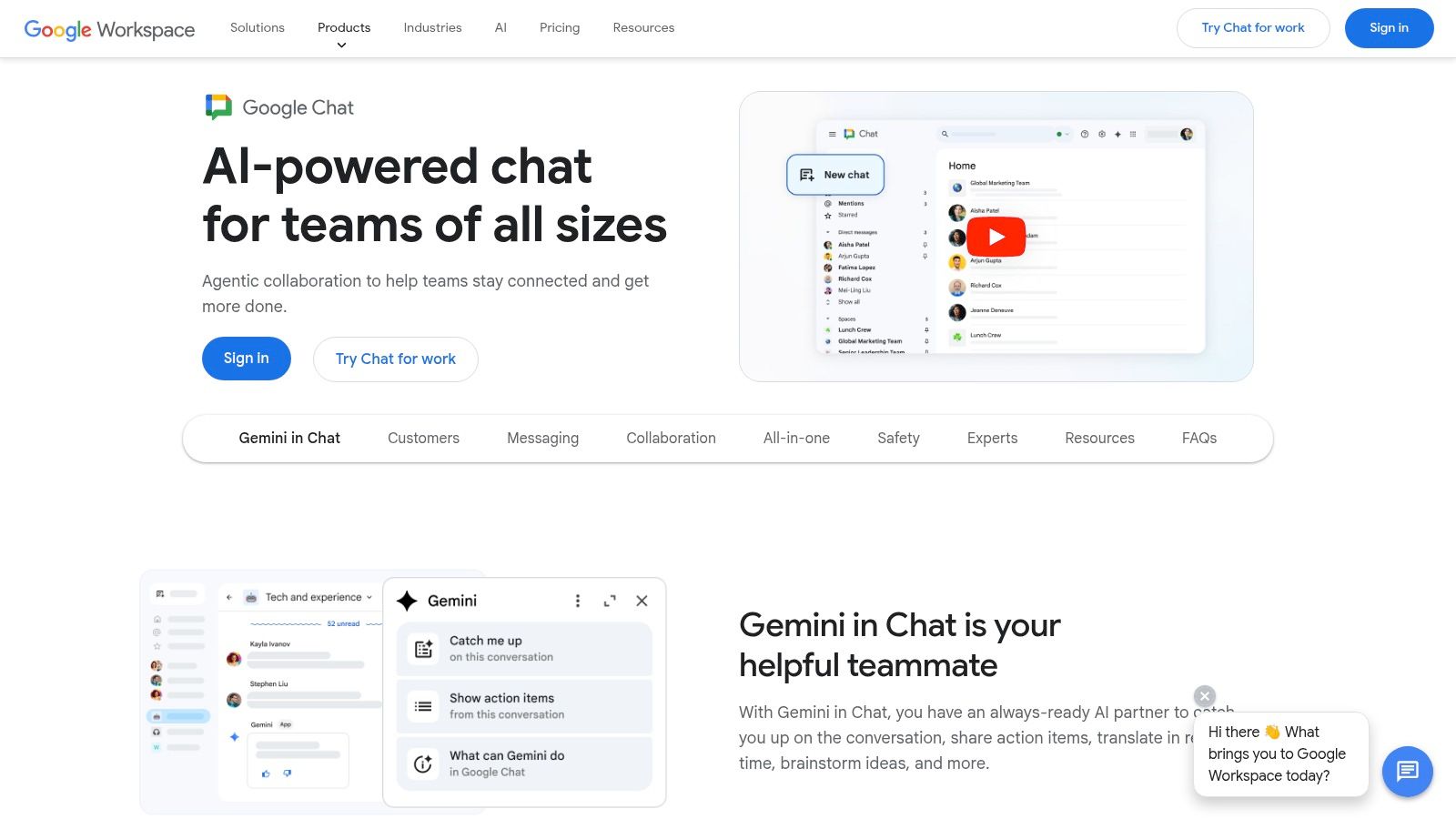
What makes Google Chat a compelling choice is its native simplicity and powerful backend. Teams can move from a chat conversation to a video call with a single click, co-edit a Google Doc directly from a "Space," or schedule a meeting that automatically includes the chat history. For development and product teams, this deep integration minimizes context switching and keeps project assets, discussions, and calendars perfectly synchronized.
Key Features & Use Cases
Spaces & Threads: Create dedicated project rooms (Spaces) to centralize conversations, files from Drive, and tasks. In-line threading helps organize parallel discussions within a single Space.
Deep Workspace Integration: Share and collaborate on Docs, Sheets, and Slides directly within a chat. Calendar invitations and Meet video calls are seamlessly integrated into the user interface.
Meet-Powered Huddles: Instantly start a voice or video huddle from any conversation, bringing the full power of Google Meet into your chat for quick problem-solving sessions.
Gemini AI: Higher-tier plans include Gemini for Workspace, offering AI-powered conversation summaries, smart replies, and intelligent search to help teams find information faster.
Pricing & Considerations
Google Chat is included with all Google Workspace plans, starting with the Business Starter tier at $6/user/month. To access more advanced features like Gemini AI, enhanced security controls, and data loss prevention, you'll need plans like Business Standard ($12/user/month) or higher. While its primary strength is its native integration, this can also be a limitation; the tool provides the best experience when a team is fully committed to the Google ecosystem. Learn more at the official Google Workspace website.
5. Zoom Team Chat (in Zoom Workplace)
For teams already living in Zoom for video meetings and calls, Zoom Team Chat presents a compelling, integrated solution within the Zoom Workplace ecosystem. It consolidates persistent chat alongside meetings, phone, and whiteboards, aiming to reduce the friction of switching between separate applications. This native integration is its core strength, offering a unified hub for all communication modalities.
What makes Zoom Team Chat a strong contender is its seamless transition from asynchronous to synchronous collaboration. A conversation that starts in a text channel can be instantly escalated to a video meeting or phone call with a single click, bringing the relevant team members and conversation context along. This is particularly valuable for hybrid and remote development and design teams who need to quickly resolve complex issues that are difficult to articulate through text alone.
Key Features & Use Cases
Channels & Group Chats: Organize conversations by project, team, or topic, just like other leading chat apps. Use channels for ongoing projects and create group DMs for quick, ad-hoc discussions.
One-Click Escalation: Instantly move a conversation from chat to a full Zoom Meeting or Phone call, streamlining the handoff from text-based problem-solving to real-time collaboration.
External Collaboration: Securely communicate with external partners, clients, or vendors in designated channels, keeping all project communication in one place.
AI Companion: On eligible paid plans, the AI Companion can summarize chat threads, help compose messages, and recap meetings to keep everyone aligned.
Pricing & Considerations
Zoom Team Chat is included with all Zoom accounts, including the Free tier. Paid plans like Pro ($15.99/user/month) and Business ($19.99/user/month) are primarily focused on enhancing meeting and phone capabilities but are required to unlock features like the AI Companion. While its admin and lifecycle management features are newer compared to established competitors, its tight integration with the broader Zoom platform makes it an efficient choice for organizations looking to consolidate their communication stack. Learn more about how Zoom Team Chat can unify your workflow.
6. Cisco Webex
Cisco Webex is an enterprise-grade player among team communication tools, combining messaging, meetings, and calling into a secure, unified platform. It's particularly favored by large organizations and government agencies due to its robust security protocols and compliance certifications, including FedRAMP authorization. Its strength lies in providing a highly reliable and governable environment for communication, extending from simple chat to sophisticated video conferencing and telephony.
What sets Webex apart is its deep integration with a mature ecosystem of hardware devices and its advanced AI capabilities. The Webex AI Assistant provides real-time meeting transcriptions, summaries, and action items, enhancing productivity for distributed teams. For organizations prioritizing security, end-to-end encryption, and comprehensive administrative controls, Webex offers a powerful, all-in-one solution that scales from small teams to global enterprises.
Key Features & Use Cases
Secure Messaging & Meetings: Engage in persistent, one-on-one and group chats with advanced features like noise removal. Host high-definition video meetings with up to 1000 participants.
Webex AI Assistant: Leverage AI for automated meeting summaries, action item tracking, and real-time translation, ensuring everyone stays aligned regardless of their location or language.
Vidcast & Whiteboarding: Create and share asynchronous video messages with Vidcast for updates that don't require a live meeting. Collaborate visually using integrated digital whiteboards during calls or as standalone sessions.
Enterprise-Grade Security: Meets stringent compliance standards, offering advanced security features crucial for regulated industries like finance, healthcare, and government.
Pricing & Considerations
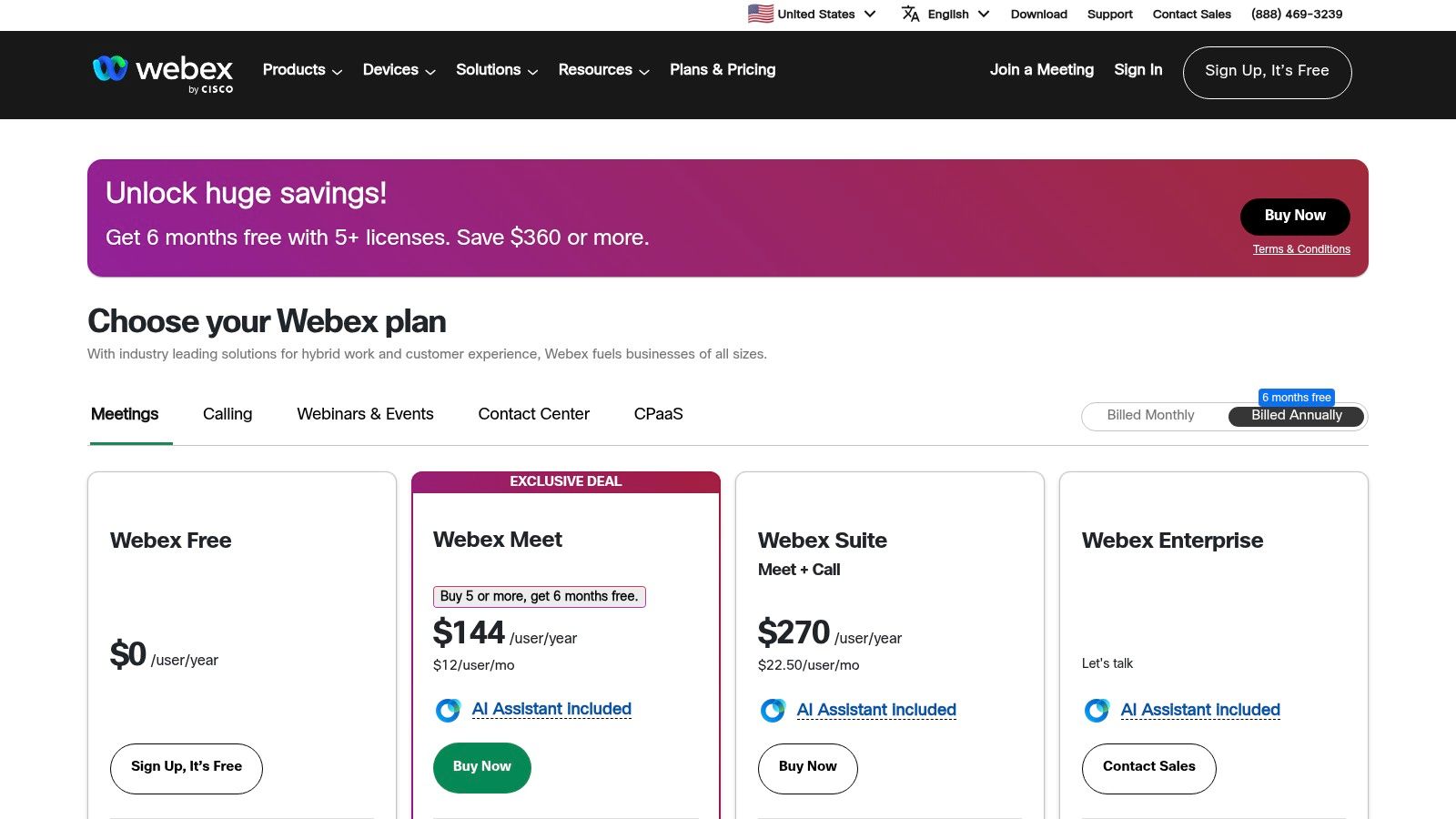
Webex offers a Free plan with generous features, including meetings up to 40 minutes and messaging. Paid plans start with Meet ($14.50/user/month) and the comprehensive Suite ($25/user/month), which bundles meetings, calling, and advanced features. While the plan structure can feel complex and the user experience may seem heavier than more modern competitors, its unparalleled security, reliability, and mature calling ecosystem make it a top choice for enterprises with strict governance requirements. You can explore all features on the official Webex pricing page.
7. Workvivo (by Zoom)
Workvivo, now part of Zoom, shifts the focus from project-based chat to a holistic employee experience platform. It's designed to foster company culture and streamline internal communications, functioning more like an internal social network for the entire organization. This approach makes it ideal for company-wide announcements, celebrating wins, and connecting employees who might not collaborate on daily tasks, especially in larger, distributed companies.
Unlike task-oriented tools, Workvivo excels at top-down and bottom-up communication. It provides a central feed for official news, employee-generated content, and peer-to-peer recognition, creating a unified digital space that strengthens corporate identity. For teams that want to enhance engagement and morale alongside their project management tools, Workvivo offers a dedicated solution to keep everyone aligned with the company's mission and values.
Key Features & Use Cases
Company Feed & Spaces: Share official updates, news, and events on a central feed. Create "Spaces" for specific departments, locations, or interest groups to foster smaller community discussions.
Employee Recognition: A built-in system allows colleagues to give "shout-outs" and acknowledge each other’s contributions, linking achievements directly to company values.
Mobile-First Design: Ensures that frontline and non-desk employees without constant access to a computer can stay connected and informed through a user-friendly mobile app.
Integration with Zoom: Seamlessly integrates with the Zoom Workplace, allowing for easy access to meetings and other Zoom features directly from the Workvivo platform.
Pricing & Considerations
Workvivo's pricing is quote-based and tailored to the organization's size and needs, which means you must contact their sales team for a custom proposal. This model is common for enterprise-focused software but can be a hurdle for smaller teams wanting transparent pricing. Its primary focus is on internal communications and culture, not granular project or development workflows. This makes it a powerful supplement to, rather than a direct replacement for, tools like Jira or Slack for product and dev teams. Find out more at Workvivo's website.
8. Mattermost
Mattermost is an open-source platform among team communication tools, designed for organizations that prioritize data control, security, and privacy. Its primary distinction is its flexible deployment model, allowing teams to self-host the platform on-premises or in a private cloud. This gives DevOps, government, and other security-sensitive teams complete ownership of their data and infrastructure, ensuring compliance with strict regulatory requirements like HIPAA or GDPR.
The platform offers a familiar chat-based interface with channels, threads, and direct messaging, but its power lies in its deep customizability and control. For development teams, this means tight integrations with their existing toolchains like GitLab, Jira, and Jenkins, creating a secure, centralized hub for technical collaboration. It is built for large-scale, mission-critical deployments where standard SaaS solutions may not meet stringent security and operational demands.
Key Features & Use Cases
Self-Hosted & Cloud Options: Deploy on your own servers (on-prem or private cloud) for maximum control or use their secure cloud offering. This is ideal for organizations in highly regulated industries.
Deep Integrations: Connect with a rich ecosystem of DevOps and IT tools through plugins and webhooks, automating workflows from CI/CD notifications to incident response.
Enterprise-Grade Security: Features advanced security controls including multi-factor authentication, granular permissions, SSO integration (SAML, LDAP/AD), and compliance exports.
Scalability: Engineered to support tens of thousands of users in a single deployment with high availability and geo-distributed configurations.
Pricing & Considerations
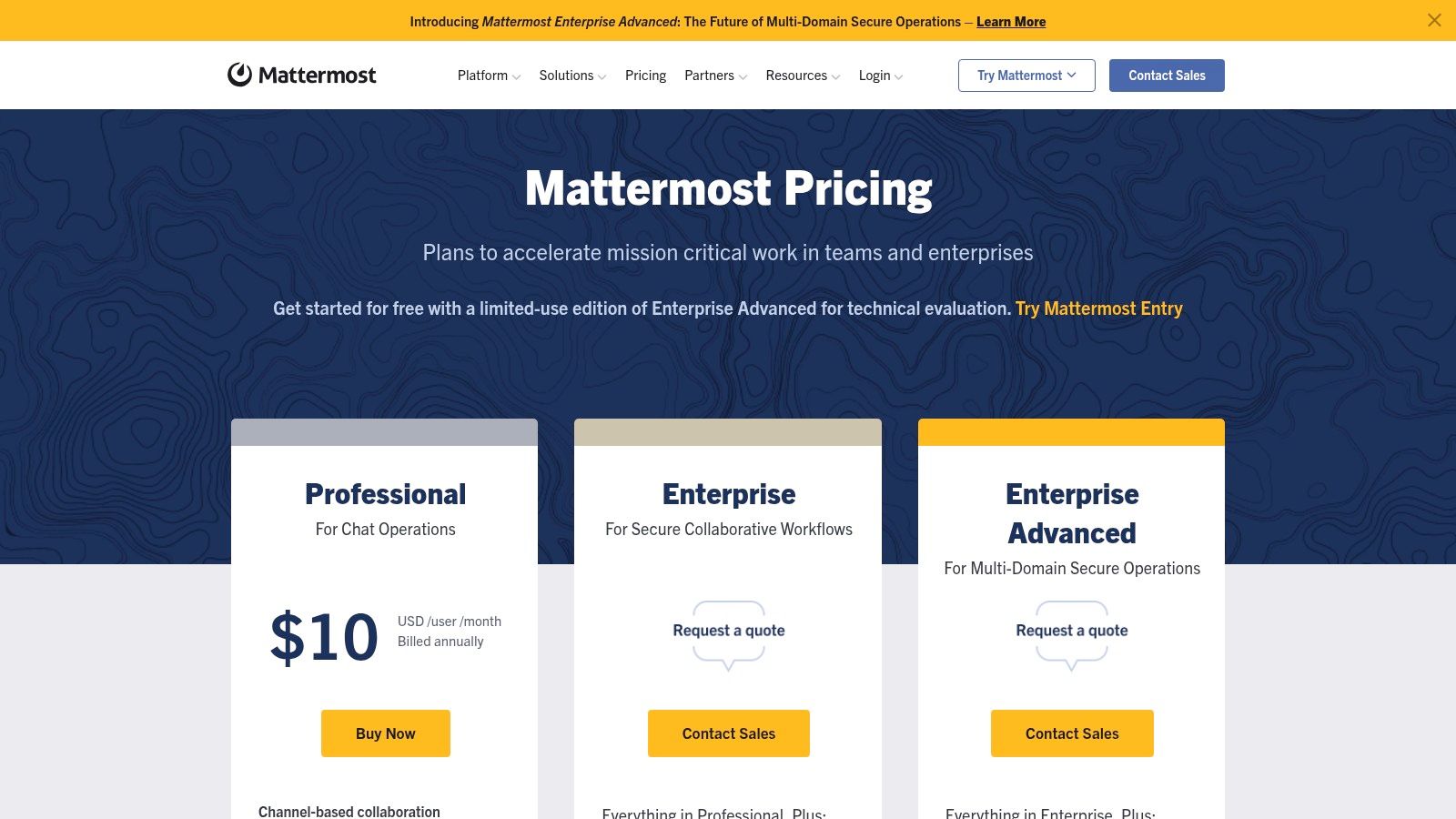
Mattermost offers a free, self-managed Starter plan for small teams. The Professional plan ($10/user/month) adds advanced access controls and SSO, while the Enterprise plan (custom pricing) unlocks features for large-scale, mission-critical deployments like high availability and premier support. While self-hosting provides ultimate control, it requires significant administrative and technical overhead compared to pure SaaS alternatives. The platform is best suited for technical teams who need a secure, customizable, and auditable communication solution. Learn more at the Mattermost pricing page.
9. Rocket.Chat
Rocket.Chat stands out in the team communication tools landscape as a powerful, open-source platform prized for its unparalleled flexibility. It offers organizations complete control over their data and infrastructure through self-managed, cloud, or even air-gapped deployment options. This makes it a preferred choice for entities in the public sector, healthcare, and finance, where data sovereignty and strict compliance are non-negotiable.
Its open-source nature means it is highly customizable, allowing organizations to white-label the interface and tailor its functionality to precise operational needs. For development teams, this level of control is a significant advantage, enabling them to build custom integrations and workflows that align perfectly with their internal processes without being constrained by a vendor's roadmap.
Key Features & Use Cases
Deployment Flexibility: Host on your own servers (on-prem), in a private cloud, or opt for a fully air-gapped environment for maximum security and data privacy.
Complete Customization: Utilize white-labeling to apply your own branding, and leverage the open-source codebase to modify or extend features as needed.
Federation & Bridging: Communicate with users on other platforms like Slack or Microsoft Teams directly from Rocket.Chat, creating a unified communication hub.
Extensive Integrations: Connect with essential tools like Jitsi for video conferencing, as well as enterprise authentication systems including SSO, LDAP, and SAML.
Pricing & Considerations
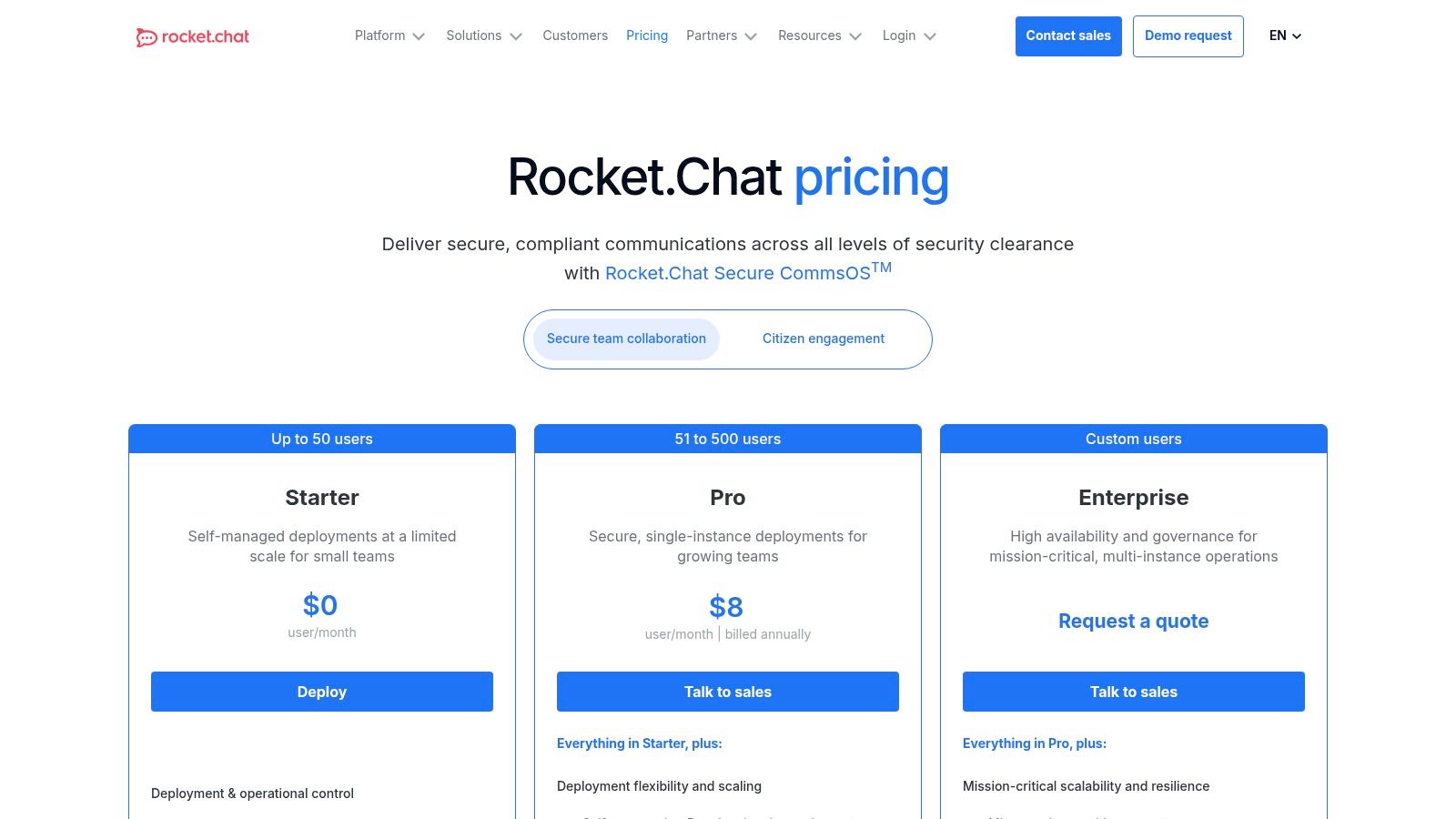
Rocket.Chat offers a free Community edition for self-hosting, which is a cost-effective solution for teams with the technical expertise to manage it. Paid plans like Enterprise (starting at $7/user/month) provide access to premium features, dedicated support, and scalable architecture suitable for large-scale deployments. While the initial setup for a self-hosted instance requires skilled administrators, the long-term benefits of total data control, robust security, and potential cost savings for large user bases make it a compelling choice for security-conscious organizations. Learn more at the Rocket.Chat website.
10. Zoho Cliq
Zoho Cliq presents itself as a value-driven contender in the team communication tools space, especially for businesses already invested in the Zoho ecosystem. It provides a centralized hub for real-time messaging, file sharing, and audio/video calls, designed with a straightforward interface that simplifies adoption for small to mid-sized businesses. Its primary advantage lies in its seamless integration with other Zoho applications like Zoho CRM and Zoho Projects.
This deep connectivity allows teams to turn messages into actionable tasks, get project updates, and manage customer interactions directly within their chat interface. For development and marketing teams using the Zoho suite, this eliminates the need for constant context switching, keeping conversations and related business activities tightly linked in one platform.
Key Features & Use Cases
Channels & Threads: Organize conversations by team, project, or topic. Use threads to keep specific discussions focused and prevent channel noise.
Deep Zoho Integration: Convert messages into tasks in Zoho Projects, view CRM contact details, and manage workflows across the Zoho suite without leaving the chat window.
Audio & Video Communication: Initiate instant voice or video calls, leave asynchronous video messages, and share your screen for collaborative problem-solving.
Organization & User Management: Features an org directory, custom user roles, and team management tools, making it easy for SMBs to administrate their communication platform.
Pricing & Considerations
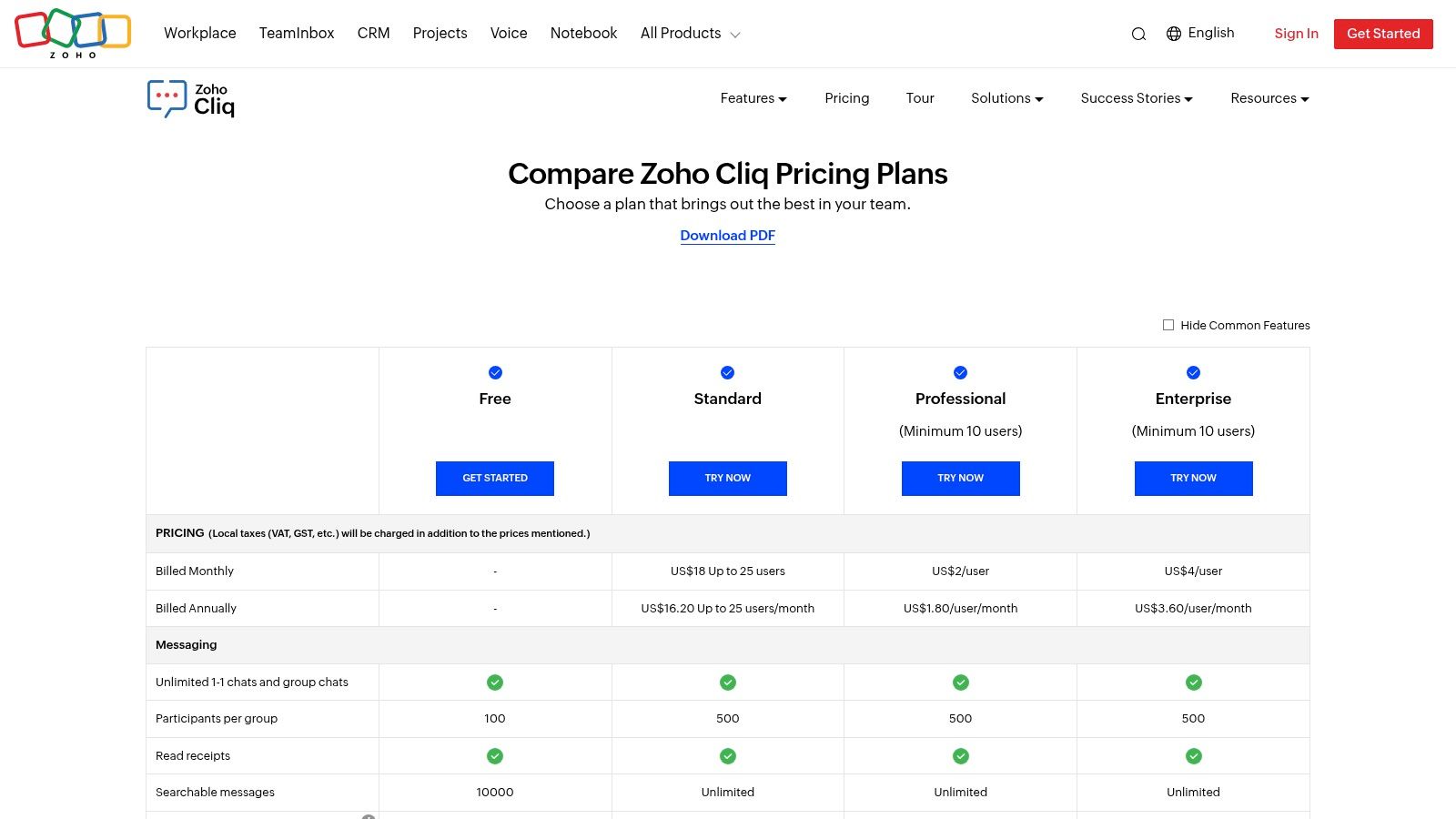
Zoho Cliq offers a generous Free plan with up to 100 users, 100GB of storage, and unlimited channels, though it limits searchable message history to 10,000 messages. The Standard plan is incredibly competitive at $1/user/month (billed annually) and unlocks unlimited searchable messages, smart search, and advanced integrations. The Professional plan ($3/user/month) adds features like automated chat summaries and project-based channels. While its pricing is a major draw, some advanced features have minimum user requirements, and it lacks the extensive third-party integration marketplace of larger competitors. Learn more about Zoho Cliq's plans on their website.
11. RingCentral
RingCentral stands out among team communication tools by unifying messaging, video, and a powerful cloud phone system into a single platform. It’s an ideal solution for organizations that need more than just chat, offering enterprise-grade telephony that replaces traditional office phone systems. This all-in-one approach is particularly valuable for teams that require seamless communication with external stakeholders, clients, and customers directly from their primary workspace.
Where many tools focus solely on internal chat, RingCentral provides a comprehensive Unified Communications as a Service (UCaaS) suite. For teams with sales, support, or account management functions, this means they can message internally about a client, then initiate a call or send a business SMS from the same application. This integration eliminates the need to juggle separate apps for internal collaboration and external phone communications, streamlining workflows and maintaining context.
Key Features & Use Cases
Unified App: Combine team messaging, file sharing, task management, video meetings, and a business phone system in one interface.
Enterprise Telephony: Access advanced call management features like call forwarding, auto-attendant, and multi-level IVR, suitable for customer-facing teams.
Business SMS/MMS: Send and receive texts and multimedia messages from your business number, keeping personal and professional communications separate.
Hardware Ecosystem: Offers a Device-as-a-Service (DaaS) program, simplifying the procurement and deployment of desk phones and conference room hardware.
Pricing & Considerations
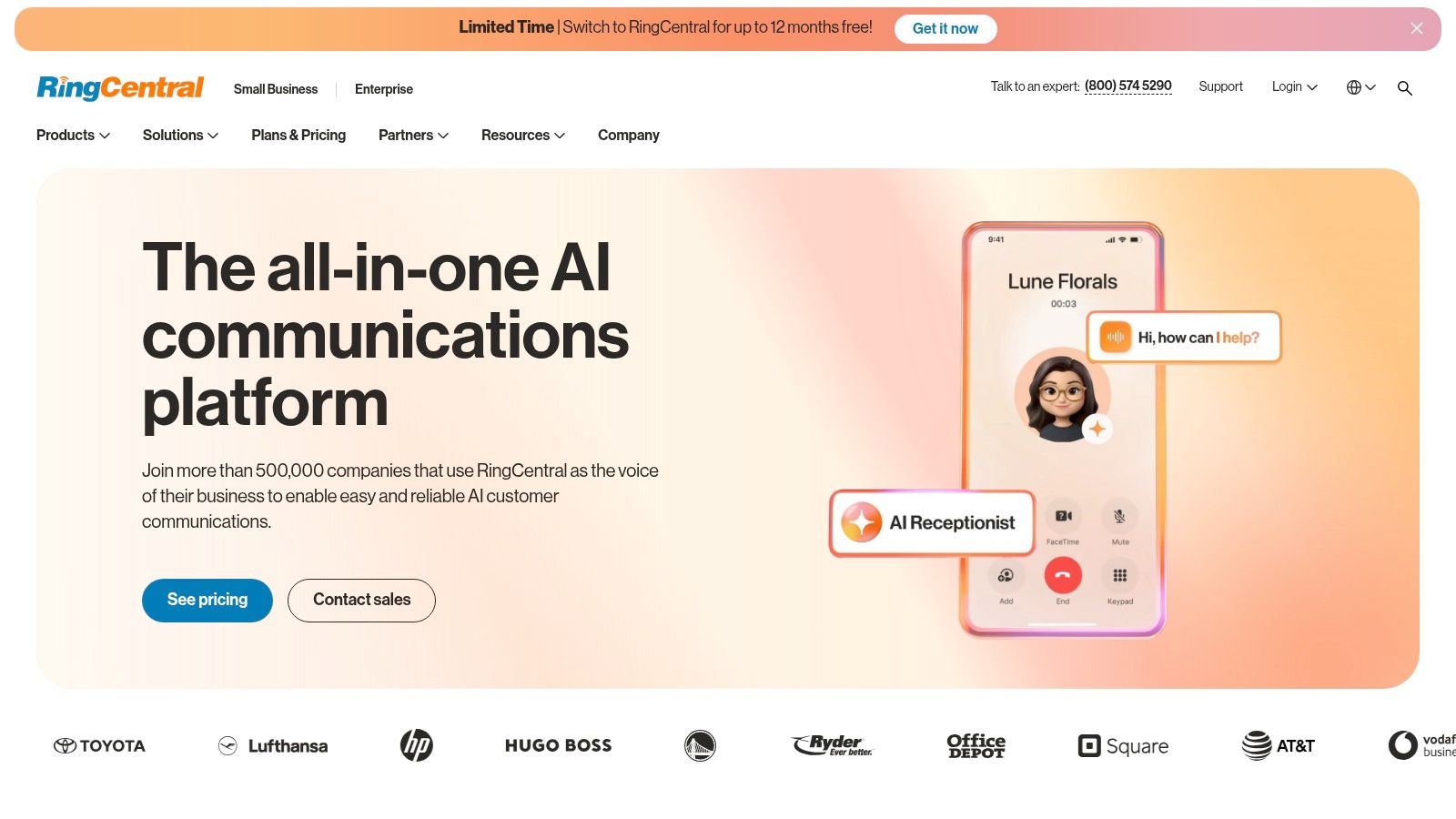
RingCentral's pricing is tiered, starting with the Core plan at $30/user/month, which includes messaging, video, and basic phone features. The Advanced ($35/user/month) and Ultra ($45/user/month) plans add more advanced integrations and analytics. While the suite is more robust and often more expensive than chat-only tools, its value lies in consolidating communication costs. The platform is best for businesses seeking a single vendor for all communication needs, from internal messaging to a full-featured contact center.
12. Discord
Originally built for gaming communities, Discord has evolved into a powerful and flexible team communication tool, especially popular with startups, dev teams, and open-source projects. It offers a unique blend of persistent text chat in channels with high-quality, low-latency voice and video communication. This hybrid approach allows teams to seamlessly switch from asynchronous text updates to spontaneous, real-time collaboration without needing a separate application.
What makes Discord stand out is its exceptional customizability and vibrant ecosystem of bots. Teams can create highly structured servers with granular roles and permissions, controlling access to specific channels and functionalities. The extensive library of bots automates everything from task management and code repository updates (like GitHub notifications) to scheduling polls and welcoming new members, making it a highly adaptable hub for technical and creative teams.
Key Features & Use Cases
Voice/Video Channels: Create always-on voice channels where team members can drop in and out for quick chats, pair programming sessions, or informal design reviews, replicating the feel of an in-person office.
Roles & Permissions: Assign roles (e.g., , , ) to manage access and notification settings, ensuring users only see relevant channels and information.
Extensive Bot Integrations: Leverage bots to connect tools like GitHub, Trello, or Google Calendar directly into your channels, creating automated workflows and centralized notifications.
Stage Channels: Host more structured, one-to-many audio events like all-hands meetings, Q&A sessions, or presentations where speakers are designated and the audience can listen in.
Pricing & Considerations
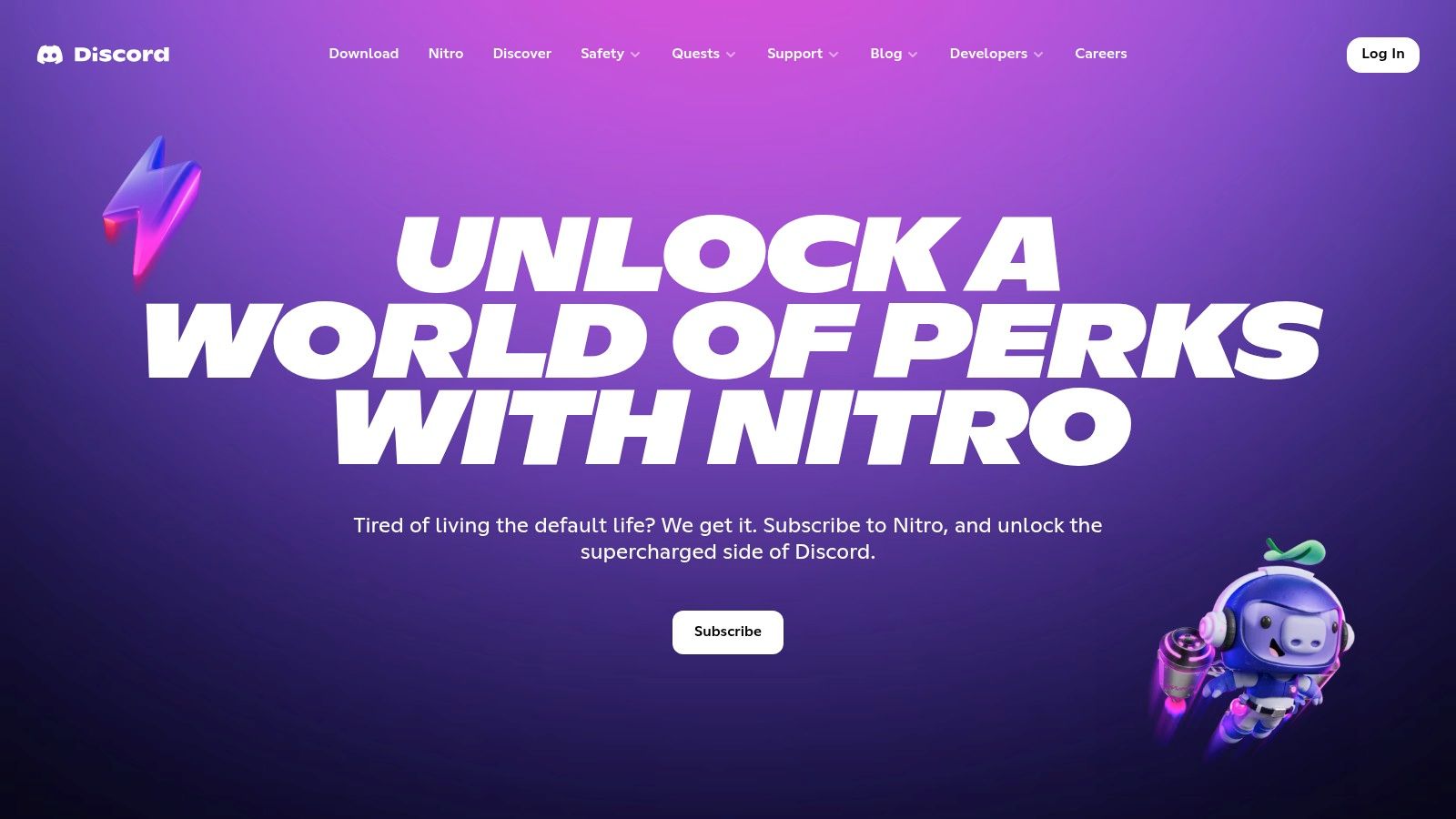
The core functionality of Discord is completely Free, with no limits on messages or members, making it incredibly accessible. The optional Nitro subscription ($9.99/user/month) unlocks perks like larger file uploads (up to 500MB), HD video streaming, and custom emojis. While its customizability and free tier are major advantages, Discord lacks the enterprise-grade security, compliance (like HIPAA), and robust administrative oversight found in tools built specifically for corporate environments, which can be a critical consideration for larger organizations. Learn more about the perks of Nitro.
Top 12 Team Communication Tools: Feature Comparison
Product | Core features | UX / Quality (★) | Price / Value (💰) | Target & USP (👥 ✨) |
|---|---|---|---|---|
Beep 🏆 | In-browser point‑and‑click annotations; auto-screenshots; built-in kanban; integrations | 4.9★ — visual-first, simple | 💰 Free tier (no CC) → paid plans; high ROI | 👥 Designers, PMs, agencies, testers — ✨ precise visual feedback & guest links |
Slack | Channels, DMs, threads, huddles, 2,600+ apps | ★★★★☆ — familiar, polished | 💰 Freemium; paid tiers scale with org size | 👥 Cross-org teams — ✨ huge app ecosystem & mature admin |
Microsoft Teams | Chat, channels, meetings, calling; MS365 integration | ★★★★☆ — enterprise-grade | 💰 Often included with M365; Copilot/add-ons cost | 👥 MS365 orgs — ✨ deep Office/telephony integration |
Google Chat (Workspace) | Spaces, Meet huddles, Gmail/Drive tie-ins | ★★★★ — seamless for Google users | 💰 Included in Workspace; competitive | 👥 Google-first orgs — ✨ Gemini AI & Drive/Gmail integration |
Zoom Team Chat | Channels, DMs, file share; 1-click escalate to meeting | ★★★☆ — strong meeting flow | 💰 Included with Zoom accounts; AI on paid plans | 👥 Zoom-centric teams — ✨ instant meeting escalation |
Cisco Webex | Messaging, meetings, AI Assistant, FedRAMP options | ★★★★ — reliable for regulated orgs | 💰 Paid tiers; enterprise pricing | 👥 Regulated enterprises — ✨ compliance & FedRAMP |
Workvivo (by Zoom) | Company feed, recognition, analytics, mobile-first | ★★★★ — engagement-focused | 💰 Custom/quote pricing | 👥 HR/internal comms — ✨ employee engagement tools |
Mattermost | Open-source chat, self-host, HA, SSO/LDAP | ★★★★ — control & auditability | 💰 Self-host or enterprise plans | 👥 DevOps, gov, security-focused — ✨ full data control |
Rocket.Chat | Self-managed/cloud; white-label; multilingual | ★★★☆ — flexible, admin-heavy | 💰 Cost-effective self-host; paid support | 👥 Public sector/regulated — ✨ deployment & branding flexibility |
Zoho Cliq | Chat, voice/video, screen recording; Zoho apps | ★★★★ — value-driven, simple admin | 💰 Very competitive pricing | 👥 SMBs on Zoho — ✨ integrated Zoho ecosystem |
RingCentral | Team messaging, video, cloud phone, contact center | ★★★★ — telephony-first suite | 💰 Suite pricing; often negotiated | 👥 Orgs needing enterprise telephony — ✨ UCaaS + contact center |
Discord | Text/voice/video, stage channels, bots & moderation | ★★★★ — free, community-friendly | 💰 Free core; Nitro paid perks | 👥 Communities, startups — ✨ low-friction voice + rich bots |
Building Your Perfect Communication Stack
Navigating the landscape of team communication tools can feel overwhelming, but the goal isn't to find a single, mythical platform that does everything. As we've explored with tools ranging from comprehensive hubs like Microsoft Teams and Slack to specialized open-source options like Mattermost and Rocket.Chat, the most effective strategy is to build a cohesive and intentional communication stack. This approach allows you to select the right tool for the right job, creating a seamless workflow that minimizes friction and maximizes clarity.
Your central chat application, whether it's Google Chat for teams embedded in the Google ecosystem or Zoom Team Chat for those who live in video calls, serves as the digital office. It's the essential hub for daily check-ins, quick questions, and company-wide announcements. However, relying on these platforms for every type of communication is a common pitfall that leads to lost context, endless notification streams, and frustratingly inefficient feedback loops. The real power comes from augmenting your core chat tool with specialized solutions that address specific, high-friction points in your workflow.
From General Chat to Specific Action
The most significant takeaway is the distinction between general conversation and actionable, context-rich feedback. For product, design, and development teams, this distinction is critical. A general message like "the button on the new landing page looks weird" in a Slack channel is the start of a long, inefficient conversation. It requires follow-up questions: Which button? What browser are you using? What do you mean by 'weird'? Can you send a screenshot?
This is precisely where a specialized tool like Beep transforms the communication process. By moving specific feedback workflows out of general chat and into a purpose-built environment, you eliminate ambiguity at the source. Instead of a vague text description, team members can provide on-page visual feedback, complete with annotated screenshots, browser details, and screen recordings captured automatically. This feedback isn't just a message; it's an instantly created, trackable task in a Kanban board, ready for a developer to act on without a single follow-up question. This strategic layering of tools is the cornerstone of an efficient communication ecosystem.
How to Choose and Implement Your Stack
Building your ideal stack requires a thoughtful audit of your team's current processes. Before committing to a new tool, consider these critical factors:
Identify Your Bottlenecks: Where does communication break down most often? Is it during design reviews, bug reporting, or cross-departmental project updates? Pinpoint the most painful parts of your workflow and look for a tool designed specifically to solve that problem.
Prioritize Integration: Your tools must work together. A powerful visual feedback tool is even more valuable when it integrates with your primary chat app (like Slack) and your project management system (like Jira or Trello). Ensure any new addition can connect to your existing stack to avoid creating information silos.
Consider the User Experience: A tool is only effective if your team actually uses it. Look for platforms with an intuitive interface and a minimal learning curve. A complex tool with a steep adoption hurdle will likely be abandoned, no matter how powerful its features are.
Factor in Asynchronous Workflows: For distributed and remote teams, asynchronous communication is not just a preference; it's a necessity. Choose tools that empower team members to provide clear, contextual feedback on their own schedule without requiring a live meeting. Understanding how to leverage technology to boost remote work teams is key to building a resilient and productive environment, regardless of physical location.
Ultimately, the best team communication tools are the ones that fade into the background, allowing your team to focus on what they do best: building amazing products. By moving beyond the search for a single all-in-one solution and instead building a strategic, multi-layered stack, you empower your team with the clarity, context, and efficiency needed to excel. Your stack becomes more than just a collection of apps; it becomes a powerful engine for collaboration and innovation.
Ready to eliminate the endless back-and-forth of visual feedback? Beep provides the on-page context your team needs to turn confusing feedback into actionable tasks instantly. Stop describing bugs and start fixing them faster by trying Beep today.
Comments