
.png)
Your Essential Product Requirements Document Template

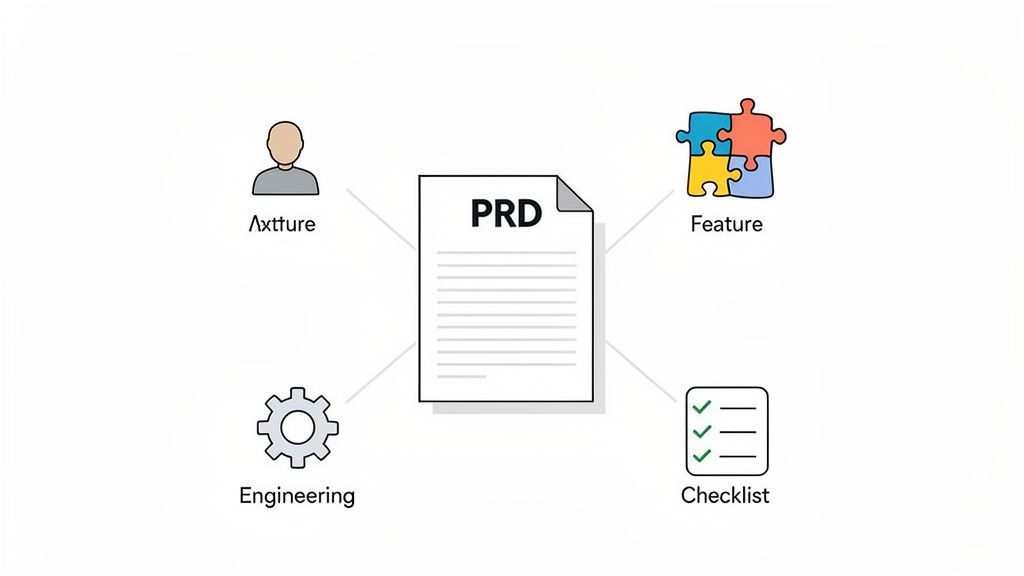
A Product Requirements Document (PRD) is your team's single source of truth. It’s the essential guide that takes a product from a simple idea all the way to a successful launch. Think of it as the blueprint connecting the 'why' (the customer's problem) to the 'what' (the features you'll actually build), making sure everyone is on the same page and moving in the same direction.
What Is a PRD and Why Does Your Team Need One?
Ever been on a project that’s spiraling out of control? You’ve got vague feedback coming from all sides and the revisions just never end. The engineering team builds a feature based on one conversation, while design works from another, and marketing is prepping to launch something else entirely.
This is exactly the kind of expensive chaos that a well-crafted PRD is designed to prevent. It's not just another piece of paperwork to check off a list; it’s a dynamic, living guide that modern agile teams rely on for absolute clarity and direction.
A PRD has come a long way from the rigid, old-school spec sheets of the past. Today, it’s a collaborative document that clearly lays out a product’s purpose, features, functionality, and user stories. It guarantees that every single stakeholder—from product managers and developers to designers and execs—shares a unified vision. That alignment is its real superpower.
The Core Benefits of Using a PRD
When a team really commits to using a PRD, they unlock some powerful advantages that have a direct impact on their efficiency and the final product. It quickly becomes a tool you can't live without.
Here are the biggest wins:
Preventing Scope Creep: A PRD creates clear boundaries by defining what’s "in scope" and, just as importantly, what’s "out of scope." This empowers teams to say "no" to random requests that don't line up with the core mission, keeping the project on track.
Aligning All Stakeholders: It gets everyone on the same page, period. The PRD acts as the definitive reference point, cutting through ambiguity and ensuring marketing, sales, engineering, and leadership are all working toward the same goal.
Avoiding Costly Rework: When requirements are crystal clear from day one, developers can build features correctly the first time. This slashes the need for expensive, time-sucking revisions later in the game.
Creating a Single Source of Truth: No more digging through old Slack threads or email chains trying to find a decision. The PRD centralizes all the critical information in one place, from user personas and success metrics to technical constraints.
To give you a snapshot of what makes a PRD truly effective, here are the non-negotiable sections it should always include.
Key Components of an Effective PRD
A quick summary of the essential sections every PRD should include to ensure clarity and completeness.
Section Name | Purpose | Key Information to Include |
|---|---|---|
Introduction/Summary | Provide a high-level overview of the product or feature. | Problem statement, target audience, vision. |
Goals & Objectives | Define what success looks like for the product and the business. | Business goals, user goals, success metrics (KPIs). |
User Personas & Stories | Describe the target users and their needs in a narrative format. | Demographics, pain points, user motivations, scenarios. |
Features & Functionality | Detail the specific features to be built. | Feature descriptions, priority levels, user flows. |
Technical Specs | Outline technical requirements and constraints. | Non-functional requirements, dependencies, assumptions. |
Out of Scope | Clearly state what will not be included in this release. | Features or ideas to be considered for future versions. |
Release Criteria | Define the conditions that must be met for the product to launch. | Performance benchmarks, quality standards, launch plan. |
Getting these components right is the difference between a document that gathers dust and one that actively guides your team to a successful launch.
From Static Document to Agile Blueprint
The PRD's journey mirrors the evolution of software development itself. Back in the late 1990s, companies like Microsoft popularized them as massive blueprints detailing not just what to build but why it mattered. As development methodologies changed, so did the documents. In fact, research shows that teams using well-structured PRDs see 30% fewer requirement changes during development. By the 2010s, they had morphed from those rigid spec sheets into the agile-friendly templates we know today.
A great PRD doesn’t just list features; it tells a story. It explains who the user is, what problem they face, and how this product will solve it. This narrative context is what inspires teams to build exceptional products.
To see where the PRD fits into the bigger picture, it helps to explore SDLC best practices that guide the entire software development lifecycle. Ultimately, a good PRD is much more than a checklist—it’s a strategic asset that fuels communication, sharpens focus, and empowers your team to deliver real value.
Grab Your Template and Make It Your Own
Alright, let's get you set up. We've got a free, downloadable product requirements document template ready to go in a few different flavors. Whether your team lives in Google Docs, you're a Notion wizard, or you just like to keep it classic with Microsoft Word, there’s a version for you.
But here’s the thing: just downloading the file is step zero. The real magic happens when you start tweaking it to fit your team like a glove. I’ve seen too many teams try to force a one-size-fits-all document, and it just doesn't work. Your goal should be to turn this from a generic outline into a living, breathing asset that actually helps your team ship great products.
Mold the Template to Fit Your Project
Think of this template as a solid foundation, not a set of concrete rules you can't break. The very first thing I do is take a hard look at the project itself. Am I planning a massive, from-the-ground-up website launch, or are we just shipping a minor feature update? The answer to that question will tell you exactly how much detail you really need.
For smaller projects, you can—and should—be ruthless about trimming things down.
Ditch what you don't need: Honestly, you probably don’t need a ten-page competitive analysis for a simple bug fix. If a section isn't adding value, get rid of it.
Combine and conquer: For a quick update, I often merge sections like "Goals" and "Success Metrics" to keep the document lean and scannable.
On the flip side, for those big, hairy, audacious projects, you'll want to add more structure. This is your chance to really customize the PRD to match your industry and how your company actually works.
The best PRD isn't the one with the most pages; it's the one that gives your team just enough information to kill ambiguity and feel empowered to make smart calls on their own.
I’ve seen this in action. A team building a new e-commerce platform added custom sections for inventory management dependencies and payment gateway specs. A B2B SaaS company I worked with added a whole section on security compliance. Don't be shy—add, remove, or rename sections until the product requirements document template speaks your team's language.
Weave Your PRD into Your Team's Workflow
Look, a PRD shouldn't be a static Word doc that gets emailed around once and then dies in a forgotten folder. To be truly useful, it needs to be a living document that’s plugged directly into the tools your team uses every single day. This is how you create a single source of truth that people actually trust.
Connecting your PRD to a project management tool like Jira is an absolute game-changer. You can link specific requirements in your PRD directly to the Jira epics, stories, and tasks. Suddenly, you have a crystal-clear, traceable line from the initial idea all the way to the shipped code.
Imagine a developer picking up a task. With one click, they can jump straight from the Jira ticket to the exact section of the PRD that gives them all the context they need. This simple connection saves so much time and clears up a ton of confusion. To see how PRDs fit into the bigger picture, check out our guide on creating a product manager roadmap template.
When you thoughtfully adapt your template and integrate it with your workflow, it stops being "just another document." It becomes the central nervous system for your entire project, driving clarity and focus from day one all the way to launch.
Writing Each Section of Your PRD Like a Pro
Alright, you’ve got a solid product requirements document template. Now for the fun part: turning that blank slate into a clear, actionable guide your engineering and design teams will actually want to use. This is where the magic happens.
A great PRD tells a story. It’s not just a laundry list of features; it explains the why behind every decision. Each section should flow into the next, building a narrative that connects a real user's problem to your brilliant solution.
Articulating the Purpose and Goals
Think of this as your executive summary. It needs to be punchy enough for a busy exec to read in two minutes and get the gist. Kick it off with a crystal-clear problem statement. Don't just say, "Users need a new dashboard." That tells us nothing.
Instead, get specific: "Our customer support team spends 25% of their day manually pulling user data from three different systems. This is causing slow response times and a ton of errors." See the difference? Now we have a problem we can sink our teeth into.
Next up, define what winning looks like. Vague goals like "improve user engagement" are a waste of space. You need specific, measurable metrics that leave no room for doubt.
Reduce customer support response time by 15% within Q3.
Increase daily active users (DAU) by 10% within 60 days of launch.
Hit a user satisfaction (CSAT) score of 90% or higher on the new feature.
These metrics give your team a clear target. After launch, there's no debate about whether the project was a success—the numbers will tell the story.
Crafting Compelling User Stories
User stories are the heart and soul of your PRD. They force a critical shift in thinking from "what we're building" to "who we're building it for." A good user story is your insurance policy against building features nobody wants.
The classic formula is a fantastic starting point: "As a [user persona], I want to [perform an action] so that I can [achieve a goal]."
Let's put this into practice. Imagine you're working on the checkout flow for a new e-commerce site.
A weak user story: "As a user, I want to pay for my items." It's lazy and gives the development team zero context to work with.
A strong user story: "As a busy working parent, I want to save my shipping and payment information so that I can complete future purchases in a single click."
Boom. This version is packed with value. We know the persona (a busy parent), the action (save info), and the motivation (one-click checkout). Designers and developers can immediately picture the user and their needs.
A well-defined user story is a promise to your customer. It’s a small, testable piece of functionality that delivers a specific chunk of value, making it the perfect building block for any agile project.
Detailing Features and Functionality
This is where you translate those user stories into concrete features. The trick here is to define what needs to be built without getting bogged down in how to build it. Trust your engineering team to figure out the best technical approach; that's their job.
Prioritization is everything here. Not all features are created equal, and trying to build everything at once is a classic recipe for disaster. I’m a big fan of the MoSCoW method for its simplicity:
Must-Have: Absolutely non-negotiable. The product is dead on arrival without these. (e.g., "Users must be able to add items to a cart.")
Should-Have: Important and add a ton of value, but not launch-critical. (e.g., "Users should be able to see related products.")
Could-Have: Nice-to-haves that can be tackled if there’s time and budget. (e.g., "Users could have a 'save for later' option.")
Won't-Have: Features that are explicitly out of scope for this release. This manages expectations.
Clearly defining your priorities saves countless hours of wasted effort and keeps the team laser-focused. If you want to go a level deeper, you can explore more product feature prioritization strategies to help make those tough calls.
Defining What Is Out of Scope
Honestly, this might be the most overlooked—and most critical—section in any product requirements document template. Stating what you are not building is just as important as detailing what you are. Think of this section as your shield against scope creep, that sneaky villain that derails timelines and blows up budgets.
The data doesn't lie. A 2023 Product School survey found that 82% of teams that skipped a formal PRD saw scope creep eat up over 50% of their project budgets. The teams who used PRDs? They kept it under 15%. Documenting what's out of scope sets firm boundaries and empowers your team to say "no" to shiny objects that don't align with the project's goals. You can review the full research findings on Product School's blog to see how market requirements impact scope.
For our e-commerce checkout example, your "Out of Scope" list might include things like:
International shipping options
Gift card and coupon code functionality
Guest checkout (requiring all users to create an account for V1)
Documenting Assumptions and Constraints
No project happens in a perfect world. There are always assumptions and constraints lurking in the background, and pretending they don't exist is a huge risk.
Assumptions are things you believe are true but haven't actually proven yet. Writing them down forces you to validate them later.
Example: "We assume users will be comfortable saving their credit card information for faster checkout."
Constraints are the real-world limitations you have to play within, whether they’re technical, financial, or legal.
Example: "The payment gateway must be Stripe because we have an existing enterprise agreement."
Example: "The feature must be fully compliant with GDPR privacy regulations by launch."
Getting these out in the open from day one prevents so many headaches down the road. It ensures the entire team is on the same page about the project's boundaries and potential risks from the get-go.
Bringing Your PRD to Life with Visuals and Tasks
Let's be honest, a static PRD is a dead PRD. In today's world, a product requirements document template that just gathers dust in a shared drive is a massive missed opportunity. If you really want your PRD to be the command center for your project, you've got to bring it to life and bridge that all-too-common gap between planning and actually getting things done.
Words can only go so far, and they're often surprisingly ambiguous. I’ve seen teams go back and forth for days trying to describe a complex UI bug or a subtle design flaw in a paragraph. It almost always leads to more questions than answers. This is where visual feedback becomes your team's secret weapon. Instead of writing a wall of text, you can link directly to specific, annotated screenshots to show, not just tell.
This simple practice instantly closes communication gaps between design, QA, and engineering. An arrow pointing to the exact misaligned button on a staging site is infinitely clearer than a vague comment like, "the submit button is a few pixels off."
From Static Text to Actionable Insights
When you start integrating visual feedback tools, your PRD transforms from a simple spec sheet into a dynamic, collaborative workspace. It creates a single, undeniable source of truth for anything visual.
Here’s how this completely changes the game:
No More Guesswork: A screenshot with a clear note kills any chance of misinterpretation. What the product manager sees is exactly what the developer sees.
Faster Revisions: Feedback cycles get a whole lot shorter. Forget those long, drawn-out email chains; teams can resolve issues right on the visual evidence.
Empowers Remote Teams: For distributed teams, having that visual context is non-negotiable for keeping everyone aligned across different time zones.
A PRD filled with visual feedback becomes a living artifact of your team's decisions. It's not just a plan; it's an active log of the product's evolution, complete with the "why" behind every change.
Connecting Requirements Directly to Tasks
The next step is to make your PRD truly actionable. Every requirement, user story, or feature you've listed should link directly to a task in your project management system. This creates a seamless, traceable path from the initial idea all the way to the final delivery.
Picture a developer picking up a ticket from a Kanban board. With a single click, they can jump from that ticket straight to the relevant section in the PRD, complete with user stories, success metrics, and annotated mockups. This immediate access to context saves an unbelievable amount of time.
This diagram shows that foundational flow—moving from high-level user stories to defined features and, finally, to a clear scope.
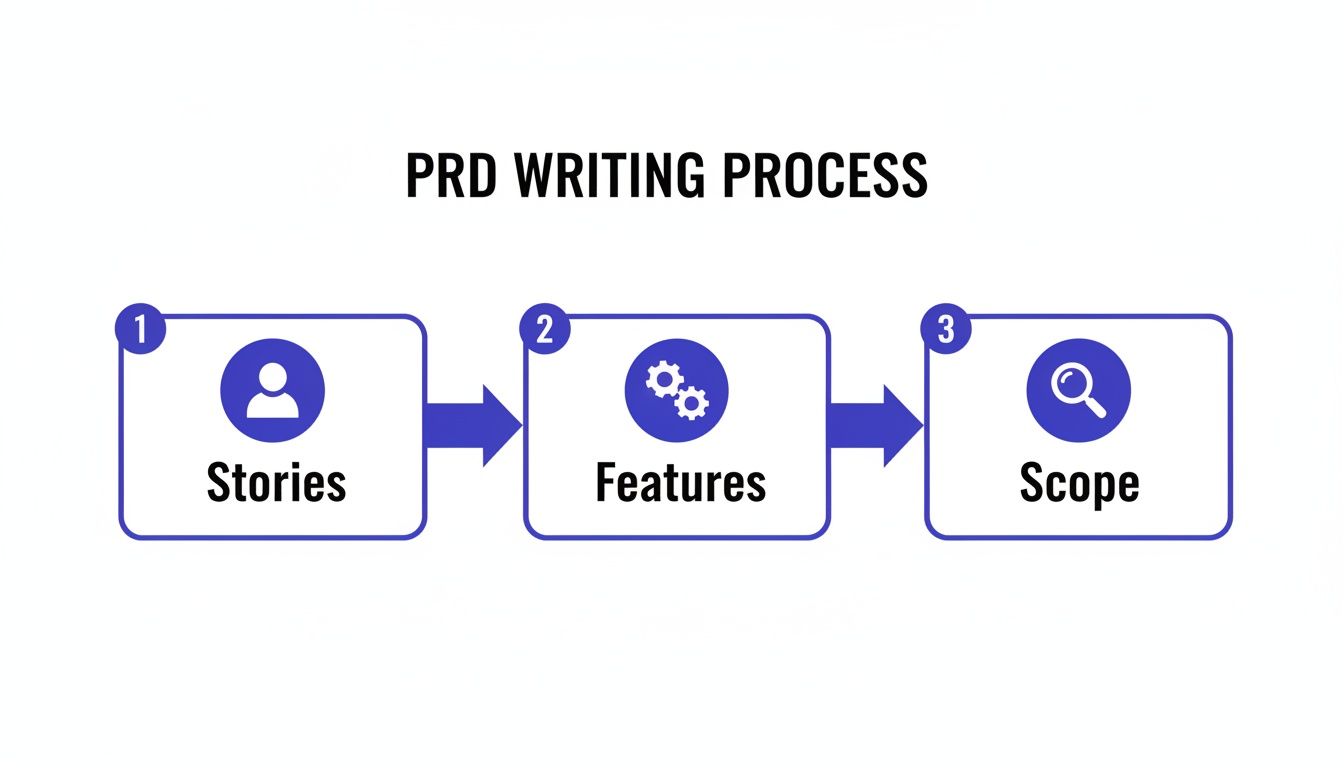
This process isn't just a series of disconnected steps. Each stage builds on the last, ensuring that the final scope is directly tied back to user needs and what the team has agreed to build.
The Impact on Team Productivity
Integrating your PRD with task management and visual feedback tools isn't just a "nice-to-have"—it delivers real, measurable results. I've seen teams that adopt this dynamic approach report huge improvements in efficiency and a sharp drop in miscommunication.
The data backs this up. One analysis showed that 68% of product managers found that a centralized, living PRD reduced the need for scattered feedback tools, saving an average of 15 hours per week per team on coordination alone. For a business like Beep, which helps teams streamline web project feedback, adopting a dynamic product requirements document template mirrors how top SaaS firms managed to cut their launch delays by 25%.
By making the PRD the central hub for all project-related information—from high-level goals down to granular tasks and visual feedback—you empower your team to work smarter, not harder. This integration creates a single, powerful workflow. If your team uses Jira, you can learn more about integrating Beep with Jira to connect visual feedback directly to your development tasks.
And as you move from defining requirements to delivery, having a solid product launch plan template will help guide your go-to-market strategy. Ultimately, a living PRD doesn't just document the plan; it actively drives the project forward, ensuring everyone stays aligned and focused on shipping a great product.
Common PRD Mistakes You Can Easily Avoid
Crafting a Product Requirements Document is a bit of an art. I've seen them go wrong in so many ways, turning what should be a helpful guide into a roadblock that slows everyone down. Knowing the common traps is the first step toward writing a PRD that your team actually wants to use.
One of the biggest missteps I see is when a PRD gets way too technical. When it reads like an engineering spec sheet, it’s dictating the how instead of focusing on the what and why. This kills creativity and stops your developers from finding the best, most elegant solution to the problem you're trying to solve.
Another classic mistake? Writing a 30-page novel. If your PRD is so long and dense that no one has the energy to read it, you can bet critical details will be missed. The goal isn't to document every single possibility, but to provide just enough clarity to get the ball rolling.
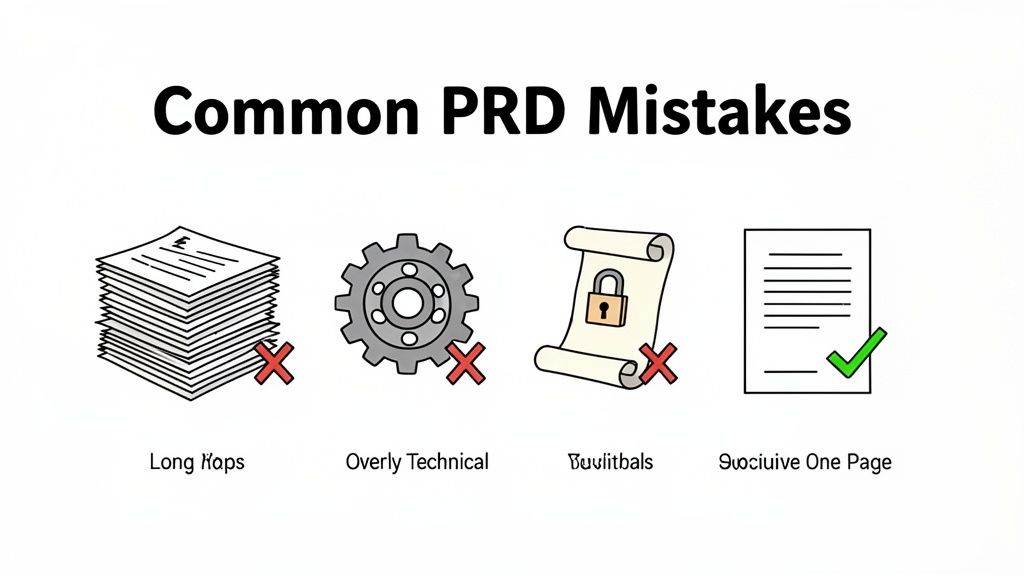
Finally, treating the PRD as some sacred text that can never be changed is a recipe for disaster. Let's be real, product development is messy and things change constantly. Your PRD has to be a living document that adapts to new insights, user feedback, and shifting priorities.
The Problem of the Bloated Document
A PRD that tries to be everything to everyone ends up being useful to no one. I once watched a team spend weeks writing an exhaustive document for a simple feature update. By the time it was "finished," it was so intimidating that the engineering team just made their own assumptions anyway. The whole point of the PRD was lost.
The fix for this is surprisingly simple: adopt a "one-page, one-feature" mindset. Try to create a concise PRD for each distinct feature that can be understood in a single sitting. It forces you to zero in on what truly matters and makes the information much easier for everyone to digest.
In fact, data from Atlassian's analysis of over 10,000 teams found that PRDs built as "one-page sources of truth" can cut down information access time by up to 50%. For fast-moving teams, that’s a huge advantage. This approach turns your product requirements document template into a tool for speed, not a source of friction.
Forgetting the Collaborative Review
Another common blunder is writing the PRD in a silo and then just tossing it over the fence to the dev team, expecting them to build it perfectly. This "big reveal" almost always backfires. It fails to build shared ownership and misses the chance to catch critical flaws early on. Without buy-in, your document is just a list of demands.
To avoid this, set up a simple, collaborative review process before the PRD is finalized.
Initial Draft: The product manager writes the first pass, focusing on the user stories and what success looks like.
Team Review: Share the draft with key people from engineering, design, and QA. Use a tool that lets everyone leave comments and suggestions right on the doc.
Alignment Meeting: Hop on a quick call (30 minutes, max) to talk through the feedback, clear up any confusion, and make final decisions together.
This collaborative loop ensures everyone feels heard and is on the same page before a single line of code gets written.
"A PRD is a conversation starter, not a contract. Its value comes from the alignment it creates, not the words on the page. If your team isn't talking about it, it isn't working."
Neglecting the Business Outcome
Lastly, so many PRDs get lost in the weeds of features and functions, completely forgetting to connect the work back to a real business outcome. Detailing the 'why'—the actual impact on the business or the user—is what truly motivates a team.
For web-focused teams like those using Beep, Productboard statistics show that tying requirements to outcomes like "saving hundreds of hours weekly" can boost productivity by 33% through integrations with tools like Slack and Zapier. For more on this, check out some great insights on the strategic value of PRDs on news.aakashg.com.
To help you sidestep these common issues, I've put together a quick checklist.
PRD Pitfall and Prevention Checklist
This quick reference table will help you spot and avoid the most common mistakes when creating your Product Requirements Document.
Common Mistake | Why It's a Problem | How to Prevent It |
|---|---|---|
The Novel | Overwhelms the team, critical details get missed. | Adopt a "one-page, one-feature" mindset. Keep it concise. |
The Technical Spec | Dictates the how, stifling developer creativity and problem-solving. | Focus on the what and why. Define user problems, not technical solutions. |
The Sacred Text | Fails to adapt to new learnings, leading to outdated or irrelevant features. | Treat the PRD as a living document. Revisit and update it as you learn. |
The Solo Act | Creates a lack of buy-in and shared ownership, leading to misinterpretations. | Implement a collaborative review process with engineering, design, and QA. |
The Feature Factory | Disconnects the work from its purpose, reducing team motivation and impact. | Clearly link every feature to a specific user problem and business outcome. |
Keep this checklist handy the next time you sit down to write a PRD. A little bit of prevention goes a long way in keeping your team aligned, motivated, and shipping great products.
Even with the perfect product requirements document template in hand, you're going to run into questions once the rubber meets the road. I've been there. This section is all about tackling those real-world curveballs that product managers, designers, and developers face every day.
Think of this as your cheat sheet for navigating the common hurdles and getting your process dialed in.
How Often Should I Update My PRD?
Your PRD needs to be a living, breathing document. If you treat it like a static file that gets locked away after kickoff, it's already dead. It has to evolve right alongside the project.
A good rule of thumb I follow is to review and update it at key milestones. This could be right after a sprint review, when a wave of significant user feedback rolls in, or if a major business priority suddenly shifts.
The point isn't to tweak it daily. The goal is to make sure it always reflects the project's current reality. An outdated PRD is a fast track to team misalignment, and nobody wants that.
What’s the Right Level of Detail for a PRD?
Ah, the million-dollar question. Finding the right balance here is definitely more of an art than a science. Go too light on the details, and you create ambiguity that leaves your engineering team guessing. But get too prescriptive, and you'll stifle creativity, turning the PRD into a rigid instruction manual.
Your PRD should define the what and the why, but not the how. Focus on the user's problem, the business goal, and the necessary user stories. Leave the technical implementation details to the experts on your development team.
For instance, you should absolutely specify that a user must be able to log in with a Google account. But don't you dare dictate which specific code library the dev team should use to build it. Trust your team.
How Do I Handle Scope Creep?
Scope creep is going to happen. It’s inevitable. But a well-crafted PRD is your best line of defense. And that "Out of Scope" section? It's your most powerful tool. Seriously.
When a new feature request lands on your desk, the very first thing you should do is pull up the PRD.
Ask yourself: does this new request actually align with the core objectives we all agreed on?
If it doesn't, the PRD gives you the perfect anchor for a productive conversation. You can explain why it should be added to the backlog for a future release instead of being shoehorned into the current one. It helps you say "not now" without completely shooting down a potentially great idea.
Who Should Have Access to the PRD?
Short answer: everyone involved in the project. Transparency is everything if you want to build a shared understanding and a real sense of ownership across the team. This isn't some secret document just for PMs.
It’s a central source of truth for:
Engineers and Developers: So they understand the user context and what they’re actually building.
Designers: To make sure their mockups and user flows are solving the right problems.
QA Testers: So they can write accurate and relevant test cases from day one.
Marketing and Sales: To get a heads-up on what’s coming and prepare for launch.
Stakeholders: To keep them in the loop on project goals and progress.
Using a collaborative, cloud-based tool like Notion or Confluence ensures everyone is always looking at the most current version. No excuses.
Stop wasting time on confusing feedback and endless revisions. With Beep, you can leave visual comments directly on your live website, turning feedback into actionable tasks instantly. Cut down on meetings, align your team, and ship projects faster. Get started with Beep for free today!
I learned the value of a PRD the hard way during a small app project, everyone had different assumptions, and we kept redoing features. Once we wrote a simple, clear PRD, things finally clicked. Now I treat it like a living checklist I revisit weekly, kind of like how I skim International Development Services reviews before decisions to stay aligned and informed. It saves time, avoids confusion, and keeps the whole team moving in one direction.