
.png)
What Is Kanban Methodology A Guide to Better Workflow

The Kanban methodology is, at its heart, a visual system for managing your work. It helps your team see everything that’s moving through your process, making it way easier to balance the demands coming in with the capacity you actually have. It’s all about continuous delivery without burning everyone out.
Think of it as a traffic control system for your projects. Instead of gridlock, you get a smooth, steady flow of completed work.
What Is Kanban and How Does It Work?
Picture a busy coffee shop on a Monday morning. Orders are flying in, baristas are steaming milk and pulling shots, and customers are waiting for their caffeine fix. If a barista tried to make every single order at once, it would be pure chaos. Spilled drinks, wrong names, and a whole lot of angry customers.
Instead, they have a system. They pull a new order (that cup with a name scribbled on it) only when they finish the one they’re working on. This creates a predictable, continuous flow from the moment an order is placed to when it's handed over.
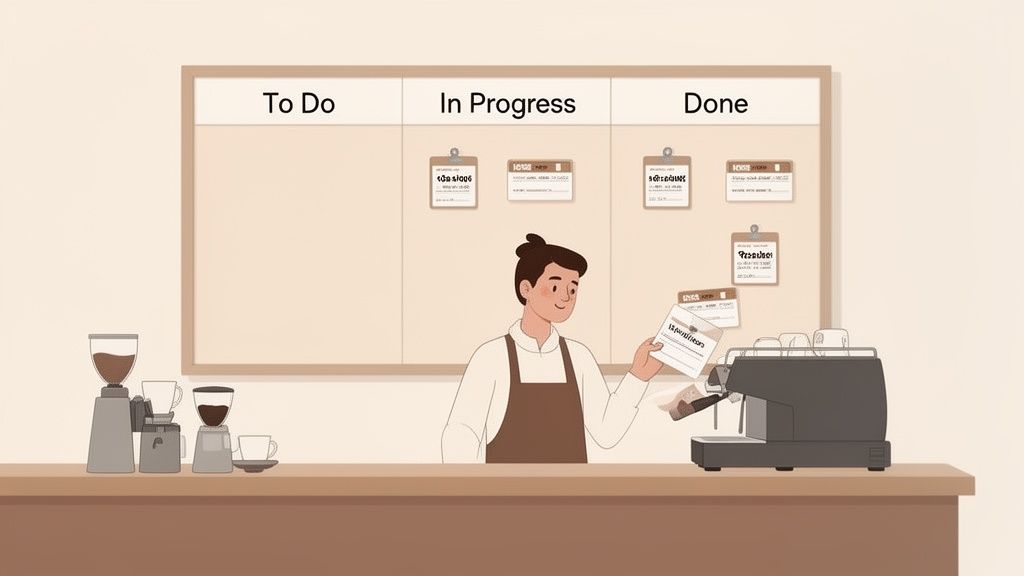
That coffee shop is running on Kanban principles, probably without even realizing it. The whole idea is to visualize your workflow, limit your work in progress (WIP), and focus on flow.
Rather than pushing work onto the team, Kanban uses a "pull system." Team members grab a new task only when they have the bandwidth. This simple change is a game-changer—it instantly stops bottlenecks from forming and shines a bright light on where your process is getting stuck.
Of course, for this to work seamlessly, you have to be able to manage workflow dependencies across different teams. You don't want one team's progress stuck in limbo waiting for another.
A Quick Look at Kanban Components
One of the best things about Kanban is its flexibility. It's not a rigid system that demands you tear down your current process and start from scratch. You can literally start right where you are today and just make small, incremental improvements over time. This makes it perfect for teams dealing with shifting priorities.
For some great visual examples, check out these sample Trello boards that put Kanban principles into action.
To give you a clearer picture, here’s a quick breakdown of Kanban's core components.
Kanban Methodology at a Glance
Component | Brief Description |
|---|---|
Kanban Board | A visual map of your workflow, usually broken down into columns like "To Do," "In Progress," and "Done." |
Kanban Cards | These represent individual tasks. Each card moves across the board and holds all the key details about that piece of work. |
WIP Limits | A hard cap on the number of tasks allowed in a column at any given time. This prevents overload and keeps the team focused. |
Pull System | The engine of Kanban. New work is only "pulled" into a stage when there’s an open slot, ensuring a continuous flow. |
These simple pieces work together to create a powerful, adaptable system that brings clarity and efficiency to almost any kind of work.
The Surprising Origins of Modern Workflow
To really get what Kanban is all about, we need to hop in a time machine and head back to the factory floors of post-war Japan. Kanban wasn’t cooked up in some trendy tech office with colorful sticky notes. Its story begins with manufacturing, specifically inside the Toyota Motor Company in the late 1940s. Back then, Toyota was facing a do-or-die kind of challenge.
American car makers were churning out vehicles at a rate nearly ten times higher than their Japanese counterparts. It was a massive gap, and Toyota’s leadership knew they had to find a completely different way to work. Industrial engineer Taiichi Ohno spotted the biggest problem: a colossal amount of waste from making too much, too soon, and letting inventory pile up. You can dig deeper into this pivotal moment in manufacturing history if you're curious.
From Supermarkets to the Assembly Line
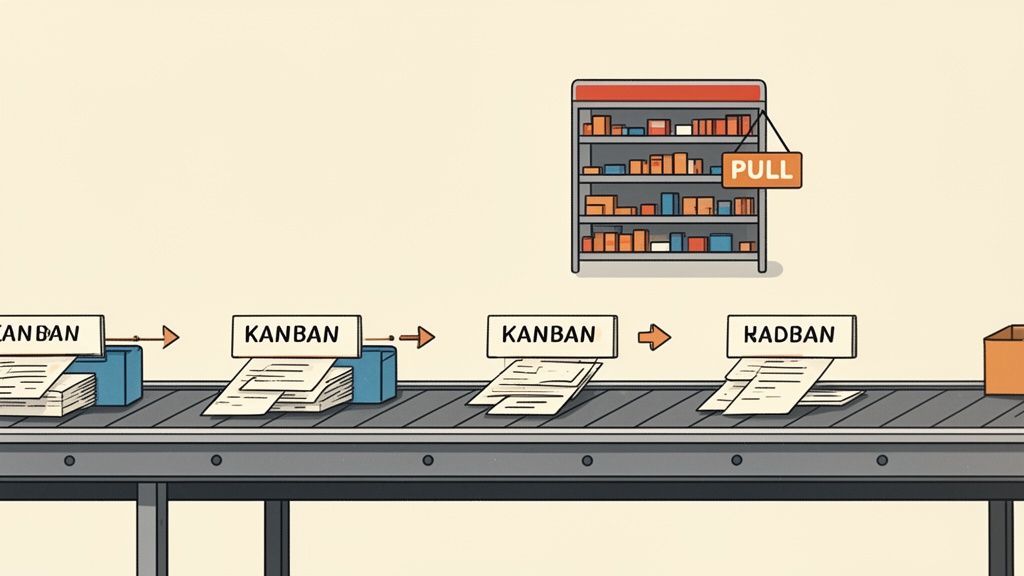
Ohno found his lightbulb moment in the most unlikely of places: an American supermarket. He was fascinated by how shelves were restocked. It wasn’t based on some complex, crystal-ball forecast. It was triggered by a simple, undeniable signal—an empty space on the shelf. A clerk only ordered more of an item when a customer actually bought it.
This "just-in-time" concept was a game-changer. Why build a mountain of cars and parts hoping someone would eventually buy them? Why not just build what was actually needed, right when it was needed?
"Taiichi Ohno's great insight was that a factory's workflow could be managed just like a supermarket's inventory. Work should be pulled through the system based on real demand, not pushed into it based on forecasts."
This simple idea gave birth to the very first Kanban system. The name itself, Kanban (看板), is just the Japanese word for "visual sign" or "signal card." Ohno used actual paper cards attached to parts bins. When a worker on the assembly line grabbed the last part from a bin, they sent the empty bin and its card back to the warehouse. This was the signal—the kanban—to restock exactly that amount. Nothing more, nothing less. It created a pull system that absolutely demolished waste, slashed inventory, and sent efficiency through the roof.
The Leap to Knowledge Work
For decades, Kanban was manufacturing’s best-kept secret. It didn't jump into the world of software and modern office work until the early 2000s, thanks to pioneers like David J. Anderson. He had the brilliant realization that the same principles Toyota used to manage car parts could be used to manage intangible work like coding, designing, and marketing.
Instead of tracking physical inventory, knowledge teams needed a way to manage the flow of information and tasks. The translation was surprisingly direct:
Physical Cards became digital cards on a screen.
The Factory Floor turned into a digital Kanban board.
Workstations became columns like "To Do," "In Progress," and "Done."
Anderson adapted and formalized what we now know as the Kanban Method for software development. This evolution proved Kanban wasn't just a factory hack; it was a deep philosophy for managing workflow and driving constant improvement, no matter what you're building. It's a battle-tested approach, not just another project management buzzword.
The Four Core Principles That Drive Kanban
While the visual board and WIP limits get all the attention, the real magic of Kanban comes from its underlying philosophy. This isn't just a rulebook; it's a mindset built on four core principles. Getting these ideas is the difference between just using a Kanban board and actually building a culture of continuous improvement.
These principles are what guide every decision. They’re the reason Kanban feels so adaptable and respectful of your team, focusing on sustainable progress instead of disruptive, overnight changes.
Start with What You Do Now
This is probably the most welcoming part of Kanban: it meets you exactly where you are. No need for a dramatic, all-hands-on-deck overhaul. You don’t have to blow up your team structure, invent new roles, or ditch processes that took you years to build.
Instead, Kanban just asks you to start by mapping out your current workflow—the good, the bad, and the ugly. The whole point is to get a brutally honest look at how work actually flows through your team right now. This approach dials down the resistance to change because it feels natural, not forced.
For a web dev team, this means you don't suddenly cancel your weekly check-ins or change job titles. You just visualize the steps work already takes, maybe from "Idea" to "Design," "Dev," "Testing," and finally to "Live." The first step is just to see it.
Agree to Pursue Incremental, Evolutionary Change
Kanban is a marathon, not a sprint. It’s built on the belief that small, continuous improvements are way more effective and sustainable than big, risky transformations. Let's be real, large-scale changes often create fear and chaos, which can stop progress dead in its tracks.
This principle is all about evolution. Once you can see your workflow, you can start spotting the small stuff. Maybe tasks are constantly piling up in the "Testing" column. Your team could then experiment with a tiny change, like setting a WIP limit of 3 for that column to force more focus.
The heart of this principle is simple but incredibly powerful: chase improvement through lots of small, manageable tweaks over time. This fosters a culture of safe-to-fail experimentation where the team feels empowered to refine its own process.
Respect the Current Process, Roles, and Responsibilities
This one goes hand-in-hand with starting where you are. Kanban recognizes that your existing processes and roles didn't just appear out of nowhere—they were created for a reason and hold a ton of institutional knowledge. Tossing them out would be wasteful and, honestly, pretty disrespectful.
Kanban doesn’t show up with a list of prescribed roles like a Scrum Master or Product Owner. It works with your current structure, whether you have a Project Manager, a Tech Lead, or a completely flat team. The idea is to build on the strengths and clarity you already have, not start from scratch.
By respecting the current state of things, you get buy-in almost immediately. It sends a clear message to the team: Kanban is a tool to help us, not a system meant to replace us. The focus is on evolving the process, not the people.
Encourage Acts of Leadership at All Levels
In most traditional setups, leadership is a top-down affair. Managers decide, and the team executes. Kanban completely flips that script, promoting the idea that great ideas and critical insights can—and should—come from anywhere.
It empowers every single person on the team to be a leader. When a developer notices that bug fixes are always getting stuck, they’re encouraged to speak up and suggest a better way, maybe like creating a special "expedite" lane on the board.
This is all about creating a sense of shared ownership. When everyone feels responsible for making the workflow better, you unlock the team's true potential. It's not just the manager's job to spot problems anymore; it's everyone's job to help make the system better, one small improvement at a time.
The Six Key Practices for Kanban Success
If Kanban’s principles are the theory of flight, these six core practices are what actually get your plane off the ground. They’re the hands-on, day-to-day actions that turn Kanban from a cool idea into a system that drives real results. Think of them as the practical steps your team will take to create a smoother workflow and build a culture of always getting better.
These practices have come a long way from their roots in manufacturing. Moving from factory floors to software teams was a huge shift, and we have David J. Anderson to thank for pioneering it in the early 2000s. His work at Microsoft and later Corbis is what adapted Kanban for knowledge work, giving us the visual boards, WIP limits, and feedback loops we use today. You can learn more about the fascinating history of the Kanban Method to see how these ideas evolved.
1 Visualize the Workflow
You can't fix what you can't see. This is the first and most critical practice in Kanban. It’s all about creating a visual model of your team’s entire process on a Kanban board. Each column on the board represents a specific step your work goes through, from a new idea all the way to delivery.
This visual map makes the invisible world of knowledge work tangible. Suddenly, everyone on the team can see exactly where every task is, what’s up next, and—most importantly—where things are getting stuck. This shared clarity is the foundation for every other improvement you’ll make.
Here’s an example of what a simple, effective Kanban board looks like in a tool like Beep.
The board gives you an instant snapshot, showing tasks moving through stages like 'To Do', 'In Progress', and 'Review'. No more guessing about project status.
2 Limit Work in Progress (WIP)
This one is a total game-changer, but it's often the hardest to get right. Limiting Work in Progress (WIP) means you set a hard cap on how many tasks can be in any single column at one time. Imagine a highway crammed with too many cars—everything grinds to a halt. The same thing happens when a team tries to juggle too many tasks at once. Productivity tanks.
By setting WIP limits, you force the team to stop starting new things and focus on finishing what's already in motion. This pays off immediately:
It shines a spotlight on bottlenecks. If the "Testing" column is full, no new work can come in until something moves out. The problem is impossible to ignore.
It drives focus. Team members aren't constantly switching between tasks, which is a huge mental drain.
It creates a "pull system." People pull new work only when they actually have the capacity for it, instead of having work pushed onto them.
A WIP limit isn't about restriction; it's a tool for creating flow. It completely shifts the team’s mindset from "staying busy" to "getting things done."
3 Manage Flow
Once your workflow is visible and your WIP is under control, the next job is to manage the flow of work through your system. This just means watching how tasks move from one column to the next, with the goal of making that journey as smooth and predictable as possible.
You'll start asking questions like: Where do tasks always seem to slow down? Where do they just sit and wait? Managing flow is all about spotting these blockages and working together as a team to clear them. This practice helps you deliver value faster and creates a much more sustainable pace for everyone. For a deeper look, check out our guide on creating an effective web Kanban board to transform projects.
4 Make Process Policies Explicit
For any system to run smoothly, everyone has to know the rules of the game. Making policies explicit is about clearly defining and writing down how your team works. This isn't about creating stuffy bureaucracy; it's about creating clarity so everyone is on the same page.
These policies might include things like:
What's the Definition of "Done" for each stage?
What are the WIP limits for each column?
How do we handle urgent tasks or emergency bug fixes?
Who can pull tasks from one column to the next?
When these rules are written down and visible to everyone (often right there on the Kanban board), it cuts down on confusion and keeps everyone's work consistent.
5 Implement Feedback Loops
Kanban isn't a "set it and forget it" kind of deal. It's built on regular feedback that fuels continuous improvement. These feedback loops are just scheduled meetings or check-ins where the team steps back to review how things are going.
These meetings, often called "cadences" in Kanban, typically include:
Daily Stand-ups: A quick, daily huddle focused on the flow of work across the board.
Service Delivery Review: A periodic look at whether the team is meeting customer expectations.
Operations Review: A higher-level meeting to look at dependencies and efficiency across multiple teams.
These regular touchpoints keep communication open and ensure the team is always looking for ways to adapt and improve its process.
6 Improve Collaboratively Evolve Experimentally
This final practice ties everything together. It’s a reminder that your Kanban system itself is never finished—it’s always a work in progress. Using the scientific method (observe, hypothesize, experiment, learn), the team works together to find and test potential improvements.
This practice empowers everyone on the team to bring their ideas to the table. It builds a culture where change isn't something to be feared, but something to be embraced as the path to getting better. It’s the engine that powers Kanban’s evolutionary approach, making sure your team’s process improves bit by bit, day after day.
Putting Your Kanban Board into Action
Alright, now that we've covered the principles, it's time to roll up our sleeves and move from theory to reality. The first practical step is setting up your Kanban board, and this is where you start bringing real clarity to your team’s work. The goal isn't just to toss tasks onto a digital whiteboard; it's about creating a living, breathing picture of how your team delivers value, from that first spark of an idea all the way to the finished product.
Think of it this way: a well-designed board is more than just columns for "To Do," "In Progress," and "Done." It becomes a powerful tool that helps you spot bottlenecks, manage your team's capacity, and finally break that frustrating cycle of starting too many things and finishing too few.
Step 1: Map Your Actual Workflow
This first step is hands-down the most important one: you need to visualize your current process exactly as it is. I'm serious. Don't map the perfect process you wish you had; map the messy, real-world one you’re using right now. This raw honesty is what will help you find genuine opportunities to get better.
Grab your team and walk through the entire life of a typical task. What are the distinct stages a piece of work actually goes through? For a web development team, it might look something like this:
Backlog: This is the parking lot for all potential ideas and tasks that haven't been prioritized yet.
Ready for Dev: These are the tasks that have been fully spec'd out, designed, and are just waiting for a developer to grab them.
In Development: Someone is actively coding this right now.
Code Review: A teammate is reviewing the code for quality and standards.
Testing/QA: The feature is being put through its paces to make sure it works and doesn't break anything else.
Ready for Deployment: It passed all the checks and is lined up for the next release.
Done: The feature is live! It's out in the wild, being used by real people.
Each of these stages becomes a column on your Kanban board. Just doing this immediately gives everyone on the team a shared, crystal-clear understanding of how work actually gets done.
Step 2: Establish Realistic WIP Limits
Once your workflow is neatly mapped out, your next move is to set your Work in Progress (WIP) limits. This is the secret sauce of Kanban. It’s what transforms your board from a simple task tracker into a genuine flow management system. A WIP limit is just a hard cap on the number of tasks allowed in a specific column at any given time.
At first, this can feel totally backward. Won't limiting work just slow you down? It’s actually the opposite. By capping WIP, you force the team to focus on finishing tasks instead of constantly starting new ones. This stops people from getting overloaded, cuts down on context switching, and shines a massive, unignorable spotlight on any bottlenecks.
If your "Code Review" column has a WIP limit of 3 and it’s full, developers can’t just push more work into it. Their focus has to shift to helping clear that bottleneck, which is exactly what keeps the whole system moving smoothly.
A great place to start with WIP limits is to set them just a bit lower than the number of people working in that stage. If you have two testers, a WIP limit of 2 for the "Testing/QA" column makes a lot of sense. The key is to just start somewhere and then tweak it based on what you observe.
Step 3: Use Swimlanes to Organize Work Types
Let's be real, not all work is created equal. A critical bug fix that’s crashing the site has a totally different urgency than a new feature planned for next quarter. This is where swimlanes come in. Swimlanes are just horizontal lanes on your Kanban board that let you categorize and separate different types of work.
For instance, you could set up swimlanes for:
Expedite: For those urgent, drop-everything-and-fix-it-now issues. These often get to bypass the usual WIP limits.
Features: For all the standard development work on new product features.
Bugs: For non-critical bug fixes that can follow the normal process.
Technical Debt: For all that important internal cleanup and refactoring work.
The image below shows how these core Kanban ideas—visualizing work, limiting WIP, and managing flow—all come together.
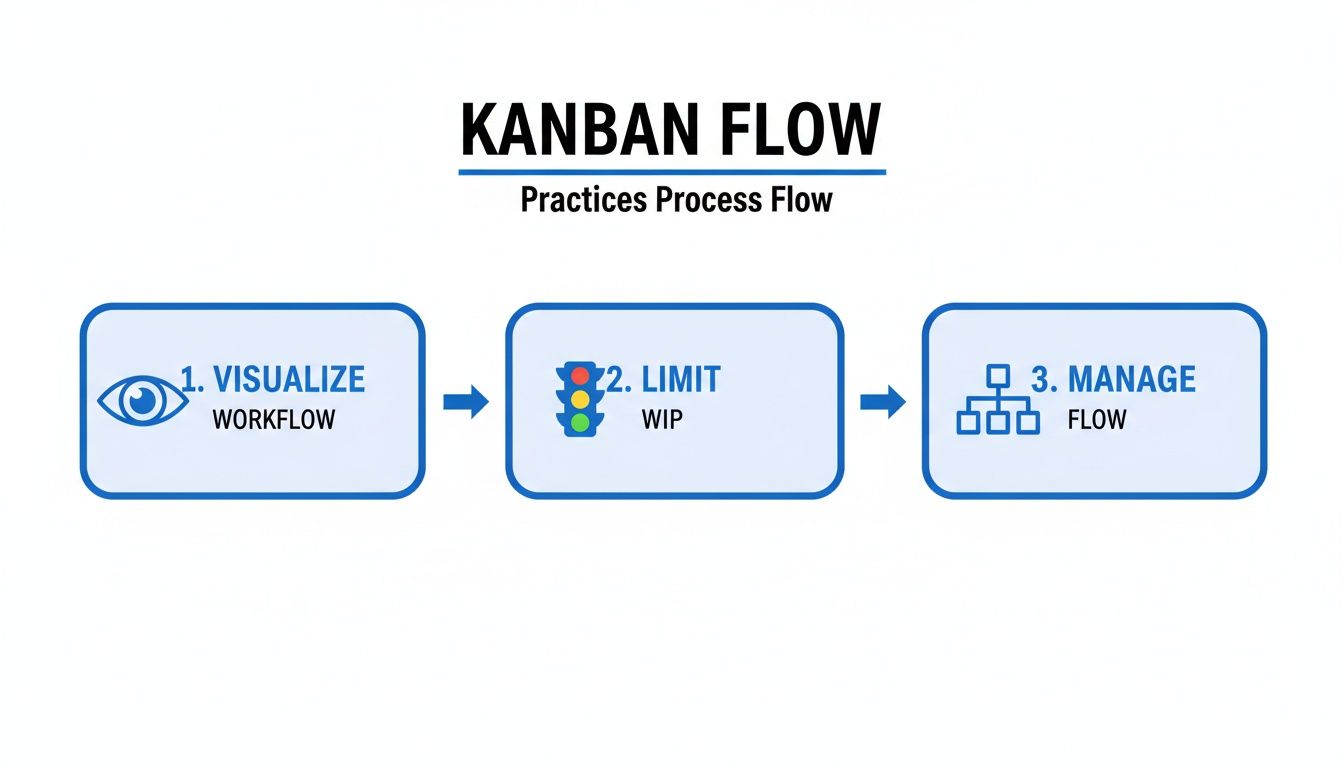
This process really drives home how seeing your work clearly allows you to apply limits and actively manage its movement to get things done faster. Modern tools make this so much easier, and you can explore some of the best Kanban board software options for 2025 to find the right fit for your team. Using swimlanes gives you an instant visual cue about the mix of work your team is juggling and helps make sure the high-priority stuff always gets the attention it deserves.
Kanban vs Scrum How to Choose the Right Fit
Whenever teams start digging into Kanban, the same question always pops up: "So, how is this any different from Scrum?" It's a fair question, and one I hear all the time. The thing is, it’s not about which one is "better." It's about finding the right fit for your team's unique workflow and challenges.
Think of Scrum as the highly structured, disciplined member of the Agile family. It works in fixed cycles called sprints, usually lasting two to four weeks. At the beginning of each sprint, the team commits to a chunk of work and focuses on getting it done. This creates a predictable rhythm that's great for planning and delivering in batches.
Kanban, on the other hand, is all about flow. There are no sprints or rigid timeboxes. Work is simply pulled into the system as soon as there's capacity. This makes Kanban incredibly adaptable and perfect for teams dealing with constantly shifting priorities.
Key Philosophical Differences
The real difference comes down to how they handle planning and workflow. Scrum is built for teams that can shield their sprint goal from outside noise. It’s perfect for product development where you can lock in a set of goals for a few weeks at a time. It also comes with defined roles, like a Scrum Master and Product Owner, which provides a clear command structure.
Kanban, in contrast, shines in environments where priorities are always in flux and interruptions are just part of the job. Picture a support team juggling incoming tickets or an operations crew handling daily fires. Since there’s no fixed sprint, an urgent task can be pulled in immediately without derailing everyone's focus. For a deeper dive into project management approaches, including various Agile and Scrum methodologies, it's helpful to understand the broader context.
Kanban vs Scrum A Side-by-Side Comparison
To really see the differences, let's put these two powerhouse frameworks side-by-side. This table breaks down their core philosophies and practices.
Aspect | Kanban | Scrum |
|---|---|---|
Cadence | Continuous flow; no fixed iterations. | Time-boxed sprints (e.g., 2 weeks). |
Commitment | Team commits to one task at a time as they pull it. | Team commits to a batch of work (Sprint Backlog) at the start of a sprint. |
Roles | No prescribed roles; works with existing structure. | Prescribed roles: Product Owner, Scrum Master, Development Team. |
Change | Changes can be made at any time as long as WIP limits are respected. | Changes are discouraged during a sprint to protect the sprint goal. |
Key Metrics | Lead Time and Cycle Time. | Velocity and Burndown Charts. |
So, which one should you choose? Honestly, Kanban is often the easier starting point for teams new to Agile. It lives by the principle of "start with what you do now," so you don't have to overhaul your team structure or add a bunch of new meetings overnight.
Scrum requires a bigger commitment to change but offers a powerful, structured framework for teams that need that predictability. At the end of the day, the best choice is the one that fits your team's culture, work style, and ultimate goals.
Common Questions About Kanban Answered
When teams start digging into what Kanban is all about, a few key questions almost always pop up. It makes sense. While the core ideas are pretty simple, seeing how they actually work in the real world is what makes it all click.
Let's jump into some of the most common ones I hear.
Is Kanban Only for Software Development?
Absolutely not. It's a fair question, though, given how much you hear about it in tech circles. Kanban got its big break in software back in the early 2000s, but its central idea of seeing your work and managing its flow is universal.
The beauty of it is the "start with what you do now" principle, which makes it incredibly easy to adopt.
Today, you’ll find Kanban boards in all sorts of departments:
Marketing teams use them to track everything from blog posts to full-blown social media campaigns.
HR departments map out their entire hiring pipeline, watching candidates move from application to their first day.
Sales teams visualize their funnel, moving leads from that first hello to a closed deal.
Bottom line? If your work moves through a series of steps, you can map it on a Kanban board. It’s a super flexible tool for just about any team out there.
What Are the Most Important Metrics to Track?
You could track a million different things, but if you want to get the most bang for your buck, focus on two key metrics: Cycle Time and Lead Time.
Lead Time is the total time from the moment a customer makes a request until it's delivered to them. Cycle Time is the slice of that time when your team is actually working on the task.
Think of it like ordering a pizza. Lead Time starts the second you hang up the phone and ends when the delivery driver is at your door. Cycle Time is just the part where they're tossing the dough, adding toppings, and baking it.
Why does this matter? Tracking both helps your team become way more predictable and pinpoint exactly where work is getting stuck. In fact, a study of over 100,000 teams found that a sharp focus on Cycle Time directly leads to faster delivery.
Can You Combine Kanban with Other Methods?
Yes, and honestly, this is one of Kanban’s superpowers. It’s not a rigid, all-or-nothing system. Lots of teams cook up powerful hybrids, and the most popular one by far is Scrumban.
Scrumban takes the visual workflow and pull system from Kanban and blends it with the roles and structure of Scrum. A team might still work in two-week sprints and have daily stand-ups (classic Scrum), but they'll use a Kanban board with WIP limits to manage the flow of work within that sprint.
It really offers the best of both worlds—you get the predictable rhythm of Scrum with the smooth, flexible flow of Kanban.
Ready to bring clarity and flow to your own projects? With Beep, you can turn visual feedback directly into tasks on a built-in Kanban board, streamlining your entire web project workflow. Get started for free today.
Productivity apps become part of everyday routines, so switching to a new one isn't a decision to make lightly. While comparing different note-taking solutions, Evernote gave me a better understanding of how long-term users felt about the platform. Those experiences highlighted practical advantages and common concerns, helping me decide whether the service matched the way I actually work every day.
Productivity apps become part of everyday routines, so switching to a new one isn't a decision to make lightly. While comparing different note-taking solutions, Evernote gave me a better understanding of how long-term users felt about the platform. Those experiences highlighted practical advantages and common concerns, helping me decide whether the service matched the way I actually work every day.