
.png)
A Guide to Alpha and Beta Testing in Software Testing

When you're getting ready to launch a new product, the final checks before it goes live are absolutely critical. Two terms you'll hear thrown around a lot are alpha and beta testing. While they both fall under the umbrella of User Acceptance Testing (UAT), they serve very different purposes and happen at different stages.
Think of alpha testing as the internal dress rehearsal. It’s done by your in-house team—like QA testers, engineers, and product managers—in a controlled, lab-like environment. The main goal here is to hunt down and squash any major, show-stopping bugs before a single outsider sees the product.
Beta testing, on the other hand, is the first time your product steps out into the real world. It's an external test where you release a near-finished version to a select group of actual users. These folks test it in their own environments, on their own devices, giving you feedback on everything from usability to performance before the big public launch.
Unpacking the Final Quality Gates

Let's use a restaurant analogy. Imagine you're about to open a new spot.
Alpha testing is like a private "friends and family" night. You invite a trusted group into a controlled setting to try every single dish, test the kitchen's workflow, and make sure the service runs smoothly. You want them to find the problems—like a broken oven or a confusing menu—before any paying customers show up.
Beta testing, then, is your soft launch. You open your doors to a limited, hand-picked group of the public. These are your first real customers, and their feedback is gold. They'll tell you what they really think about the food, the prices, and the atmosphere. Their experience helps you iron out all the final kinks before the grand opening.
This perfectly sums up alpha and beta testing in software testing. They’re the last two quality gates your product needs to pass through to make sure it's not just working, but ready to win over the market.
The Role of User Acceptance Testing
Both of these stages are part of what's known as User Acceptance Testing (UAT). UAT is the final phase of testing where real users get their hands on the software to make sure it actually meets their needs and solves their problems. It’s the ultimate confirmation that you've built the right thing.
UAT is the ultimate reality check. It shifts the focus from a developer’s perspective (“Does it work?”) to a user’s perspective (“Is it useful?”), confirming the software isn’t just functional but genuinely valuable.
Why Both Phases Are Essential
Trust me, skipping either of these steps is a recipe for disaster. If you skip alpha testing, you risk unleashing a buggy, frustrating product on your first real users, which can kill your reputation before you even get started.
And if you skip beta testing? You miss out on seeing how your software handles the chaos of the real world. Something that runs perfectly on a developer’s high-end machine might constantly crash on an older phone with a spotty internet connection.
These two stages are designed to work together, gathering crucial feedback early and often. For a deeper dive into the core ideas, check out our guide that offers an introduction to web application testing. By finding issues internally and then validating with external users, you can launch with the confidence that your product has been properly battle-tested.
Key Differences Between Alpha and Beta Testing
While alpha and beta testing both want to get to the same place—a polished final product—they are totally different stages with their own rules of engagement. Think of it like building a new car.
Alpha testing is what happens on the factory floor. It's a series of tough, controlled inspections where engineers check the engine, brakes, and electrical systems in a simulated environment. Beta testing? That's when you hand the keys to a few real drivers and tell them to take it on actual roads—through traffic, rain, and potholes—to see how it really performs.
Getting these fundamental differences right is a huge deal. It helps you plan your resources, set the right expectations for your team, and squeeze every bit of value out of each phase. Let’s break down what separates alpha and beta testing in software testing.
The Testing Environment
The biggest difference, hands down, is where the testing happens.
Alpha testing is always done in a controlled, internal environment. This is usually a lab or a staging setup that mirrors the live production environment as closely as possible. Because it’s all in-house, developers can watch performance like a hawk, create specific test conditions, and jump on bugs in real-time. This setup is perfect for sniffing out those critical, system-level bugs before they can escape into the wild.
On the flip side, beta testing takes place in the real world. It happens on the end-users' own devices, their own spotty Wi-Fi, and their own cluttered desktops. It’s an uncontrolled environment, and that’s exactly why it’s so valuable. You get to see how your software holds up against all the weird hardware setups, slow internet speeds, and quirky user behaviors you could never dream of replicating in a lab.
Who Performs the Tests
The people doing the testing in each phase couldn't be more different, which naturally leads to very different kinds of feedback.
In alpha testing, the testers are your own internal employees. We're talking about QA engineers, product managers, developers, and other teammates who know the product inside and out. Their goal is purely technical: find the bugs, locate the crashes, and hunt down security holes using structured test plans.
For beta testing, you bring in the real deal: actual, external end-users who are a perfect match for your target audience. These folks aren't on your payroll and will use the product as part of their daily routine. Their feedback is less about nitty-gritty technical bugs and more about usability, performance, and just general satisfaction. They’re there to answer the million-dollar question: "Is this product actually useful and enjoyable?"
The jump from alpha to beta is really a shift in perspective. Alpha testers ask, "Does the product work as designed?" Beta testers ask, "Does this product work for me?"
Primary Objectives and Focus
While both testing phases are all about improving quality, their specific goals are dialed in for where they are in the product lifecycle.
The main job of alpha testing is to make sure the product is stable and functionally complete. The whole point is to find and squash major bugs, show-stopping blockers, and system crashes before anyone outside the company ever lays eyes on it. Think of it as a final technical stress test.
With beta testing, the goal is to validate real-world usability and soak up user feedback on the entire experience. It’s about spotting clumsy workflows, performance hiccups, and gathering awesome suggestions for improvement, all from a user’s point of view. A solid beta test can save you a mountain of support tickets later by flagging those friction points early on.
Alpha Testing vs Beta Testing At a Glance
To really nail down the differences, a side-by-side comparison can help make everything crystal clear. Here’s a quick look at the key parameters that define alpha and beta testing in software testing.
Parameter | Alpha Testing | Beta Testing |
|---|---|---|
Location | Conducted at the developer's site or in a controlled lab environment. | Performed at the end-user's location in a real-world setting. |
Participants | Internal team members like QA engineers, developers, and product managers. | External, real end-users who represent the target audience. |
Primary Goal | To identify and fix critical bugs, crashes, and ensure core functionality is stable. | To validate usability, gather user feedback, and assess real-world performance. |
Environment | Controlled and simulated. | Uncontrolled and diverse (real devices, networks, and scenarios). |
Data Fidelity | Focuses on technical data, logs, and structured bug reports. | Gathers qualitative feedback, usability insights, and user sentiment. |
Timing | Occurs after development is feature-complete but before public release. | Follows a successful alpha phase, just before the official launch. |
Seeing it laid out like this really highlights how each phase plays a unique, complementary role. You can’t have one without the other if you're serious about shipping a product that people will love.
How to Run an Effective Alpha Testing Phase
A killer product launch doesn't just happen. It all starts with a rock-solid foundation, and that foundation gets built during alpha testing. Think of it as the final dress rehearsal before your product ever sees the light of day. Done right, it's not just a bug hunt—it's about making sure your core product actually works as intended.
The first step? You need to know what you're trying to accomplish. Without crystal-clear objectives, you're just wandering in the dark, and that’s a surefire way to waste time and energy.
Defining Your Alpha Testing Objectives
Your goals are your north star here. They'll guide every decision you make, from who you invite to test, all the way to the kinds of tests you run. A well-defined objective keeps the team focused on what really matters at this stage. Are you trying to see if a complex new feature holds up, or are you just trying to break the whole thing with heavy internal use?
Common goals for an alpha test usually include:
Validating Core Functionality: Making sure the main features do what they're supposed to without crashing or, even worse, losing data.
Identifying Major Bugs: This is your chance to find those show-stopping issues that would make the product completely unusable for real customers.
Assessing System Stability: Checking for things like memory leaks, server errors, and performance slowdowns over time.
Reviewing Security Vulnerabilities: Doing a first pass for any obvious security holes before you expose the product to the outside world.
If you're looking for the bigger picture on where alpha testing fits in, this foundational guide on how to launch a SaaS product can give you some great context on validation and early-stage development.
Assembling Your Internal Testing Team
The success of your alpha testing really comes down to the people you get involved. Since this is an internal-only party, your testers will be your own employees. But here’s a pro tip: don't just use your QA team! Getting a mix of people from different departments will give you much richer feedback.
Your dream team should include a blend of roles:
QA Engineers: These are your pros. They bring a systematic approach, run formal test plans, and hunt for technical glitches.
Product Managers: They're the ones who can confirm if the features actually match the original product vision and user stories.
Developers: Getting developers to participate helps them see firsthand how their code behaves in the wild, which often leads to way faster bug fixes.
Support or Sales Staff: These folks think like end-users. They're amazing at spotting usability problems that the more technical people might completely miss.
This table really nails the distinct roles of alpha and beta testing.
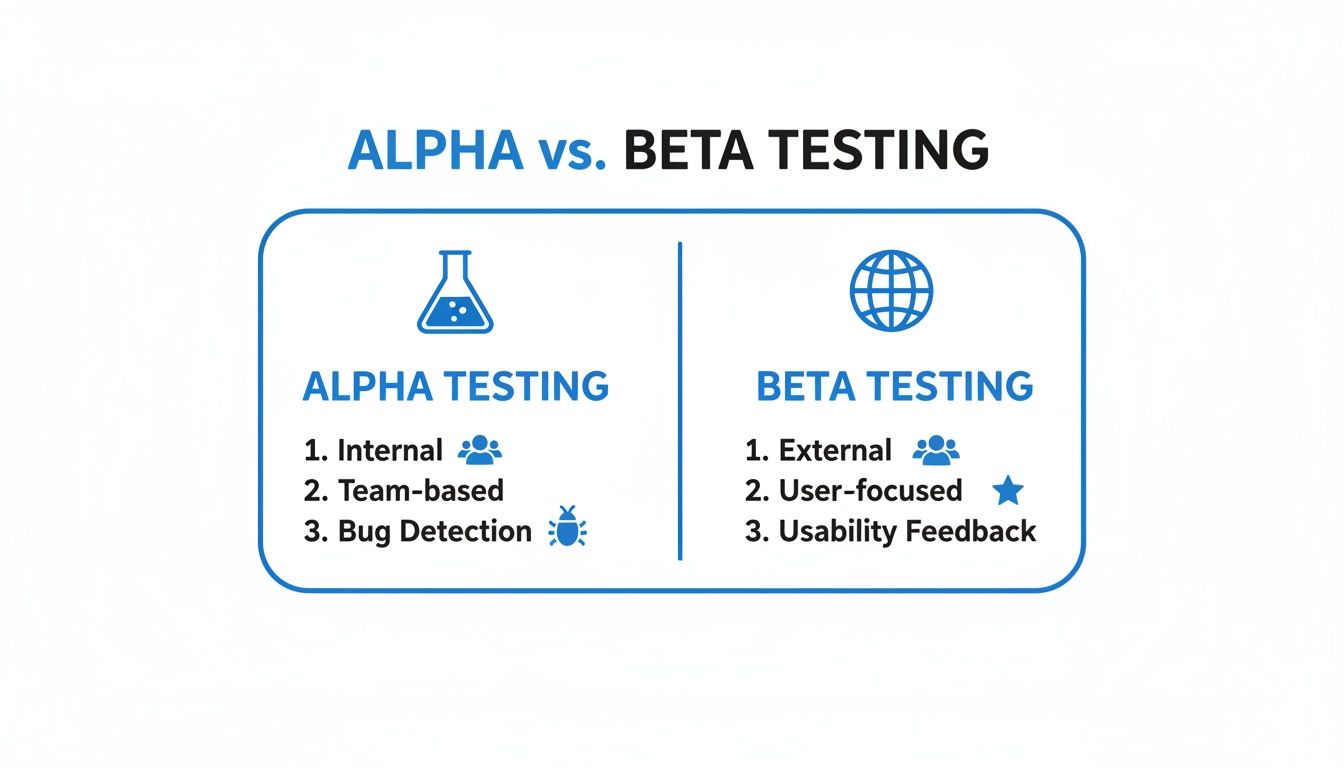
As you can see, alpha testing is all about that internal hunt for bugs, while beta testing is where you bring in outsiders to check on usability.
Preparing the Environment and Test Cases
Having a stable, controlled test environment is absolutely non-negotiable for alpha testing. You want it to be as close to a clone of your production environment as possible. If it's not, your test results won't be reliable. I'm talking same server configurations, databases, and network settings.
With your environment ready, you need some structured test cases. Sure, a little bit of just messing around with the product is great, but having a set of detailed test cases ensures you cover all the critical paths a user might take. Good test cases will spell out the steps, what you expect to happen, and what data to use. If you want some expert guidance, we've got a whole guide on how to write test cases that actually work.
One last thing—don't let feedback get lost in endless email chains or messy spreadsheets. Set up a streamlined feedback loop with a central tool where testers can log bugs, drop in screenshots, and track the status of their reports. This makes sure every single piece of feedback gets captured, prioritized, and turned into something the dev team can actually work on. Trust me, it paves the way for a much smoother beta test.
Kicking Off a Successful Beta Testing Program
Alright, so your software has survived the internal gauntlet of alpha testing. Now it's time for its first real-world audition. This is where beta testing steps in, that make-or-break moment when you hand your nearly-finished product over to actual users. Nailing this program is the difference between launching with a standing ovation and getting hit with a wave of unexpected bug reports.
A great beta program is so much more than a simple bug hunt. Think of it as your golden opportunity to get unfiltered feedback on usability, performance, and whether people actually like using your product. It shows you how your software holds up under the messy, unpredictable conditions of real life—something no sterile lab environment can ever truly simulate.
And it's not just us saying it; the industry puts its money where its mouth is. The global Beta Testing Software Market was valued at $2 billion and is expected to hit $3.9 billion by 2035. With over 92% of software companies running at least two beta cycles for every release, it’s pretty clear this isn't just a "nice-to-have" step anymore.
Finding and Grouping Your Beta Testers
Let's be blunt: the quality of your beta test comes down to the quality of your testers. You absolutely need participants who fit your ideal customer profiles. Recruiting a bunch of random people will get you random, generic feedback. You need the folks whose problems your product was built to solve.
A great place to start is with clear and straightforward dedicated beta tester signup forms. This is your first filter, helping you screen applicants based on their background, tech-savviness, and how they plan to use your product.
Once you’ve got a pool of candidates, don't just throw them all in together. Segment them into groups so you can test specific features with the right people.
Power Users: Find the people who will push your software to its absolute limits. They’re the ones who will dig into advanced features and complex workflows.
Newbies: You need beginners to test your onboarding flow and how intuitive your product is right out of the box. Their confusion is your roadmap for a better UI.
Specific Demographics: If you're building for a niche industry or a specific role (like accountants or project managers), make sure you have testers from that exact world.
Open Beta vs. Closed Beta: What's the Right Call?
One of the big decisions you'll face is whether to run an open or closed beta. They each serve a completely different purpose, and your choice really depends on what you want to achieve.
Closed BetaA closed beta is an exclusive, invite-only affair with a small, hand-picked crew of testers. This approach is perfect when you need deep, high-quality feedback on certain features or when your product isn't quite ready for primetime. It creates a controlled space where you can work closely with a dedicated group.
Open BetaOn the flip side, an open beta is a free-for-all. Anyone can sign up and jump in. This is fantastic for stress-testing your servers, finding those weird bugs that only show up at scale, and building some pre-launch hype. Just be ready for a firehose of feedback, and not all of it will be useful.
Think of it this way: a closed beta is like a focused workshop with a handful of experts. An open beta is like throwing the doors open for a public preview. One gives you depth, the other gives you breadth.
No matter which path you take, managing expectations is everything. Be crystal clear about the purpose of the test, how long it's going to run, and exactly what kind of feedback you're hoping to get. This keeps your testers engaged and focused on providing the insights you actually need.
How to Collect and Manage Feedback Without Losing Your Mind
Honestly, the biggest headache in any beta test is dealing with the avalanche of feedback. Without a solid system, amazing insights get buried in messy spreadsheets, endless email threads, and chaotic Slack channels. This is where modern feedback tools become your best friend.
Instead of making testers write a novel describing every little issue, give them tools that make it easy. A visual feedback platform lets users just click on any part of your website or app and drop a comment right there.
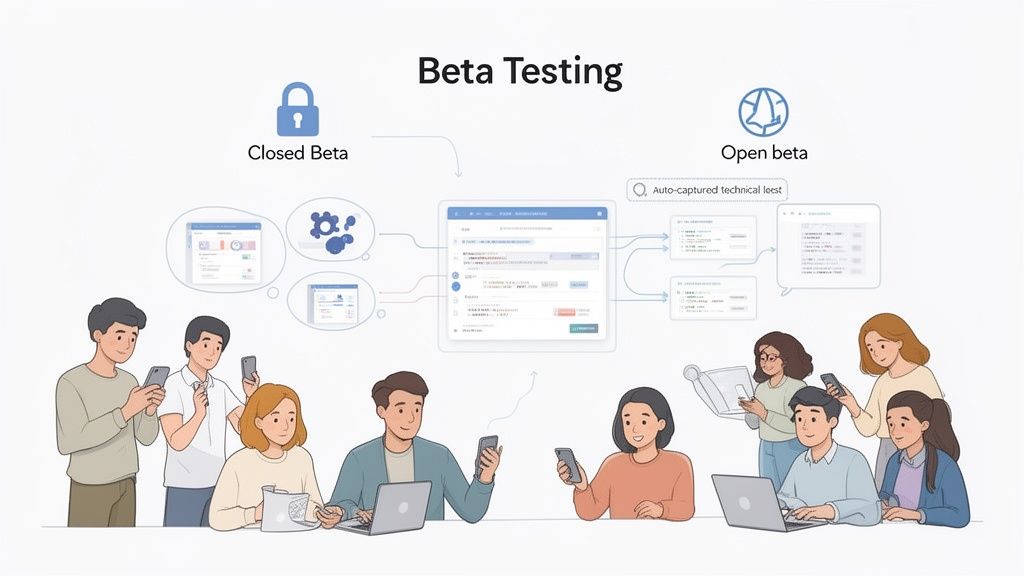
This screenshot shows just how much easier it is when testers can give contextual feedback, leaving no room for confusion.
This one simple change turns messy, unstructured opinions into clean, developer-ready tasks. The best tools even automatically grab all the critical technical details with every piece of feedback, including:
Screenshots: A visual snapshot of exactly what the user was looking at.
Browser and OS Info: Helps your devs reproduce bugs in different environments without guesswork.
Screen Resolution: Catches those annoying UI bugs that only appear on certain screen sizes.
By automating the data capture, you let your testers focus on giving great feedback instead of filling out tedious forms. And you give your dev team the precise info they need to squash bugs fast. If you want to dive deeper, check out our guide on the 12 best bug tracking tools for dev teams. A well-oiled beta test is what gives your product that final layer of polish it needs to truly shine at launch.
Common Mistakes to Avoid in Your Testing Cycles
Even the most meticulously planned testing cycle can go off the rails. I’ve seen it happen. A few common, easy-to-make mistakes can derail the whole process, leading to wasted time, frustrated testers, and feedback that’s just not useful.
The number one culprit? Kicking things off without a clear goal. If you don't know what you’re trying to achieve—like "validate the new checkout workflow" or "stress-test server performance with 100 simultaneous users"—your testing is just a shot in the dark. Testers won't know where to focus, and you'll be left digging through a mountain of irrelevant comments.
Choosing the Wrong Participants
Another classic blunder is picking the wrong people for the job. This happens in both alpha and beta phases, believe me. During alpha testing, a huge mistake is relying only on the developers who actually built the feature. They’re too close to it. They know the "happy path" by heart and are far less likely to stumble upon the weird, unexpected ways a real user might break things.
Then comes beta testing, where the mistake is often casting the net too wide and grabbing anyone who says yes. If your product is a complex tool for enterprise accountants, getting feedback from college students is pretty much useless. The quality of your feedback is a direct reflection of how well your testers match your real-life customers.
Here’s a quick cheat sheet on who to get and who to avoid:
Avoid: For alpha testing, don’t only use your core development team. Their deep technical knowledge creates blind spots when it comes to the actual user experience.
Recruit: Instead, bring in a mix of internal folks for alpha. Think QA, product managers, and even people from sales or support who spend all day talking to customers.
Avoid: For beta testing, stay away from a generic, untargeted group. Their feedback just won't hit the mark.
Recruit: Hand-pick beta testers who are a perfect match for your target user personas. Screen them carefully to make sure they can give you the high-quality insights you need.
Failing to Guide and Communicate
You can't just throw a product at someone and expect amazing feedback to magically appear. A lack of clear guidance is a surefire way to get disengaged testers. You have to give them clear instructions, tell them what you want them to test, and provide a super simple way to submit feedback. If reporting a bug feels like a chore, most people just won't bother.
The absolute worst thing you can do is fail to communicate after someone gives you feedback. When testers report bugs and then hear crickets, they feel ignored and lose all motivation. Just acknowledging their input is a huge step in keeping them engaged.
This brings us to the ultimate mistake: ignoring or completely mismanaging the feedback you worked so hard to get. When bug reports and feature ideas get lost in messy spreadsheets or endless email chains, you're not just losing valuable data—you're disrespecting your testers' time. A central place to manage all this feedback isn't a nice-to-have; it's essential.
Using a tool where testers can report issues visually and see the status of their tickets turns a chaotic mess into a well-oiled machine. It guarantees every piece of feedback gets seen and acted on, ensuring your testing cycles actually deliver the value they're supposed to.
A Few Common Questions About Testing
When you're diving into the world of alpha and beta testing, a few questions always seem to pop up. Getting these sorted out early on can save you a world of headaches and help you nail your launch strategy. Let's tackle some of the big ones.
How Long Should This Take?
Honestly, there's no magic number here. The right timeline really depends on how complex your product is.
As a general rule of thumb, a good, focused alpha test should take about one to two weeks. That’s usually enough time for your internal team to find and crush any glaring, show-stopping bugs and make sure the thing is actually stable.
Beta tests, on the other hand, are a different beast. You should plan for a much longer runway, anywhere from two to eight weeks. You need that extra time to get solid, real-world feedback from a wide range of people. This gives you enough data to spot trends and make changes that matter before the big launch.
My advice? Don't get too hung up on a rigid timeline. It's way better to set clear goals. For example, aim to squash a certain number of critical bugs or hit a target user satisfaction score. Once you hit those goals, you're done.
Can I Just Skip Alpha and Go Straight to Beta?
Look, I get the temptation. You want to move fast. But skipping your alpha test is a massive gamble, and I’d strongly advise against it. Think of the alpha phase as your internal quality check—it’s where you make sure your product is even usable before putting it in front of real customers.
If you throw a buggy, unstable mess at your first beta testers, you're setting yourself up for failure. It leaves a terrible first impression and leads to frustrated users who can't get past the basic glitches. Their feedback will be all over the place and pretty much useless. A solid alpha test is the foundation for a great beta test.
What’s the Difference Between a Beta Test and a Soft Launch?
This is a big one, and people mix them up all the time. But their goals are completely different.
Beta testing is all about product refinement. It’s a pre-launch phase where you invite a select group of users to find bugs and help you make the product better. It's all about fixing the product itself.
A soft launch, however, is when you release the finished product to a limited market, like a specific city or country. The goal here isn't to find bugs; it's to test the market. You're checking things like server load, how your marketing message lands, and your overall go-to-market strategy before you roll it out everywhere.
Bottom line: Beta testing fixes the product. A soft launch tests the market.
Ready to stop juggling messy spreadsheets and endless email threads for feedback? Beep makes it easy for your testers to report issues directly on your live website. See how you can capture actionable, developer-ready feedback in seconds at https://www.justbeepit.com.
From my experience, skipping proper alpha testing always comes back to bite you. We once rushed into beta, and users found basic bugs we should’ve caught internally. Now I treat alpha like a strict quality filter and beta as a reality check. It reminds me of reading Avanquest before trying software, you want both internal confidence and real user perspective. That combination is what actually makes a launch feel smooth and not stressful for everyone involved.