
.png)
How to Write Test Cases That Actually Work

Writing a test case isn't just about listing steps. It's about taking a vague requirement and turning it into a concrete, verifiable checklist. You need to clearly define the scope, detail the setup (preconditions), write out painfully clear and actionable steps, and then state the exact expected result. Get this right, and anyone on your team can run the test and get the same, consistent outcome.
Why Effective Test Cases Are Your QA Secret Weapon
Let's get real for a second. A great test case is so much more than a to-do list for a tester; it's the absolute backbone of a successful software project. I like to think of it as a contract that defines what "working" actually means for everyone involved. It’s a powerful communication tool that gets developers, QA analysts, product managers, and even business stakeholders all on the same page.
When you craft them well, these documents are your first line of defense against costly bugs escaping into production. They build confidence and trust in your software, making sure every feature behaves exactly as you promised it would.
The Foundation of Quality and Clarity
The whole point of a test case is to kill ambiguity. Vague instructions lead to sloppy testing and missed bugs—it's that simple. By documenting everything from the initial state (preconditions) to the final, expected outcome, you create a process that’s repeatable and reliable. Trust me, this clarity saves countless hours of back-and-forth between team members trying to reproduce a bug or just understand what a feature is supposed to do.
To pull this off, every test case should be built on a few core ideas:
Clarity: Use simple, direct language. Anyone, regardless of their technical chops, should be able to understand it.
Atomicity: Each test case should ideally check one single piece of functionality. Don't try to boil the ocean in one test.
Traceability: It needs to link directly back to a specific requirement, user story, or acceptance criterion. No exceptions.
Reusability: A well-written test case becomes an invaluable asset for regression testing in future sprints.
This structured approach is a huge part of mastering the quality assurance process, as it sets a clear standard for the entire team.
This simple flow shows the basic lifecycle of creating test cases, from initial planning all the way to final review.
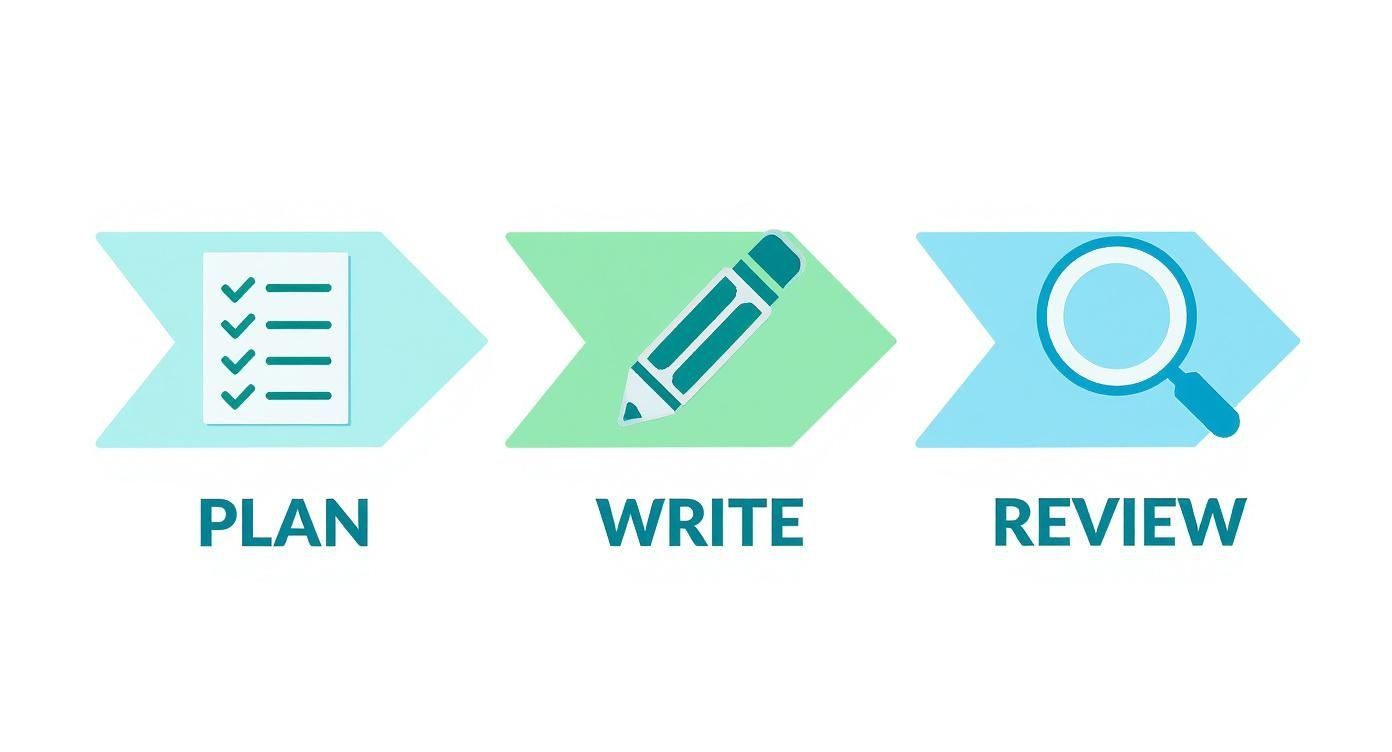
It’s a good reminder that the "writing" part is just one piece of the puzzle. Solid planning and a tough review process are just as important for creating tests that actually work.
A Pillar of Modern Software Development
Even with automation taking over, the skill of writing a clear manual test case is as critical as ever. The global software testing market is projected to hit $109.5 billion by 2027, and it's telling that a solid two-thirds of development companies still run a 75:25 or 50:50 split between manual and automated tests. This proves that human-driven, well-documented manual testing is still at the heart of quality assurance.
A test case isn't just a set of instructions; it's a story about how a user interacts with your product. A good story is clear, concise, and has a definitive ending—the expected result.
Before we jump into the nitty-gritty of how to write these, it helps to understand what goes into one. The table below breaks down the anatomy of a standard test case, giving you a quick reference for the key elements we’re about to dive into.
Core Components of an Effective Test Case
Component | Purpose | Example Snippet |
|---|---|---|
Test Case ID | A unique identifier for tracking and reporting. | |
Title | A short, descriptive summary of the test's objective. | Verify successful login with valid credentials |
Preconditions | The state the system must be in before the test begins. | User must be on the login page. User account must exist. |
Steps | A clear, numbered sequence of actions to perform. | 1. Enter valid email. 2. Enter valid password. 3. Click 'Login'. |
Expected Result | The precise outcome of a successful test execution. | User is redirected to the dashboard page. |
Priority | The test's level of importance (e.g., High, Medium, Low). | High |
Traceability | A link back to the requirement or user story being tested. | or |
Think of this table as your cheat sheet. As we go through the next sections, you'll see how each of these components comes together to form a powerful, unambiguous testing tool.
Deconstructing a High-Impact Test Case
A great test case is way more than just a list of instructions; it’s a carefully crafted document where every single piece has a job to do. Once you understand this anatomy, you'll know how to write test cases that are clear, effective, and dead simple for anyone on your team to pick up and run.
Let's break down each element using a classic scenario: testing a user login feature.
Start With a Unique Identity and a Clear Title
Every test case needs a unique Test Case ID. This isn't just for keeping things tidy; it's absolutely critical for traceability and reporting down the line. A simple, logical format like works wonders. Anyone can see it’s a test case () for the login feature () and the first one in the series ().
Next up is the Title. This needs to be a short, punchy summary of what the test is supposed to do. It's the first thing anyone reads, so it has to be instantly understandable.
Bad Title: Login Test
Good Title: Verify successful login with valid user credentials
See the difference? The second one tells you exactly what the test is validating, no explanation needed. It sets a clear goal right from the get-go.
Define the Playing Field With Preconditions
Preconditions are the specific things that must be true before the test even begins. I've seen so many tests fail not because of a bug, but because the setup was wrong. Skipping this step is one of the most common mistakes, and it leads to a ton of wasted time. Preconditions get rid of the guesswork.
For our login test, the preconditions would be crystal clear:
The user must be on the application's login page.
A user account with the email and password must exist in the database.
The user's account status must be 'Active'.
Without these, a tester might try to use a random account or test from the wrong page, making the whole effort pointless.
A test case without clear preconditions is like a science experiment without a controlled environment. The results will be unreliable, and you'll spend more time debugging the test itself than the software.
Write Steps and Results With Precision
The Test Steps and Expected Results are the heart and soul of your test case. This is where clarity and precision are everything. Each step should be a single, straightforward action, and its corresponding result should describe the exact, observable outcome.
You have to write it as if you're giving instructions to someone who has never laid eyes on your application before. There should be zero room for interpretation.
Let's see how this looks for our login scenario.
Step | Action | Expected Result |
|---|---|---|
1 | Navigate to the login page. | The login page with email and password fields is displayed. |
2 | Enter into the email field. | The email address is visible in the field. |
3 | Enter into the password field. | The password is masked with dots or asterisks. |
4 | Click the "Log In" button. | The user is successfully redirected to the dashboard page (). A success message, "Welcome back, Tester!" is displayed. |
Notice how the expected result for step 4 isn't just "user logs in." It specifies where the user should land and what they should see. That level of detail kills any ambiguity. For teams looking to keep this structure consistent, using a good bug testing template can really help enforce this kind of precision.
Finalize With Priority and Traceability
Finally, every test case needs context within the bigger picture. Priority helps the team figure out what to test first, especially when you're short on time. Is this a critical, show-stopping feature or a minor cosmetic check? Our login test would obviously be High Priority, since it blocks pretty much everything else.
Traceability is what connects the test case back to its origin, which is usually a requirement or user story. By linking back to a user story like , you create a perfect audit trail. This makes sure every requirement has test coverage and helps stakeholders see exactly how quality is being measured against the project's goals. This final link turns a simple checklist into a vital piece of project documentation.
Designing Tests That Actually Find Bugs
Look, writing a test case is one thing. But designing it to be a bug-finding machine? That’s another skill entirely. A smart test design strategy is what separates simply checking off requirements from actively hunting for weaknesses in the system. When you use the right techniques, you can get way better test coverage with fewer, more powerful test cases.
This isn't about writing more tests—it's about writing smarter ones. These methods help you systematically sniff out the high-risk areas where bugs love to hide, making sure your testing effort is focused and efficient. The goal here is to move beyond the "happy path" and start thinking like a user who will inevitably do something unexpected.
A good test management tool gives you a dashboard view like this, which is crucial for organizing your test suites and tracking progress at a glance.
Keeping things structured like this is key, especially once you start building out tests using the techniques we're about to cover.
Using Equivalence Partitioning and Boundary Value Analysis
Let's kick things off with two powerful techniques that are basically best friends: Equivalence Partitioning and Boundary Value Analysis (BVA). They are absolute gold for testing input fields, especially anything involving numbers.
Imagine you're testing an age verification field that accepts ages from 18 to 65. Instead of testing every single number (please don't do that), Equivalence Partitioning lets you group them into logical sets or "partitions."
Valid Partition: Any age from 18 to 65.
Invalid Partition 1: Any age less than 18.
Invalid Partition 2: Any age greater than 65.
You just need to pick one value from each partition (say, 35, 12, and 70) to represent the entire group. Boom. You've just slashed the number of tests you need to run.
Boundary Value Analysis takes this a step further. It zeroes in on the "edges" or boundaries of these partitions, which is exactly where developers tend to make mistakes. For our age field (18-65), the boundaries are 18 and 65. BVA tells us to test these values directly, plus the numbers immediately on either side.
Values to Test: 17, 18, 19 and 64, 65, 66.
Combine these two methods, and you've got a small but mighty set of test cases that hit the most likely failure points without any redundant checks.
Navigating Complexity with Decision Table Testing
When you’re staring down a feature with multiple conditions that lead to different outcomes, things can get messy fast. Decision Table Testing is a lifesaver for taming these complex business rules. It’s a super systematic way to make sure you've covered every possible combination.
Think about an e-commerce site offering a discount. The rules might be:
If a user is a new customer, they get a 15% discount.
If a user is a loyalty member, they get a 20% discount.
If a user applies a promo code, they get an additional $5 off.
A decision table maps out all these conditions and their resulting actions, making sure no combination falls through the cracks. It forces you to think through every scenario, often uncovering gaps in the requirements that would have become bugs later. It’s also a fantastic tool for explaining complex logic to developers and stakeholders. And as you find issues in these complex scenarios, using one of the best bug tracking tools for dev teams becomes essential to keep everything straight.
Mapping User Journeys with State Transition Testing
Some parts of an application change their behavior based on their current "state." A user account, for instance, can be in states like 'Unverified,' 'Active,' 'Suspended,' or 'Closed.' State Transition Testing helps you map out all the valid (and invalid) ways a user can move between these states.
This technique basically involves drawing a diagram to visualize the flow. From there, you can write test cases to check each transition.
Valid Transition: Can a user go from 'Unverified' to 'Active' by clicking the verification link in an email?
Invalid Transition: Can a user jump directly from 'Suspended' to 'Active' without an admin getting involved?
Think of State Transition Testing as creating a map of your feature's lifecycle. It ensures that users can only travel on the approved roads and prevents them from getting stuck in a dead end or taking a forbidden shortcut.
This is especially handy for testing things like e-commerce order statuses (Pending -> Processing -> Shipped -> Delivered) or subscription models. It’s all about the journey.
Writing for People, Not Just for Machines

It’s easy to get lost in the technical details, but let’s be honest: a test case is useless if another human can't understand it. We get so caught up in mapping out logic and covering requirements that we forget who we’re actually writing for. A test case isn't just a script for an automation tool; it’s a crucial piece of communication for developers, fellow testers, and even product managers.
The real goal here is to eliminate friction. If a developer has to spend ten minutes trying to figure out your steps or guessing what "it doesn't work" means, you've just wasted everyone's time. Great test cases are written with empathy for the person at the other end.
Embrace Simplicity and Clarity
The single best piece of advice I ever got on writing test cases was this: write as if you’re explaining it to someone who has never seen the application before. This simple shift in mindset forces you to ditch the jargon, drop the assumptions, and keep your language clean.
Use a simple, active voice. Don't write "The user's profile information should be verified." Instead, write "Verify the user's profile information." It's direct, actionable, and leaves no room for interpretation. Each step should be one, single, focused action.
Avoid Vague Language: Swap out phrases like "check the user profile" for specific instructions, like "Confirm the user's first name, last name, and email address display correctly on the profile page."
Be Concise: A test case is a technical instruction manual, not a novel. Cut every word that doesn't add value.
Keep It Focused: If your test case starts getting long and complicated, that’s a huge red flag. You’re probably trying to test too many things at once. Break it down into smaller, more focused tests.
Clarity is non-negotiable, especially with the pressures modern teams face. According to Katalon’s full 2025 testing report, a staggering 82% of teams still perform manual testing daily. Their biggest roadblocks? Not enough time (55%) and crushing workloads (44%), both of which are recipes for rushed, unclear documentation.
The Power of Visual Communication
Words can be tricky and ambiguous. A picture, on the other hand, is proof. One of the most effective ways I've found to improve clarity and speed up bug resolution is to embed visuals directly into test cases and bug reports. A developer can replicate an issue in a fraction of the time with an annotated screenshot versus a wall of text.
A screenshot with a big red arrow pointing to a broken UI element is worth a thousand words. It instantly vaporizes any guesswork and gets the entire team focused on the actual problem.
This is exactly what modern feedback tools are built for. With a platform like Beep, for instance, you can drop comments directly onto a live webpage. It automatically captures a screenshot with all your notes attached. This visual evidence becomes part of the test result, making bug reports ridiculously clear and actionable. It’s a simple change that drastically cuts down on the back-and-forth between QA and developers.
Institute a Peer Review Checklist
So, how do you make sure everyone on the team maintains this high standard of clarity? You build a system for it. A peer review process for test cases is a fantastic way to enforce quality and consistency across the board. Before any test suite goes live, another team member gives it a once-over against a simple checklist.
This isn't about calling out mistakes; it’s about collaboration. It’s a safety net. A fresh pair of eyes can instantly spot assumptions or ambiguous phrasing that the original author might have completely missed.
Test Case Review Checklist
A simple review cycle ensures every test case your team produces is clear, consistent, and ready for anyone to execute. Here's a basic checklist to get you started.
Checklist Item | Pass/Fail | Comments |
|---|---|---|
Is the title clear and descriptive? | ||
Are the preconditions specific and complete? | ||
Are the steps atomic and easy to follow? | ||
Is the expected result precise and unambiguous? | ||
Is the test case free of jargon and assumptions? |
By having a teammate run through these questions, you catch potential confusion before it ever leaves the QA team. This small investment of time upfront pays off big time in the long run.
Common Test Case Mistakes and How to Fix Them

Knowing how to write a test case is one thing. Recognizing the classic mistakes that even seasoned testers make is another entirely. I've seen it a hundred times, especially when deadlines are looming and the pressure is on.
The trick is to catch these bad habits early. These aren't just small slip-ups; they're the kind of errors that cause missed bugs, wasted developer cycles, and endless back-and-forth. Let's walk through the most common pitfalls I see and, more importantly, how to sidestep them.
Mistake 1 Vague and Unclear Language
This is hands-down the most destructive mistake you can make. When a test step says "verify user profile" or the expected result is "should work correctly," it's completely useless. It forces the person running the test to guess what you meant, which defeats the entire purpose of writing the test case in the first place.
Every single step needs to be a crystal-clear instruction. A new hire should be able to pick it up and execute it flawlessly without having to ask a single clarifying question.
Before:
Step: Check the login functionality.
Expected Result: The user should be logged in.
After:
Step 4: Click the "Log In" button.
Expected Result: The user is redirected to the dashboard page (), and a success message, "Welcome back!" is displayed in the top-right corner.
See the difference? Specificity is everything.
Mistake 2 Forgetting Preconditions
A test case without preconditions is like trying to follow a recipe that starts on step three. Preconditions set the stage; they define the exact state the system needs to be in before you even start the test.
When you skip this part, tests fail for the wrong reasons. A test might fail not because there's a bug, but because the setup was incorrect. This leads to false alarms and sends developers on a wild goose chase.
Think of preconditions as the "Given" in a "Given-When-Then" scenario. Without a stable starting point, the "When" and "Then" become unreliable and meaningless.
For example, you can't test a "change password" feature unless a user is already logged in. That's a critical precondition. If you don't state it, the tester might be starting from a logged-out state, unable to even begin the steps you've laid out.
Mistake 3 Overly Broad Test Cases
I call this the "kitchen sink" approach—cramming tests for multiple features into one giant, rambling test case. These novel-length tests are a nightmare to run, a bigger nightmare to debug, and impossible to maintain.
If a 25-step test fails on step 12, good luck figuring out the root cause quickly.
Each test case needs to be atomic, testing just one specific piece of functionality. This makes diagnosing failures a breeze and makes your tests way more reusable for regression suites down the road.
Before:
Title: Verify user registration, login, and profile update.
After:
: Verify successful user registration with valid data.
: Verify successful login with valid credentials.
: Verify user can successfully update their first name.
Breaking down a behemoth test into smaller, focused ones is a foundational skill. It feels like more work at the start, I get it. But trust me, it pays for itself tenfold in clarity and easy maintenance later.
Got Questions About Writing Test Cases?
Alright, let's talk about some of the questions that always come up when you start writing test cases. It's one thing to know the theory, but it’s a whole different ball game when you're actually on a project, deadlines are looming, and the requirements document is… well, let's just say "a living document."
I've been there. Let's clear up some of the common sticking points so you can write test cases with confidence.
How Much Detail Is Too Much Detail?
Ah, the classic balancing act. You need enough detail for a new team member to run the test without any hand-holding, but you don't want to write a novel for a simple login check. The goal is always clarity over word count.
My rule of thumb? Write it for someone who knows the project basics but has never seen this specific feature. If they could possibly misinterpret a step, you need to add a bit more context.
Too Vague: "Verify the search results." (This tells me nothing.)
Just Right: "Verify that searching for 'blue shoes' displays at least three products, each showing an image, name, and price." (Perfect. I know exactly what to check for.)
Way Too Much: "Verify that the search results for 'blue shoes' display three products in a grid, with 16px of padding between each item, and the price is shown in a bold, 14pt font..."
Unless you're specifically testing the UI design down to the pixel, the "Just Right" example is the sweet spot. It confirms the core function works without getting lost in the weeds.
Functional vs. Non-Functional: What’s the Difference?
This one trips up a lot of people, but it’s pretty simple when you break it down. Think of it like this:
Functional Testing is all about what the system does. Does the feature work as expected? Can a user log in with the right password? It’s all about the feature's behavior.
Non-Functional Testing is about how the system does it. This is where you get into performance, security, and usability. How fast does the page load? Can a hacker break into an account?
You absolutely need both. What good is a login feature that works perfectly but takes 30 seconds to load the dashboard? Not much.
A functional test makes sure the car starts when you turn the key. A non-functional test makes sure it doesn't take three minutes to crank over and that a stranger can't just open the door.
How Do Test Cases Even Work in Agile Sprints?
Forget writing massive, exhaustive test plans upfront—that’s not how Agile rolls. In a fast-paced sprint, testing has to be just as nimble as development. It's more of a "just-in-time" process that happens collaboratively.
Here’s how I’ve seen it work best on Agile teams:
Start with High-Level Scenarios: In the sprint planning meeting, the QA folks will usually outline the key test scenarios or just beef up the acceptance criteria right inside the user story. No need for a separate document just yet.
Flesh Them Out During the Sprint: While the developers are busy coding, the testers are right there with them, writing the detailed, step-by-step test cases. This parallel work is crucial; it means the tests are ready the moment the feature is.
Focus on the New Stuff: The main priority is always testing the new functionality built in this sprint. All that regression testing for older features? That's what your automated test suite is for, running in the background.
This approach stops testing from becoming that dreaded bottleneck at the end of the sprint and keeps the whole team moving forward together.
Ready to make your feedback crystal clear and cut down on endless meetings? Beep lets you drop comments directly onto your live website, automatically capturing annotated screenshots to show developers exactly what you mean. Ditch the confusing spreadsheets and start delivering better projects, faster. Get started with Beep for free.
Comments