
.png)
A Guide to Cross Functional Team Management

So, what exactly is cross-functional team management?
Think of it as the strategic move of pulling together a dream team of specialists from different corners of your company—like marketing, engineering, and sales—to tackle a specific project. The whole point is to demolish those invisible walls between departments, sparking direct communication and a shared sense of ownership to get things done faster and more creatively.
The Power of a Unified Team

Picture a typical company structure. It's often like a set of parallel train tracks. The marketing track runs right alongside the engineering track, but they rarely, if ever, cross paths. When a project needs both teams, information gets passed back and forth between stations, causing frustrating delays and misunderstandings.
Cross-functional management blows up those separate tracks and builds a central hub where everyone works together from the get-go.
This approach creates a team with a rich, diverse skill set ready to go. Instead of one group handing off their work to the next in a slow, painful sequence, everyone chips in at the same time. It’s no wonder this is becoming the standard. By 2024, a massive 83% of companies worldwide are using cross-functional teams to stay nimble.
The proof is in the pudding: these coordinated teams are roughly 50% more efficient at completing tasks than their siloed counterparts. If you want to dive deeper, you can find more stats on the rise of cross-functional collaboration on blog.9cv9.com.
Key Benefits of This Approach
Getting cross-functional team management right delivers some serious advantages that go way beyond just getting work done faster. It tackles common organizational headaches head-on and helps build a more resilient, forward-thinking culture.
Here are the core benefits I’ve seen time and time again:
Sparks Innovation: When you mix different perspectives—technical, creative, and customer-focused—you get way more creative solutions. An engineer and a marketer brainstorming together will come up with ideas neither could have dreamed up alone.
Supercharges Problem-Solving: With all the experts in one room (or virtual call), problems get spotted and squashed faster. No more waiting around for another department to chime in; the team has the collective brainpower to tackle challenges on the spot.
Boosts Employee Engagement: Giving people a chance to work on projects outside their usual grind helps them learn new skills and see the bigger picture. This sense of purpose and contribution does wonders for morale and engagement.
A cross-functional team isn't about turning everyone into a jack-of-all-trades. It's about assembling a group of specialists who, together, have every skill needed to deliver a complete solution from start to finish.
A Practical Example in Action
Let's say a software company is building a new mobile app feature. In the old world, the product team writes a spec, tosses it over to designers, who then pass mockups to developers, who eventually deliver it to QA testers. Each handoff is a potential disaster waiting to happen.
Now, imagine it with a cross-functional team. You form a single crew with a product manager, a UX designer, two developers, and a QA engineer. They work together from day one.
The designer gets instant feedback from the devs on what's technically possible. The QA engineer points out potential testing nightmares early in the design phase. This tight, collaborative loop practically eliminates rework and ensures the final product is both beautiful and bulletproof, launching faster and with way fewer bugs.
Defining Clear Roles and Responsibilities
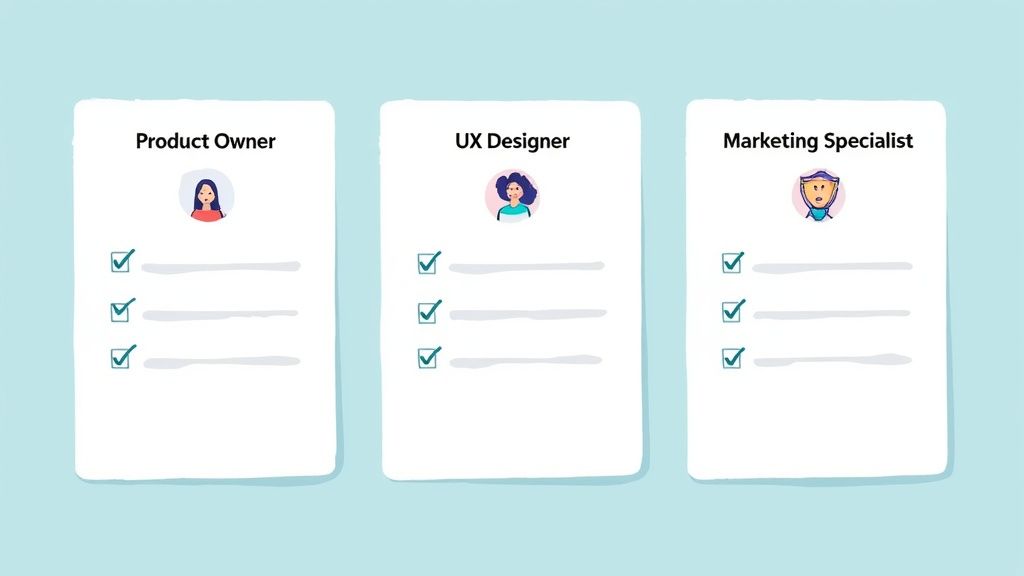
Here’s the fastest way to derail a cross-functional team: ambiguity. When people aren't sure who owns a decision or what they're supposed to contribute, progress grinds to a halt. Trust me, I’ve seen it happen.
To get this right, you need to lay down a rock-solid foundation of clarity from day one. This goes way beyond job titles. It’s about defining specific contributions, decision-making power, and who’s ultimately on the hook for what. When everyone knows how their piece fits into the bigger puzzle, it cuts down on duplicate work, minimizes friction, and lets people truly own their part of the project.
Mapping Out Who Does What
There's a myth that in a cross-functional team, everyone needs to be a jack-of-all-trades. That's just not true. You absolutely need specialists—your brilliant database developer or that seasoned UX researcher—to bring deep expertise to the table. The real trick is balancing these specialists with people who have overlapping skills and can bridge the gaps.
To make sure things run smoothly, you have to get smart with resource allocation strategies across cross-functional teams. This means creating a crystal-clear map of who’s doing what.
For each team member, start by defining three key areas:
Core Contributions: What are the main tasks and deliverables this person is responsible for?
Decision Authority: Where do they get the final say? When do they need to pull others in?
Accountability Metrics: How will we know they’re succeeding in the context of this project?
This simple framework gets everyone on the same page and gives the team a single source of truth to fall back on.
An Accountability Framework That Actually Works
Let's say your team is launching a new marketing landing page. Sounds simple, right? But without clear roles, it can get messy fast. The engineer might assume the designer is handling the final copy, while the marketer thinks the designer is only providing the visuals. Chaos ensues.
A much better approach is to use an accountability framework like RACI (Responsible, Accountable, Consulted, Informed) to map out tasks. For a task like "Finalize SEO Keywords," it would look like this:
Responsible: The Marketing Specialist does the research and proposes the keywords.
Accountable: The Product Owner has the final sign-off. This is the person who ultimately owns the outcome.
Consulted: The Content Writer provides input on how the keywords will fit into the copy.
Informed: The Web Developer is kept in the loop so they know what to implement.
By clearly defining who makes the final call, who does the work, and who just needs to know what’s happening, you kill the guesswork that leads to delays and frustration.
This kind of structure makes sure every critical task has an owner and a process everyone understands.
Key Roles and Responsibilities in a Cross Functional Team
To make this even more concrete, let's break down some of the typical roles you’d find on a product development team. Of course, titles and duties will vary depending on your company, but this table gives you a practical template for setting expectations.
Role Title | Primary Responsibilities | Key Interactions | Success Metrics |
|---|---|---|---|
Product Owner | Defines the project vision, prioritizes the work backlog, and is the voice of the customer and stakeholders. Makes the final call on feature acceptance. | Engineering, UX/UI, Marketing, and Leadership. | Product ROI, user adoption rates, alignment with business goals. |
UX/UI Designer | Creates wireframes, mockups, and prototypes based on user research. Makes sure the product is intuitive and looks great. | Product Owner for vision, Engineering for feasibility, and QA for testing. | User satisfaction scores (CSAT), task completion rates, usability test feedback. |
Lead Engineer | Oversees the technical architecture and development process. Writes and reviews code to ensure it's high-quality and scalable. | Product Owner for requirements, UX/UI for implementation, and QA for bug fixes. | Code quality, sprint velocity, system performance, minimal production bugs. |
Marketing Specialist | Develops the go-to-market strategy, creates promotional materials, and manages campaigns to get the product in front of users. | Product Owner for messaging, UX/UI for brand assets, and Sales for lead generation. | Lead generation, conversion rates, campaign engagement, market share growth. |
With a clear breakdown like this, everyone knows their swim lane and, more importantly, how their work helps the entire team cross the finish line together.
Building Workflows That Actually Work
Great workflows are the engine of any high-performing cross-functional team. If you're still sticking to old-school, rigid, linear processes, you're trying to drive a car that can only turn right down a winding mountain road. It’s slow, it’s frustrating, and sooner or later, you're going to get stuck.
The secret is to ditch those siloed handoffs. Instead of marketing finalizing a plan and just tossing it over the wall to engineering, the best teams use fluid, agile frameworks built for genuine collaboration. Workflows become less of a straight line and more of a continuous loop of communication and feedback, letting the team pivot fast when things change.
Embracing Agile Ceremonies
So, how do you bring this fluid approach to life? Successful teams lean on core agile ceremonies. And no, these aren't just more meetings for the sake of meetings. They're structured touchpoints designed to keep everyone aligned, informed, and—most importantly—unblocked. Nailing these is the difference between just going through the motions and actually building a collaborative spirit.
Here are the essential meetups that power effective teams:
Daily Stand-ups: This is a quick, 15-minute daily huddle. Each person shares what they did yesterday, what they’ll do today, and anything standing in their way. It’s not a status report for a manager; it’s a sync-up for the team.
Sprint Planning: At the start of a work cycle (usually one or two weeks), the team gets together to decide what they can realistically get done. They pull tasks from a prioritized list and commit to delivering a specific chunk of work.
Retrospectives: After a sprint wraps up, the team looks back. What went well? What was a dumpster fire? What can we do better next time? This is how you build a culture of constant improvement and trust.
The whole point of these ceremonies is to make communication a natural, recurring part of the team's rhythm. You're proactively stopping small misunderstandings from snowballing into massive project delays.
A Real-World Workflow Example
Let’s walk through a classic scenario: developing a new software feature. Picture a team with a product manager, a UX designer, two engineers, and a marketing specialist.
Ideation and Planning: It all kicks off in a sprint planning meeting. The product manager presents the feature idea, backed up with user research. The entire team—engineering and marketing included—chimes in on feasibility, potential roadblocks, and why this feature even matters. Getting everyone bought into the "why" from day one is huge.
Design and Prototyping: The UX designer whips up some initial wireframes. But instead of hiding away in a design cave, they share them immediately. The engineers can point out technical issues right away, while the marketer can give input on messaging to make sure the design fits the go-to-market plan.
Development and Iteration: As the engineers start building, they have their daily stand-ups to sync up and clear blockers. If a technical problem pops up that messes with the design, the UX designer is right there to help brainstorm a solution on the spot.
Feedback and Launch Prep: Once there's a version that works, the whole team jumps in to review it. The marketing specialist uses it to write better ad copy and tutorials, while the product manager checks if it actually solves the user's problem. This kind of integrated feedback is way more powerful than some siloed QA check at the end.
To really get these cycles humming, it helps to understand what workflow automation entails and how it can support your team. If you're looking to put this on overdrive, checking out the best workflow automation tools for teams can give you a serious edge.
This whole process creates a transparent, iterative flow where ideas move from one expert to another without friction. It’s not just about moving faster; it's about building a better, more cohesive product because every specialist had a hand in it from start to finish. In fact, a global survey found that about 70% of people professionals now work across functions regularly, a huge shift driven by hybrid work.
Overcoming Common Management Hurdles
While cross-functional teams can be a massive engine for innovation, they come with their own unique set of headaches. Let’s be real: when you bring people together with different priorities, communication styles, and even departmental loyalties, you're bound to create some friction. If you don't get ahead of these issues, they can grind a project to a complete halt.
Leading these teams well means you have to see these hurdles coming and have a game plan ready.
The jump from old-school, siloed departments to a more connected, team-based way of working is a big one. A 2019 global survey found that while 65% of companies see this shift as critical, only a tiny 7% felt ready to actually pull it off. You can read the full research on team-based structures from Deloitte to get the full picture.
That number says it all, doesn't it? There's a huge gap between wanting to work this way and knowing how to do it.
Navigating Conflicting Priorities
One of the biggest struggles I see is that team members are constantly being pulled in different directions. The marketing specialist on your project team still has their day job and regular duties, and the engineer has their own functional team's goals to hit. It’s a constant tug-of-war for their time and focus.
Without a shared compass pointing everyone in the same direction, people will naturally fall back on what they know best: their own department's priorities. This is where you get delays and the feeling that your cross-functional project is always on the back burner.
To fix this, you need one single source of truth for the team's objectives.
Create a Team Charter: This is your foundational document. The whole team builds it together, and it clearly lays out the project's mission, goals, scope, and how you’ll measure success. It’s the thing you point to when anyone feels lost or pulled away.
Align with Departmental Goals: This is a pro-move. Sit down with the other functional managers and find ways to explicitly connect your project’s success to their departmental goals. When a manager sees how your project helps them hit their own targets, they’re way more likely to be your biggest supporter.
This infographic breaks down a simple but powerful workflow to keep everyone aligned through solid planning, daily check-ins, and regular reviews.
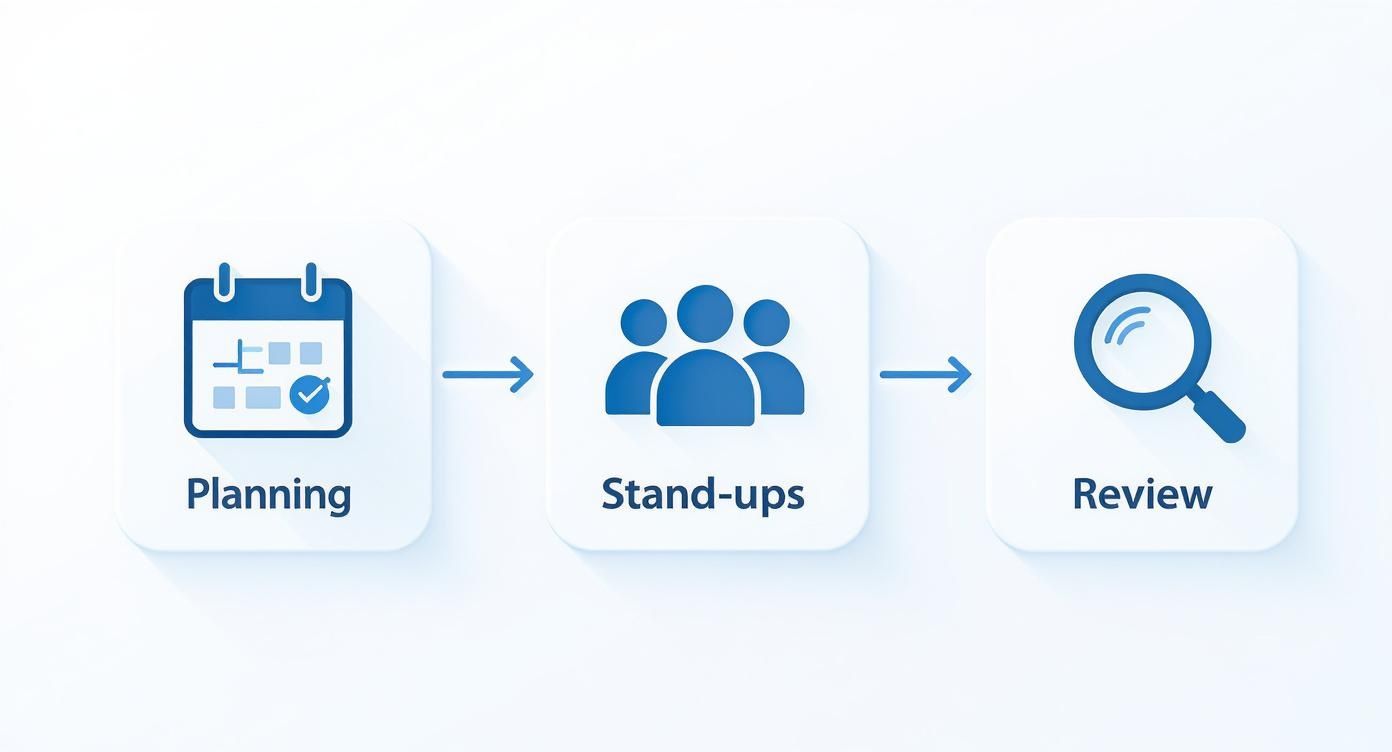
A simple, structured process like this ensures communication is constant and priorities are always being tweaked to keep the team moving forward together.
Dismantling Communication Silos
Good cross-functional management is all about open and consistent communication. Simple as that. The moment information stops flowing freely, trust starts to disappear, and an "us vs. them" mentality sneaks in. Engineers start feeling like marketers don’t get the technical limits, and marketers think the engineers are totally ignoring what users actually want.
These breakdowns are rarely on purpose. They usually come from different professional languages and unspoken assumptions. Trust me, an engineer's definition of "done" can be worlds away from a product manager's.
The most effective cross-functional teams operate on a principle of radical transparency. They over-communicate intentionally, ensuring that everyone has access to the same information at the same time, which builds trust and prevents misunderstandings.
To smash these silos, you need a crystal-clear communication plan:
Establish a Central Hub: Pick one spot for all project talk. Whether it’s Slack, Microsoft Teams, or your project management tool, make it the home base. This stops crucial conversations from getting buried in email chains or private DMs.
Define Communication Norms: Agree on how and when you’ll talk. For example: daily stand-ups are for quick updates, a dedicated Slack channel is for the running commentary, and scheduled meetings are for the big decisions.
Encourage Constructive Conflict: You have to create a safe space where people can disagree openly without it getting personal. Use simple, structured techniques like moderated debates or "fist of five" voting to bring different opinions to the surface and work through them. This turns what could be a nasty conflict into a source for much stronger, well-thought-out solutions.
Choosing the Right Tools for Collaboration
Here's the thing: even the most perfectly aligned cross-functional team will hit a wall without the right tech. The best tools don't just help you get work done; they become the central nervous system for your entire project, making sure information flows freely and everyone stays plugged in.
Your goal is to build a tech stack that smashes silos, not creates new ones. Without that solid digital foundation, you're just asking for miscommunication, duplicated work, and the exact kind of departmental friction you're trying to get away from.
Core Categories of Collaboration Software
You don't need a million different apps, but your toolkit does need to cover the essentials. I've found that the highest-performing teams almost always build their digital workspace around three core pillars.
Project Management Platforms: Think of these as your command center. Tools like Jira, Asana, or Trello are where you map out workflows, hand off tasks, and see how everything is tracking against deadlines. They bring much-needed structure to complex projects with tons of moving parts.
Communication Hubs: This is where the day-to-day chatter happens. Platforms like Slack or Microsoft Teams are non-negotiable for quick check-ins, real-time problem-solving, and just building a sense of team. They pull conversations out of messy email chains and into channels everyone can see. If you want to go deeper, check out our guide on the top asynchronous communication tools for remote teams.
Specialized Feedback and Review Tools: This is the piece that so many teams miss. Your project management tool tracks what needs to be done, but specialized software clarifies the how and why—especially when you're working on something visual or technical. This is where tools built for contextual feedback really shine.
Unifying Feedback with a Single Platform
One of the biggest headaches I see on cross-functional projects is trying to round up feedback. The marketer leaves comments in a Google Doc, the engineer drops a note in a Slack thread, and the product manager replies to an old email. It's pure chaos, and it almost always leads to missed revisions and pointless meetings just to get everyone on the same page.
This is the exact problem platforms like Beep were built to solve. Instead of juggling a dozen different feedback channels, Beep lets everyone drop comments directly onto a live website or web app. The cool part? Every piece of feedback automatically grabs a screenshot, giving you crystal-clear visual context.
A centralized tool for feedback doesn't just save time; it creates a shared reality. When everyone is commenting on and viewing the same visual source, ambiguity disappears, and alignment becomes the default.
This simple shift takes a messy, frustrating process and turns it into a clean, actionable workflow. It guarantees that feedback from every single department is captured, talked about, and tracked in one spot.
A Tactical Example of Streamlined Review
Let's walk through a common scenario: a team is launching a new feature on their website. You've got a product manager, a UX designer, a front-end dev, and a marketing specialist. Without the right tool, the review cycle is a recipe for disaster.
But with a tool like Beep, the whole process looks completely different. The developer pushes the new feature to a staging site and just shares the link.
This visual-first approach kills confusion before it can even start. Every comment is physically tied to a specific element on the page, so everyone immediately understands what's being discussed.
From there, the team members jump in and add their two cents:
The Marketing Specialist clicks the headline and types, "This copy is a bit generic. Can we make it more benefit-driven?" Beep instantly logs the task with a screenshot.
The UX Designer highlights a button and notes, "The color contrast on this CTA doesn't meet accessibility standards." Bam, another task created with visual proof.
The Product Manager finds a small bug in the user flow and reports it directly on the broken element.
All this feedback lands in a single Kanban board right inside Beep. The developer now has a clear, prioritized to-do list where every item has a screenshot and context. They can knock out the changes, resolve the tasks, and ping the team for a final look—all in the same platform.
Even better, these tasks can sync directly to Jira or Asana, plugging right into the team's existing workflow. This is how the right tool tears down silos and creates a powerful, single source of truth for everyone.
Developing Your Cross Functional Leadership
Making a cross-functional team actually work is where the rubber meets the road. It’s one thing to talk about collaboration in a meeting, but it’s another thing entirely to weave it into the fabric of your company's culture. This is where leadership moves from just managing a project to truly championing a new way of working.
The goal isn't just to set up a temporary squad for a single launch. It's about making this collaborative model the new default—your company’s core strategy for tackling any challenge that comes its way. As a leader, your job is to steer that ship, turning a one-off initiative into a permanent competitive edge.
An Actionable Checklist to Get Started
Look, you can't just toss people from marketing, engineering, and sales into a Slack channel and hope for the best. That’s a recipe for chaos. Moving to a cross-functional model needs a plan, a deliberate series of steps to make sure everyone is aligned from day one.
Here’s a simple checklist to get the ball rolling:
Audit Your Current Structure: First, be honest about what’s broken. Where do silos exist? At what point do handoffs consistently fumble? Getting a clear picture of the current communication gaps gives you a starting line.
Co-Create a Shared Vision: Pull in key players from each department and build the mission together. A shared purpose is the glue that holds a diverse team together when things get tough.
Select the Right Tools: Take a hard look at your tech stack. Is there a central place for conversations? A simple way to give visual feedback without endless screenshots? The right tools stop miscommunication before it starts.
Schedule Your First Workshop: Get everyone in the same room (virtual or physical) for a kickoff. Use this time to hash out a team charter, clarify who owns what, and agree on how you'll communicate.
In this kind of setup, your role as a leader is less about directing traffic and more about being a facilitator. Your main job is to clear roadblocks, build psychological safety, and empower the experts you’ve assembled to do their best work.
This hands-on approach lays the groundwork for real collaboration. To build on that, it’s essential to improve collaboration skills for better teamwork across the board. After all, you need everyone equipped with the soft skills to handle different perspectives and priorities. Follow these steps, and you'll be launching a team that's built to last.
Got Questions? We’ve Got Answers.
Even with a solid plan, pulling together a group of specialists from different corners of the company is bound to bring up some tricky situations. It’s totally normal. Here are some of the most common questions I hear and how I’ve learned to handle them.
How Do You Handle a Team Member Prioritizing Departmental Work?
Ah, the classic tug-of-war. This happens all the time. The secret isn't to pull harder, but to make your project’s rope the one everyone wants to pull.
Your best friend here is a rock-solid team charter, something you all create together right at the start. This isn’t just paperwork; it’s your team’s North Star. It needs to clearly spell out the mission and what success looks like.
When you see someone’s focus drifting back to their departmental tasks, don’t make it a confrontation. Just bring it back to the charter. A gentle, "Hey, remember we all agreed this was our top priority?" goes a long way. It’s not about your authority versus their manager's; it's about honoring the commitment everyone made to the team. It also helps to make sure their direct manager is looped in and understands how this project benefits their own department's goals.
What’s the Best Way to Resolve Disagreements Between Experts?
First off, if your experts are disagreeing, it's often a good sign. It means they're passionate and invested. An engineer and a marketer are supposed to have different takes on what’s best for a product—that’s why they’re on the team! The real danger isn’t the conflict itself, but not having a game plan for it.
The goal isn’t to eliminate conflict but to make it productive. You want to create a space where people can hash out ideas without it feeling like a personal attack.
I’ve found that a "disagree and commit" framework works wonders. It’s pretty simple:
Everyone Gets the Floor: Let each expert lay out their case. No interruptions. Just the facts, data, and their experience.
Know the Tie-Breaker: Your team charter should spell out who makes the final call on what. Maybe the Product Owner has the last word on features, for example. This avoids a stalemate.
All In, No Matter What: Once a decision is made, that’s it. Everyone gets behind it 100%, even the people who argued for the other side. This is crucial for moving forward as a single unit and avoiding that "I told you so" vibe later.
How Often Should a Cross Functional Team Meet?
Finding the right meeting rhythm is a balancing act. Too many meetings and everyone gets burned out. Too few, and people start drifting in different directions. You need just enough to stay aligned while leaving plenty of time for actual work.
A schedule that works well for many teams looks something like this:
Daily Stand-ups (15 minutes): Quick, daily check-ins. What did you do yesterday? What are you doing today? Any roadblocks? That’s it.
Weekly Tactical Meetings (1 hour): This is for diving a little deeper. You review progress against the week’s goals and troubleshoot any bigger issues that came up.
Bi-Weekly or Monthly Strategy Sessions: A chance to zoom out. You look at the overall roadmap and make sure what you’re doing day-to-day still lines up with the big-picture business goals.
The golden rule is to make every single meeting count. Every invite needs a clear agenda, an owner, and a list of what you need to walk away with. This discipline is what keeps cross functional team management from turning into a nightmare of endless, pointless video calls. If it can be a quick message or an email, make it one.
Ready to kill the chaotic feedback loops and get everyone on the same page? With Beep, you can gather visual feedback in one place, keep track of tasks without breaking a sweat, and connect with the tools your team already loves. Start streamlining your projects today.
Comments