
.png)
Bug Report Sample: 7 Templates for Clear, Actionable Reports (bug report sample)

A vague bug report costs time, money, and developer morale. A great one, however, is a clear roadmap to a quick fix. This guide moves beyond theory, providing seven actionable bug report sample templates and formats you can implement today. We will break down each sample, offering a strategic analysis of when and how to use them for maximum impact.
This is not just a list; it's a practical toolkit designed for product managers, designers, developers, and marketing teams. You'll gain access to replicable methods for documenting everything from simple UI glitches to complex performance issues. We will cover a range of scenarios:
Basic templates for fast-moving teams.
Advanced formats for accessibility, compliance, and performance reporting.
User-centric reports that provide crucial journey context.
By exploring each bug report sample, you will learn how to create documentation that eliminates ambiguity and accelerates fixes. We'll also demonstrate how integrating tools like Beep for annotated screenshots and screen recordings can streamline collaboration, especially for remote teams. The goal is simple: to help you write reports that get bugs resolved faster, with less back-and-forth communication.
1. Basic Bug Report Template
The foundation of any effective quality assurance (QA) process is a solid, standardized bug report template. This structured format ensures that every critical piece of information is captured consistently, eliminating the back-and-forth that plagues development cycles. Think of it as the universal language between those who find bugs and those who fix them.
A strong basic bug report sample contains essential fields that leave no room for ambiguity. It’s the starting point for clear communication and rapid bug resolution, making it a non-negotiable tool for any software development team. This template is not just a form; it's a strategic asset that streamlines the entire debugging process from discovery to deployment.
Core Components of a Basic Template
A robust bug report template typically includes the following fields, which form the basis for platforms like Jira and tools like Beep:
Title: A concise, clear summary of the issue (e.g., "Login button unresponsive on Chrome for macOS").
Environment: Details about the user's setup, including browser version, operating system, and screen resolution.
Steps to Reproduce: A numbered list detailing the exact actions to trigger the bug.
Expected Result: What should have happened.
Actual Result: What actually happened.
Severity/Priority: An assessment of the bug's impact on the user and business.
Attachments: Screenshots, screen recordings, or log files.
Why This Template is Essential
This standardized approach ensures every bug report is immediately actionable. Developers receive all the context they need in one place, which drastically reduces the time spent trying to replicate the issue. The clarity it provides prevents misunderstandings and allows teams to prioritize fixes more effectively.
For instance, when a tester uses Beep to capture a visual bug, the tool can automatically populate environment details. By annotating a screenshot directly on the website, the tester provides undeniable visual proof. This annotated image, combined with the structured data from the template, creates a comprehensive and easy-to-understand bug report sample that integrates directly into a Jira or Trello workflow. This seamless integration transforms a simple report into a powerful, actionable ticket.
2. Detailed Bug Report Format with Visual Documentation
Moving beyond basic text, this enhanced format integrates mandatory visual evidence directly into the bug reporting process. This approach combines traditional written details with powerful, annotated screenshots and screen recordings to eliminate ambiguity. It’s built on the principle that showing the problem is often faster and more effective than just describing it.
This visually-driven bug report sample is crucial for issues where context is everything, such as UI misalignments, design inconsistencies, or complex user flows. By making visual proof a standard component, teams can accelerate comprehension and reduce the time developers spend trying to decipher bug descriptions. It transforms a bug report from a set of instructions into a clear, visual story of what went wrong.
Core Components of a Detailed Visual Report
This format builds upon the basic template by making visual documentation a central, non-negotiable element. Platforms like Beep are designed to streamline this process:
Annotated Screenshot: The primary piece of evidence. This is not just any screenshot; it includes arrows, circles, text, and highlights to pinpoint the exact location of the bug.
Screen Recording: A video showing the user flow leading to the bug. This is invaluable for dynamic or interaction-based issues that a static image cannot capture.
Console Logs: Automatically captured alongside visual evidence to provide technical context for developers.
Technical Metadata: System information like OS, browser version, and screen resolution, often captured automatically by tools like Beep.
Integrated Task: The visual report itself becomes a task in a project management tool (e.g., Jira, Trello, Asana), with all visual context attached.
Why This Template is Essential
A visual-first approach removes guesswork. When a product manager uses Beep to report a bug, they can add comments directly on the webpage, and the tool automatically captures the screen with all its annotations. This creates an undeniable record of the issue from the user's perspective, instantly clarifying what needs to be fixed.
This method is especially powerful for distributed teams, where clear, asynchronous communication is key. Integrating Beep with Slack allows a team member to share a visual bug report instantly, creating a notification that links directly to a detailed, actionable ticket. To get the most out of this, master the techniques of visual communication by exploring a complete guide to screen capture and annotation.
3. Severity and Priority Matrix Bug Report
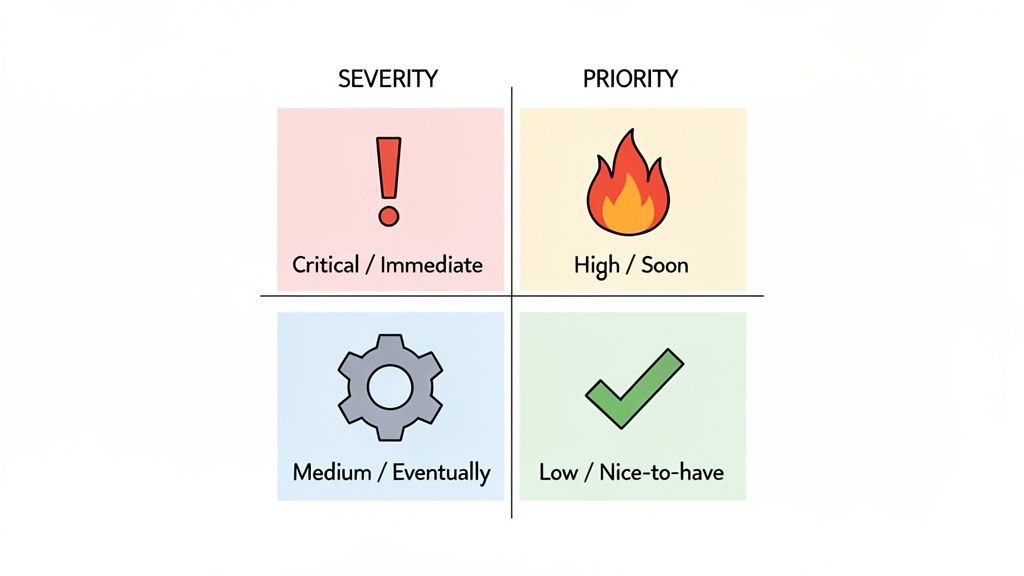
Moving beyond a basic template, a Severity and Priority Matrix bug report introduces a strategic layer of categorization. This system helps teams differentiate between a bug's technical impact (severity) and its urgency for the business (priority). It provides a dual-axis framework for evaluating issues, ensuring that development resources are allocated to what matters most, rather than just what broke most dramatically.
This structured approach transforms bug triage from a subjective discussion into an objective process. By clearly defining what constitutes a "Critical" versus a "Low" severity issue, teams can make faster, more consistent decisions. This level of organization is crucial for maintaining development velocity and aligning engineering efforts with business goals, making it an indispensable bug report sample for growing teams.
Core Components of a Matrix-Based Report
This report builds upon the basic template by adding two crucial, distinct fields. Leading platforms like Atlassian Jira and Microsoft Azure DevOps rely on this distinction to drive their entire workflow logic.
Severity: Measures the technical impact of the bug on the system. * Critical: System crash, data loss, or complete feature failure. * High: A major feature is broken or unusable. * Medium: Causes inconvenient behavior or degraded functionality. * Low: Minor UI/UX issue or cosmetic error with no functional impact.
Priority: Measures the urgency of fixing the bug from a business or user perspective. * Highest: Must be fixed immediately; blocks a release or affects all users. * High: Needs to be addressed in the current development cycle. * Medium: Should be fixed, but can wait for a future sprint. * Low: A "nice to have" fix with minimal business impact.
Why This Template is Essential
The matrix model prevents situations where a low-severity but high-priority bug (like a typo on the pricing page) gets ignored in favor of a high-severity but low-priority one (like an error in an admin-only feature). It provides a nuanced view that aligns development with strategic objectives. This is especially powerful when teams need to learn more about how to prioritize product features effectively.
For example, when a user submits feedback through Beep, they can capture a critical payment failure. The tool automatically includes environment data, and the reporter can set the severity. This ticket then syncs directly to Jira or a Beep kanban board, where it’s visually tagged as "Critical". This immediately alerts the product manager to assess its priority, ensuring the most impactful issues are escalated instantly.
4. User-Centric Bug Report with Journey Context
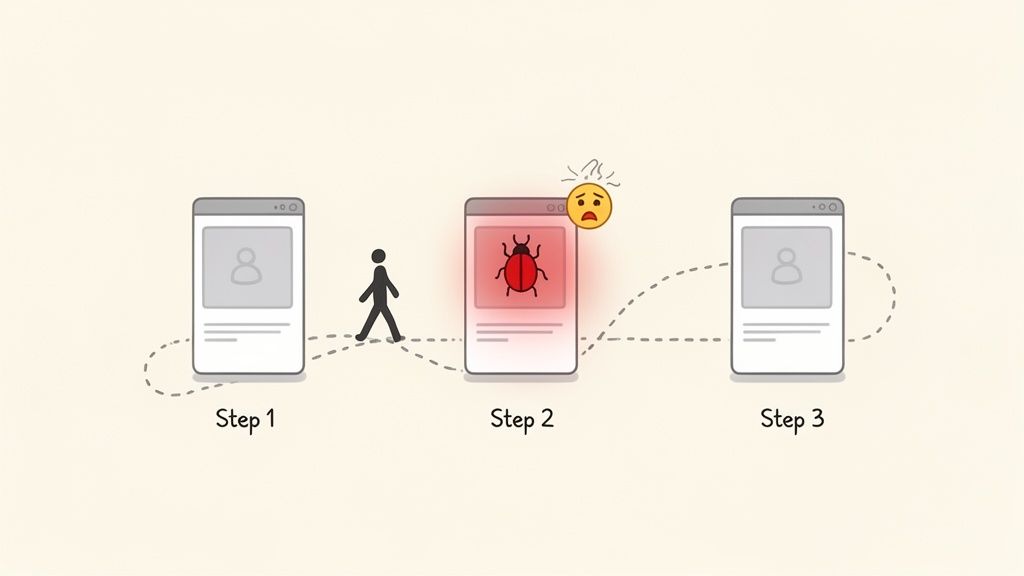
Beyond simply documenting a technical flaw, a user-centric bug report frames the issue within the context of the user's journey. This approach captures not just what is broken, but how it impacts the user's experience and prevents them from achieving their goal. It shifts the focus from a single error state to the broader workflow disruption, making it an invaluable tool for product managers and UX designers.
This format prioritizes empathy and business impact. By understanding the user's intent and the consequence of the failure, teams can make more informed decisions about prioritization. This type of bug report sample links technical defects directly to user experience metrics, ensuring that fixes align with what matters most to the end-user.
Core Components of a User-Centric Report
A user-centric report expands on the basic template by adding fields that provide crucial context, a method often seen in user testing platforms like Maze:
User Persona/Segment: Who is this user? (e.g., "New trial user," "Power user on Enterprise plan").
User Goal: What was the user trying to accomplish? (e.g., "Trying to invite a new team member to their project").
Journey Stage: Where in the workflow did the bug occur? (e.g., "Step 3 of the onboarding tutorial").
Impact on Journey: What is the consequence of the bug? (e.g., "User is blocked from completing onboarding and cannot proceed").
Steps to Reproduce: The standard sequence of actions leading to the bug.
Expected vs. Actual Result: The classic comparison of what should have happened versus what did.
Attachments: Visual evidence, such as screen recordings or annotated screenshots from Beep showing the entire failed workflow.
Why This Template is Essential
This approach transforms bug fixing from a purely technical task into a user-focused initiative. When developers understand the user’s frustration and the business impact, they are better equipped to implement a meaningful solution. It answers the "why" behind the bug, not just the "what."
For example, a product manager using Beep can capture a screen recording of a user failing to complete a purchase. By annotating the recording to highlight the point of failure and adding the context that this user is part of a high-value customer segment, the bug report immediately gains urgency. When shared in Slack or Jira, this rich, user-centric bug report sample ensures the entire team feels the user's pain and understands why fixing this specific issue is critical for business success.
5. Accessibility and Compliance Bug Report Template
As digital inclusivity becomes a legal and ethical imperative, a specialized bug report format for accessibility (a11y) issues is crucial. This template is designed to document violations of standards like the Web Content Accessibility Guidelines (WCAG), ensuring that products are usable for everyone. It helps teams methodically address issues ranging from screen reader incompatibilities to keyboard navigation failures.
This focused approach treats accessibility not as an afterthought but as a core component of quality. A dedicated bug report sample for a11y issues ensures that these critical problems are given the visibility and detail they need for effective resolution. This template helps bridge the gap between accessibility testing and development, creating a clear path to a more inclusive product.
Core Components of an Accessibility Template
An effective accessibility bug report includes specific fields to capture compliance and user impact details, often integrating with tools like Deque's axe or Accessibility Insights:
Title: A clear summary including the issue and the affected component (e.g., "Keyboard Trap: User cannot navigate away from the main menu using Tab key").
WCAG Guideline: The specific WCAG 2.1/2.2 success criterion that is violated (e.g., "2.1.2 No Keyboard Trap").
User Impact: A description of how the issue affects users with specific disabilities (e.g., "Users who rely on keyboard navigation cannot access page content").
Assistive Technology: The screen reader, browser, and OS combination used for testing (e.g., "NVDA 2023.1 with Chrome 118 on Windows 11").
Steps to Reproduce: Precise instructions to replicate the accessibility failure.
Expected Result: The correct, accessible behavior according to WCAG standards.
Actual Result: The observed inaccessible behavior.
Attachments: Annotated screenshots or screen recordings showing the issue.
Why This Template is Essential
This specialized template ensures accessibility bugs are not lost in a general backlog. It provides developers with the exact technical standard and user context needed to implement a correct fix. This structure is vital for demonstrating due diligence and maintaining compliance with legal requirements like the ADA.
For instance, a tester can use a tool like Beep to record a screen reader in action, visually annotating where the audio output mismatches the on-screen content. This visual evidence, combined with a reference to the specific WCAG guideline, creates an undeniable and actionable bug report. This process helps teams systematically improve their product's usability for all users and can be guided by a comprehensive website accessibility checklist for inclusivity.
6. Performance Bug Report with Metrics and Data
Performance issues like slow load times, memory leaks, or CPU spikes require a different approach than typical functional bugs. A performance bug report moves beyond user actions and focuses on quantitative data, providing developers with the metrics needed to diagnose and resolve deep-seated technical problems. This format is essential for maintaining a fast, responsive, and reliable user experience.
This specialized bug report sample is built on concrete data, not just observation. It translates vague complaints like "the app is slow" into actionable engineering tasks. For technical teams, this data-driven approach is critical for identifying performance regressions and optimizing system efficiency, ensuring the application meets user expectations and technical standards.
Core Components of a Performance Template
A technical performance bug report must include specific metrics to be effective. It often builds upon a basic template with additional, data-centric fields:
Title: Clearly state the performance issue and the affected area (e.g., "High CPU usage on Dashboard page during data fetch").
Performance Metrics: Include key data points like page load time, Time to First Byte (TTFB), memory consumption, or CPU utilization.
Environment & Conditions: Specify network conditions (e.g., "Throttled to Slow 3G"), device specifications, and user load if applicable.
Steps to Reproduce: Detail the actions leading to the performance drop, including any specific data inputs or user flows.
Expected Result: Define the acceptable performance benchmark (e.g., "Page should load in under 2 seconds").
Actual Result: State the measured performance (e.g., "Page takes 8.5 seconds to load").
Attachments: Screenshots of browser DevTools (Performance or Network tabs), profiler outputs, or links to monitoring dashboards like Datadog or New Relic.
Why This Template is Essential
This template is crucial because performance bottlenecks are often invisible to the naked eye. Without hard data, developers are left guessing. Providing metrics from tools like WebPageTest or browser DevTools gives them a precise starting point for debugging. It allows them to pinpoint inefficient code, slow database queries, or unoptimized assets causing the slowdown.
For example, a QA tester might notice a lag when filtering a large data table. Using Beep, they can record a video of the slow interaction. Alongside this visual evidence, they can attach a screenshot from the Chrome DevTools Performance tab showing a long-running script. This combination of visual context from Beep and quantitative data creates a comprehensive performance bug report, empowering developers to fix the root cause quickly and efficiently.
7. Remote Team Asynchronous Bug Report with Beep Integration
For distributed teams operating across different time zones, asynchronous communication is not just a preference; it’s a necessity. This bug report sample is optimized for remote collaboration, ensuring that developers can understand and resolve issues without needing a live call. It relies on visual clarity and comprehensive, self-contained documentation to eliminate ambiguity.
This approach transforms the bug reporting process into an efficient, asynchronous workflow. By capturing all necessary context upfront, it allows team members to review, triage, and fix bugs on their own schedules. This model is built around tools like Beep, which excel at capturing visual evidence and integrating seamlessly with project management and communication platforms, making it ideal for the modern remote-first workplace.
Core Components of an Asynchronous Template
An effective asynchronous bug report prioritizes visual and contextual data to minimize follow-up questions. Key components include:
Reporter's Time Zone: Essential context for understanding when the reporter is available for any potential (but rare) clarifications.
Comprehensive Visuals: Annotated screenshots and screen recordings are not just attachments; they are the core of the report.
Step-by-Step Visual Walkthrough: Each step in the reproduction process should be accompanied by a corresponding visual from a tool like Beep.
Console Logs: Automatically captured logs that provide deep technical context without manual effort.
Environment Details: Auto-populated OS, browser, screen size, and other technical specifications.
Clear Title and Description: A descriptive summary of the problem and its impact on the user.
Why This Template is Essential
This bug report sample is crucial for maintaining development velocity in a remote setting. It removes the bottleneck of synchronous meetings, allowing a developer in a different time zone to pick up a ticket and have all the information needed to start working immediately. The emphasis on visual evidence removes subjective interpretations of written descriptions.
For example, a product manager in London can use Beep to capture a UI glitch. The tool automatically records their browser version and OS, grabs a screenshot, and allows them to draw an arrow pointing directly at the issue with a note. This item is then sent to a Slack channel and a Jira board. A developer in San Francisco sees the notification upon waking up, understands the issue instantly from the visual context, and can begin working on a fix. This seamless, context-rich handoff is the cornerstone of efficient asynchronous bug resolution.
7-Template Bug Report Comparison
Template | Implementation Complexity 🔄 | Resource Requirements 💡 | Expected Outcomes ⭐📊 | Ideal Use Cases | Key Advantages ⚡ |
|---|---|---|---|---|---|
Basic Bug Report Template | Low — simple fields, quick to adopt 🔄 | Minimal — form fields, optional screenshots 💡 | Consistent basic documentation; faster triage; moderate resolution ⭐📊 | Small teams, internal projects, initial tracking | Easy to use; low learning curve; integrates with Beep screenshots ⚡ |
Detailed Bug Report with Visual Documentation | Medium–High — captures multi-step visuals 🔄 | Moderate — annotated screenshots, possible video, storage 💡 | High clarity; fewer follow-ups; accurate fixes with visual evidence ⭐📊 | Design teams, UX/UI work, remote teams, visual-first workflows | Eliminates ambiguity; rich context; accelerates asynchronous resolution ⚡ |
Severity & Priority Matrix Bug Report | Medium — requires agreed definitions and scoring 🔄 | Moderate — criteria docs, estimation, kanban setup 💡 | Data-driven prioritization; alignment on what to fix first ⭐📊 | Large/established projects, production systems, resource-constrained teams | Reduces debate; aligns dev effort to business impact; easy board visualization ⚡ |
User-Centric Bug Report with Journey Context | High — collects persona and journey data 🔄 | High — user research/analytics, session replays, contextual screenshots 💡 | Prioritizes fixes by real user impact; better product decisions ⭐📊 | Product teams, consumer-facing apps, growth teams | Aligns fixes with user outcomes; builds empathy; improves retention-focus ⚡ |
Accessibility & Compliance Bug Report Template | High — specialized testing and standards mapping 🔄 | High — a11y expertise, assistive-tech testing, accessibility tools 💡 | Ensures legal compliance and broader usability; clear remediation steps ⭐📊 | Regulated industries, public websites, enterprise, inclusive design teams | Reduces legal risk; improves inclusivity; actionable dev guidance ⚡ |
Performance Bug Report with Metrics & Data | High — technical profiling and metric collection 🔄 | High — monitoring/APM tools, profiling skills, test environments 💡 | Objective root-cause analysis; measurable performance improvements ⭐📊 | Web developers, DevOps, performance-critical applications, enterprise | Enables evidence-based optimizations; integrates with monitoring dashboards ⚡ |
Remote Team Asynchronous Bug Report with Beep Integration | Medium — requires disciplined async documentation 🔄 | Moderate — Beep integration, annotations, communication tooling 💡 | Faster async fixes; fewer meetings; preserved context across time zones ⭐📊 | Remote/distributed teams, async-first workflows, global companies | Eliminates synchronous calls; clear context via Beep; speeds cross-timezone collaboration ⚡ |
From Reporting to Resolution: Building a Better Workflow
Throughout this guide, we've explored a diverse range of bug report sample formats, moving beyond generic templates to dissect what makes each one effective in specific contexts. The journey from a basic bug report to a detailed, user-centric, or performance-focused submission highlights a critical truth: a bug report is not merely a technical document. It is a vital communication tool that bridges the gap between user experience and engineering reality.
The core lesson is that the best bug report is the one that is most easily understood and acted upon by its intended audience. A vague, one-line report creates a cascade of questions and wasted time. In contrast, a well-structured report, complete with a clear title, precise reproduction steps, and annotated visuals, serves as a powerful catalyst for rapid resolution. It respects the developer's time and empowers them to solve the problem efficiently.
Key Takeaways for Immediate Action
To transform your bug reporting from a chore into a strategic advantage, focus on these core principles:
Context is King: As demonstrated by the user-centric and accessibility report examples, providing context is non-negotiable. Explain why the bug matters to the user or the business, not just what the bug is. This helps immensely with prioritization.
Clarity Over Brevity: While concise language is good, it should never come at the expense of clarity. Detailed steps to reproduce, including specific environment details and test data, are the foundation of any actionable bug report.
Visuals Accelerate Understanding: A picture, a screen recording, or an annotated screenshot can communicate complex issues faster than paragraphs of text. Integrating tools that streamline visual feedback is a significant workflow enhancement.
By mastering the art of creating a comprehensive bug report sample, you are not just improving a single process; you are fostering a culture of clarity, collaboration, and quality. This shift empowers your entire team, from QA testers and product managers to UX designers and developers, to work in unison. Reporting a bug effectively is the first, most crucial step in a chain of events that leads to a more stable, reliable, and user-friendly product. To ensure bugs are not just reported but effectively resolved, understanding a broader battle-tested QA improvement process is crucial for long-term success.
Ultimately, adopting a standardized and thoughtful approach to bug reporting minimizes friction and maximizes productivity. It replaces ambiguity with actionable data, turning potential frustration into a smooth, predictable path toward resolution. This is how great teams build exceptional products.
Ready to eliminate the back-and-forth and create crystal-clear bug reports in seconds? With Beep, you can capture your screen, add annotations, and automatically include technical data to create the perfect bug report sample every time. Try Beep for free and revolutionize your team's bug reporting workflow today.
Comments