
.png)
Project Manager Website Development: A Practical Guide

Any successful web development project starts long before a single line of code is written. It all begins with a rock-solid planning phase, where you, the project manager, turn a client's fuzzy vision into a clear, actionable blueprint. This is your chance to define the scope, get everyone on the same page, and head off chaos down the line.
Defining Your Project Blueprint
Let's be real—most website projects kick off as a jumble of ideas. Your job is to bring structure to that beautiful mess. This isn't just about creating documents; it’s about leading a collaborative discovery process to unearth the real "why" behind every feature request. Before anyone even thinks about design mockups or tech stacks, you need to guide stakeholders through some critical questions to build a shared understanding.
To really nail this, it helps to have a firm grasp on the core principles of mastering website development project management. Think of it as your foundation for translating business goals into something your team can actually build.
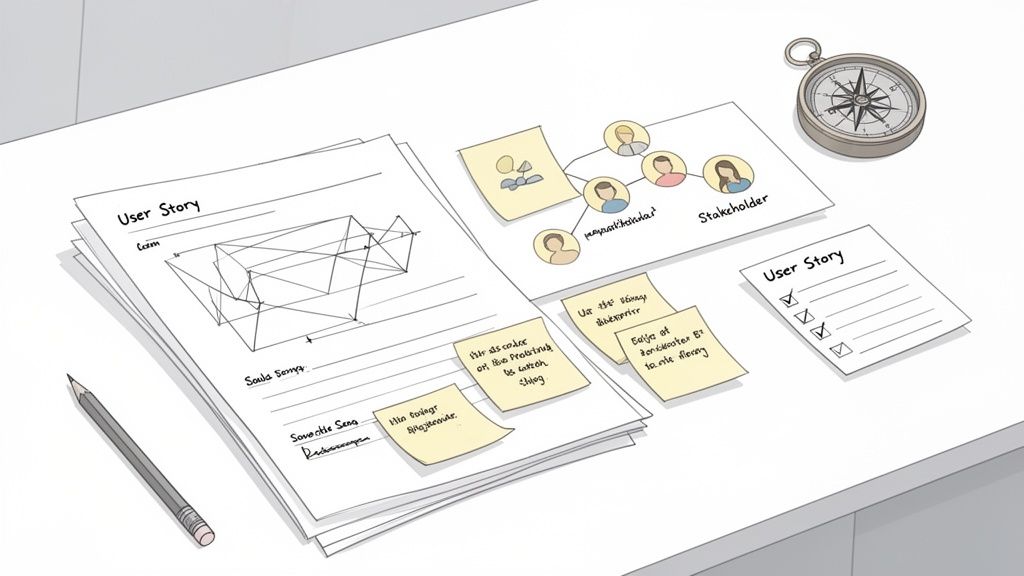
The Art of Discovery and Requirement Gathering
The discovery phase is your chance to dig deeper than just what the client says they want. Instead of simply asking, "What features do you need?" you need to ask questions that reveal the business goals hiding underneath.
What business problem is this website actually solving? This immediately shifts the conversation from features to outcomes.
Who is our main audience, and what do we need them to do? This keeps the project laser-focused on user experience and conversion.
How will we know this was a success six months from now? This sets up clear KPIs right from the get-go.
One of the best ways I’ve found to do this is by running a user story workshop. Get your stakeholders, designers, and developers in a room (virtual or otherwise) to define requirements from the user's point of view. Using the simple format, "As a [user], I want [action] so that [benefit]," ensures every single task is tied back to real-world value. For a deeper dive, check out our guide on creating your project plan for a website that actually delivers.
Crafting a Bulletproof Scope Statement
Without a crystal-clear scope, you're practically inviting scope creep—the silent project killer—to the party. The project scope statement is your north star. It's a formal document that lays out all the deliverables, boundaries, and assumptions.
A well-defined scope statement is the single most important tool a project manager has for preventing budget overruns and timeline delays. It serves as a mutual agreement that protects both the client and the delivery team from misunderstandings.
Skipping this step can have some ugly consequences. The stats don't lie: project success rates are still alarmingly low. Only about 35% of projects are considered fully successful, and just 34% finish on time and on budget. These numbers scream just how critical that upfront planning really is. You can discover more insights about these project management statistics and how software helps mitigate risk.
Putting Together Your A-Team and Workflow
Once you've got your project blueprint locked in, it's time to build your dream team and figure out how everyone's going to work together. This is more than just making a list of job titles; you're creating a well-oiled machine where everyone knows their role and the rhythm of the project. You're not just filling seats—you’re orchestrating a collaborative engine geared for success.
The first hurdle is usually figuring out who does what. Whether you're pulling together an in-house crew or teaming up with an outside agency, clarity is everything. If you're going the agency route, knowing how to choose a web design agency is a make-or-break skill. That single decision sets the tone for your team's capabilities and the entire project vibe from day one.
Defining Key Roles and Responsibilities
To sidestep confusion and make sure everyone owns their piece of the puzzle, you need to clearly spell out what each person is responsible for. This is how you avoid that classic "I thought they were doing that" moment that can bring a project to a screeching halt.
UX/UI Designer: This person is all about the user journey, wireframes, and the final look and feel. They’re responsible for making sure the site isn't just a pretty face but is also a breeze to navigate.
Developers (Frontend/Backend): Your frontend devs are the ones who bring the designer's vision to life in the browser. Meanwhile, the backend devs are building the engine—the server-side logic, databases, and integrations that make the site actually work.
QA Tester/Analyst: Think of this person as your quality gatekeeper. They're the ones who poke and prod the site, hunting for bugs, checking for cross-browser glitches, and making sure everything works as it should before it ever gets in front of a stakeholder.
A little pro-tip: Set up a RACI (Responsible, Accountable, Consulted, Informed) model right from the start. It clears up any gray areas. Every big task needs one person who is ultimately accountable, even if a few people are responsible for getting the work done.
Choosing Your Project Management Style
Your workflow is basically the operating system for your project. The approach you pick will dictate how you plan, build, and pivot when things change. For web development, two methodologies usually steal the show, and each has its own strengths depending on your project.
Methodology | Best For... | Core Concept |
|---|---|---|
Scrum | Complex projects where requirements might change and you need frequent stakeholder check-ins. | Short, focused work cycles called sprints (usually 1-2 weeks long). |
Kanban | Projects with a steady stream of tasks, like ongoing maintenance or smaller feature updates. | A visual board that shows tasks moving through stages like "To Do," "In Progress," and "Done." |
Scrum is all about structure. You've got daily stand-up meetings to clear roadblocks and sprint reviews to show off what you’ve built. The project manager often acts as a "Scrum Master," keeping the team on track and protected from distractions.
Kanban, on the other hand, is more about flow and flexibility. By visualizing the work and limiting how many tasks are "in progress" at once, you can spot bottlenecks and adapt to shifting priorities without the rigid schedule of a sprint. Picking the right one sets the pace for everything from communication to delivery.
Bring Order to Development and Feedback
Once you move past planning and into the actual build, things really start to pick up speed. But this is also where miscommunication can creep in and throw everything off track. The name of the game in this phase is keeping that momentum going with structured development cycles and a feedback loop that’s quick, clear, and—most importantly—actionable.
Let's be honest, traditional feedback methods are where project timelines go to die. We've all been buried in those endless email chains or tried to make sense of a Frankenstein spreadsheet of comments.
As a project manager, your biggest enemy is ambiguity. Vague feedback like "the button feels weird" or "can we make this pop more?" is a progress killer. The solution? Get all feedback directly onto the staging site. This creates a single source of truth that everyone—designers, developers, and stakeholders—can rely on.
This approach ensures everyone is on the same page, from defining roles to managing the actual work, creating a cohesive structure for the entire project.
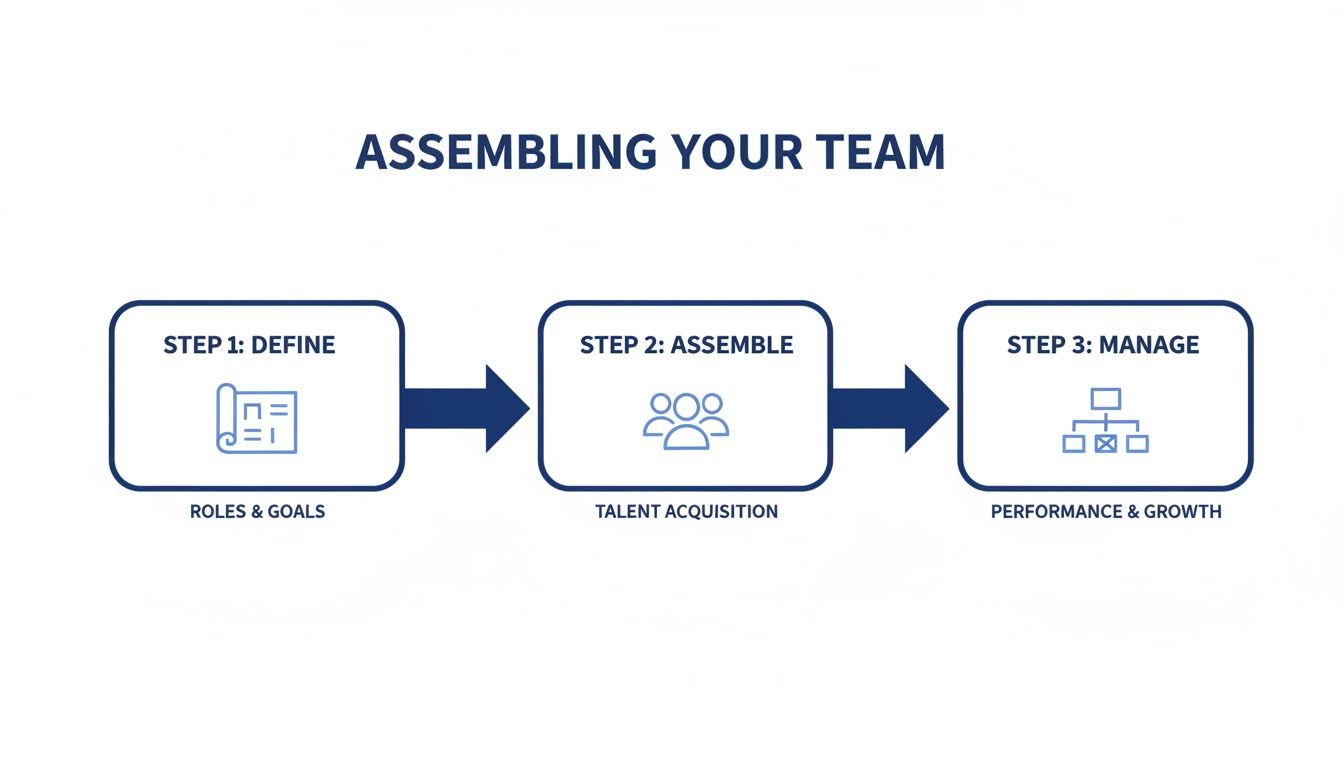
A structured workflow like this is your best defense against the chaos that can so easily derail a web project.
Running Sprints and Taming the Backlog
There's a reason Agile methods like Scrum are so popular in web development: they just work. By breaking the project into short, focused work periods—we call them sprints (usually lasting 1-2 weeks)—you create a predictable rhythm. It keeps everyone moving forward.
Your job as the PM is to fiercely protect the dev team during a sprint. Once they’ve committed to a set of tasks, you need to shield them from new requests that can derail their focus and mess up the timeline.
Think of your product backlog as the master to-do list for the entire project. Before each sprint kicks off, you'll hold a planning meeting to pull the highest-priority items from that backlog. This keeps the team zeroed in on what matters right now, instead of getting overwhelmed by the sheer size of the whole project.
Goodbye Spreadsheets, Hello In-Context QA
The real game-changer for modern web projects is how you handle Quality Assurance (QA) and User Acceptance Testing (UAT). Forget about compiling comments in a separate document or spreadsheet. That’s old news.
Today, you can use tools that let stakeholders click on any element of a staging site and leave a comment right there on the page. It's a total game-changer.
The best feedback is visual and contextual. When a stakeholder can literally point to the exact element they're talking about, and their comment is automatically logged with a screenshot and browser data, you eliminate all the guesswork. I've seen this accelerate revision cycles by up to 80%.
Surprisingly, a lot of teams are still in the dark about the tools that make this possible. If you're looking for the right fit, our guide on the 10 best website feedback tools to enhance user experience is a great place to start.
It's pretty wild when you think about it. The project management software market is expected to hit $12.02 billion by 2030, yet a staggering 23% of organizations still don't use dedicated PM software. Adopting modern tools for both task management and visual feedback gives you a massive competitive edge. It just makes everything more efficient.
Mastering Stakeholder Communication
Let's talk about stakeholder communication. If you want your web development project to succeed, you have to nail this part. It’s the absolute bedrock of the whole operation. Consistent, clear communication is what turns a list of finished tasks into a story of progress, keeping everyone from the CEO to the marketing lead feeling confident and in the loop.
If you don't have a solid communication strategy, you create an information vacuum. Trust me, that’s where anxiety, micromanagement, and misalignment start to creep in.
Your job is to get ahead of the questions and proactively manage expectations. It’s not just about reporting what’s done; it’s about creating a predictable rhythm for updates. You also need to translate the technical jargon into business impact. Stakeholders don't really care about the complexities of a database migration. What they do care about is knowing the new user profile feature is on track to launch next quarter.
Crafting Impactful Progress Reports
Forget sending those dense, jargon-filled emails that you know are just going to get archived. The best progress reports I've seen are concise, visual, and laser-focused on outcomes. Your communication should be a tool that builds trust, not a chore that stakeholders have to decipher.
I've found that a simple, effective structure for a weekly or bi-weekly report can make all the difference.
Overall Project Health: I like to start with a simple color code—Green, Yellow, Red—for budget, timeline, and scope. It gives an immediate, at-a-glance status update that anyone can understand in two seconds.
Key Accomplishments This Period: Briefly list 3-5 major achievements. The key here is to frame them in terms of value. Don't say "Coded checkout page." Say, "Completed user checkout flow design, moving us closer to our e-commerce launch."
Upcoming Priorities: Outline what the team is focusing on next. This isn't just a to-do list; it shows forward momentum and sets expectations for the coming week.
Risks and Blockers: This is huge. Transparently flag any potential issues. More importantly, state your plan to address them. This shows you're not just a reporter; you're a proactive problem-solver.
By standardizing your reporting, you create a predictable and easily digestible format. Stakeholders learn exactly where to find the information they care about, which cuts down on the random "just checking in" emails and builds their confidence that you've got things under control.
Automating Communication to Save Time
Look, manually compiling these reports every single week can be a massive time suck. This is where modern project management tools become your best friend. Many platforms now offer automated dashboards and reporting features, pulling real-time data on task completion, budget spend, and team workload. It not only saves you hours but also gives you more accurate, data-driven insights to share.
And this trend is only getting bigger. The market for AI in project management is expected to hit $7.4 billion by 2029, and it's easy to see why.
Think about it: with 58% of teams spending about one day per week just on reporting, AI-powered tools offer a clear path to getting that valuable time back. If you want to dive deeper, you can learn more about how AI is reshaping project management efficiency.
Executing a Flawless Website Launch
Alright, this is it. The final push. The moment where all that meticulous planning, endless sprints, and late-night QA sessions finally pay off. A successful launch isn't just flipping a switch; it's a carefully choreographed dance of final checks, coordinated actions, and post-launch vigilance. This is where a project manager's obsession with detail really shines, turning what could be a chaotic mess into a smooth, professional rollout.
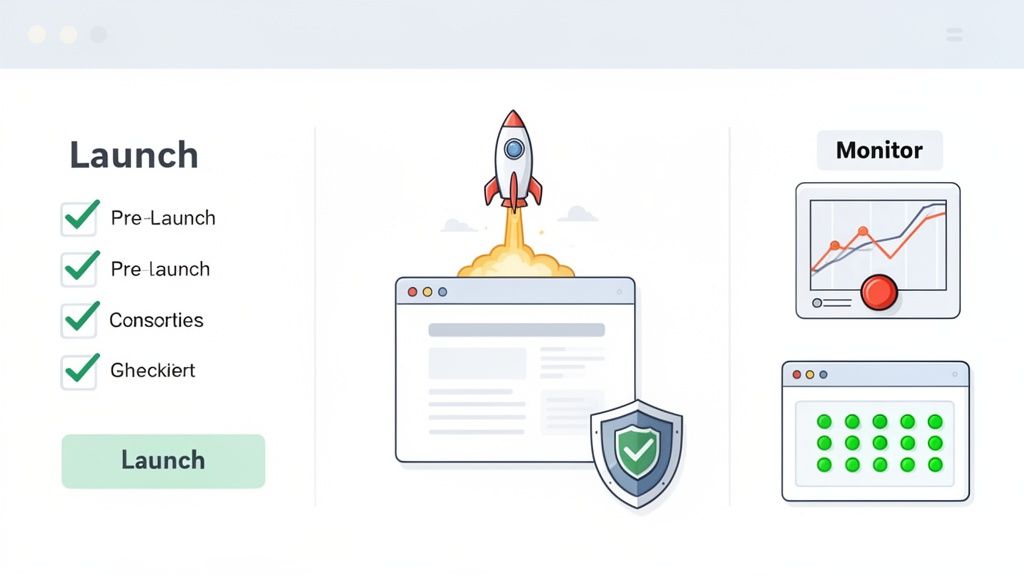
Deep breaths. The key to nailing this final phase is a calm, systematic approach. Let's make sure nothing gets missed in the excitement.
Your Pre-Launch Final Checks
Before you even think about hitting that "go-live" button, you need to do a comprehensive final sweep. Trust me, this is non-negotiable. We're not just hunting for last-minute bugs here; we're confirming that the entire experience is polished, secure, and ready for the world to see. A detailed checklist is your absolute best friend at this stage.
Your final rundown should hit these key points:
Final QA and UAT Sign-off: Get written confirmation that all stakeholders have done their final review and have formally signed off on user acceptance testing. No verbal "looks good to me" will do.
Performance and Security Audits: Run one last performance test to check load times under pressure and conduct a final security scan to patch any sneaky vulnerabilities.
Content and SEO Verification: Make sure every piece of content has been migrated correctly, all meta descriptions are in place, and every single 301 redirect from the old site (if there was one) is properly mapped. This is a huge one people often forget.
Analytics and Tracking Setup: Double, then triple-check that Google Analytics, Tag Manager, and any other tracking pixels are installed and firing correctly on all pages.
For a super-detailed breakdown, a complete website launch checklist to guide your 2025 projects will help you make sure no stone is left unturned.
The most overlooked pre-launch task is often creating a detailed rollback plan. Everyone is focused on success, but knowing exactly how to revert to the previous state in minutes can turn a potential catastrophe into a minor hiccup.
I can't stress this enough. Here's a solid checklist to get you started. Make a copy, add your own project-specific items, and don't launch until every box is checked.
Your Pre-Launch Final Checklist
Category | Checklist Item | Status |
|---|---|---|
Technical | All broken links (404s) have been fixed. | ☐ Pending |
SSL certificate is installed and forcing HTTPS. | ☐ Pending | |
Website is mobile-responsive on all key devices. | ☐ Pending | |
Final performance/speed tests are passed. | ☐ Pending | |
All 301 redirects from the old site are in place. | ☐ Pending | |
Content & SEO | All placeholder content has been replaced. | ☐ Pending |
Meta titles and descriptions are optimized. | ☐ Pending | |
All images have descriptive alt text. | ☐ Pending | |
Robots.txt file is correctly configured for crawlers. | ☐ Pending | |
Tracking | Google Analytics/Tag Manager is installed and firing. | ☐ Pending |
All marketing tracking pixels are implemented. | ☐ Pending | |
Form submission tracking/goals are configured. | ☐ Pending | |
Admin | Final UAT sign-off received from all stakeholders. | ☐ Pending |
A full backup of the website has been created. | ☐ Pending | |
A detailed rollback plan is documented and shared. | ☐ Pending |
Getting every single one of these items to "Complete" is your ticket to a stress-free launch day.
Coordinating Deployment and Post-Launch Monitoring
With all checks passed and signed off, the deployment itself should feel like a well-rehearsed play. I always schedule the launch during a low-traffic period—think late Monday night, not Friday afternoon. Your technical lead should be handling the actual deployment while you run point on communication, keeping stakeholders in the loop on progress.
Once the site is live, your job isn't done. In fact, it immediately shifts to hyper-focused monitoring. The first 24-48 hours are absolutely critical.
Keep a close eye on site stability, server performance, and key user analytics. This is where you'll catch any weird, unexpected issues that only pop up in a live environment. Proactive monitoring here ensures that the first wave of real visitors has a seamless experience. From there, you can finally start transitioning from active project management to a long-term maintenance and support plan. Congrats, you made it
Common Questions I Get Asked as a Web Project Manager
Even with the best-laid plans, running a web development project is never a straight line. You're constantly juggling moving parts, new ideas, and unexpected curveballs. Over the years, I've seen the same questions pop up time and time again.
Let's dive into some of the most common ones I hear, with some straight-to-the-point advice from the trenches.
What’s the Single Biggest Challenge for a Web PM?
Hands down, it's scope creep. It’s the silent killer of projects, slowly inflating timelines and blowing up budgets. It starts with one "tiny" request, then another, and before you know it, you're building a completely different website than the one you agreed on. This isn't just an annoyance; it can completely derail a project.
Your best defense is a rock-solid change control process that you establish from day one. This isn't about being the "bad guy" who says no to everything. It's about having a clear, structured way to evaluate new ideas.
Write it down: Every single change request, no matter how small it seems, needs to be formally documented. No exceptions.
Assess the damage: Figure out exactly what this change will cost in terms of time, money, and people.
Get the sign-off: Show the stakeholder the impact report and get their written approval before a single line of code is written.
I always keep the original project scope document handy in every meeting. It’s my north star. It reminds everyone what we originally set out to do and gives us a firm baseline to measure any new requests against.
How Do You Pick the Right Project Management Methodology?
There’s no magic bullet here. The choice between Agile, Scrum, or Kanban really boils down to your project’s complexity and how involved the client wants to be.
For bigger, more complex builds where requirements are likely to evolve, I almost always lean towards an Agile framework like Scrum. It breaks the project into short, manageable sprints, letting you ship functional pieces of the site for review. This constant feedback loop is a lifesaver for making adjustments on the fly.
On the other hand, for smaller projects or if you're handling ongoing website maintenance, Kanban can be a much better fit. It’s more of a continuous flow. The visual board helps the team see what's coming up and what's in progress without the rigid structure of sprints. My advice? Look at the project's uncertainty and how much you'll need to collaborate with stakeholders before you commit to a methodology.
What Are the Must-Have Tools for Managing a Website Project?
You can't run a modern web project on email and spreadsheets alone—you'll go insane. A solid, integrated set of tools is non-negotiable. While the exact stack can vary, I’ve found that a few core components are absolutely essential for keeping things running smoothly.
Here’s the breakdown of what I consider the essentials:
Project Management Hub: This is your command center. A tool like Jira, Asana, or Monday.com is critical for tracking every task, managing the timeline, and knowing who’s working on what.
Communication Channel: You need a dedicated place for real-time team chatter. Slack or Microsoft Teams cuts through the email noise and is perfect for those quick, informal questions.
Visual Feedback & QA Tool: This is an absolute game-changer. Giving stakeholders a way to click and comment directly on a staging site gets rid of so much confusion during testing. The back-and-forth is just so much faster.
Version Control System: For the dev team, a system like Git is indispensable. It's the only sane way to manage code changes, especially when multiple developers are working on the same project.
Shared Brain: You need one central place for all your documents. I've used Google Drive and Notion for this. It keeps everything from the initial scope to meeting notes organized and accessible to the whole team.
Ready to kill the messy spreadsheets and endless email chains in your QA process? Beep lets your team and clients drop visual, in-context feedback right on the website. Those comments instantly become actionable tasks for your team. Find out how much faster your projects can be—try it for free.
Security software becomes much easier to manage when device protection, renewals, account emails, activation keys, and billing records are organized before a problem appears. For antivirus or online protection tools, I keep the subscription email, renewal date, device name, order receipt, app version, and error screenshot in one secure note. When an installation problem, renewal charge, account login, device limit, refund status, or activation issue needs support, I entered how to contact mcafee in search while the subscription record and device details were open. That keeps the request tied to one protection account instead of a vague security concern. I never include passwords or sensitive device access in a random message; the useful details are the receipt, account email, device name,…