
.png)
How to Manage Multiple Projects Without Burning Out

The real secret to managing multiple projects isn't just about juggling tasks better; it's about shifting from a reactive, firefighting mode to a proactive, centralized system. This means building one single process for all new work, using a clear framework to prioritize what actually matters, and getting a bird's-eye view of your entire workload so you can manage your capacity without burning out.
Taming the Chaos of Modern Project Management
If you're feeling stretched thin by competing deadlines and the constant whiplash of context switching, you're definitely not alone. For most of us, juggling tasks across different projects is just the new normal. The quiet, focused days of working on one project from start to finish? Pretty much a thing of the past.
It's a widespread challenge. In fact, a whopping 59% of project managers are handling between 2 to 5 projects simultaneously, with very few managing just one. You can dig into more of these project management statistics to see just how much the industry is shifting. This new reality requires a completely different playbook.
The goal here isn't just to survive the onslaught. It's to build a workflow that’s both sustainable and predictable—one that brings a sense of calm to the chaos. Generic advice like "get more organized" or "multitask better" just doesn't cut it because it misses the root cause: the lack of a single, unified system. Without one, every new email, Slack message, or impromptu request just adds another layer of complexity, making it impossible to see the big picture.
Before we dive into the specific steps, let's look at the foundational pillars of a system that can handle this complexity.
Pillar | Objective | Key Benefit |
|---|---|---|
Centralized Intake | Create a single entry point for all new requests and projects. | Eliminates rogue tasks and provides a complete view of all incoming work. |
Clear Prioritization | Use a consistent framework to decide what to work on next. | Ensures the team is always focused on the highest-impact initiatives. |
Visual Workflow | Map out all projects and tasks in a shared, visible space. | Provides clarity on capacity, progress, and potential bottlenecks. |
These three components work together to turn reactive firefighting into strategic execution. We'll break down exactly how to build each one.
The Foundation of a Unified System
To truly get back in the driver's seat, you need a framework that goes way beyond a simple to-do list. The whole idea is to move work from intake to prioritization and finally into a visual workflow where it can be managed.
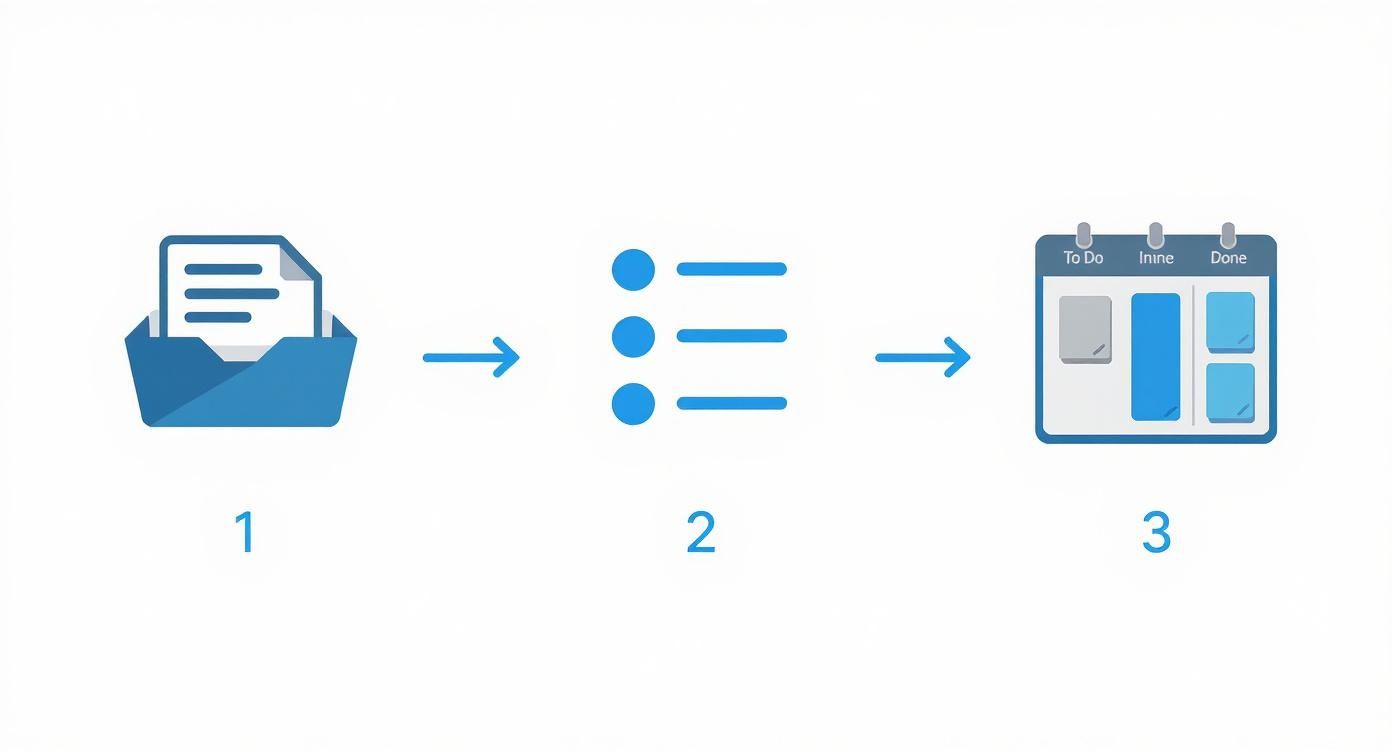
This flow shows the essential journey of any task, from a raw idea to an actual card on your board. The key takeaway here is that if you skip the first two steps—controlled intake and thoughtful prioritization—that final visualization step just becomes a cluttered, unmanageable mess.
A great system brings all your work into one place, helps you decide what truly matters, and gives you a clear view of your entire landscape. It’s about making deliberate choices instead of constantly reacting to the loudest request.
In this guide, I'll walk you through how to build this system from the ground up. We'll start by creating that single source of truth for all incoming work, then explore a few practical ways to prioritize what gets done and when.
Creating Your Centralized Project Intake System
Let's be honest, the real reason most project management spirals into chaos isn't a lack of fancy tools or poor time management. It's much simpler: there's no single front door for new work.
When requests fly in from every direction—Slack DMs, random email threads, drive-by conversations in the hallway—you're stuck playing defense. You spend your day reacting instead of planning. It’s impossible to prioritize what you can't see, and you can't manage a project you never formally captured in the first place.
This is exactly why a centralized project intake system is the first, most critical piece of the puzzle. It's not just about making a neat to-do list. It's about building a fortress around your team's focus and ensuring every single new idea is properly vetted before it starts eating up time and resources.
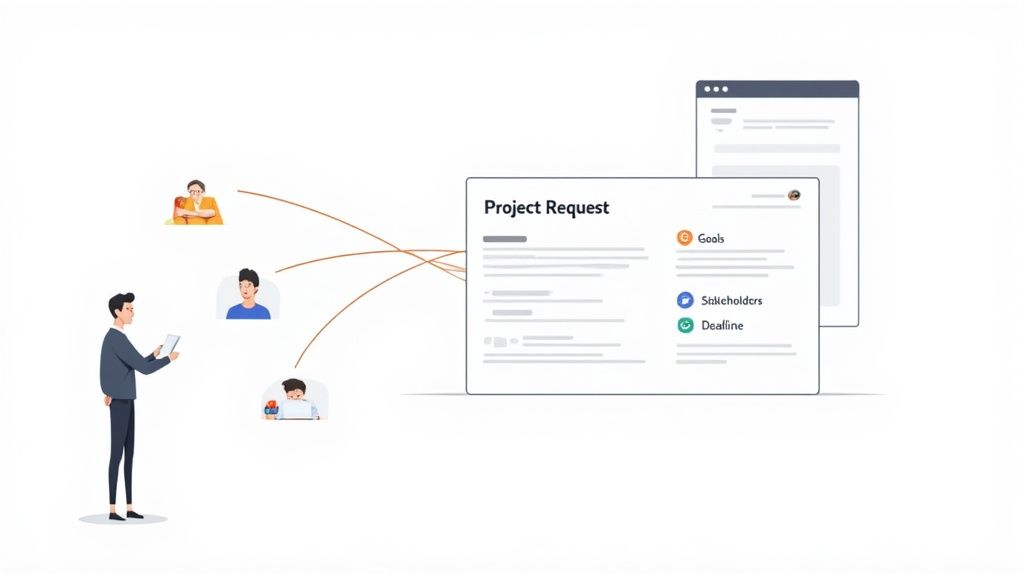
With a single source of truth, you shift from being a reactive order-taker to a strategic partner. You get the visibility needed to ask the right questions, push back when necessary, and make sure new requests actually align with the bigger company goals.
Designing Your Project Request Form
The heart of this whole system is a simple, standardized request form. Don't overthink it. A basic form in Notion, a Google Form, or a dedicated feature in your PM tool is all you need to get started. The magic is in collecting the same core information for every single request, which brings consistency to an otherwise chaotic process.
Think of your form as a gatekeeper. It forces stakeholders to pause and think through their ideas before just tossing them over the fence. This simple act of structuring the submission process sets a new standard: new work requires thought, not just a quick "Hey, can you..." message. You'll be amazed at how this cuts down on half-baked ideas and vague, time-wasting requests.
Your intake form is your first line of defense against scope creep and mismatched expectations. It demands clarity from day one, saving you from an endless cycle of follow-up questions later.
Make the form easy to find but completely non-negotiable. Drop the link in your team’s Slack channel description, your email signature, and any relevant wiki pages. The rule is simple and absolute: if it’s not in the intake system, it doesn’t exist.
What Information to Collect Upfront
To kill the endless back-and-forth, your form needs to pull out the essential details right away. Here are the fields I’ve found to be non-negotiable for managing multiple projects smoothly:
Project Goal: Don't ask "What do you want?" Ask, "What problem are we solving with this?" or "What's the desired outcome?" This pushes the requester to articulate the why, which is far more important than a list of tasks.
Key Stakeholders: Who needs to be in the loop? Who has final say? Who just needs a heads-up? Getting this down on paper clarifies the entire communication chain from the get-go.
Ideal Deadline: I love the word "ideal" here. It's a subtle but powerful change from "hard deadline." It opens up a conversation about timelines and priorities rather than just accepting an arbitrary date.
Success Metrics: How will we know we won? This could be anything from a 10% bump in user sign-ups to a measurable drop in customer support tickets. Get specific.
Required Resources: Does this need budget? Specific people from another team? Access to a particular tool? This helps you spot potential roadblocks or resource conflicts immediately.
Once a request is submitted, it lands in a centralized backlog. This isn't a commitment; it's a holding pen. It’s your acknowledgment that the request has been received and will be looked at during your next planning session. This buffer is what gives you back control, allowing you to plan your work with intention instead of letting your inbox run the show.
Mastering Prioritization and Realistic Capacity Planning
So, you’ve wrangled all your incoming requests into a single, organized backlog. That’s a huge first step. But a long list of projects is just that—a list. The real magic happens when you can confidently look at that list and know exactly what to tackle next. This is where a solid prioritization framework turns you from a task-doer into a strategic leader.
Without a system, it's way too easy to fall into common traps. We've all been there: you either jump on the "loudest" request from the squeakiest wheel or knock out the easiest task just to feel productive. Both paths lead to the same place—working on low-impact stuff while the projects that could actually move the needle just sit there, gathering dust. The key is to apply a consistent, objective lens to every single initiative that comes your way.
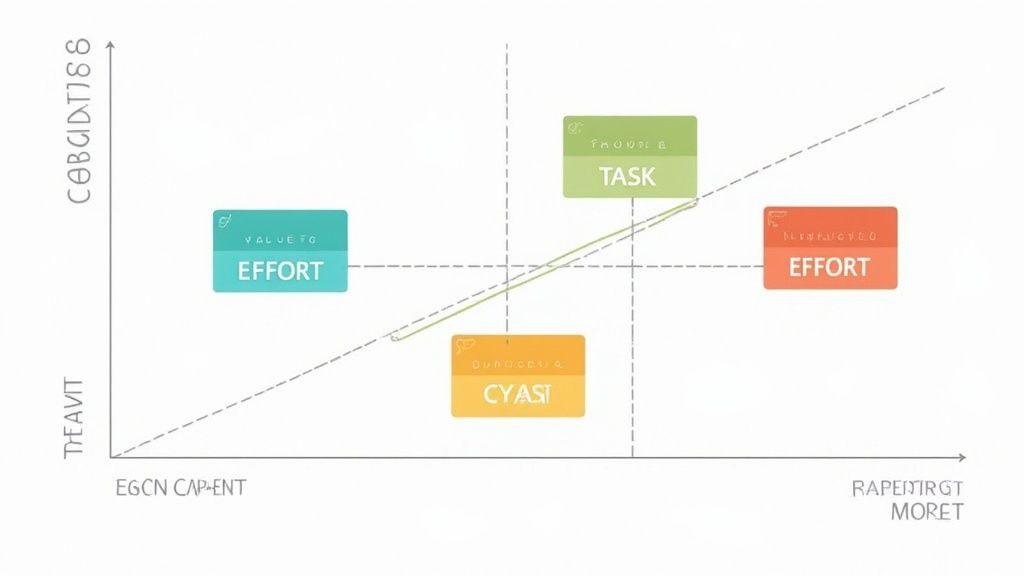
This is where simple but powerful models like the Value vs. Effort matrix become your best friend. It forces you to have a crucial conversation by plotting each project on two axes: what's the potential business value, and how much effort will it take to get it done?
Choosing Your Prioritization Model
Look, there’s no single "best" model that works for everyone. The right one really depends on your team, your company, and the kind of projects you’re juggling. The most important thing is consistency. Pick one, get your team on board with it, and use it for every new project that lands in your intake list.
Here are a couple of the most effective frameworks I've seen in action:
Eisenhower Matrix: This classic model sorts tasks into four quadrants based on urgency and importance. It’s perfect for making quick, daily decisions. Is a new request urgent and important? Do it now. Important but not urgent? Get it on the calendar.
Value vs. Effort Scoring: This is my personal favorite for chunkier projects. You score each project on a simple scale (say, 1-5) for both its potential value and the effort required. This instantly surfaces your quick wins, flags the major strategic projects, and helps you spot the time-sinks you need to avoid.
Think about it this way: you have two competing requests. One is a critical bug fix, and the other is launching a new marketing campaign. The bug fix is high-urgency, but maybe it's moderate-value (it keeps current users happy but doesn't bring in new ones). The campaign is high-value but not critically urgent. A matrix helps you see that trade-off visually and make a deliberate choice instead of just guessing.
Prioritization isn't about finding more time; it's about allocating the time you have to the work that delivers the most impact. A good framework removes emotion and guesswork from the equation.
If you’re working specifically in product development, you might need something more detailed. We’ve got a whole guide on how to prioritize product features with proven steps that digs into models like RICE and MoSCoW.
From Priority to Realistic Capacity
Getting your projects in the right order is only half the battle. A perfectly prioritized list is totally useless if your team doesn't actually have the bandwidth to do the work. This is where capacity planning comes in to connect your grand strategy with on-the-ground reality.
"Capacity planning" can sound intimidating, but it really boils down to one simple question: how many hours does my team actually have for project work? And the key word there is actually. A 40-hour workweek never means 40 hours of heads-down project time.
Here's a quick way to figure out your team's real capacity:
Calculate Total Hours: Start with the basics. Multiply the number of people on your team by the hours in your workweek. (e.g., 5 people x 40 hours = 200 total hours).
Subtract Non-Project Time: Now, be honest. Account for all the stuff that isn't project work: meetings, admin tasks, training, coffee breaks, and paid time off. A realistic buffer is often 20-30% of your total hours. So, that 200 hours quickly becomes more like 140-160 hours of true project capacity.
Map Projects to Capacity: With a real number in hand, you can estimate the hours needed for your top-priority projects and see how they stack up against your available bandwidth.
This simple math is an absolute eye-opener for most teams. You’ll immediately see if you’re trying to cram 200 hours of work into a 140-hour week. Armed with this data, you can push back on unrealistic deadlines, justify hiring another person, or de-prioritize less critical work with total confidence. For a deeper look at avoiding overallocation, there are some great guides out there on mastering workforce capacity planning.
When you connect your prioritized list to a realistic view of your team's bandwidth, you stop making promises you can't keep. Instead, you build a sustainable, predictable workflow that protects your team from burnout and guarantees your most important projects get the focus they truly deserve.
Okay, you've got your priorities straight and you know what your team can handle. Now, how do you keep track of all the moving pieces?
If you're juggling projects with a messy collection of spreadsheets, docs, or just trying to keep it all in your head, you're setting yourself up for a world of pain. You need a single source of truth. For me, that's a master Kanban board.
A Kanban board isn't just another fancy to-do list. It's a visual system that's all about managing the flow of work. When you can see every task for every project laid out in one spot, you start to notice things—like where work is getting stuck—long before they turn into full-blown emergencies.
Forget about those overly complex boards with a million columns. A simple setup gets you 90% of the way there.
Building Your Master Board Structure
The goal here is to create a clear, predictable path for every single task, no matter which project it belongs to. It brings a nice rhythm to the chaos. I’ve found a simple five-column setup works wonders as a starting point:
Backlog: This is where every new task from your intake process lands. Think of it as a holding pen before you've had a chance to size it up.
Prioritized: After you've applied your prioritization magic, the most important tasks move here. This is your official "what's next" queue.
In Progress: This is where the work actually happens. The key is to keep this column from becoming a crowded mess.
In Review: The task is "done," but it needs a quick check from a stakeholder, a pass from QA, or just a second pair of eyes.
Done: The finish line. Seeing tasks pile up here is a great feeling and gives you a clear record of what you've accomplished.
This basic structure gives you an immediate, at-a-glance understanding of your team's entire workload. It instantly answers questions like, "What are we actually working on?" and "Can we take on something new?"
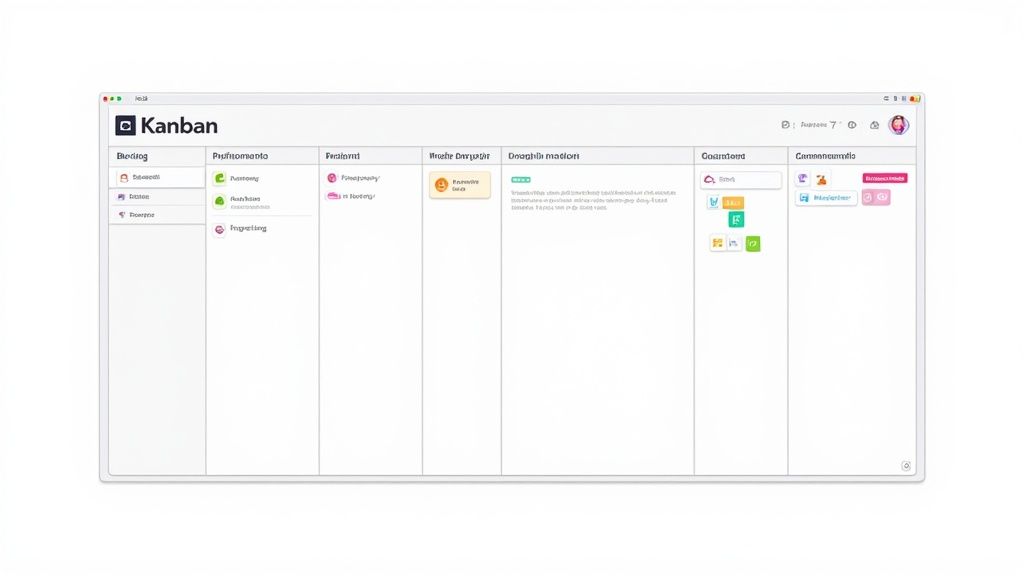
This Beep board is a perfect example. Each card is a task, and you can tell its status just by which column it's in. The visual layout makes it incredibly easy to see where things are flowing smoothly and where they're starting to get backed up.
The Power of WIP Limits
If you only adopt one practice from this guide, make it this one: set Work-in-Progress (WIP) limits. A WIP limit is just a simple rule that caps how many tasks can be in a column at one time—usually the "In Progress" column.
I know, it sounds counterintuitive. Won't limiting our work slow us down? Nope, just the opposite. Multitasking is a productivity killer. Seriously, research shows that constantly switching between tasks can chew up as much as 40% of your productive time.
WIP limits are a forcing function. They force you to finish what you start before pulling in new work, which dramatically improves focus, quality, and the speed at which individual tasks get completed.
For a team of five, you might set a WIP limit of five or six for your "In Progress" column. When that column is full, nobody can start a new task. Instead, it encourages the team to jump in and help get a blocked task moving again.
Organizing Multiple Projects on One Board
"Okay, but how do I keep everything straight if tasks from three different projects are on the same board?" That’s a great question, and the answer is all about using simple visual cues. You absolutely do not need separate boards for each project—that just brings back the information silos we’re trying to escape.
Instead, try these tricks to keep things organized:
Color-Coding: Assign a color to each project. All tasks for the "Website Redesign" could be blue, while the "Q3 Marketing Campaign" tasks are green. Simple.
Tags or Labels: Add another layer of context with descriptive tags. You can tag by project (), priority (), or even by team ().
Swimlanes: If you need more structure, many tools let you create horizontal rows called swimlanes. You could create a swimlane for each major project, giving you a grid view that separates workflows while keeping them all in one place.
In Beep, for example, you can use labels to filter the board in a single click. Want to see only the tasks for "Project Phoenix"? Click the label, and everything else fades away. This combo of a unified view with powerful filtering is the secret to taming multi-project madness.
If you want to dive deeper into this, our guide on creating an effective web Kanban board to transform projects has even more advanced strategies. By visualizing your entire workflow, you trade chaos for clarity. You'll build a system that not only helps you manage multiple projects but actually thrive while doing it.
Streamlining Communication and Managing Risk
Once you've got your projects lined up and your roadmap is clear, the real time-suck begins: communication overhead. I'm talking about the constant "just checking in" pings and unstructured meetings that can completely torpedo your team's focus.
The secret to juggling multiple projects isn't just about planning; it's about building a solid communication playbook. This is how you keep everyone in the loop without pulling your team out of that precious deep-work zone. You have to shift from a reactive, "ask-me-anything" culture to a predictable, proactive rhythm.
Instead of random check-ins, establish a steady cadence. Maybe it’s a quick progress email every Friday afternoon or a tight, agenda-driven sync on Monday mornings to clear blockers. The goal here is consistency. Consistency builds trust and cuts down on stakeholder anxiety, which means fewer interruptions for your team.
Creating Clear Communication Channels
When you’re juggling several projects, you have to assign a specific "home" for every type of conversation. If you don't, critical decisions will inevitably get lost in the noise of a general Slack channel or a massive email thread.
A simple, effective setup I’ve seen work wonders looks something like this:
Project-Specific Slack Channels: Spin up a dedicated channel for each big project (e.g., ). This keeps all the daily chatter, quick questions, and file sharing in one searchable place.
Centralized Feedback in Beep: For any visual work, especially on web projects, all feedback and bug reports must go through Beep. This is a non-negotiable for my teams. It stops feedback from trickling in through screenshots in emails or vague DMs and automatically captures every note with all the technical context.
A Single Source of Truth for Decisions: Use a simple Notion or Confluence page as a formal decision log. Any scope changes, approvals, or major calls get documented here. It creates a permanent record anyone can check without having to ask.
By setting up these designated spaces, you’re training everyone—your team and your stakeholders—where to look for information. It drastically reduces the "Where can I find...?" and "What did we decide about...?" questions that eat up so much time. And remember, well-run meetings are crucial; learning how to organize meeting notes for clarity and action is a skill that pays huge dividends.
Proactively Managing Cross-Project Risks
Let's be real: effective risk management isn't about creating some ridiculously complex, color-coded spreadsheet that no one ever looks at. It's about regularly asking one simple question: "What could go wrong?"
When you're managing a portfolio of projects, the biggest risks aren't usually inside a single project. They live in the gaps between them. These are your cross-project dependencies.
A dependency is any situation where Project A is stuck waiting on a task or resource from Project B. For example, the marketing team can't launch their new campaign (Project A) until the dev team deploys the new landing page feature (Project B). Spot these connections late, and you’re guaranteed a last-minute fire drill.
Proactive risk management is about identifying potential problems while you still have time to do something about them. It’s the difference between steering around an obstacle and hitting it head-on.
The best way I've found to track these potential landmines is with a simple risk register. It doesn't need to be fancy. A basic table with four columns is all you need to stay ahead of trouble.
Your Simple Risk Register Template
Create this in a shared doc and give it a quick review with the team every week. That's it.
Risk Description | Impact | Probability | Mitigation Plan |
|---|---|---|---|
Example 1: A key designer is scheduled for PTO during the final week of the "Website Redesign" project. | High | High | Action: Offload critical design tasks to another team member two weeks before the planned PTO. |
Example 2: The "New Feature Launch" depends on an API from an external partner, which has a history of delays. | High | Medium | Action: Develop a backup plan using a mock API for initial development and communicate a flexible launch window to stakeholders. |
Example 3: The budget for the "Q4 Ad Campaign" may be reduced due to company-wide cost-cutting measures. | Medium | Low | Action: Prepare a tiered campaign proposal showing what can be achieved at 75% and 50% of the original budget. |
This whole process isn't about perfectly predicting the future. It’s about building a mindset of preparedness. By thinking through potential blockers and dependencies ahead of time, you turn potential crises into manageable bumps in the road. That's how you keep all your projects moving forward smoothly.
Building Your Multi-Project Tech Stack
A great system for juggling multiple projects is only as good as the technology backing it up. I’ve seen it a hundred times: relying on a messy patchwork of spreadsheets, emails, and personal to-do lists is a recipe for disaster. It creates fragmentation, critical information gets lost in the shuffle, and nobody has a clear view of the bigger picture.
The goal isn't just to find tools, but to build a tech stack that centralizes your workflow, not scatters it.
This means picking tools that actually talk to each other. When your core platforms are integrated, you create a unified command center for all your projects. For instance, connecting a tool like Beep with Slack means new visual feedback on a website can instantly pop up as a notification in the right project channel. It seems small, but this one automation can save you hours of manual nagging and follow-up.
Same goes for an integration between Beep and Jira. A client's bug report, captured with a screenshot and all the technical data, automatically becomes a ticket in your development backlog. This seamless flow gets rid of the administrative busywork, freeing up your team to focus on what they do best.
What to Look for in Project Management Software
It’s easy to get distracted by flashy features when you’re evaluating software. My advice? Ignore the noise and focus on the capabilities that are truly essential for managing a complex portfolio of projects. Without these fundamentals, even the most expensive tool will just get in your way.
Here are the non-negotiables I always look for:
Cross-Project Dashboards: You need a single screen that gives you a bird's-eye view of everything. This dashboard should instantly show you the health, progress, and upcoming milestones for every single project you’re juggling.
Resource Management Views: The software has to answer the question, "Who is working on what, and are they totally swamped?" A good tool gives you a visual way to see your team's capacity and how they’re allocated across all active projects.
Powerful Reporting and Analytics: Don't skip this one. You need the ability to generate reports that track key metrics like on-time completion rates, budget variance, and resource utilization. This is the data that helps you stop guessing and actually improve your processes over time.
A well-chosen tech stack doesn't just organize your tasks; it hands you the data-driven insights you need to make smarter, strategic decisions about where to invest your team's time and energy.
The market for these tools is exploding. Projections show the project management software market could rocket past $15 billion by 2030. And yet, a surprising 23% of organizations are actually using dedicated PM software, which tells me a lot of teams are still trying to manage complexity the hard way. You can explore the full project management software market analysis on monday.com if you want to dig into the numbers.
Choosing the Right Tool for Your Team
The software landscape can feel overwhelming, with options ranging from simple task managers to massive Project Portfolio Management (PPM) platforms. The right choice depends entirely on your team's context. Please, don’t just pick the tool with the most features; pick the one that solves your biggest, most painful problems.
Consider these factors as you shop around:
Team Size and Complexity: A five-person marketing team has wildly different needs than a 50-person engineering department. Pick a tool that matches your scale.
Budget: Be realistic about what you can afford, but also think about the cost of not having an effective system—missed deadlines, team burnout, and unhappy clients all have a price tag.
Integration Capabilities: This is critical. Does the tool connect with the software your team already lives in every day, like Slack, Jira, or Notion? If it doesn't plug in easily, adoption will be an uphill battle.
Ease of Use: If a tool is clunky or has a monster learning curve, your team just won't use it. I've learned to prioritize a clean, intuitive user experience above almost everything else.
For those of you focused on fast-paced development cycles, our roundup of the 12 best agile project management tools for 2025 is a great place to start your search.
Ultimately, the best tech stack is one that feels invisible. It should work so smoothly in the background that it just empowers your team to do their best work without ever getting in the way.
A Few More Things You Might Be Wondering About
Even with the best system in place, you're going to hit some curveballs when you're juggling a dozen different things. Trust me, I've been there. Let’s tackle some of the common questions I hear all the time.
Help! A Surprise High-Priority Project Just Landed on My Desk. Now What?
It happens to all of us. One minute you're cruising, the next minute there's a fire drill. The absolute first thing you need to do is go straight back to your capacity plan. Don't panic, just analyze.
Use that prioritization matrix you built to see where this new request actually fits in with everything else. Is it really the new top priority?
If it is, you now have cold, hard data to show stakeholders. This lets you have a grown-up conversation about what has to give. You can calmly explain that to make room for this new project, you'll need to either delay or scale back something else. This isn't about being difficult; it's about protecting your team from burnout and keeping expectations realistic.
What's the Best Way to Say "No" Without Sounding Like a Jerk?
Nobody likes saying "no," but sometimes it's the most important part of your job. The trick is to frame it around your team's bandwidth and the priorities everyone already agreed on.
Instead of a hard "no," try something like: "That's a really interesting idea. Right now, the team is fully committed to Projects X and Y, which we all prioritized to hit our main goal this quarter. How about we add this to our backlog and take a serious look at it next planning session?"
This approach does a few things. It shows you're listening, gives a solid reason based on shared goals, and positions you as a strategic partner, not just a task-doer. Plus, it keeps your team focused on what truly matters.
The best way to say no is to anchor the conversation in the priorities you’ve all agreed on and what your team can realistically handle. You're not saying "we can't do it," you're saying "we can't do it right now, and here's why."
How Often Should I Actually Review and Tweak My Plans?
Look, a plan is a map, not a set of concrete instructions. Things change. For most teams I've worked with, a weekly review hits the sweet spot. It's often enough to stay agile but not so frequent that you're just stuck in planning meetings all day.
During this weekly check-in, you should be doing a few key things:
Go over your master Kanban board to see where everything stands.
Take a peek at your risk register. Are any of those potential problems starting to look real?
Compare your prioritized backlog against your team's current capacity. Do you need to adjust?
This rhythm keeps everyone on the same page and makes sure your plans don't get stale.
Ready to stop juggling and start managing your web projects with total clarity? Beep gives you a centralized platform to gather visual feedback, track tasks on a Kanban board, and integrate with your favorite tools. Get started in under a minute and see how much time you can save.
Comments