
.png)
Improve Workflow Efficiency With Practical Team Tactics

Mapping the current flow, zoning in on slow spots, automating must-repeat tasks, and tightening team chat can shave off as much as 30% from cycle times. These four focus areas consistently deliver the fastest efficiency bump across departments.
Process Mapping For Quick Gains
When you sketch every handoff and decision point, invisible bottlenecks become clear targets.
Outline each project phase from kickoff to sign-off
Highlight approval steps that often pile up
Note start and finish timestamps for every handover
Flag repeated manual checks begging for automation or removal
A practical example: one e-commerce group mapped its order processing end-to-end and saw cycle times drop by 20% in just one quarter. That clarity replaces guesswork with precise actions, setting the stage for measurable progress.
Automate High-Value Tasks
Freeing people from repetitive work is a game-changer. A marketing team automated its email-approval chain and reclaimed 15 hours every week.
“Cutting out manual copy reviews reduced our cycle time by 25% in just two sprints.”
Try this approach:
Pick tasks heavy on data entry, status alerts, or simple sign-offs
Build a small proof of concept with tools like Zapier or Beep’s API
Track minutes saved, refine your script, then roll it out team-wide
You’ll also see fewer typos—one group reported a 15% jump in data accuracy. Annotating pages with Beep speeds up corrections and keeps everyone in context.
Summary Of Core Workflow Efficiency Strategies
Before you dig deeper into diagnostics, this table offers a quick snapshot of where to invest your effort.
Strategy | Typical Effort | Primary Benefit |
|---|---|---|
Process Mapping | Low | Visibility into delays |
Targeted Automation | Medium | Time savings on manual work |
Strengthened Communication | Low | Fewer handoff errors |
Collaborative Feedback Cycles | Medium | Quicker approvals and less rework |
Keep this chart handy as you prioritize your next moves.
Strengthen Collaboration Patterns
Processes matter, but people move the needle. In one UX/UI squad, switching to async visual feedback via Beep and limiting stand-ups to 15 minutes slashed review time by 40%.
Set up clear escalation paths when tasks stall
Run brief async check-ins using visual status cards
Encourage peer pairing for instant reviews and shared learning
Plug Beep into Slack or Jira so all comments land in one spot
Check out our guide on quick wins for team productivity to dig into more practical tweaks with Beep.
Next, we’ll explore targeted diagnostics and prioritization techniques to lock in these gains. Combine these tactics with Beep and watch your efficiency climb steadily.
Diagnosing Workflow Bottlenecks With Real Team Examples
Pinpointing exactly where your processes stall is the catalyst for real efficiency gains. Many teams end up patching symptoms instead of tackling the underlying issues. By tracking your tasks from start to finish with clear time stamps, you’ll expose those hidden loops. That way, your improvements land where they matter most—and you sidestep wasted effort.
Building Collaborative Process Maps
A shared visual invites the whole team to flag handoff snags in real time. For instance, at ShopEase, the operations lead ran a two-hour swimlane mapping session with design and QA. What surfaced? A sneaky approval loop that was adding 3 days to every order fulfillment.
Invite reps from operations, design, and QA
Sketch tasks across horizontal lanes for each role
Mark decision gates and handover points
Highlight steps that twist back on themselves
Suddenly, vague assumptions turn into hard data.
“Mapping our process made handoff delays visible in real time.”— Operations Manager at ShopEase
Once you’ve got your live map, let it guide a focused audit of each bottleneck.
Running Time Tracking Audits
Numbers give you the precision you need without wrecking your daily routine. Hand your team simple timer apps or even a shared spreadsheet log. Encourage everyone to tap start and stop, then capture idle gaps whenever work shifts hands.
Track start and finish for each task slice
Note pauses during reviews or approvals
Compare median cycle times across similar jobs
Flag outliers that deserve a deeper look
One marketing crew discovered manual copy reviews were draining 8 hours per week. They experimented with grouped feedback sessions—and slashed that time by half.
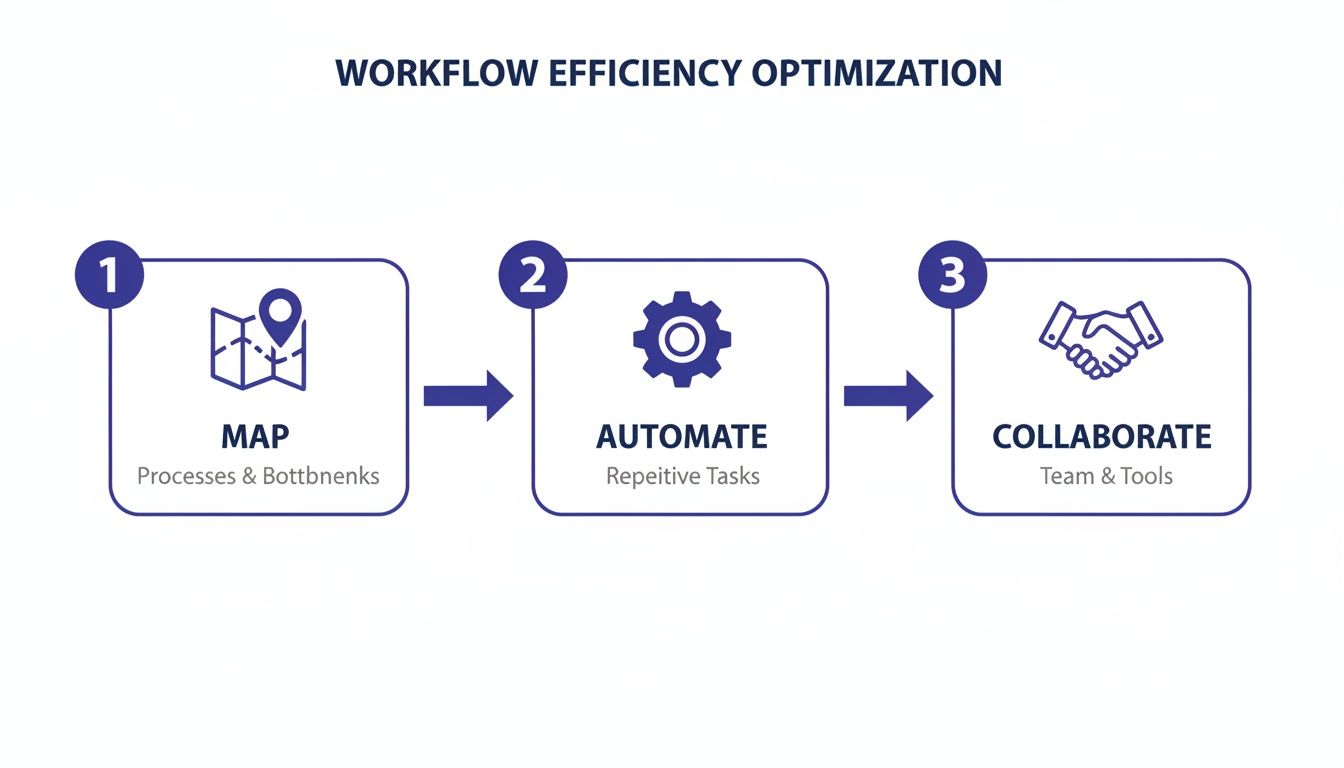
The graphic above lays out a three-step horizontal flow: Map, Automate, Collaborate. It illustrates how crystal-clear process maps combined with targeted automation and tighter teamwork can cut cycle time by up to 30%.
Prioritizing Your Top Bottlenecks
Not every delay is worth the same effort. Draw a simple impact-versus-effort chart on your whiteboard to rank the drags you uncovered.
List each bottleneck with its average delay
Estimate how many hours you’d save by fixing it
Assign a complexity score to each solution
Circle the top three you’ll tackle first
In one case, the team chose to automate a tedious data-entry step (saving 5 hours per sprint) over reworking their review board (which yielded just 2 hours).
Visualizing Cycle Time Charts
Plotting cycle times over days or weeks reveals patterns you’d otherwise miss.
Chart median and 75th percentile durations
Highlight spikes after holidays or version launches
Drill into those peak dates for root-cause clues
This approach steers you toward targeted experiments instead of sweeping, unfocused changes.
Data clarity prevents misguided changes and keeps focus on real issues.
Collaborating Through Data
Invite stakeholders into each diagnostic milestone. Upload your swimlane diagram and audit logs into Beep for live annotations on your actual pages.
Share process maps and timelines for context
Add screenshots of lagging pages directly in Beep
Tag teammates to give immediate ownership
Resolve comments with in-line, threaded discussions
Monitor fixes on Beep’s kanban board
You’ll tighten feedback loops and slash rework.
By the end of this diagnostic sprint, you’ll own a ranked list of your top three bottlenecks and a concrete action plan. You’ll stop chasing shadows and start zeroing in on the true blockers—so you can improve workflow efficiency with certainty.
Case Study From E-Commerce Team
A retailer once traced a fulfillment delay to a sprawling email approval chain of over 50 threads each week.
By centralizing those sign-offs in Beep, the team shrank their process to two clicks and saw order processing time fall by 20% in just four weeks.
Mapped the email steps as visual comment cards
Auto-notified approvers the moment reviews were pending
Closed loops instantly with in-context feedback
Switching to embedded annotations cut miscommunication by 35% and boosted team morale.
This real-world win proves that deep diagnostics pave the way for swift, impactful gains. Diagnose thoroughly, then act decisively for maximum improvement.
Prioritizing High Impact Workflow Improvements
Once you’ve spotted the flow-breakers in your process, narrowing down where to focus is a breeze. An impact-effort matrix lays everything out clearly—so you know which fixes pay off quickly and which need more elbow grease.
Crafting An Impact-Effort Matrix
First, list each bottleneck on one axis and estimate two things:
Hours Saved Per Week
Implementation Complexity (1–5)
Then plot each item into one of four quadrants. For instance, 15 hours of weekly savings usually jumps right into your high-impact, moderate-effort corner.
A clear matrix guides teams to focus on fixes that deliver the fastest return.
This four-quadrant view stops you from chasing small gains. Once you’ve mapped everything, gather stakeholders and refine those scores with a quick vote or scoring cards.
Translating Time Into Value
Turning saved hours into dollars puts ROI front and center. Pick an average rate—say $50 or $75—and do the math:
Bottleneck | Hours Saved | Hourly Rate | Weekly Value |
|---|---|---|---|
Email approval chain | 15 | $60 | $900 |
Design feedback loops | 8 | $50 | $400 |
Tables like this make investment decisions crystal clear. Our marketing team used exactly this approach to choose automating email approvals over tweaking design feedback.
Add Beep annotations to your live pages so teammates can drop visual notes right where context matters. Those pointers often reveal hidden tasks and sharpen your complexity estimates.
Setting Realistic Impact Estimates
Ground your projections in reality with these tactics:
Review historical cycle times for similar fixes
Account for headcount, budget, and outside support
Build in a 20% buffer to avoid overcommitment
Then run a small pilot. Use Beep’s Kanban view to track actual hours saved and adjust your matrix once you see real data.
Balancing Quick Wins And Long-Term Projects
A simple three-factor scorecard keeps you balanced:
Strategic Alignment (1–10)
Effort Estimate (1–10)
Impact Potential (1–10)
Sum each initiative’s ratings to see which rise to the top. This reproducible framework ensures every sprint delivers real value.
Prioritization frameworks keep teams aligned and sprint planning on track.
Share your chart in the next stand-up via Beep—attach comments and status tags so everyone knows what’s happening. As feedback loops tighten, you’ll notice rework falling off naturally.
Treat your prioritization matrix as a living artifact. Review and tweak it each sprint with stakeholders, keep all annotations in Beep, and maintain full visibility into progress. This shared clarity fuels smarter decisions and faster course corrections.
Implementing Automation And Process Changes
Choosing the right targets for automation can feel like striking gold. Instead of chasing headline-grabbing integrations, look for those small, repetitive chores that eat up your team’s time.
One finance department I know automated its expense approvals and cut weekly delays by half—all without needing a dedicated IT project.
Pick High-Frequency Tasks With Clear Rules to Maximize ROI
Try Low-Code Tools like Airtable, Zapier, or custom scripts for a quick setup
Write Simple Runbooks to capture each manual step and make future tweaks easier
Matching a platform to your team’s skill set keeps things from getting messy. And when you layer an integration on top of your main project board, you preserve context and reduce handoffs.
Instead of rolling out everything at once, start with a focused pilot. This builds confidence and lets you adjust before it impacts your entire backlog.
Drafting Clear Runbooks
A solid runbook is your single source of truth. Map each decision point and every required action.
Include screenshots or direct links so someone new can follow the process without constant hand-holding. This extra clarity slashes onboarding time and eliminates guesswork.
This dashboard snapshot shows task status, cycle-time trends, and where your team is maxed out. You can immediately spot the stages that need help.
Running Small Pilots
Focus your pilot on a single slice of work—never the whole backlog. Define success with measurable goals like cycle-time reduction or fewer approval steps.
Log every result on Beep’s Kanban board so stakeholders see progress in real time.
One marketing team ran a two-week pilot for content handoffs. They slashed review loops by 50 percent and reported smoother handovers in every sprint.
Use Basic Dashboards to Surface Trends
Collect Feedback Through Beep’s In-Context Comments
Tweak Scripts or Thresholds Based on Actual Usage
When it’s time to expand, assign clear process champions who own each automation. Expect some folks to worry about shifting roles—it’s normal.
Combat that resistance with hands-on training, open Q&A sessions, and a transparent changelog. Automation can boost productivity by 25–30 percent at scale and often pays for itself within a year.
Learn more about workflow automation benefits on Kissflow
“Automations that evolve with usage data avoid stagnation and deliver ongoing value.”
Scaling Across Teams
Once your pilot hits its targets, map adjacent workflows to identify hidden dependencies. Document every integration and tag an owner so questions have a clear point of contact.
Track rollout status on Beep’s Kanban board to foster accountability and cut down on email ping-pong.
Consider these tactics to spread expertise:
Host Brown-Bag Sessions for Peer Learning
Rotate Automation Reviews Quarterly to Refresh Priorities
Archive Obsolete Runbooks and Annotate Them for Future Reference
Keeping an eye on KPIs—like cycle time, error rates, and approval counts—keeps everyone aligned. Share weekly snapshots during stand-ups so ‘rework loops’ stay far off your radar.
Iterate whenever metrics drift or processes shift. With Beep’s feedback threads acting as a backlog of improvements, each tweak stays grounded in real user needs.
Next Steps And Resources
Learn more about choosing the right workflow automation solutions in our article on 12 Best Workflow Automation Tools for Teams in 2025
Picking tools from that list will accelerate your roadmap. Strong governance, targeted pilots, and continuous feedback guard against risks and lock in sustainable gains.
Start small, document everything, and listen to your team. Over time, automation will transform manual grind into a high-speed, reliable machine.
Enhancing Team Communication And Collaboration
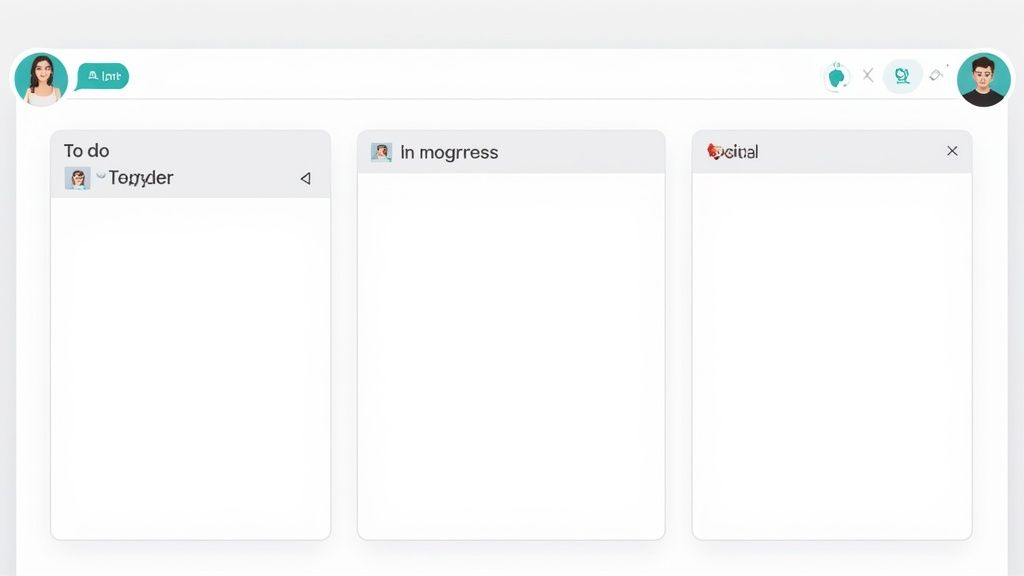
When tasks ride the express lane instead of idling in silence, teams stay energized and avoid those dreaded rework loops. Clear handoffs and quick feedback keep momentum alive.
In the following sections, you’ll find proven patterns—backed by real-world wins—to make sure no one drifts off the same page.
Asynchronous Updates
Working across time zones? Ditch the “waiting for the meeting” routine. Structured async updates put progress front and center.
Share a snapshot of where things stand, with a couple of lines of context
Tag teammates who own each next action and outline clear follow-ups
Keep a timestamped checklist so everyone can see what’s blocking what
These bite-sized reports cut down unnecessary calls and nips misalignment in the bud.
Visual Task Boards
A chat-ops–driven board can shatter team silos overnight. One product team overlaid live annotations on their staging site and saw meetings drop by 40%.
Embedding feedback directly on UI reduces back-and-forth and keeps context precise.
Beyond faster approvals, this method surfaces hidden blockers before they snowball.
In surveys on AI-enabled automation, teams reported:
55% productivity uplift
52% fewer silos
38% more time for high-value work
Learn more about AI-enabled automation findings here
Rapid Peer Reviews
A lean review cycle keeps queues from ballooning. Try these tactics:
Draft concise task descriptions with clear acceptance criteria and screenshots
Define escalation paths so urgent blockers reach the right person within hours
Set communication SLAs, such as a two-hour response window for critical reviews
Host cross-functional pairing sessions for faster debugging and shared ownership
These habits make sure no review sits idle past a shift.
“Pairing designers with developers in short sprints cut our bug bounce rate by 30%,” recalls a UX lead.
Tool Type | Benefit | Best For |
|---|---|---|
ChatOps Threads | Real-time tagging and alerts | Small rapid fixes |
Kanban Boards | Visual task flow and priorities | Cross-team projects |
Annotation Apps | Context-rich feedback on pages | Design and QA |
Check out our guide on top communication tools for teams to boost teamwork for more tool ideas.
Real-Time Alerts And Escalations
When approvals stall, instant pings can be a lifesaver. Configure alerts to:
Trigger on overdue task cards and flag silent delays
Ping channel owners once priority thresholds are hit
Send a daily digest summarizing all pending feedback
Paired with clear escalation rules, these notifications turn creeping delays into immediate action items. Short templates and reusable message patterns further smooth handoffs.
Putting It All Together
Kick off each morning with a single-line async update that highlights progress and blockers.
Embed a visual task board in your workflow tool to preserve shared context.
Agree on response SLAs to keep reviews from going dark.
Automate overdue-task alerts to drive accountability.
Run cross-functional pairing sessions twice a week for real-time collaboration.
Apply these simple patterns and you’ll transform fragmented chatter into a steady, productive flow. With live annotations and clear escalation in place, feedback loops shrink and your team’s efficiency climbs.
Review these guidelines in every retrospective. Over time, prompt communication becomes second nature, handoff friction fades, and continuous improvement takes root.
Measuring Results With Key Performance Indicators
I always say: if you can’t measure it, you can’t improve it. Zeroing in on the right KPIs lays the groundwork for real gains in workflow efficiency.
Cycle time, throughput, and error rate often surface the sneaky slowdowns nobody notices. Align on clear definitions, then lock in a baseline so the entire team understands what “good” looks like.
Cycle Time measures the span from task kickoff to delivery.
Throughput tracks completed items over a fixed period.
Error Rate flags defects and rework loops.
To establish meaningful baselines, collect data over a consistent window—say, four full sprints or a month’s worth of cycles—before you chase percentage improvements. A live dashboard brings these numbers into focus. Embedding charts in Beep (https://www.justbeepit.com)’s Kanban view or your go-to BI tool ensures everyone sees real-time trends at a glance.
“Choosing the right metrics turns vague ambitions into clear, actionable targets.”
Configuring Baselines And Dashboards
Dashboards aren’t just pretty graphs. They’re alert systems. Color-code thresholds—green for smooth sailing, amber for caution, red for immediate fixes.
Automate data feeds from tools like Jira, Trello, or custom scripts. That way, your cycle time and throughput visuals update themselves—no manual exports needed.
Make KPI check-ins part of your rhythm:
Host a brief “radar” meeting each sprint to zero in on cycle time spikes.
Rotate facilitators to keep perspectives fresh.
Capture every decision and action item right in Beep for full traceability.
Scorecards turn raw figures into instant alerts. For example, flag throughput dipping below 85% or error rates climbing past 3%, so your team can jump on issues before they fester.
Before we dive into retrospectives, let’s zoom out on the broader market to set realistic benchmarks.
Here’s how the workflow automation space is projected to expand:
Workflow Automation Market Forecast
Understanding market trends helps you calibrate internal targets against industry growth expectations.
Year | Market Size (Billion USD) | CAGR |
|---|---|---|
2025 | 40.1 | 21% |
2028 | 49.6 | 21% |
2031 | 61.4 | 21% |
2034 | 75.9 | 21% |
2035 | 78.3 | 21% |
Recognizing this 21% compound annual growth rate from 2025 to 2035 helps you ground your KPIs in real-world context. Download the full research report on workflow automation growth for deeper insights.
Structuring Retrospectives Around Data
I’ve found the most effective retrospectives start with numbers, not anecdotes. Open by reviewing your scorecard’s red and amber flags before hunting for root causes.
Plot historical cycle time by sprint to spot gradual drifts.
Annotate charts directly in Beep to add context where it matters.
Turn insights into clear action items, assign owners, and set deadlines in your dashboard.
Benchmark your results against industry growth rates to stay honest about progress. If throughput dips or error rates climb, those early warnings should trigger follow-up tasks—shared instantly in Beep so feedback loops shrink.
Teams I work with report cutting rework time by 25% once they make data the centerpiece of every meeting. And when you tie KPI shifts back to customer satisfaction or bottom-line savings, momentum practically sustains itself.
Link cycle time targets to Net Promoter Score or cost-per-ticket reductions.
Share concise monthly KPI summaries with stakeholders.
Revisit and adjust thresholds as your processes mature.
In the end, consistent measurement keeps continuous improvement on track. Armed with cycle time, throughput, and error-rate insights, your team moves from guesswork to high-impact decisions—every single sprint.
Focusing on the right metrics turns vague goals into concrete actions and ensures every improvement is measurable.
Ready to see metrics in action? Book a free Beep demo to start tracking meaningful KPIs and keep your improvements visible.
FAQ On Improving Workflow Efficiency
Diagnosing hidden delays often starts with a simple time-tracking audit. Track every task and you’ll uncover those idle minutes creeping into your process. Timestamp reviews, and you might discover review loops adding days to your cycle.
Sketch out a swimlane diagram to visualize handoffs.
Collect time logs for two weeks to highlight anomalies.
Drop comments directly on live pages with Beep’s in-context annotations.
Figuring out which automation tools deliver quick wins is key for small teams. Low-code platforms get you rolling in hours, not weeks.
Connect Slack, email, and spreadsheets through Zapier and Make effortlessly.
Use Beep’s API to push feedback tasks straight into your Kanban board.
Kick off builds and deploys without extra installs using GitHub Actions.
“Automating our email approval chain reclaimed 15 hours a week.”— Marketing Lead at BrightBrand
Measuring ROI On Workflow Changes
Turning those reclaimed hours into real dollars is surprisingly simple. Multiply saved time by your average hourly rate.
Metric | Value |
|---|---|
Hours Saved Weekly | 15 |
Hourly Rate | $60 |
Weekly Value | $900 |
From here, divide your implementation cost by that $900 to see how fast you break even.
Sustaining Efficiency Gains
Embedding continuous feedback into daily routines is what keeps improvements alive.
Host monthly retrospectives with a focused agenda.
Archive old annotations in Beep to maintain a clear audit trail.
Rotate process ownership so fresh eyes spot new bottlenecks.
Embedding feedback into daily routines prevents drift and maintains gains.
You can tighten the cycle even more—set SLAs for review steps and automate reminders. For instance, configure Beep to ping stakeholders after 24 hours of inactivity.
By blending data-driven audits, regular check-ins, and real-time annotations, teams can shrink feedback loops and slash rework. Small tweaks add up fast, turning plans into dependable execution.
Ready to tighten feedback loops and slash rework? Try Beep today for free and see how in-context annotations drive faster iterations on live projects.
Visit justbeepit.com to get started in under a minute. No signup required.
Comments