
.png)
Managing a Website Project: Essential Tips for On-Time Delivery

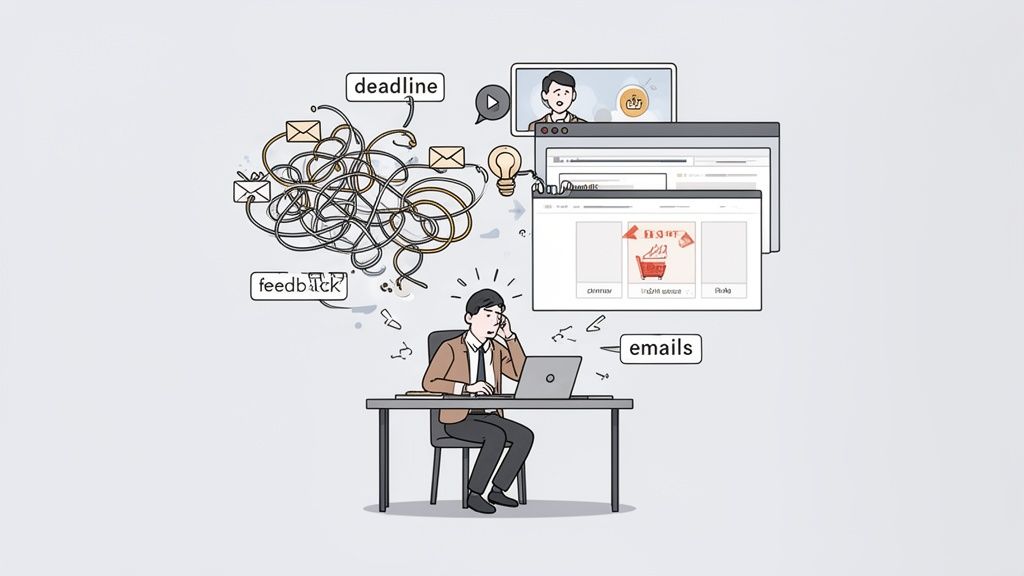
Let's be real for a second. Managing a website project can feel like you're trying to conduct a chaotic orchestra where every musician is playing a different song. You're drowning in endless email threads, hopping between back-to-back video calls, and trying to make sense of vague feedback like, "Can you just make it pop more?"
This mess isn't just frustrating; it's expensive. It leads directly to blown deadlines, bloated budgets, and a final product that just doesn't quite land. These problems get even worse in our remote-first world, where clear, asynchronous communication isn't a luxury—it's essential for survival.
The Real Challenge of Managing a Website Project
So, where do things usually go off the rails? It often comes down to the outdated tools we're forced to use.
Why Traditional Methods Fall Short
The old way of doing things—relying on a Frankenstein's monster of spreadsheets, massive email chains, and a dozen different chat apps—just creates silos. Information gets lost, and people get left out of the loop.
Picture this: an e-commerce site launch gets pushed back a week. Why? Because a crucial piece of feedback from the marketing team was buried in an email thread with a low-priority subject line. The developer never saw it, the project manager couldn't track it, and now the whole team is in scramble mode.
Sound familiar? It happens all the time. The data backs this up, revealing that a staggering 65% of projects fail to hit their targets for time or budget. A huge part of the problem is bad communication, with 70% of professionals admitting they lose precious time on projects because of it.
But there's good news. High-performing teams show us a better way: 77% use dedicated project management software, which saves an average of 498 hours per employee every year. If you're curious, you can explore more insights on how top teams succeed with project management tools.
This journey from chaos to a well-oiled machine is something I've seen over and over.
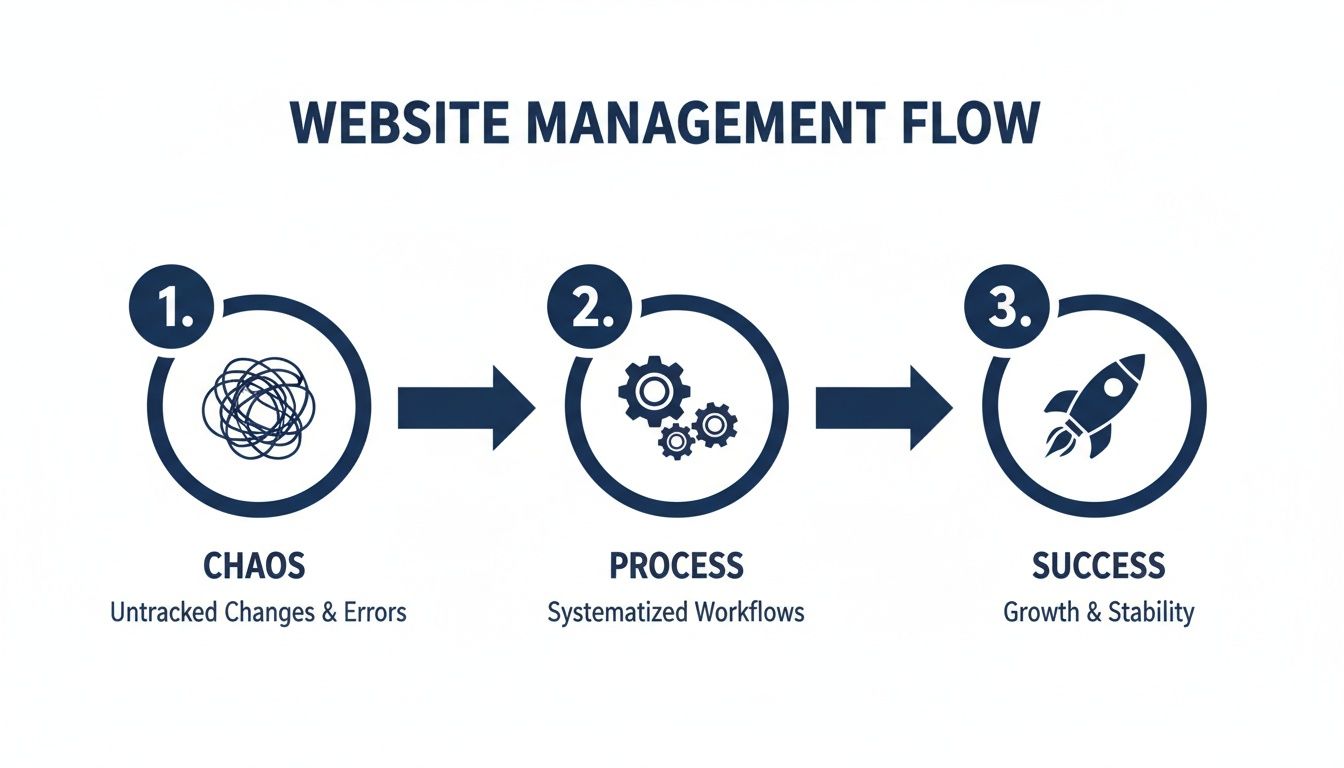
This isn't about luck. Success comes from putting a real process in place that turns confusion into clarity.
To really nail this down, let's look at the old headaches versus how modern platforms solve them.
Common Project Pitfalls vs Modern Solutions
Traditional Pitfall | Modern Solution |
|---|---|
Scattered Communication: Feedback is lost in emails, Slack, and docs. | Centralized Hub: All conversations and feedback live in one place, tied directly to the project. |
Vague, Unactionable Feedback: Comments like "this looks weird" leave developers guessing. | Visual, Contextual Comments: Point-and-click feedback on the live site shows exactly what needs to change. |
Manual Task Creation: PMs spend hours turning feedback into tickets. | Automated Task Management: Every comment automatically becomes a trackable task, assigned to the right person. |
Disconnected Tools: Jumping between different apps creates friction and wastes time. |
Seeing the contrast makes it pretty clear, right? The old ways just don't cut it anymore.
Moving From Chaos to Clarity
The real issue isn't that your team isn't trying hard enough. It's that they're fighting against a broken system. When feedback is scattered and untracked, it grinds everything to a halt. Developers, designers, and project managers end up spending more time trying to figure out what they're supposed to do than actually doing the work.
The goal is to shift from being reactive—constantly putting out fires—to being proactive. A proactive approach involves creating a single source of truth where communication is centralized, contextual, and actionable.
Instead of navigating a maze of digital noise, your team needs a system that actually supports how they work. Here’s what that looks like:
Centralized Communication: All discussions, feedback, and approvals happen in one spot. No more hunting through inboxes.
Visual and Contextual Feedback: Stakeholders can literally point and click on the live website to leave comments. The guesswork is gone.
Actionable Task Management: Every piece of feedback instantly becomes a trackable task. Nothing falls through the cracks.
Seamless Tool Integration: Your project management hub should talk to the other tools your team relies on daily, like Slack or Jira.
By bringing this kind of structure to your process, you’re not just getting organized. You're setting the stage for a smarter, faster, and less stressful way to deliver amazing website projects.
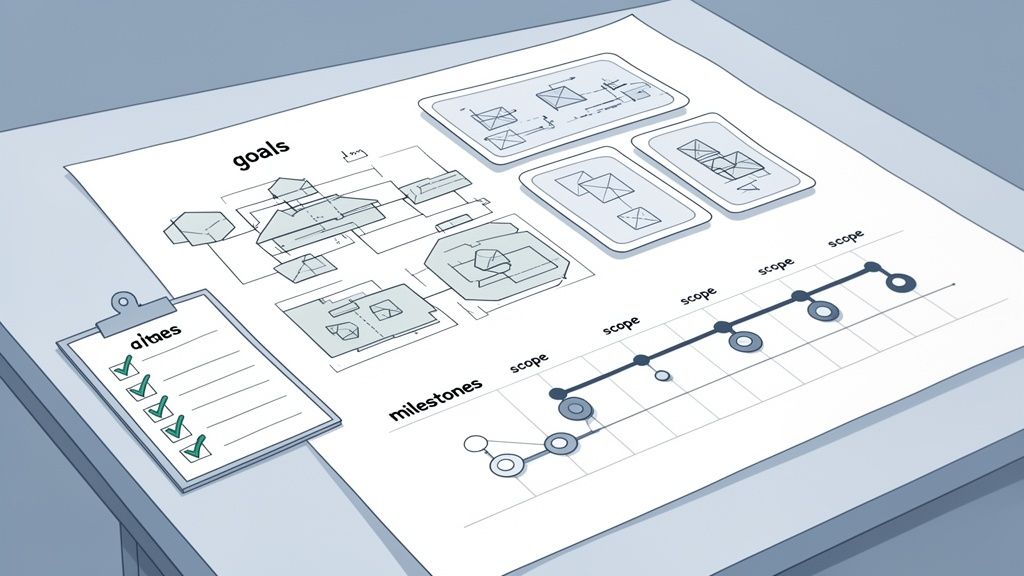
Before a single line of code gets written or a pixel gets placed, the real work on a successful website project begins. It all starts with a solid blueprint. Think of it as your North Star, the thing that guides every single decision and saves you from the dreaded "scope creep" that blows up timelines and budgets.
Honestly, trying to build a website without this initial planning is like trying to build a house without architectural plans. It's risky, wildly inefficient, and almost always ends in a mess. This is where you turn vague ideas into concrete, actionable goals. It’s about getting everyone—from the CEO to the junior dev—on the same page from day one. That alignment is probably the single most important factor in keeping a project running smoothly.
Defining Crystal-Clear Project Goals
First things first, you have to know why you're building this thing. Fuzzy goals like "improve our online presence" are totally useless. You need specific, measurable goals that tie directly back to what the business actually wants to achieve.
Get in a room with the stakeholders and start asking pointed questions:
What specific problem are we solving for our users with this new site?
Are we trying to boost lead generation by 20%, or maybe cut down on customer support tickets by 15%?
What are the absolute must-do actions a user needs to take for us to call this a win?
Answering these questions turns a vague concept into a sharp target. For instance, "a better user experience" becomes "slash the checkout process from five steps to three to decrease cart abandonment by 25%." Getting this level of clarity is non-negotiable. If you want to dive deeper into the whole process, checking out a comprehensive guide to web design and development projects can give you a great foundational overview.
Nailing Down the Scope and Timeline
Once you've got those clear goals, you can finally define the project scope. This document is your best defense against scope creep. It needs to spell out exactly what's included in the project and—just as critically—what is not included.
A well-defined scope document, signed off by all key stakeholders, is the most powerful tool you have for keeping a project on track. It’s the official source of truth when new ideas or requests inevitably surface mid-sprint.
With the scope locked in, you can build a realistic timeline. Please, don't just pull a launch date out of thin air. Instead, break the entire project down into smaller, more manageable milestones. This makes the whole thing feel less intimidating and gives you regular checkpoints to see if you're on track.
A simple milestone breakdown might look something like this:
Discovery & Planning: Lock in goals, scope, and user personas.
Wireframing & Prototyping: Map out the structural layout and user flow.
UI Design & Mockups: Nail down the visual identity and final look.
Development & Content Integration: Build the site and plug in all the content.
QA & UAT: Hunt for bugs and get feedback from real users.
Launch & Post-Launch Support: Push it live and handle any immediate issues.
Mapping this out gives everyone a clear picture of the road ahead. For a more detailed look, take a peek at our guide on creating a practical website development timeline template to get you started.
Creating User Personas That Matter
Finally, your blueprint has to be built for the people who will actually be using the website. This is where user research and detailed personas come in. And I don't mean creating generic personas that just collect dust in a folder; I mean building them from real data and actual interviews.
A useful persona needs to include:
Demographics: Age, location, job title.
Goals: What are they trying to do on your site?
Pain Points: What's frustrating them right now?
Technical Savviness: Are they a power user or do they need things super simple?
For example, a persona for "Busy Manager Sarah" who needs to find product specs on her phone in two minutes will lead to very different design choices than "Retired Hobbyist John" who's browsing casually on his desktop. These personas force your team to build for real people, not just for yourselves. Trust me, the time you invest in planning upfront will pay you back tenfold, saving you from costly rework later and ensuring the final product actually hits the mark.
Assembling Your Team and Tech Stack
Alright, you’ve got your project blueprint sketched out. Nice. Now it’s time to focus on the engine that’s actually going to build this thing: your team and their tools. I've learned the hard way that a successful website project hinges on getting the right people in the right seats and giving them tech that actually helps them work together. This is where brand, content, design, SEO, and UX all collide.
Think of it this way: your team and your tech stack are what turn a static plan into a living, breathing website. Without clear roles, you get chaos and people tripping over each other. With the wrong tech, you just create headaches and burn hours on manual tasks that a simple tool could handle.
Defining Clear Roles and Responsibilities
Before a single line of code gets written, everyone needs to know exactly what they’re responsible for. Ambiguity is the enemy here. When roles are fuzzy or have gaps, critical tasks get dropped and nobody knows who to ask when things go wrong.
A solid website project team usually has a few key players. On smaller teams, one person might wear a few hats, but the functions themselves are non-negotiable:
Project Manager: This is your conductor. They keep the project on schedule, on budget, and clear roadblocks for the team.
UI/UX Designer: They’re the champion for the user. Their world is all about creating an intuitive and great-looking experience through wireframes, mockups, and prototypes.
Lead Developer: The technical architect who’s in charge of the build. They ensure the code is clean, the site is fast, and the whole thing can scale.
Content Strategist/Creator: Your storyteller. They craft all the words, from catchy headlines to product descriptions, making sure it all fits the brand voice and hits SEO goals.
QA Tester: The detail-obsessed pro who hunts for bugs. They make sure the final product works flawlessly on every browser and device you care about.
The real magic happens when these roles aren't just titles on an org chart. When a developer truly owns back-end performance and a designer owns the user flow, you build a culture of accountability that drives quality up.
Getting this right eliminates that classic, project-killing phrase: "Oh, I thought you were doing that."
Choosing the Right Technology Stack
Your tech stack is the foundation your entire website is built on. The choices you make here will ripple through everything from how fast you can build to how painful it is to maintain later. There’s no single "best" stack; it all comes down to your project’s specific needs.
When you’re weighing your options, keep these things in mind:
Scalability: Can this tech handle your traffic growing from a thousand visitors to a million? Think five years down the road, not just launch day.
Developer Talent Pool: How hard is it to find developers who know this framework or CMS? Picking some obscure technology can turn into a massive hiring headache later.
Maintenance Overhead: Who’s going to handle security patches, updates, and server management? For the long haul, you might even want to look into website managed services as part of your post-launch plan.
Integration Capabilities: How nicely does this tech play with your other must-have tools, like your CRM, analytics platform, or marketing software?
A bad choice here can leave you with a site that’s slow, a pain to update, and a money pit to maintain.
Creating a Unified Collaboration Hub
This might be the most important piece of the puzzle. You need to create a seamless workflow. Your tech stack shouldn't be a bunch of disconnected islands of information. The goal is to build a central place where communication is easy and work just flows.
This is where integrating your tools is a total game-changer. Picture this: a QA tester finds a bug on the staging site. Instead of taking a screenshot, opening their email, and typing out a description, they use a tool like Beep to pin a comment directly on the broken element.
That one click can set off a powerful, automated chain reaction:
A new card instantly pops up on your Jira or Kanban board, complete with the comment, a screenshot, and all the tech specs (like browser version and OS).
The lead developer gets a ping in a dedicated Slack channel.
The project manager sees the new task on their dashboard and can track it without sending a single follow-up email.
This is what an integrated approach looks like. It turns your tech stack into a command center. You kill the manual, time-sucking process of copying information between systems, slash the risk of human error, and let your team focus on what they do best: building an incredible website.
Executing Flawless Design and Development Sprints
Alright, you've got your plan and your team is ready to rock. Now for the fun part: actually building the website. This is where the magic happens, but it's also where a project can go completely off the rails without a solid process.
The key is to ditch the old-school, "big reveal" style of working and embrace an agile, iterative approach.
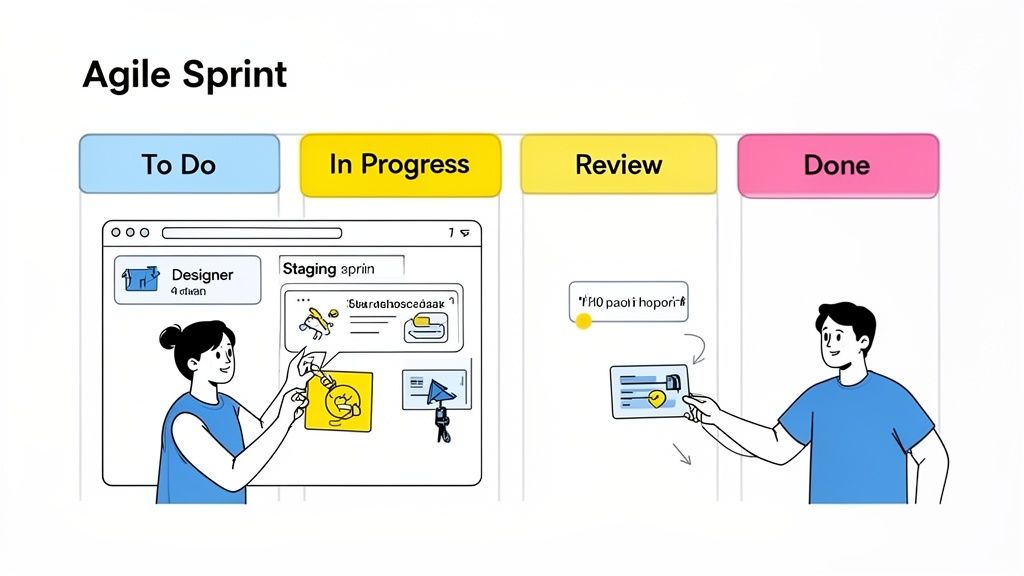
This just means breaking down the entire project into small, manageable chunks of work called sprints. Sprints are typically one or two weeks long, and they let your team laser-focus on a small batch of high-priority tasks. You build a piece of the site, get feedback, and repeat. This simple loop saves you from getting six months down the road only to realize you’ve been building the wrong thing all along.
The Rhythm of an Effective Sprint
A good sprint isn't just about speed; it's about getting into a predictable rhythm that keeps everyone on the same page and the project moving forward. You're trying to create a super-tight feedback loop where progress is constant and, most importantly, visible to everyone.
And this agile thing? It really works. Research shows that 63% of companies have already jumped on the agile train. It’s a smart move, especially when you consider that teams stuck using outdated methods like spreadsheets see project failure rates as high as 65%. On the flip side, 77% of high-performing teams use dedicated project management software, which helps them nail their deadlines way more often. You can check out more project management stats to see just how much of a difference the right tools make.
A typical sprint cycle has a few key rituals:
Sprint Planning: The team gets together at the start to pull tasks from the backlog and decide what they can realistically get done.
Daily Stand-ups: Quick, 15-minute morning check-ins. Everyone shares what they did yesterday, what's on for today, and any roadblocks they've hit.
Sprint Review: At the end of the sprint, the team demos their completed work to stakeholders. This is where you get that crucial feedback to guide the next cycle.
Sprint Retrospective: An internal team meeting to talk about what went well, what didn't, and how to make the next sprint even better.
If you're looking to really dial in your process, our guide on creating a sprint planning meeting agenda has some great tips to make those meetings super productive.
Putting Iterative Feedback into Practice
Let's walk through what this looks like in the real world. Imagine your UX designer just finished V1 of the new checkout page and pushed it to a staging server. The old way of doing things would mean a long, painful meeting with messy screen sharing and even messier notes.
With a modern workflow, it's a whole different ballgame. The designer just shares the staging link with the project manager and a key stakeholder from the sales team.
Here's how the feedback flows now:
The project manager opens the link and, using a tool like Beep, clicks right on the "Confirm Order" button. She pins a comment: "This button styling feels inconsistent with the rest of the site. Can we match it to the primary CTA from the homepage?"
The sales stakeholder notices the shipping cost calculation is a bit confusing. He clicks that section and adds his own comment: "This needs to be clearer. Can we add a small tooltip explaining the different shipping tiers?"
Each comment automatically creates a task on the team's Kanban board, complete with a screenshot and all the browser details. The developer assigned to the checkout flow gets an instant notification.
This is the power of contextual feedback. The developer doesn't have to guess what "this button" or "that section" means. They see the exact element, the specific comment, and all the technical data they need in one place.
The developer knows exactly what needs to be done. He drags the two new tasks from "To Do" to "In Progress," pushes the code changes in under an hour, and moves the tasks to "Ready for Review." The designer and stakeholder get a notification and can pop back onto the same staging link to verify the fixes.
What used to be a two-day cycle of emails, meetings, and confusion is now crunched down into a couple of hours. This is how you build momentum. By making feedback visual, contextual, and instantly actionable, you kill the friction that bogs projects down, dramatically cutting down revision cycles and keeping your team in the zone.
Mastering the Review and Quality Assurance Loop
The final stretch of a website project—review and quality assurance (QA)—is where good projects become great ones. This is your last chance to catch the little bugs, typos, and design inconsistencies that can undermine all the hard work that came before. It’s all about refining, polishing, and making sure the user experience is flawless before you go live.
Too often, though, this phase descends into chaos. I’ve seen teams get buried under messy spreadsheets for bug tracking, deciphering vague feedback from endless email chains, and struggling to reproduce issues that were poorly reported. Managing a website project effectively means turning this potential mess into a structured, efficient process.
Building Comprehensive Test Cases
A solid QA loop starts with a plan. You can’t just click around randomly and hope to find problems. You need structured test cases that cover every critical user journey and function of the website. This systematic approach ensures nothing important gets missed.
Your test plan should include checks for things like:
Core Functionality: Does the contact form actually submit? Can users add items to their cart and complete a purchase?
User Interface (UI) Consistency: Are all buttons, fonts, and colors consistent with the design system across the entire site?
Content Accuracy: Is all the copy free of typos and grammatical errors? Are the images loading correctly?
Link Integrity: Are there any broken internal or external links?
Having a clear plan isn't just about finding bugs; it's about validating that the website meets the project goals you set out from the very beginning.
Tackling Cross-Browser and Mobile Testing
Today, users will access your site from a dizzying array of devices and browsers. What looks perfect on Chrome on a desktop might be completely broken on Safari on an iPhone. This is why cross-browser compatibility and mobile responsiveness testing are non-negotiable.
Your QA process must involve testing on the most common combinations of browsers and devices your target audience uses. This isn't just about making the site look good; it's about ensuring it's functional for everyone, everywhere.
The reality is that IT-related projects frequently exceed budgets by 75% and overrun schedules by 46%, often because of poorly defined processes. A lack of structured review methods is a major culprit, but organizations using proper PM tools report a 73.8% average project performance.
From Messy Spreadsheets to Visual Feedback
Here's where we can truly transform the QA process. The old method of logging bugs in a spreadsheet is slow, manual, and prone to error. A developer trying to fix a bug from a one-line description in a spreadsheet is working with one hand tied behind their back.
A modern approach flips this on its head. Imagine your testers—whether they're from marketing, sales, or your client's team—browsing the live staging site. When they spot an issue, they don't open a spreadsheet. Instead, they use a tool like Beep to click directly on the problem element and pin a comment right there.
This simple action creates a powerful feedback loop:
A typo flagged by the marketing manager is pinned directly on the text.
A broken link reported by a stakeholder is commented on the exact anchor text.
A rendering issue on a mobile device is captured with an automatic screenshot.
Each piece of feedback instantly becomes a trackable task on a Kanban board. More importantly, it includes all the technical data a developer needs—like browser version, screen resolution, and OS—without anyone having to ask. To help structure this process, you should check out our ultimate website QA checklist for 2025.
This visual, centralized system ensures critical bugs don't slip through the cracks. It replaces ambiguity with clarity, making the final push to launch smoother, faster, and far less stressful for everyone involved. Believe me, once you try it, you'll wonder how you ever managed without it.
Got Questions About Managing a Website Project? We’ve Got Answers.
Even when you’ve got the perfect plan and the best tools lined up, running a website project can feel like you're trying to solve a Rubik's cube in the dark. Questions always come up, especially when you're deep in the trenches. Getting straight, real-world answers to these common headaches is often the only thing standing between a smooth launch and a total scramble.
Let's break down some of the most common questions I hear from project managers. I'll give you some no-fluff advice to help you handle these moments like a pro and keep things moving forward.
What's the Single Biggest Mistake I Can Make?
Oh, this one's easy. The absolute biggest mistake is letting bad communication and vague feedback fester. Comments like "make it pop more" or "I don't know, it just feels off" are absolute project killers. When that kind of useless feedback is scattered across ten different email threads and a bunch of Slack DMs, you're signing up for endless revisions, burned-out designers, and a seriously frustrated team.
Honestly, switching to a central, visual feedback tool is a complete game-changer. When you let stakeholders pin their comments right onto the live webpage, you kill all that ambiguity on the spot. Every single piece of feedback is right there, in context, ready to be actioned, and tracked from start to finish.
How Do I Actually Stop Scope Creep?
Look, scope creep is going to happen. The key is managing it, and that starts with having a bulletproof project plan from day one. Before a single line of code is written, you need a detailed scope document signed off by every key person involved. Think of this document as your project's constitution; it's your best defense when someone inevitably asks, "Can we just add one more thing?"
When a new feature request pops up, don't just give a flat "yes" or "no." You need to formally review how it's going to hit your timeline, budget, and team capacity.
A trick I love is using a Kanban board to make the current workload visible to everyone. When a stakeholder asks for something new, you can literally show them the backlog and have a real conversation about priorities. It makes the trade-off tangible and turns a potential argument into a collaborative decision.
What Metrics Should I Be Tracking for Success?
Success is way more than just launching on time and under budget. You should be tracking numbers that tell you two different stories: how healthy the project process is, and how good the final product actually is. Keeping an eye on these gives you a clear, honest picture of how things are really going.
Project Health Metrics
Sprint Velocity: This is just a fancy way of saying "how much work is the team actually getting done per sprint?" It’s super helpful for predicting how long future work will take.
Cycle Time: This tracks how long a task takes to get from "in progress" to "done." If this number starts creeping up, you’ve probably got a bottleneck somewhere.
Project Outcome Metrics
User Satisfaction: Are real users happy? You can figure this out through User Acceptance Testing (UAT) feedback before launch and with simple surveys after.
Business Goal Achievement: Did the website do what it was supposed to do? Are you hitting those goals you set at the beginning, like boosting conversions or dropping the bounce rate?
Post-Launch Bug Reports: A low number of critical bugs after you go live is a massive sign of a quality build.
Using integrated tools makes tracking all of this way easier, giving you a single dashboard to see both your team's efficiency and the quality of what you're building.
How Do Modern Tools Really Help Remote Teams?
For remote teams, it's all about clarity and solid asynchronous communication. The right tools are what stop you from living in back-to-back Zoom calls just to stay on the same page, especially across different time zones.
For instance, instead of trying to herd everyone into a meeting to review a new design, team members can just drop contextual feedback directly on a live URL whenever they have a spare moment. A developer on the other side of the world can wake up to a perfectly clear, actionable to-do list.
Tools like Beep take this to another level by automatically grabbing technical details with every comment—stuff like the person's browser version, OS, and screen size. This gives developers everything they need to replicate and squash a bug without that classic "can you send me a screenshot?" back-and-forth. It’s a simple feature that cuts out so much noise, reduces meeting fatigue, and just lets your team get back to doing great work.
Ready to kill the messy feedback loops and start shipping website projects faster? Beep gives you one central, visual platform to gather feedback, automate tasks, and keep your whole team locked in. Start for free and see how it changes your workflow.
A solid blueprint beats chaos every time. From my daily work, I prioritize a single source of truth: clear goals, fixed scope, and a lightweight, visible plan. Lock in milestones, assign owners, and use visuals (live site feedback, context-rich comments) to cut back on back-and-forth. Keep a tight QA loop with concrete test cases and cross-browser checks, then review after each sprint. Also, if you ever need customer support for any fintech tools, Apex Fintech Solutions customer service number is worth saving for quick help.