
.png)
Planning a Website Project: The Essential Guide to Success

Planning a website project is way more than just ticking boxes on a checklist. It's about laying the right foundation. Anyone can build a website; the real trick is building the right website, and that only happens when you have a solid, strategic plan from the get-go.
Why Most Website Projects Fail Before They Start
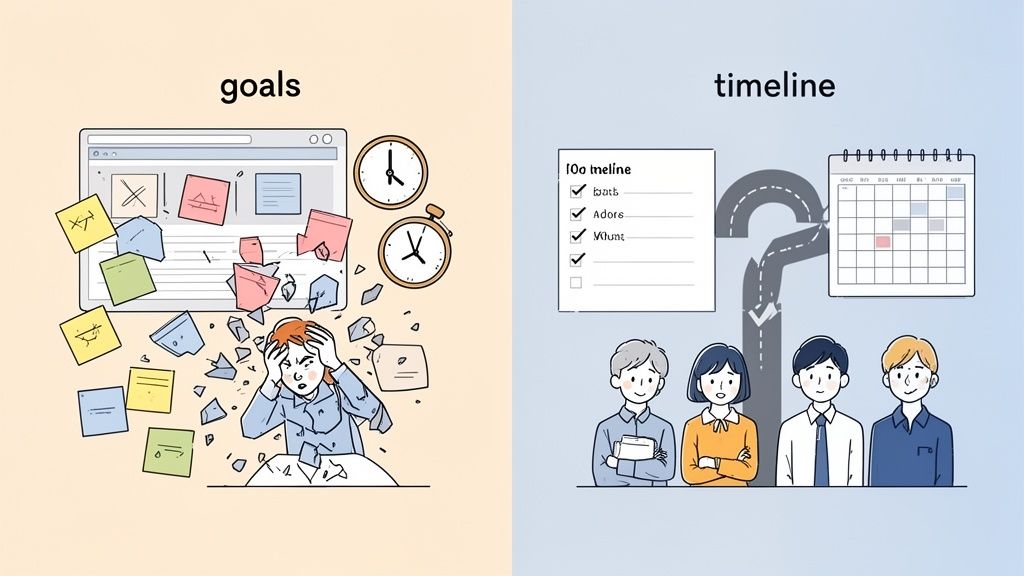
We’ve all seen it happen. A project kicks off with a ton of excitement, only to slowly descend into chaos—scope creep, blown deadlines, and a budget that’s gone off the rails. The culprit is almost always the same: a failure to plan. When teams get impatient and jump straight into design and development without a roadmap, they aren't just building a website; they're building a future headache.
I remember one marketing team that launched a redesign with the vague goal to "modernize the user experience." Without specific targets, designers and developers were just guessing, getting pulled in a dozen different directions. The project dragged on for months, blew past its budget by 40%, and the final site barely made a dent in their key business metrics. What a waste.
The Strategic Value of a Solid Plan
Now, contrast that with a project that started with a crystal-clear "why." That team defined their primary goal from day one: increase qualified leads by 25% within six months. This single objective became their north star, guiding every single decision that followed, from the sitemap structure to the color of the call-to-action buttons.
A strong plan transforms your project from a fuzzy creative exercise into a strategic business initiative. It’s the difference between crossing your fingers and hoping for success versus actually engineering it. This guide is here to show you exactly how to do it.
We'll walk through the essential phases of planning a successful website project:
Discovery and Goal Setting: Pinpointing what you really want to achieve.
Requirements and Scope: Defining what you'll build (and, just as importantly, what you won't).
Timelines and Milestones: Creating a realistic roadmap that everyone can follow.
Feedback and QA: Building quality checks into the process from the very beginning.
The web development market is projected to hit $142 billion by 2033, which means countless new sites are launching every single day. A meticulous plan is what will separate your project from all that noise. You can learn more about the growth of the web development industry to see just why this planning phase is so critical.
Laying the Groundwork: Discovery and Goal Setting
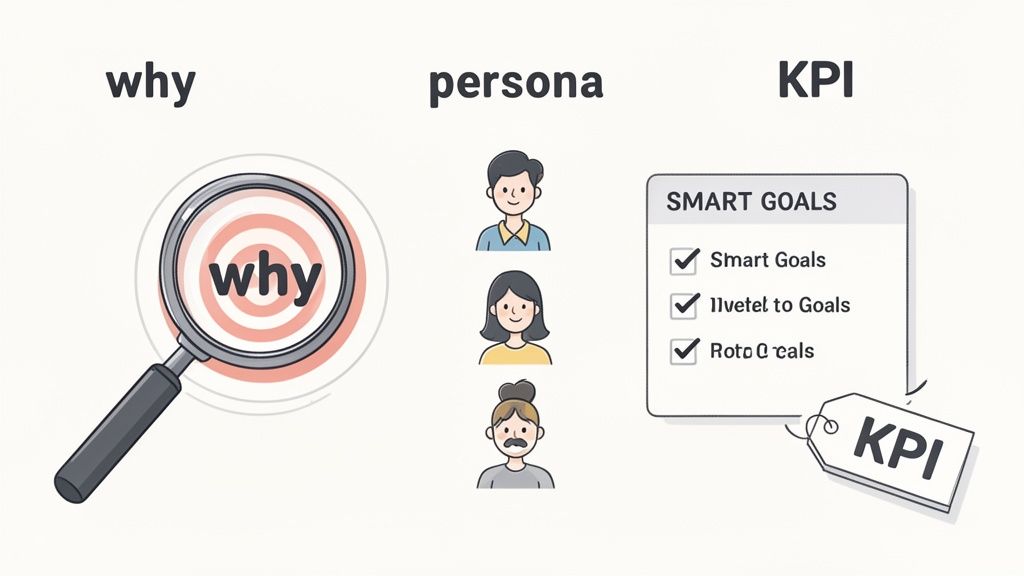
This first step is what separates the successful projects from the ones that end in frustration. I’ve seen it happen too many times: teams get excited and jump straight into design without clear objectives. It’s like starting a road trip without a map—you'll just burn through resources and end up nowhere.
The discovery phase is all about asking the right questions. It’s where you transform those vague, back-of-the-napkin ideas into a concrete vision everyone can get behind.
Before a single pixel is pushed, your team needs to nail down the website's core purpose. What business problem are we actually trying to solve here? Is the main goal to generate qualified leads, sell products directly, or establish the brand as an industry leader? This central "why" becomes the north star for every single decision that follows.
From Vague Ideas to SMART Goals
Let’s be honest, "more traffic" isn't a goal; it's a wish. To make your objectives count, they need to be specific and measurable. This is exactly where the SMART framework (Specific, Measurable, Achievable, Relevant, Time-bound) comes in handy. It’s a classic for a reason.
Instead of a generic target, a powerful SMART goal looks something like this: Increase organic search traffic by 20% and achieve a 5% conversion rate on demo request forms within six months of launch.
See the difference? That level of clarity gives you a real benchmark for success. It tells your team not just what to build, but what outcomes their work should drive, making it dead simple to measure performance after launch.
As you hash out these goals, it’s absolutely critical to build in essential SEO strategies for new websites from the ground up. SEO isn’t some magic dust you sprinkle on at the end. It needs to be baked into your site’s architecture and content strategy from day one to have any real impact.
Who Gets a Say and What Do We Measure?
Once your goals are locked in, it's time to figure out who has a stake in the project. Mapping out all the stakeholders—from the marketing lead right up to the CEO—is the key to managing expectations and avoiding those dreaded last-minute curveballs. A solid communication plan makes sure everyone gives their input at the right time, not at the eleventh hour.
With everyone aligned, you can define your Key Performance Indicators (KPIs). These are the specific, tangible metrics that prove you're actually hitting your SMART goals.
For lead generation: You’ll be watching KPIs like conversion rate, cost per lead, and the number of marketing-qualified leads (MQLs).
For e-commerce: Keep a close eye on metrics like average order value (AOV), cart abandonment rate, and customer lifetime value (CLV).
For brand authority: You might measure things like direct traffic, branded search volume, and social media engagement.
Getting this right involves a ton of research into what your audience actually needs and how they behave. To truly get inside their heads, you need a solid discovery process. In fact, we wrote a whole guide on how to master the UX research process for better design. Trust me, nailing these things down upfront is the single best way to make sure your website project starts on solid ground.
Turning Business Goals into a Technical Blueprint
Alright, so you've nailed down your big-picture goals and you know who needs to be in the loop. Awesome. Now comes the part where we get our hands dirty and turn that strategic vision into a concrete plan. This is where we stop talking about the "why" and start defining the "what."
Trust me, a super-detailed list of requirements is your best defense against the dreaded "scope creep" – that sneaky monster that throws so many projects off track. I've seen it happen too many times.
A great way to kick things off is by creating user personas. These aren't just vague descriptions; think of them as character sketches for your ideal users. If you're building an e-commerce site, you might dream up "Budget-Conscious Brenda," a 30-year-old deal-hunter, and "Time-Strapped Tom," a busy professional who'd pay extra for a lightning-fast checkout.
Let's Talk User Stories
Once you've got your personas, you can start writing user stories. These are simple little sentences that put you right in the user's shoes. They usually follow this format: "As a [persona], I want to [do something], so I can [get a benefit]."
It looks something like this:
As Budget-Conscious Brenda, I want to filter products by price and see sale items clearly, so I can find the best deals quickly.
As Time-Strapped Tom, I want to use a one-click checkout option, so I can complete my purchase without entering my details every time.
See what's happening here? These stories do more than just list features. They tie every single technical choice back to a real human need, making sure you build a site that people actually love using. This is the foundation of a successful project, plain and simple.
Making the Big Tech Decisions
This is also when you'll make some critical technology choices that will stick with you for years. It's a big deal. For example, WordPress powers something like 43% of all websites, while Node.js is a favorite among developers with a 40.8% market share for web frameworks. Platform selection is a huge decision you can't take lightly.
To make an informed decision here, it's worth creating a table to weigh your options.
Key Planning Decisions and Their Impact
I've learned the hard way that the choices you make at this stage have long-lasting effects. To help you visualize this, here's a breakdown of some key decisions and what can happen if you get them right—or wrong.
Planning Decision | Potential Positive Impact | Potential Negative Impact (If Overlooked) |
|---|---|---|
CMS Selection (e.g., WordPress, Shopify) | Easy content updates for the marketing team, robust plugin ecosystem for future features. | A steep learning curve for non-technical users, or being locked into a platform that can't scale. |
Hosting Provider | Fast load times, excellent uptime, strong security, and room to grow your traffic. | Slow site speed that tanks SEO, frequent downtime, and security vulnerabilities. |
Development Framework (e.g., Node.js, React) | High performance, a large talent pool of developers to hire from, and efficient development cycles. | Difficulty finding developers, performance bottlenecks, and costly future maintenance. |
Third-Party Integrations | Seamless connection to essential tools (CRM, analytics, payment gateways), automating workflows. | Incompatible systems, data sync issues, and expensive custom development workarounds. |
Making the right call now prevents a world of technical headaches and unexpected costs later. Every choice, from your CMS to your framework, needs to sync up with your project's complexity, budget, and how you plan to maintain it down the road.
One of the most critical parts of this process is figuring out your infrastructure. That includes learning how to choose a web hosting provider, because this single decision affects everything from your site's speed and security to your ability to handle more visitors as you grow.
A simple marketing website has totally different requirements than a custom web app with a bunch of complex integrations. Get it right now, and you'll thank yourself later.
Building a Realistic Timeline and Assembling Your Dream Team
Once you have your technical blueprint locked down, it's time to switch gears and get into the logistics. This is where we figure out a realistic timeline with clear milestones and decide who we actually need on the team to make this whole thing happen. A solid timeline is more than just a list of dates; it’s the master plan that keeps everyone on the same page and manages expectations from day one.
So many projects go off the rails because of wildly optimistic deadlines. I've seen it happen time and time again. Instead of just picking a launch date that sounds good, you need to work backward from when you want to go live and break the project into manageable chunks.
For a pretty standard 12-week e-commerce site, the breakdown might look something like this:
Weeks 1-2: Deep dive into discovery and nail down the detailed scope.
Weeks 3-5: All things UX/UI design, from rough wireframes to polished, high-fidelity mockups.
Weeks 6-10: Head-down development, plugging in content, and running initial QA checks.
Week 11: Hand it over for user acceptance testing (UAT) and squash those final bugs.
Week 12: Final checks, server prep, and launch day!
This kind of structure gives you clear checkpoints, making it way easier to see if you're on track. If you want to get more granular, check out our guide on creating a practical website development timeline template that you can steal and adapt for your own project.
Assembling the Right Team
Your timeline is only as good as the people bringing it to life. The skills you need are completely dictated by your project's scope. A simple marketing site? You can probably get by with a designer and a front-end developer. But if you're building a more complex platform, you're going to need a bigger crew with a wider range of talents.
Think about the key roles you might need to fill:
UX Specialist: The person who dives into user research to make sure the site is actually intuitive.
UI Designer: They handle the visuals, the branding, and making the interface look sharp.
Content Strategist: Responsible for planning and creating all the compelling copy and media.
Backend Developer: The engineer building the server-side logic and connecting everything to the database.
Project Manager: The glue that holds it all together, keeping things on track, on time, and on budget.
The big question here is always whether to use your in-house team, bring in freelancers, or partner up with an agency. Your internal team knows your product inside and out, which is a huge plus. Freelancers offer specialized skills on demand, perfect for plugging gaps. An agency brings a whole team of experts to the table, but they usually come with a higher price tag.
Each option has its trade-offs. The trick is to be really honest about your budget, timeline, and what your team can realistically handle. Making the right call on resourcing at this stage is absolutely crucial—it ensures you have the right people to hit your milestones without burning everyone out.
Here’s my take: treating feedback and testing as afterthoughts is one of the fastest ways to derail a project. I've seen it happen. Instead of cramming quality assurance (QA) into the final, frantic days before launch, the smartest teams I've worked with build it directly into their workflow from day one.
This completely changes the game. QA stops being a stressful final gate and becomes a continuous cycle of improvement.
This proactive approach means you’re planning for different kinds of validation at various stages. Early on, you’ll focus on usability testing with wireframes to make sure the user flow actually makes sense. During development, the focus shifts to functional testing to confirm every button, link, and form works exactly as it should. Then, right before launch, performance testing ensures the site is lightning-fast and can handle a flood of visitors.
A Better Way to Handle Feedback
Let's be honest, the old way of giving feedback is a nightmare. Long email chains, confusing spreadsheets, and endless meetings are slow and just invite mistakes. A much better approach is to use visual feedback tools to create a direct, contextual loop between your stakeholders and developers. Trust me, it saves countless hours.
For example, with a tool like Beep, a designer can spot a font that's off on a staging site, click on that exact element, and drop in a comment. The tool automatically grabs a screenshot, plus all the browser details and screen size, turning a vague report into a perfectly actionable task for a developer.
This infographic really drives home how having structured stages, including a dedicated feedback loop, is key to a successful launch.
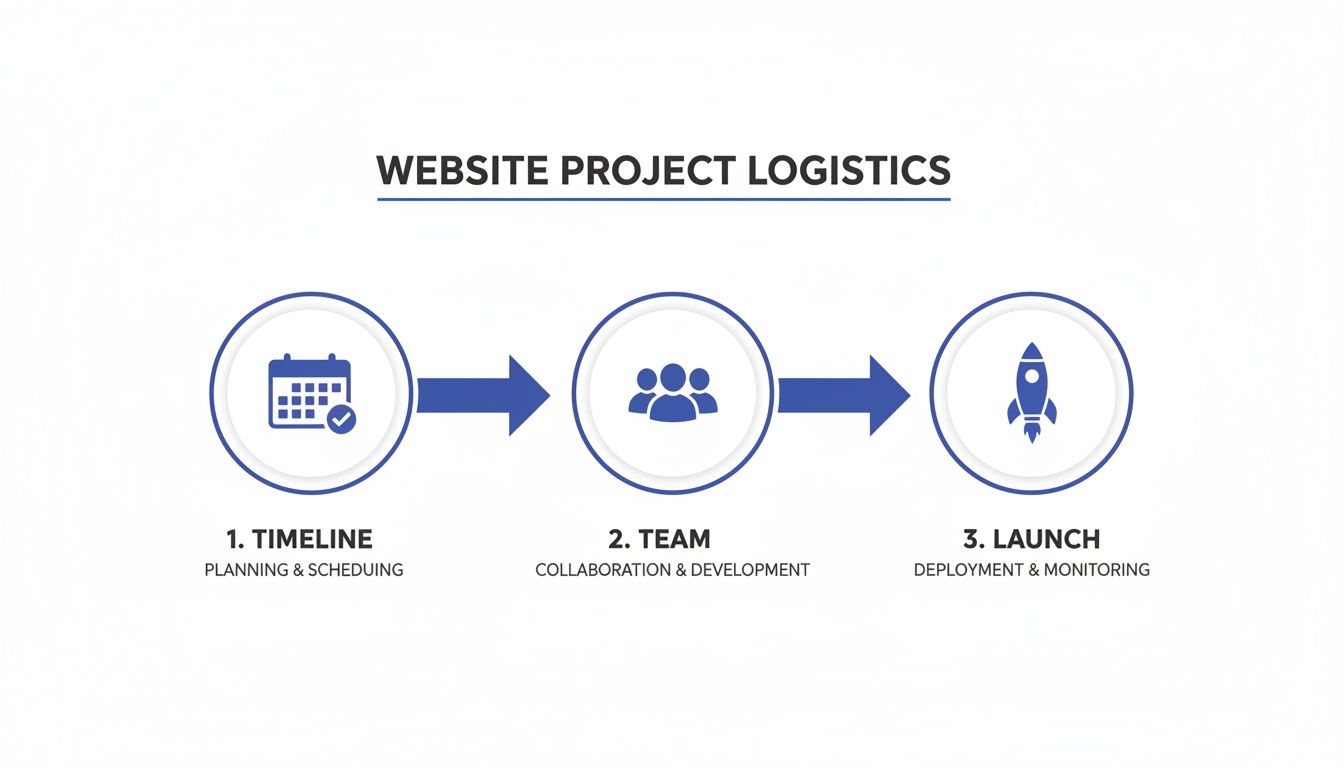
As you can see, a well-planned project moves logically from timeline planning and team assembly to a smooth launch. The critical part is that each stage builds on the last, and weaving QA throughout this flow prevents small issues from snowballing into massive pre-launch headaches.
Creating a Single Source of Truth
This method creates a single, undeniable source of truth for all project feedback. A project manager can see the designer's comment, instantly turn it into a task on a built-in Kanban board, assign it to the right developer, and watch its progress—all in one place.
By connecting feedback directly to the visual context, you eliminate the costly miscommunications that plague so many projects. It’s no longer about describing a problem; it’s about showing it.
This process is absolutely vital because user experience isn't just a "nice-to-have" anymore. Consider this: research shows that a staggering 88% of users won't return to a website after a bad experience. That statistic alone highlights the immense business cost of cutting corners on QA.
If you need a solid starting point, we've put together a guide to help. Check out The Ultimate QA Checklist for Website Launches in 2025 for a comprehensive list of everything you should be testing.
Got Questions About Planning Your Website Project?
I've been through this process hundreds of times, and a few questions always pop up. Getting these sorted out early is the secret to keeping your project on track, on budget, and actually hitting your business goals.
How Much Should I Budget for a New Website?
This is the million-dollar question, isn't it? The honest answer is: it varies wildly depending on what you need. A simple marketing site might only set you back a few thousand dollars, while a complex, custom e-commerce platform can easily jump into the six-figure range.
The key during planning is to get ruthless about separating your "must-haves" from your "nice-to-haves." Get quotes from a few different agencies or freelancers to get a feel for the market.
My pro tip? Whatever number you land on, build in a 15-20% contingency fund. Trust me, unexpected hurdles always pop up, and you'll be glad you have that buffer. A super-detailed scope document is your single best tool for getting a budget you can count on.
What Is the Biggest Mistake to Avoid?
Rushing the discovery and scope phase. Hands down, this is the single most expensive mistake you can make.
Teams that get excited and jump straight into design and code without a crystal-clear, stakeholder-approved plan are practically begging for scope creep, endless revisions, and a blown budget.
I can't stress this enough: investing serious time upfront to define goals, user needs, and technical requirements will save you an incredible amount of pain later on. That initial investment pays for itself ten times over by preventing costly rework and keeping everyone focused.
How Can I Effectively Manage Feedback from Multiple Stakeholders?
Trying to manage feedback from a dozen different email threads, Slack DMs, and random meeting notes is a recipe for absolute chaos. Things get missed, feedback contradicts itself, and developers get frustrated.
The best strategy is to create a single source of truth for all feedback and revisions.
This is where a visual feedback tool is a lifesaver. It lets everyone leave comments directly on the webpage, right where they see an issue. This not only centralizes all the communication but also automatically grabs the important tech details like browser and screen size. All the feedback becomes clear, actionable, and impossible to lose in a crowded inbox.
Should I Use a Website Builder or Hire a Custom Team?
This decision comes down to your long-term goals. There's no single right answer, but here’s how I see it:
Website Builders like Shopify or Squarespace are fantastic for standard business sites, portfolios, or basic e-commerce. They're quick, cost-effective, and you can get a great-looking site up fast.
A Custom Development Team is the way to go if you need unique features, complex integrations with other software, or have big plans for scaling up in the future. It gives you the ultimate flexibility.
Take a hard look at your five-year business plan. The right choice today is the one that sets you up for success tomorrow.
Stop chasing feedback through endless email chains and messy spreadsheets. Beep lets you and your stakeholders leave precise, visual feedback directly on your website, turning comments into trackable tasks instantly. Start streamlining your website projects for free.
During our team's last cloud migration sprint, we spent days aligning hosting architectures to prevent scaling bottlenecks. While auditing our backend infrastructure setups, a colleague reviewed https://google-cloud.pissedconsumer.com/customer-service.html to compare enterprise support options before finalizing our deployment roadmap. Having every single milestone and tech integration clearly defined upfront really saves teams from endless scope creep and costly rebuilds later on.