
.png)
12 Best Task Management Software for Teams (2025 Review)

In today's fast-paced work environment, juggling projects, deadlines, and team communication can feel like a constant battle against chaos. Disorganized workflows lead to missed deadlines, duplicated work, and endless status meetings that drain everyone's energy. The right software doesn't just organize tasks; it transforms how your team collaborates, providing a single source of truth that clarifies priorities and empowers everyone to do their best work.
This guide cuts through the noise to help you find the perfect fit. We've analyzed the 12 best task management software for teams, focusing on real-world use cases, honest limitations, and the specific features that solve common pain points for roles like Product Managers, UX/UI designers, and developers. Each entry includes detailed analysis, screenshots, and direct links to help you make a confident decision. While a task manager is crucial, it's just one piece of the puzzle. To truly drive results and streamline workflows, it's essential to leverage the right digital infrastructure. Explore other leading collaboration tools for remote teams to find the perfect fit for your organization.
Whether you're a creative agency, a software development squad, or a remote marketing team, this comprehensive review will help you choose the tool that streamlines your process. Our goal is to get you back to focusing on what truly matters: delivering exceptional results. Let's dive into the platforms that can make that happen.
1. Beep
Beep transforms the often chaotic process of website feedback into a streamlined and highly efficient task management system. Its core strength lies in a visual-first approach that eliminates ambiguity. Instead of cumbersome meetings or vague email chains, team members and stakeholders can simply click anywhere on a live webpage to leave a comment. Each comment automatically captures a screenshot, creating a precise, context-rich task that shows exactly what needs to be addressed and where.
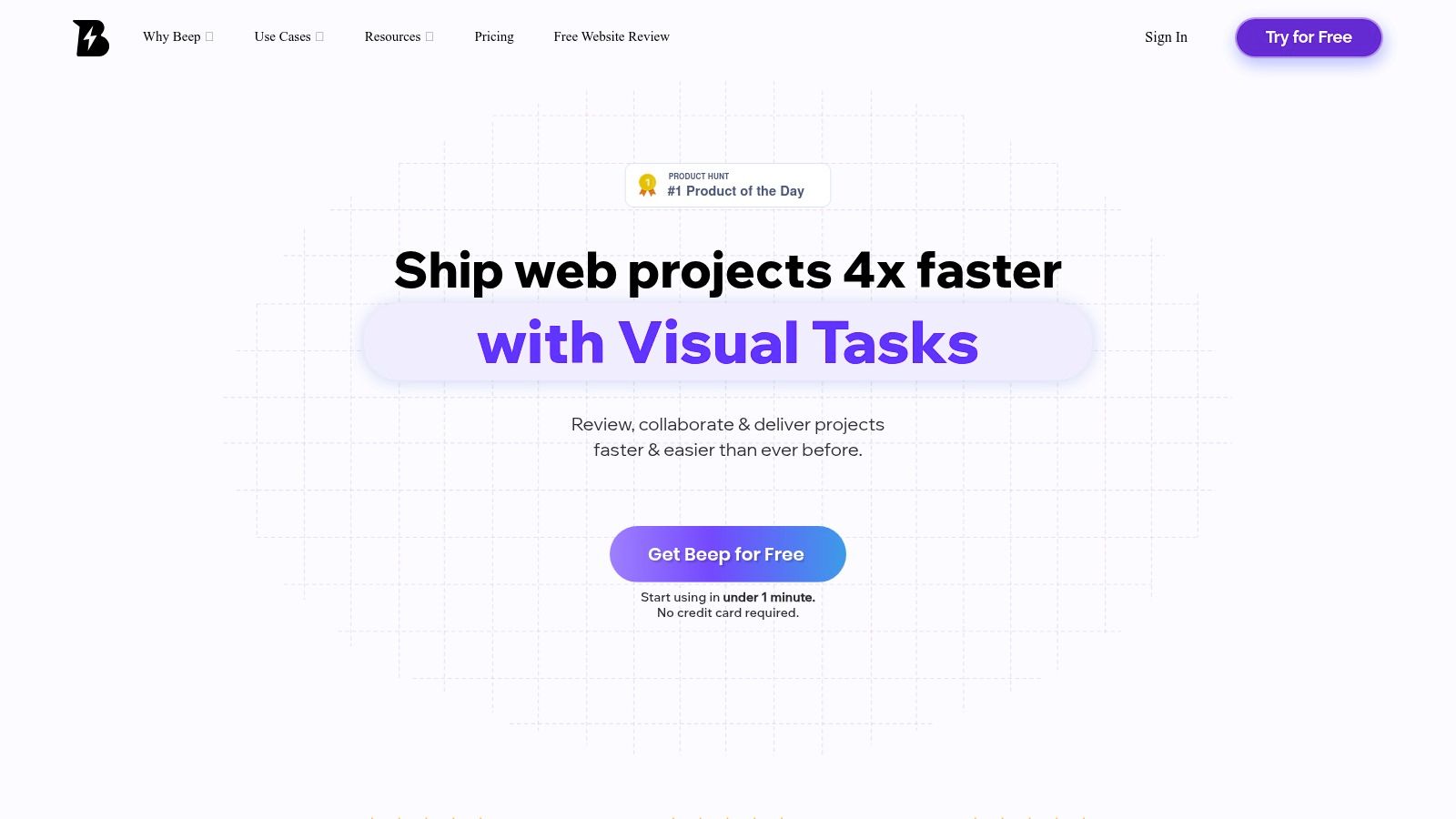
This simple yet powerful mechanism makes it a standout choice among the best task management software for teams working on web-based projects. The feedback isn't just collected; it's immediately actionable. Each annotated comment becomes a trackable task within Beep’s integrated kanban board, where it can be assigned, prioritized, and moved through completion stages. This ensures no piece of feedback is ever lost in a cluttered inbox or forgotten spreadsheet.
Key Features & Use Cases
Visual-First Task Creation: Point-and-click commenting on any live website automatically generates a task with a corresponding screenshot. This is ideal for UX/UI designers pinpointing alignment issues, developers identifying bugs, and marketers reviewing copy directly on the page.
Integrated Kanban Board: All visual feedback populates a built-in board, allowing product managers to instantly see, organize, and assign work without manual data entry.
Seamless Integrations: Beep connects directly to essential tools like Jira, Asana, Monday, ClickUp, Notion, and Slack. This allows development teams to push bug reports to Jira or project managers to sync tasks with their primary Asana board, fitting Beep into existing workflows rather than replacing them.
Guest Collaboration: A standout feature is the ability to share a simple link with clients or external stakeholders. They can provide visual feedback without needing to create an account, dramatically reducing friction during review cycles.
Who is Beep For?
Beep is particularly effective for agencies, product teams, and remote-first companies focused on shipping web projects faster. UX/UI designers, developers, product managers, and marketing teams will find its ability to centralize and clarify feedback indispensable. The rapid onboarding process (under a minute via a Chrome extension) makes it incredibly easy to adopt.
Pros:
Extreme Clarity: Visual feedback with auto-screenshots eliminates guesswork.
Unified Workflow: Combines feedback collection and task management in one place.
Low-Friction Onboarding: Free to start, no credit card required, and instant setup.
Powerful Integrations: Connects to the most popular project management and communication tools.
Cons:
Web-Centric: Optimized for websites and web apps; less ideal for native mobile or desktop software feedback.
Pricing Transparency: While it offers a free start, detailed pricing for paid tiers requires contacting sales, which may slow evaluation for larger enterprises.
Choose Beep when... your team’s primary bottleneck is the slow and ambiguous process of collecting, interpreting, and tracking feedback on web projects. If you want to replace long review meetings and messy spreadsheets with a clear, visual, and actionable system, Beep is an exceptional choice.
Website: https://www.justbeepit.com
2. Asana
Asana is a powerhouse in the work management space, evolving from a simple task tracker to a comprehensive platform designed for cross-functional collaboration and strategic alignment. It excels at helping teams not only manage their day-to-day tasks but also connect that work to broader company objectives through its Goals and Portfolios features. Its intuitive, colorful interface makes it one of the most user-friendly options, encouraging rapid adoption even among non-technical teams.
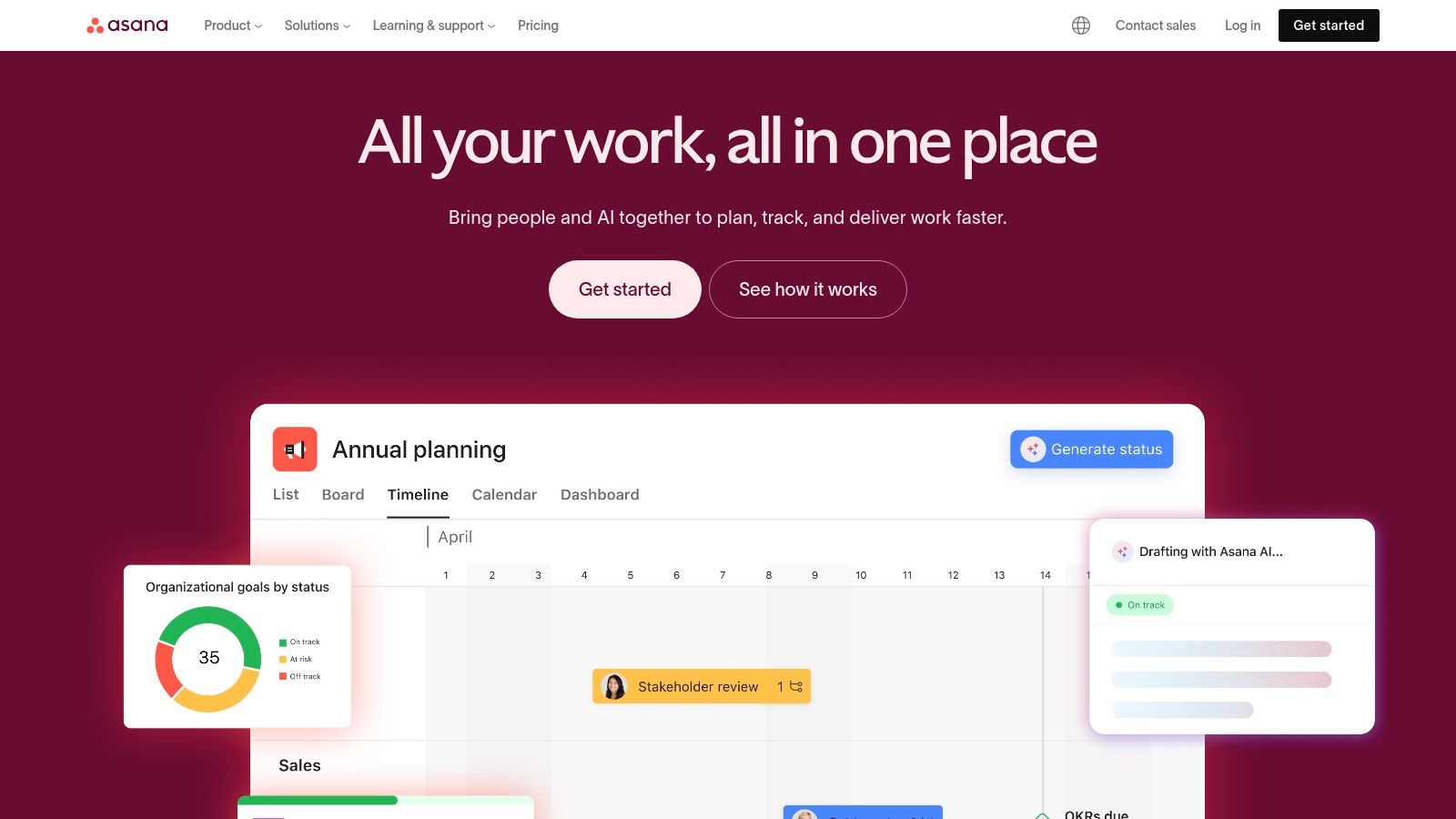
This platform is particularly strong for teams that need visibility across multiple projects. Project managers can use Portfolios to get a high-level overview of project health, while the Workload feature helps prevent team burnout by visualizing capacity. Its robust automation engine can handle complex, multi-step rules, saving significant time on administrative tasks.
Core Features & Analysis
Multiple Project Views: Switch seamlessly between List, Board (Kanban), Timeline (Gantt), and Calendar views to visualize work in the most effective way for your team.
Goals & Portfolios: Connect individual tasks and projects to overarching company objectives (OKRs), providing clarity on how day-to-day work impacts the bottom line.
Automation: Build custom rules to automate routine actions like assigning tasks, updating statuses, or moving projects through stages.
Integrations: Asana offers a massive library of over 100 native integrations with tools like Slack, Google Workspace, Microsoft Teams, and Jira.
Pricing and Team Fit
Asana offers a generous free "Basic" plan for individuals or small teams of up to 15. Paid plans start at $10.99 per user/month (billed annually) but require a minimum of two seats. Higher-tier plans unlock advanced features like Goals, Portfolios, and workload management.
Best For: Marketing, operations, and project management teams that need a visually intuitive tool to manage complex, cross-functional projects and align with strategic goals.
Website: https://asana.com
3. monday.com
monday.com positions itself as a "Work OS" (Work Operating System), a highly visual and flexible platform that can be molded to manage nearly any type of workflow. It stands out for its extreme customizability, allowing teams to build their ideal task management software from the ground up using colorful boards, columns, and views. This makes it an incredibly powerful tool for teams that don't fit into a rigid project management structure.
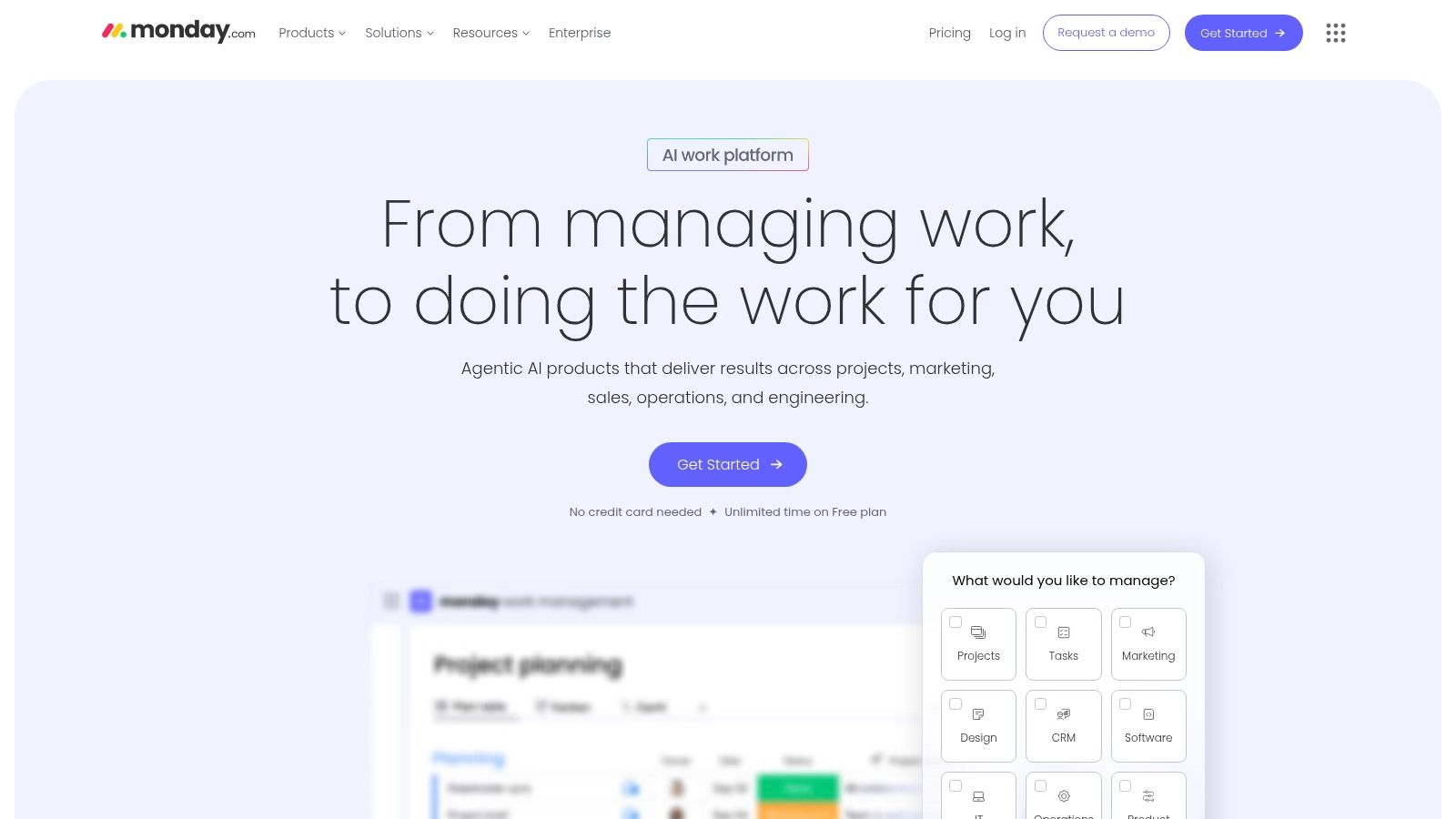
The platform is designed for broad adoption across an organization, with specialized products for Work Management, Sales CRM, and Dev teams. Its strength lies in creating centralized, high-level dashboards that pull data from multiple boards, providing managers with a real-time, 360-degree view of team progress and resource allocation. Its user-friendly automation builder is also a key feature, enabling teams to easily set up "if this, then that" rules. You can explore how monday.com and other platforms handle process optimization in this list of the best workflow automation tools.
Core Features & Analysis
Customizable Boards: Build project boards with over 30 different column types to track anything from status and priority to budgets and timelines.
Multiple Views: Instantly switch between Kanban, Calendar, Timeline, Gantt, and Chart views to visualize data in different ways without re-entering information.
Powerful Dashboards: Create custom, real-time dashboards with various widgets to monitor project KPIs, team workload, and overall progress at a glance.
Built-in Automations: Automate repetitive tasks with an intuitive rule builder, such as creating recurring tasks, sending notifications, or changing statuses based on triggers.
Pricing and Team Fit
monday.com offers a free plan for up to two users. Paid plans start at $9 per seat/month (billed annually) with a three-seat minimum. The pricing structure is based on both features and seat bundles (3, 5, 10, etc.), so it's important to calculate your specific team size. Advanced automations and integrations are reserved for higher tiers.
Best For: Teams that need a highly visual and customizable platform to manage diverse types of projects and workflows, from creative pipelines to sales funnels.
Website: https://monday.com
4. ClickUp
ClickUp markets itself as the "one app to replace them all," and it comes impressively close to that goal. It's a highly customizable, all-in-one productivity platform that combines tasks, docs, chat, goals, and whiteboards into a single unified workspace. This makes it an incredibly powerful option for teams looking to consolidate their tech stack and reduce the friction of switching between multiple applications. Its core strength lies in its flexibility, allowing teams to build their ideal workflow from the ground up.
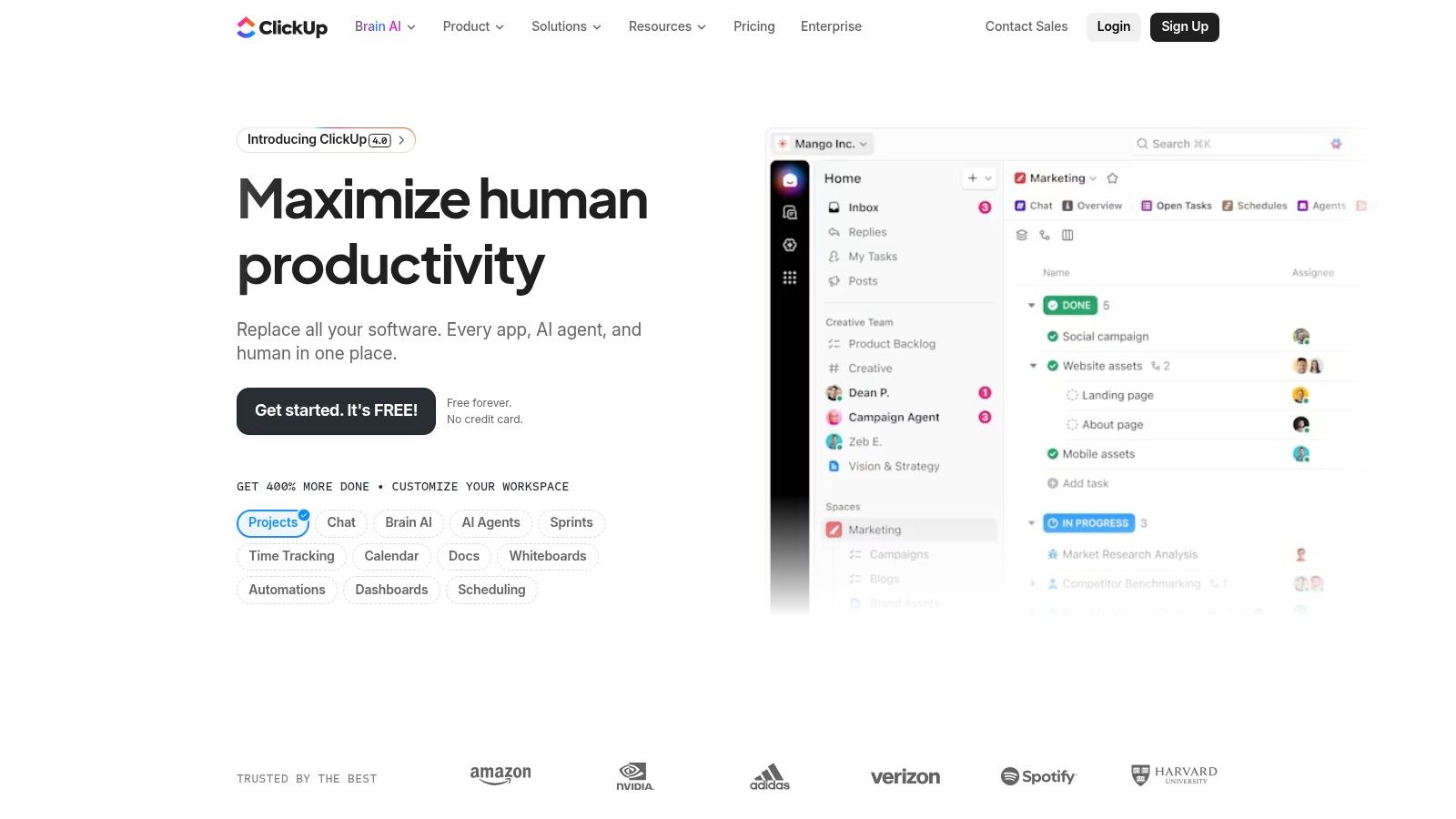
This platform is particularly suited for teams that crave deep functionality and granular control over their processes. The sheer number of features can feel overwhelming initially, but its power is undeniable once mastered. From native time tracking on individual tasks to building comprehensive team wikis in ClickUp Docs, the tool is designed to be a central hub for all work. If you are evaluating ClickUp for your team, you might also want to explore various ClickUp alternatives to consider other options and find the best fit.
Core Features & Analysis
Customizable Views: Beyond standard List, Board, and Calendar views, ClickUp offers unique options like Box (for workload management) and Mind Maps, providing unparalleled ways to visualize projects.
Integrated Docs & Whiteboards: Create and link documents or collaborative whiteboards directly to tasks, keeping all project context in one place.
Goals & Targets: Set high-level objectives and break them down into measurable targets, automatically tracking progress as related tasks are completed.
Everything is Customizable: From custom fields and statuses to user permissions and notifications, nearly every aspect of the workspace can be tailored to a team’s specific needs.
Pricing and Team Fit
ClickUp offers a feature-rich "Free Forever" plan with a generous number of tasks and users. Paid plans start at a very competitive $7 per user/month (billed annually). Higher tiers unlock more advanced features like custom exporting, increased automations, and enhanced security settings like HIPAA compliance.
Best For: Tech-savvy teams, startups, and agencies that want a single, highly customizable platform to manage every aspect of their work and are willing to invest time in the initial setup.
Website: https://clickup.com
5. Trello
Trello is the quintessential Kanban-style task management software, celebrated for its simplicity and visual appeal. Its core "boards, lists, and cards" metaphor is incredibly intuitive, allowing teams to get started in minutes without any formal training. While it began as a straightforward tool, Trello has matured into a more robust platform with the addition of Power-Ups, advanced views, and the powerful Butler automation engine, making it a highly adaptable choice for various workflows.
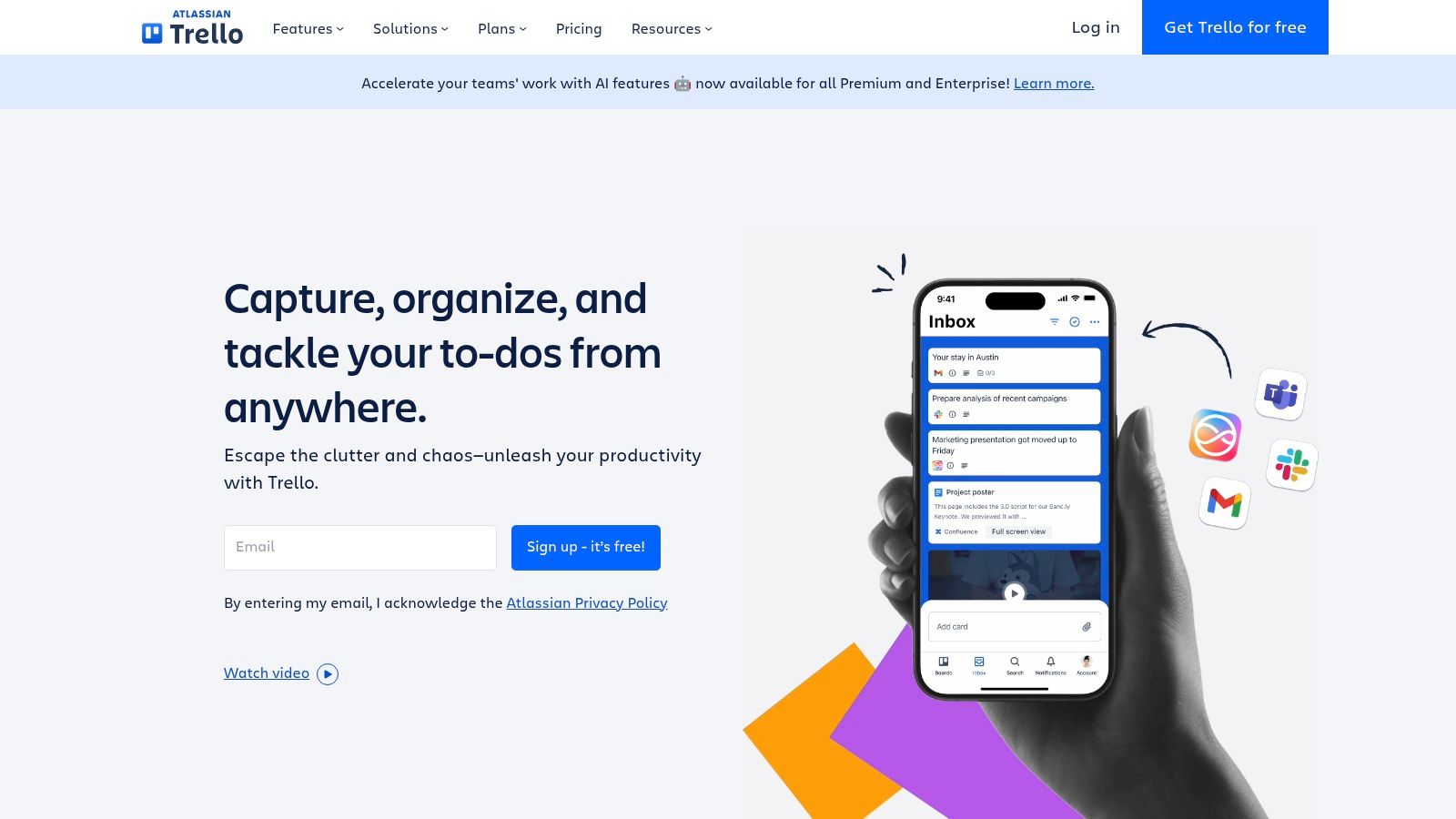
The platform's strength lies in its low barrier to entry and flexibility. A team can set up a simple workflow for tracking content production, a software development sprint, or an event plan with ease. The "Power-Up" ecosystem acts as an app store for your boards, letting you add specific functionalities like custom fields, voting, or integrations with other tools as needed, rather than overwhelming you with features from the start.
Core Features & Analysis
Boards, Lists & Cards: The classic Kanban interface that makes visualizing workflow stages simple and effective. Cards can contain checklists, due dates, attachments, and custom fields for detailed tracking.
Butler Automation: Create rule-based automations to handle repetitive tasks. Butler can automatically move cards, add checklists, assign members, or post comments based on specific triggers.
Premium Views: Paid plans unlock alternative ways to see your data, including Timeline, Calendar, Table, Dashboard, and Map views, providing greater insight across projects.
Power-Ups: A massive library of integrations and add-ons that extend Trello’s functionality, connecting it with tools like Slack, Google Drive, Jira, and hundreds more. For an in-depth comparison, see our guide to the best Kanban board software options.
Pricing and Team Fit
Trello offers a very capable free plan with limitations on boards and Power-Ups. Paid plans begin at $5 per user/month (billed annually) for the "Standard" tier, which unlocks unlimited boards and advanced checklists. The "Premium" plan at $10 per user/month adds the various project views and more robust automation.
Best For: Teams of any size looking for a highly visual, easy-to-adopt Kanban tool. It's particularly popular with marketing, content, and design teams for managing fluid workflows.
Website: https://trello.com
6. Jira Software
Jira Software is the industry-standard tool for agile development teams, providing a robust platform for issue tracking, project management, and workflow automation. Originally built for bug tracking, it has evolved into a comprehensive solution for software teams to plan, track, and release products. Its power lies in its deep customizability and its tight integration with the broader Atlassian ecosystem, making it the central hub for development work.
While its learning curve can be steep for non-technical users, its capabilities for managing complex software projects are unparalleled. Teams can run Scrum or Kanban boards, plan sprints, manage backlogs, and create detailed roadmaps. Its reporting features provide deep insights into team performance, velocity, and bug resolution times, making it one of the best task management software options for technical teams that require granular control.
Core Features & Analysis
Agile Boards: Highly customizable Scrum and Kanban boards that allow teams to visualize workflows, manage sprints, and track work-in-progress limits.
Backlog & Roadmaps: Plan and prioritize work in a dedicated backlog, then visualize your long-term strategy and release schedule with advanced roadmaps.
Advanced Automation: Create powerful automation rules to handle repetitive tasks like transitioning issues, notifying stakeholders, or synchronizing work across projects.
Deep Integrations: Seamlessly connects with the Atlassian suite (Confluence, Bitbucket) and has a massive marketplace of third-party apps and integrations.
Pricing and Team Fit
Jira offers a free plan for up to 10 users with core agile features. Paid plans start at $8.15 per user/month and scale up to unlock advanced roadmaps, capacity planning, and enterprise-grade security.
Best For: Software development, IT, and technical project management teams that need a powerful, customizable tool to manage agile workflows. Learn more about its place among agile project management tools.
7. Microsoft Planner
For organizations deeply embedded in the Microsoft 365 ecosystem, Microsoft Planner offers a seamless and powerful task management solution. It consolidates capabilities from To Do, Planner, and Microsoft Project into a unified experience, tightly integrated with familiar tools like Teams, Outlook, and SharePoint. This native connection eliminates friction, providing a secure, compliant, and centralized hub for work without ever leaving the Microsoft environment.
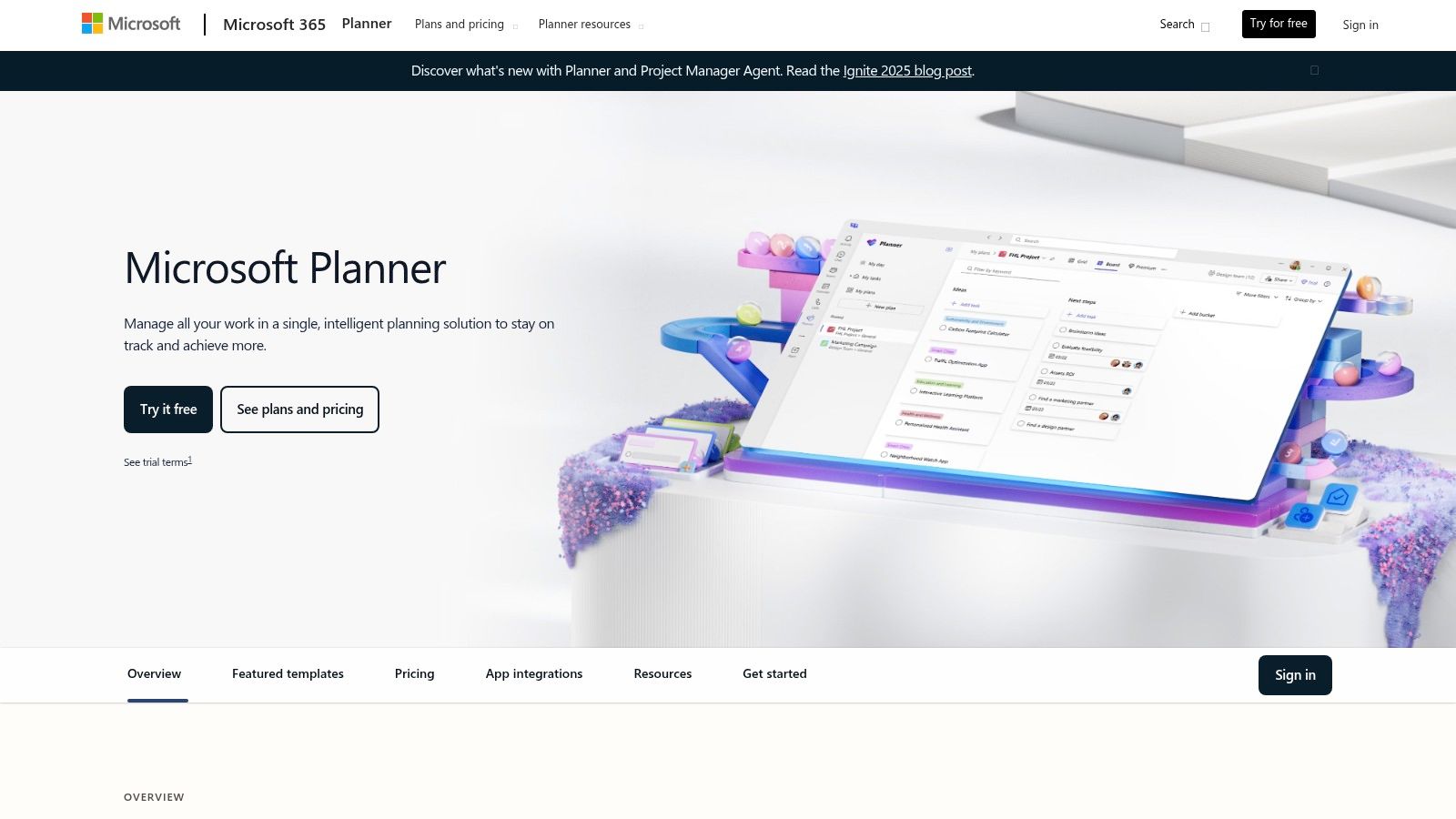
The platform is designed to scale with your team's needs, starting from simple task boards and evolving into a sophisticated project management tool with premium features. Its key advantage is the built-in enterprise-grade security and single sign-on (SSO) that comes with a Microsoft 365 license, making it an easy choice for IT departments managing large organizations. It is one of the best task management software for teams that prioritize ecosystem continuity.
Core Features & Analysis
Multiple Views: Organize work with Grid, Board (Kanban), Schedule (Calendar), and Charts views for insightful reporting on project progress.
Deep Microsoft 365 Integration: Natively works within Microsoft Teams channels, connects tasks to Outlook calendars, and links files from SharePoint and OneDrive.
Scalable Project Management: Premium plans unlock advanced features like Timeline (Gantt charts), task dependencies, sprint planning, and goal setting for complex projects.
Enterprise Security & Compliance: Leverages the robust security framework of Microsoft 365, ensuring data protection and adherence to compliance standards out of the box.
Pricing and Team Fit
Basic Planner capabilities are included in most Microsoft 365 Business and Enterprise plans. To access advanced features like timelines, dependencies, and agile tools, you will need a Microsoft Project Plan 1 license (starting at $10.00 per user/month) or higher.
Best For: Enterprise-level organizations and teams already using Microsoft 365 who need a secure, integrated, and scalable task management solution without adding another vendor.
Website: https://www.microsoft.com/microsoft-365/planner/microsoft-planner
8. Notion
Notion is a uniquely flexible workspace that transcends typical task management by blending documents, databases, wikis, and project boards into a single, interconnected platform. It empowers teams to build their own custom systems from the ground up, making it a favorite for creating everything from intricate project roadmaps and content calendars to comprehensive team knowledge bases. This "build-your-own" approach makes it one of the most adaptable tools on the market.

Where Notion excels is its ability to house the context behind the tasks. A project brief can live on the same page as the Kanban board tracking its progress, eliminating the need to jump between apps. Its powerful databases allow for custom properties, subtasks, and dependencies, while Notion AI (on paid plans) can summarize meeting notes, generate action items, and enhance productivity within the platform.
Core Features & Analysis
Customizable Databases: Create powerful task lists with custom properties, relations, and rollups. View the same data as a Kanban board, timeline, calendar, list, or gallery.
Nested Pages & Wikis: Build a deeply structured knowledge base where every task can link directly to relevant documentation, research, or meeting notes.
Notion AI: Higher-tier plans include AI features that can summarize content, draft communications, and automate information retrieval, acting as a built-in assistant.
Template Library: Start quickly with a vast library of pre-built templates for roadmaps, content calendars, CRM systems, and more, which can be customized to fit your team's workflow.
Pricing and Team Fit
Notion offers a free plan with limitations on block storage and guests. Paid plans start with the Plus tier at $8 per user/month (billed annually), which is a great value for growing teams. The Business plan adds advanced security and admin controls.
Best For: Teams that want a single source of truth for both tasks and documentation, particularly product, engineering, and content teams who value deep context and customization.
Website: https://www.notion.com/pricing
9. Wrike
Wrike is a mature and highly configurable work management platform built for complex operations and large-scale projects. It stands out with its robust reporting, detailed resource planning, and advanced security controls, making it a favorite among enterprise-level marketing agencies, professional services teams, and project management offices (PMOs). Its strength lies in its ability to be molded to fit intricate, cross-departmental workflows.
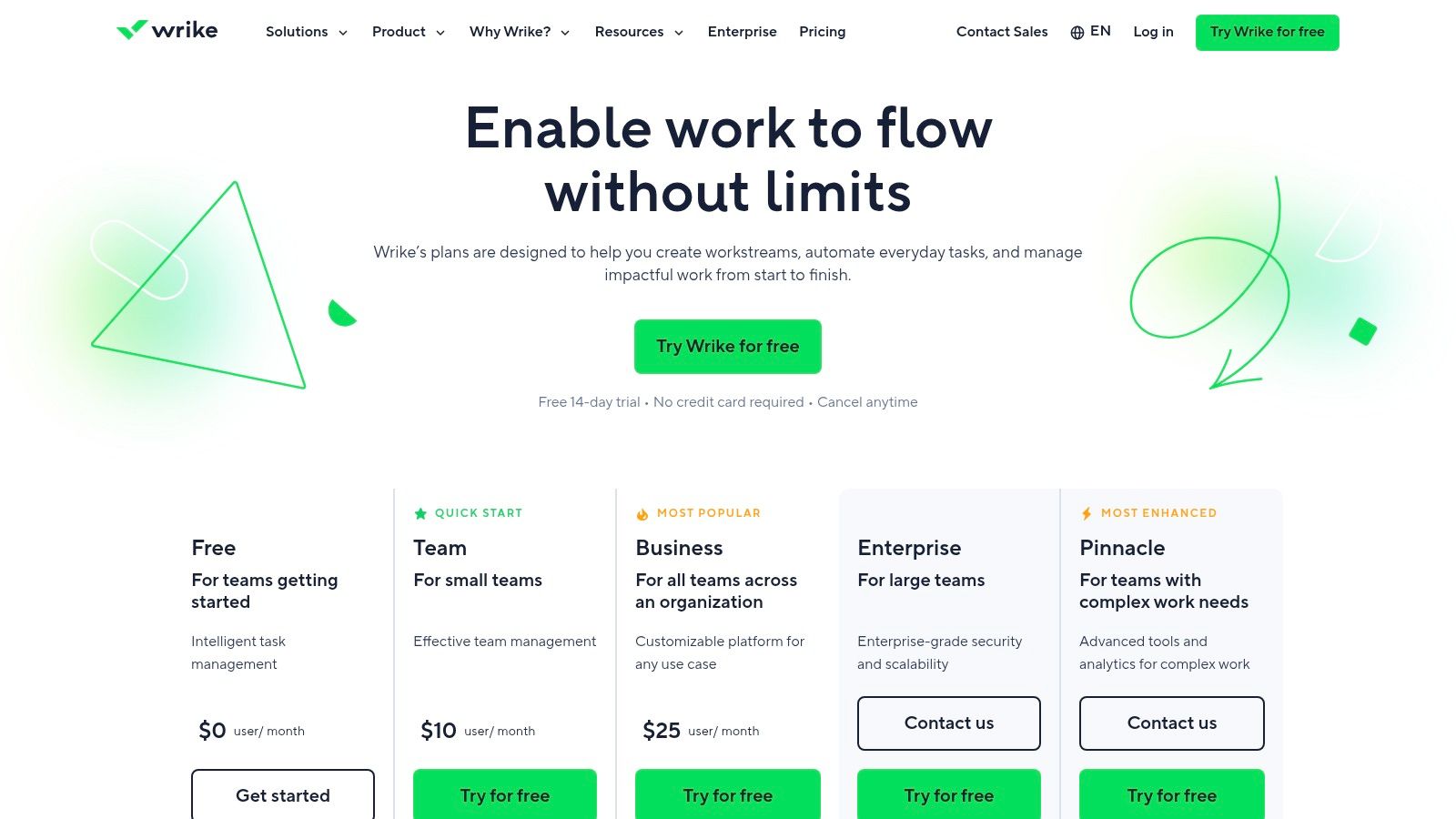
This platform excels at providing deep visibility into resource allocation and team capacity, helping managers prevent bottlenecks and make data-driven decisions. Custom item types and dynamic request forms allow teams to standardize intake processes, while its proofing and approvals tools streamline the creative review cycle. The interface, while powerful, can feel dense, so investing time in the initial setup and onboarding is key to unlocking its full potential.
Core Features & Analysis
Customizable Work Views: Features dynamic Gantt charts, Kanban boards, calendars, and tables with cross-tagging for multi-dimensional project tracking.
Resource and Capacity Planning: Provides real-time reports and workload views to manage team allocation effectively and forecast project needs.
Workflow Automation & Blueprints: Automate routine tasks and create repeatable project templates (Blueprints) to ensure process consistency and save time.
Advanced Reporting & Dashboards: Build custom, shareable dashboards and detailed analytical reports to track KPIs and monitor project health.
Pricing and Team Fit
Wrike offers a free plan for small teams just getting started. Paid plans begin with the "Team" tier at $9.80 per user/month, with higher tiers unlocking advanced proofing, automation, and enterprise-grade security. Some powerful features, like resource management, may require add-ons that can increase the overall cost.
Best For: Marketing agencies, professional services firms, and enterprise PMOs that require a highly configurable and scalable solution for managing complex projects and resources.
Website: https://www.wrike.com
10. Smartsheet
Smartsheet takes the familiar, powerful paradigm of a spreadsheet and transforms it into a dynamic work management platform. It's designed for teams who are comfortable with a grid-based interface but need enterprise-grade project management capabilities like automation, reporting, and portfolio management. This approach significantly lowers the learning curve, allowing teams to quickly build sophisticated trackers, project plans, and dashboards.
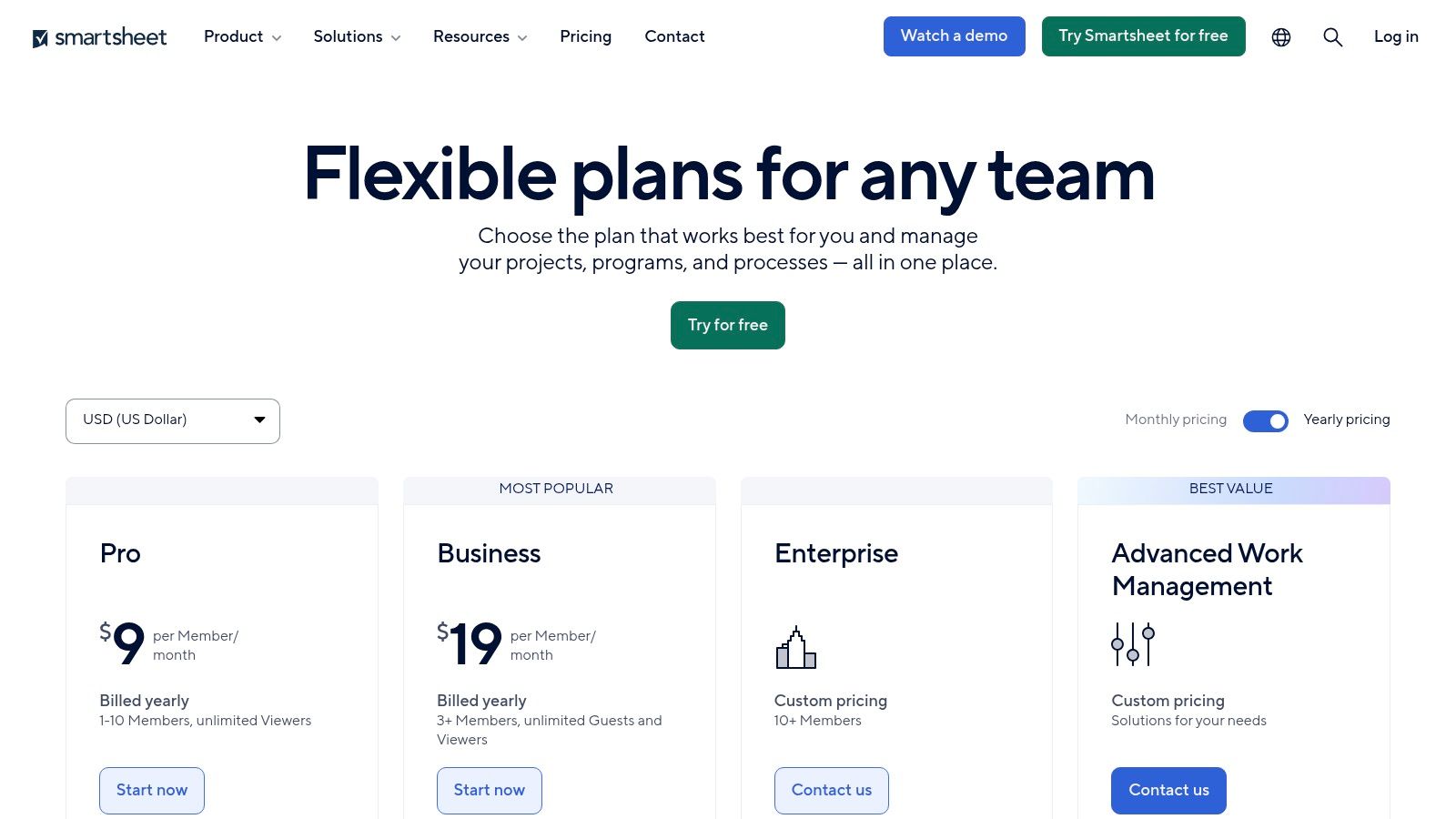
The platform truly shines in its ability to scale from a simple task list to a complex, multi-project portfolio management tool. It offers advanced features, often as premium add-ons, that cater to large organizations needing granular control over resources, data, and security. Smartsheet is one of the best task management software for teams that require both flexibility and powerful, structured oversight.
Core Features & Analysis
Flexible Views: While the core is its Grid view, users can easily switch to Gantt, Card (Kanban), and Calendar views to visualize data in different contexts.
Powerful Automation: Build automated workflows to handle repetitive tasks, such as sending alerts, requesting updates, and moving rows based on specific triggers and conditions.
Dashboards and Reports: Consolidate key information from multiple sheets into real-time, widget-based dashboards for high-level executive reporting.
Enterprise-Grade Control: Offers advanced admin controls and optional premium capabilities like Control Center and Data Shuttle for managing work at scale.
Pricing and Team Fit
Smartsheet offers a free plan with limited features for one user and up to two editors. Paid plans begin with the Pro plan at $7 per user/month (billed annually) for up to 10 users, with higher-tier Business and Enterprise plans offering more robust features. Be aware that many advanced capabilities are sold as separate add-ons.
Best For: IT, operations, and program management offices (PMOs) that manage complex, data-heavy projects and prefer a spreadsheet-style interface with powerful backend automation and reporting.
Website: https://www.smartsheet.com/pricing
11. Basecamp
Basecamp is an opinionated and refreshingly simple project management and team communication tool. It intentionally avoids the feature bloat of other platforms, focusing instead on a core set of tools designed to keep everything organized in one place. Its philosophy centers on reducing complexity and promoting clear, asynchronous communication, making it a sanctuary for teams drowning in emails, meetings, and notifications.
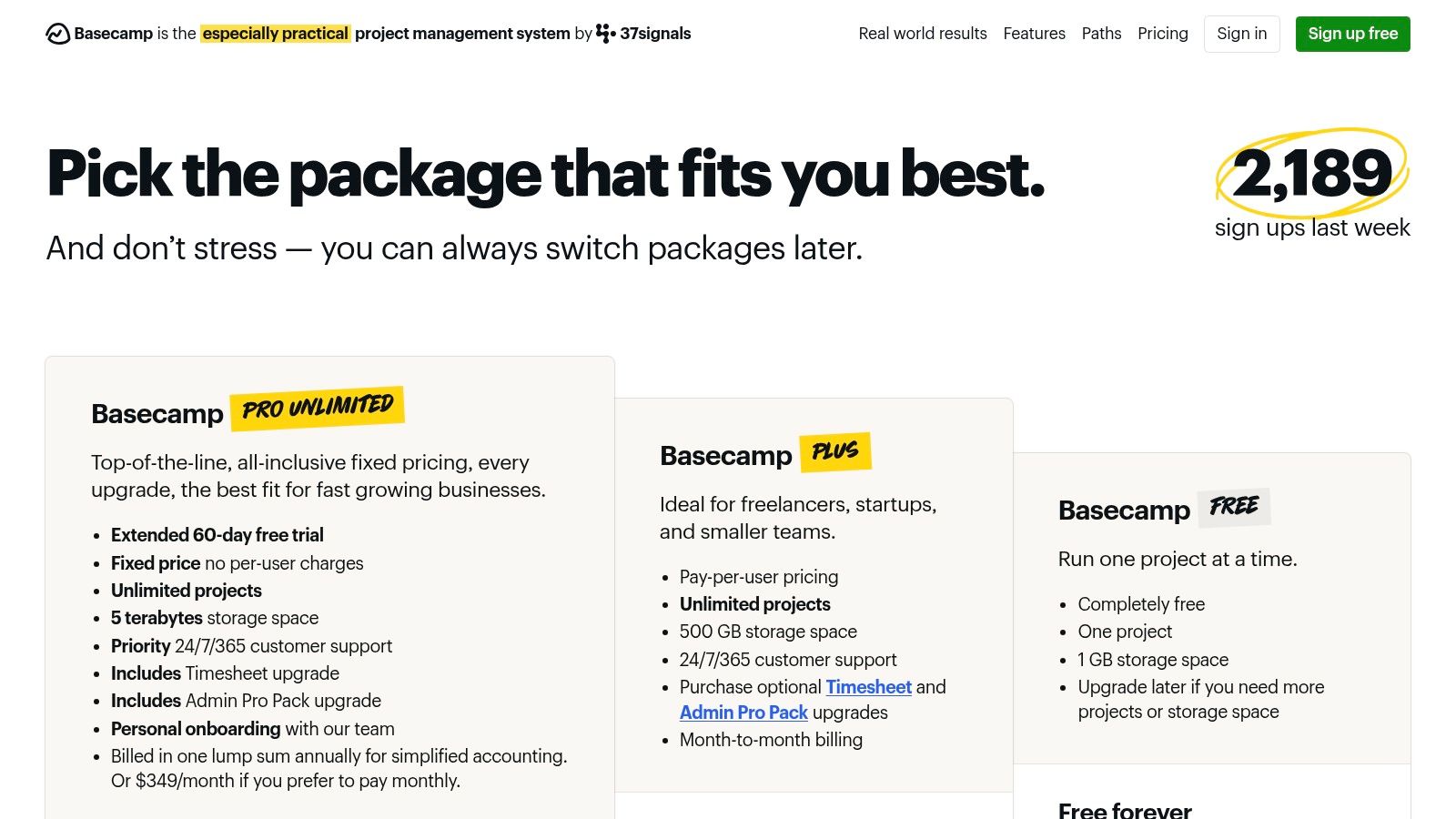
The platform consolidates to-do lists, a central message board, document storage, a group chat (Campfire), and a project schedule into a single project hub. This all-in-one approach is what makes it one of the best task management software for teams seeking a single source of truth. Its straightforward design ensures very low administrative overhead, allowing teams to get set up and start collaborating in minutes rather than days.
Core Features & Analysis
Centralized Project Hubs: Every project gets its own dedicated space with all the necessary tools: To-Dos, a Message Board, Docs & Files, Campfire chat, and a Schedule.
To-Do Lists & Card Table: Create detailed to-do lists with assignees and due dates. The Card Table view offers a simple Kanban board for visualizing workflow stages.
Asynchronous Communication: The Message Board is designed for important announcements and discussions, keeping conversations organized and accessible, unlike chaotic email threads or real-time chat.
Client Access: Easily invite clients into a project with controlled visibility, allowing them to see progress, provide feedback, and access relevant files without seeing internal team conversations.
Pricing and Team Fit
Basecamp offers a free plan with limitations for up to 20 users. The paid "Pro Unlimited" plan is famous for its simple, flat-rate pricing of $299/month (billed annually) for unlimited users, projects, and 5 TB of storage. This makes it incredibly cost-effective for large or growing teams.
Best For: Agencies, consulting firms, and remote teams that need a simple, all-in-one platform for managing client projects and centralizing communication without complex features.
Website: https://basecamp.com/pricing
12. Airtable
Airtable is a unique hybrid, blending the simplicity of a spreadsheet with the power of a relational database. It moves beyond traditional task lists, allowing teams to build completely custom workflows and applications without writing code. This flexibility makes it ideal for managing interconnected data, such as linking marketing campaigns to creative assets, product roadmaps to user feedback, and content calendars to writer assignments.

The platform truly shines for teams needing to consolidate multiple spreadsheets into a single source of truth. Its "Interface Designer" lets you create custom dashboards and apps for stakeholders, while its automation capabilities handle routine data entry and notifications. However, this power comes with a steeper learning curve; unlocking its full potential requires an investment in designing and structuring your bases effectively.
Core Features & Analysis
Relational Databases: Link records between different tables (called "bases") to create complex, connected workflows that a standard project manager can't handle.
Multiple Views: Organize your data in various formats, including Grid, Kanban, Gantt, Timeline, and Calendar, to suit different team needs and project types.
Interfaces: Build custom, interactive dashboards and web apps on top of your data, providing simplified views for clients or team members to interact with.
Automations & Extensions: Automate multi-step processes within Airtable or connect to other tools. Extend functionality with "Extensions" for things like charts, maps, and page design.
Pricing and Team Fit
Airtable offers a free plan with generous limits for small teams getting started. Paid plans begin with the "Team" tier at $20 per seat/month (billed annually), which unlocks higher record limits, more automation runs, and extensions. Business and Enterprise Scale tiers add advanced governance, two-way sync, and SSO.
Best For: Operations, product, and content teams that manage complex, interconnected workflows and need a highly customizable platform that can scale from a simple tracker to a bespoke internal tool.
Website: https://airtable.com/pricing
Top 12 Team Task Management Tools — Feature Comparison
Product | ✨ Key features | ★ UX / Quality | 💰 Pricing / Value | 👥 Ideal for | 🏆 Standout |
|---|---|---|---|---|---|
Beep 🏆 | ✨ Visual-first annotations, auto-screenshots, built-in kanban, Slack/Jira/Notion integrations | 4.9★ — simple, ultra-fast onboarding | 💰 Free start; scalable paid plans | 👥 Agencies, PMs, UX/UI designers, devs, marketers, remote teams | 🏆 Recommended — fastest visual feedback & low-friction setup |
Asana | ✨ Multiple views (List/Board/Timeline), portfolios, automations, 100+ integrations | 4★ — intuitive, easy adoption | 💰 Paid tiers (two-seat min); enterprise options | 👥 Cross-functional teams, project managers | Strong for structured project management |
monday.com | ✨ Highly customizable boards, dashboards, automations, guest access | 4★ — visual & flexible | 💰 Tiered seat bundles; best value annual | 👥 Ops, CRM, dev & service teams needing one vendor | Flexible Work OS for many workflows |
ClickUp | ✨ Docs, whiteboards, time tracking, goals, deep automations | 4★ — powerful but can feel complex | 💰 Generous free tier; value-packed paid plans | 👥 Teams replacing multiple tools with one workspace | All-in-one feature depth per dollar |
Trello | ✨ Kanban-first boards, Power‑Ups, Butler automations, Premium views | 4★ — minimal learning curve | 💰 Free + paid Power‑Ups; Premium for advanced views | 👥 Small teams, simple Kanban workflows | Fast, low-friction Kanban adoption |
Jira Software | ✨ Backlog, Scrum/Kanban, advanced automation, enterprise security | 4.5★ — deep agile tooling, steeper admin | 💰 Paid tiers; enterprise pricing | 👥 Software & large engineering teams | Best for complex agile/issue tracking |
Microsoft Planner | ✨ Planner + To Do + Project features, native Teams/365 integration | 3.5★ — seamless in M365, limited standalone | 💰 Included in M365; premium features extra | 👥 Microsoft 365 tenants, IT-compliant orgs | Tight SSO & compliance for M365 customers |
Notion | ✨ Docs + databases + tasks, Notion AI (Business+), flexible templates | 4★ — highly adaptable, needs structure | 💰 Free + paid tiers; good Business value | 👥 Teams needing docs + task systems, knowledge bases | Combine knowledge and task management |
Wrike | ✨ Resource planning, proofing, blueprints, real-time reports | 4★ — configurable, dense UI | 💰 Tiered; add-ons can increase cost | 👥 Marketing, PMO, services teams | Enterprise-grade configurability & reporting |
Smartsheet | ✨ Spreadsheet-style grid + Gantt/Kanban, automations, Control Center | 3.5★ — familiar grid, enterprise focus | 💰 Tiered; confirm current seat/add-on rules | 👥 Program/portfolio teams, PMOs | Spreadsheet paradigm for complex portfolios |
Basecamp | ✨ To-dos, message boards, chat, scheduling, client access | 3.5★ — opinionated, low admin overhead | 💰 Predictable flat-rate pricing | 👥 Small agencies, client-focused teams | Simple deployment + flat pricing model |
Airtable | ✨ Relational DBs, automations, Interfaces, two-way sync (Business+) | 4★ — flexible, requires design effort | 💰 Free + paid; enterprise governance on higher tiers | 👥 Ops, content, product teams building custom apps | No-code relational workflows and interfaces |
Choosing the Right Tool to Empower Your Team
Navigating the crowded landscape of task management software can feel overwhelming. We've explored a dozen powerful platforms, from all-in-one giants like Asana and monday.com to specialized powerhouses like Jira and visual workhorses like Beep. The journey to finding the best task management software for teams isn't about crowning a single winner; it's about pinpointing the solution that seamlessly integrates with your team’s existing habits, processes, and long-term goals.
Your final decision hinges on a clear-eyed assessment of your team's most critical needs. A sprawling enterprise might gravitate towards Wrike or Smartsheet for their robust reporting and portfolio management capabilities. In contrast, a fast-moving startup might find the unparalleled flexibility of ClickUp or Notion more suitable for its evolving structure. The key takeaway is that the 'best' tool is the one that removes friction, not one that adds a new layer of complexity.
From Analysis to Action: Your Next Steps
Before you commit to a subscription, it's crucial to move from theoretical analysis to practical application. A tool that looks perfect on paper might feel clunky or unintuitive in day-to-day use. Here’s a simple framework to guide your selection process:
Identify Your Core Bottleneck: What is the single biggest obstacle in your current workflow? Is it a lack of visibility into project progress? Is it inefficient communication during feedback cycles? Are you struggling with resource allocation? Define the primary problem you need your new software to solve.
Shortlist 2-3 Contenders: Based on the reviews in this article, select the top two or three platforms that seem best suited to tackle your specific bottleneck. Don’t chase every shiny feature; focus on the ones that directly address your pain points.
Run a Pilot Program: Sign up for free trials and assign a small, cross-functional project team to use each tool for a week or two. This real-world test is invaluable. Task them with managing a genuine mini-project from start to finish.
Gather Structured Feedback: After the pilot, collect specific feedback from the team. Don't just ask, "Did you like it?" Ask targeted questions: * How quickly were you able to start being productive? * Did this tool make communication clearer or more complicated? * On a scale of 1-10, how much did it reduce administrative overhead? * What specific features were most (and least) helpful for your role?
The Implementation Imperative: Beyond the Software
Remember, even the most advanced software is only as effective as its implementation. Choosing the right platform is just the first step. Successful adoption requires a strategic rollout plan. This includes providing clear training, establishing best practices for your team (e.g., standardized task naming conventions, project templates), and appointing a "tool champion" who can offer support and ensure consistent usage.
Ultimately, the goal is to empower your team to do their best work with minimal administrative drag. Whether you need the rigid structure of Jira for agile development, the creative freedom of Airtable for data-driven projects, or the visual feedback efficiency of Beep for web and product design, the right tool is out there. By focusing on your unique workflow, testing your top options, and committing to a thoughtful implementation, you can select a platform that not only organizes tasks but actively accelerates your team's success and drives meaningful results.
Ready to eliminate the endless back-and-forth of visual feedback? Beep transforms messy screenshots and vague comments into actionable tasks directly on a Kanban board, integrating seamlessly with the tools you already use. Start your free trial of Beep today and see how clear, contextual feedback can revolutionize your team's workflow.
I found this review useful in a kind of weird way, because picking the right task management software can actually make teamwork feel less messy and help organisation too. I mean, comparing the features, and then really understanding what the team needs before deciding, seems important… like genuinely important. It also kind of reminded me that australian publishing projects need careful planning and collaboration, plus clear communication, to get to results that work out, not just decent on paper.
The neighborhood book club ended earlier than usual, but nobody was ready to leave. Instead, people stayed and talked about remote meetings and online events. Someone mentioned needing the Zoom phone number after having trouble joining a session. That opened the door to stories about virtual family gatherings, funny microphone mishaps, and pets unexpectedly appearing on camera. Everyone had at least one memorable online meeting story.
I liked how the article pointed out ClickUp’s customizable dashboards as a big advantage for teams handling different workflows—it made the comparison feel more practical rather than generic. It actually got me thinking about how different tools suit different work styles, especially when juggling study and project deadlines alongside things like Programming Assignment Help Australia. The breakdown was easy to follow, but I’m still wondering how these tools perform in smaller teams versus larger ones in real-world use.