
.png)
A Bug Reporting Template That Actually Solves Problems
- shems sheikh
- Jan 5
- 15 min read

A good bug reporting template is the single most powerful tool for turning confusing feedback into clear, actionable tasks for your developers. It’s all about creating a standard format that forces everyone to include the critical details from the get-go. No more guesswork, no more wasted time.
Why Vague Bug Reports Kill Productivity
We’ve all seen it. A developer opens a ticket that just says, "The login button is broken." That one vague sentence kicks off a painful, expensive cycle of back-and-forth.
The developer has to drop everything, track down the person who reported it, and start asking questions: Which button? What page? Which browser? What were you expecting to happen? This communication mess grinds projects to a halt, turning what could have been a quick fix into a multi-day headache.
This isn’t just a minor annoyance; it's a massive drain on your resources. Every minute a developer spends trying to get clarity on a poorly written bug report is a minute they aren't building new features or fixing other critical issues. This chaos multiplies across the team, leading to missed deadlines, frustrated engineers, and stakeholders wondering why nothing is getting done. A solid template is the antidote.
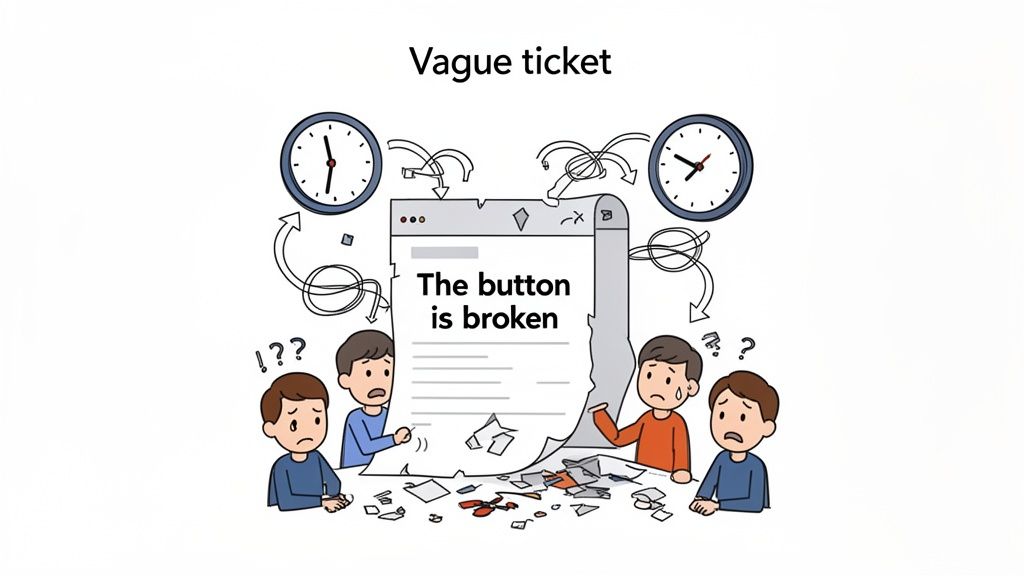
The True Cost of Inefficiency
The ripple effect of sloppy bug tracking is huge, both financially and operationally. It's no surprise that the bug tracking market was valued at $295.6 million in 2023 and is expected to soar to $774.75 million by 2032. Agile teams live and die by this stuff.
Well-designed templates that require key fields—like title, severity, and steps to reproduce—can slash resolution times by a whopping 35-50%. They cut out the noise and prevent duplicate reports. You can dig deeper into the bug tracking software market over at skyquestt.com to see just how much structured data matters.
When a bug report is crystal clear from the start, it empowers the whole team. A non-technical stakeholder can accurately describe a visual glitch. A UX designer can pinpoint a flaw in the user flow. And a developer can get right to work. This clarity doesn't just speed up the fix; it boosts team morale and overall output.
A great bug report is more than just a problem description; it's a complete, self-contained package of information that enables a developer to reproduce, understand, and solve an issue without needing a follow-up conversation.
The Core Elements of an Actionable Bug Report
A truly effective bug reporting template doesn't need to be complicated. In fact, simpler is often better. It just needs to focus on gathering a few essential pieces of information that paint a complete picture of the problem.
Here’s a quick breakdown of the non-negotiable fields that turn a vague complaint into a concrete solution.
The Core Elements of an Actionable Bug Report
Field | Purpose | Why It Matters |
|---|---|---|
Clear Title | Provides a quick, at-a-glance summary of the issue. | Helps with prioritization and quickly identifies the problem area. |
Steps to Reproduce | Offers a clear, numbered list of actions to replicate the bug. | This is the most critical field for developers to confirm the bug exists. |
Expected vs. Actual | Contrasts what should have happened with what actually occurred. | Defines the problem by highlighting the exact point of failure. |
Environment Details | Includes browser, OS, device, and screen size information. | Bugs are often environment-specific; this data is crucial for debugging. |
Visual Evidence | An annotated screenshot or a screen recording showing the bug. | Removes ambiguity and provides instant context that text cannot. |
Getting these basics right is one of the fastest ways to see a real improvement in your workflow. For more ideas on boosting your team’s efficiency, check out our guide on how to improve team productivity with quick wins. By adding a little structure to your communication, you can eliminate one of the biggest bottlenecks in the entire development cycle.
Building Your Perfect Bug Report Field by Field
A template is only as good as the information you pour into it. The goal isn’t just to check off boxes; it’s to build a self-contained, crystal-clear guide that lets a developer instantly understand, reproduce, and squash the issue. Let's walk through the essential parts of a bug report, turning each field from a simple blank space into a powerful communication tool.
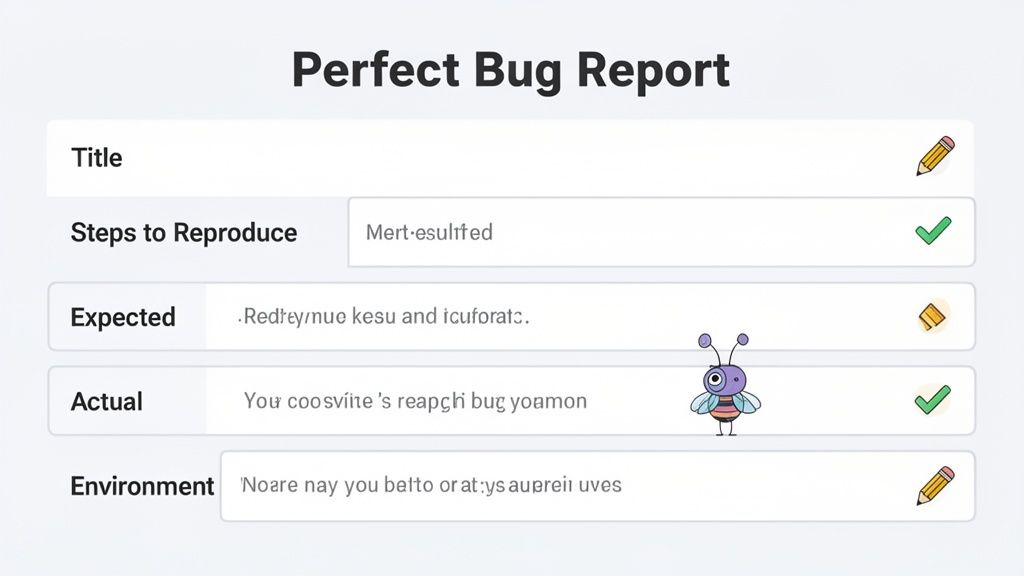
This structured approach is the backbone of any efficient dev team. It's no surprise the global bug tracking software market, which runs on these templates, ballooned from $218.22 million in 2018 to a projected $601.64 million by 2026. I've seen it firsthand: teams using a standardized bug reporting template resolve issues up to 40% faster, simply because all the necessary details are there from the start.
Crafting a Title That Tells a Story
The title is your first impression. A vague title like "Profile bug" is basically useless for triage. A great title, on the other hand, should be a quick summary that immediately points to the location and the problem. Think of it as the headline for your bug.
I’ve found this simple formula works wonders: [Feature/Location] - [Problem Description].
Weak Title: "Can't log in"
Strong Title: "[Login Page] - 'Login with Google' button returns 404 error"
See the difference? The strong title instantly tells the team where the bug is (Login Page) and what's happening (Google login fails with a specific error). A product manager can now prioritize it without even opening the full report.
The Art of Writing Steps to Reproduce
This is, without a doubt, the most critical section of any bug report. If a developer can't reliably reproduce the issue, they can't fix it. It’s that simple. These steps need to be a clear, numbered list of actions, written as if the reader has zero context.
Never assume the developer knows what you know.
UX Designer Example: A designer spots a visual glitch. 1. Go to the homepage (www.example.com) on a mobile device (iPhone 14 Pro). 2. Scroll down to the "Customer Testimonials" section. 3. You'll see the profile images are misaligned and overlapping the text below them.
Product Manager Example: A PM hits a wall in a user flow. 1. Log in as a 'Standard User' (user@test.com / password123). 2. Add any item to the shopping cart. 3. Go to the checkout page. 4. Click the "Apply Discount Code" button. 5. The page freezes and the discount code field never shows up.
The golden rule for reproduction steps is simple: Could someone who has never seen this feature before follow these instructions and see the exact same bug? If not, you need more detail.
Defining Expected Versus Actual Results
This is where you spell out the problem with zero ambiguity. It’s a simple but powerful comparison that explains what "broken" actually means in this context.
Expected Result: State clearly what should have happened. "After clicking 'Apply Discount Code,' a text input field should appear, allowing the user to enter a code."
Actual Result: Describe exactly what did happen. "After clicking 'Apply Discount Code,' the checkout button becomes unresponsive, and no input field appears. A spinner icon just spins forever."
This direct contrast immediately highlights the gap between what was intended and what’s currently happening, giving the developer a clear target for their fix. For a deeper dive into the principles behind creating effective templates, this guide to developing high-performing templates has some great insights, even though it's from a different field.
Don't Skip the Environment Details
Bugs can be shy; sometimes they only show up under very specific conditions. Forgetting to include environment details is a classic mistake that leads to that dreaded developer response: "works on my machine." Your template has to capture this stuff.
Essential Environment Fields
Browser and Version: (e.g., Chrome 125.0.6422.113)
Operating System (OS): (e.g., macOS Sonoma 14.5)
Device Type: (e.g., Desktop, Mobile, Tablet)
Screen Resolution: (e.g., 1920x1080)
User Role (if applicable): (e.g., Admin, Standard User, Guest)
Honestly, this is where modern tools like Beep are a lifesaver. They automatically capture all this information with every piece of feedback submitted. This automation saves a ton of time and prevents human error, making sure developers always have the context they need.
The Complete Bug Reporting Template
Okay, let's put it all together. Here’s a ready-to-use markdown template you can copy and paste right into your project management tool, whether that’s Jira, Notion, or just a team Slack channel.
Bug Report: [Feature/Location] - [Problem Description]
Reported by: [Your Name]Date: [Date]
1. Steps to Reproduce
1.2.3.
2. Expected Result
*
3. Actual Result
*
4. Environment Details
Browser:
OS:
Screen Resolution:
User Role:
5. Severity / Priority
Severity: [Critical / High / Medium / Low]
Priority: [High / Medium / Low]
6. Visual Evidence
[Link to screenshot or screen recording]
This template gives you a solid foundation. By making sure every report includes these key pieces, you create a system that’s clear, consistent, and actionable—and that paves the way for faster fixes and a much happier development cycle.
Going Beyond Text with Visual Feedback
A detailed, text-based bug report is a massive leap forward from a vague complaint, but let's be honest—even the most perfectly written steps can leave room for interpretation.
When a developer reads "the user profile image is misaligned," their mental picture might be completely different from what the reporter is actually seeing. I've seen it happen a hundred times. This gap in understanding is where visual feedback becomes essential, not just a nice-to-have.
In today's fast-paced, often remote, world, a picture truly is worth a thousand words—or at least a dozen back-and-forth Slack messages. Annotated screenshots and screen recordings bridge that communication gap instantly. They provide undeniable proof of the issue, removing all ambiguity and helping a developer get up to speed in seconds.
Why Visuals Accelerate Bug Fixes
Adding a visual element to your bug reporting template does more than just add context; it fundamentally changes the speed and accuracy of the entire debugging process. Instead of trying to piece together a written description, a developer can see the exact state of the UI at the moment of failure. It just eliminates the guesswork.
Let’s look at a classic scenario I’m sure you’ve run into:
Before (Text Only): "The main navigation dropdown menu overlaps with the hero banner content when the page loads."
After (With Visuals): The same description, but now it's paired with a screenshot. The reporter has drawn a red box around the overlapping elements and added a simple text note: "This part of the menu is covering the headline."
The "after" version is immediately actionable. There's no room for misinterpretation, and the developer can jump right into the CSS, confident they are solving the correct problem.
Making Visual Reporting Effortless
So, why doesn't everyone do this? The biggest barrier has always been friction. Manually taking a screenshot, opening an editor, marking it up, saving it, and then uploading it to a ticket is a tedious process. Busy team members are just going to skip it.
This is precisely where tools like Beep come in. Beep allows users to add comments directly onto a live website. When they click to add a comment, Beep automatically captures a screenshot of the current view, complete with annotations.
Here's what that looks like in practice.
As you can see, a user can just click on any element, type their feedback, and have the visual proof captured instantly. The tool also automatically gathers all the crucial metadata—like the browser, OS, and screen size—and attaches it to the report. It turns a multi-step chore into a single, seamless action.
A bug report with an annotated screenshot is no longer just a report; it's a complete diagnostic package. It provides the problem, the context, and the technical environment all in one glance, drastically reducing the time spent in clarification meetings.
The Power of Annotated Screenshots
Annotations are what make screenshots truly effective. A raw screenshot shows what is broken, but an annotated one explains why it's broken from the user's perspective, pinpointing the exact area of concern. For more tips on getting this right, you can learn how screenshots are made simple with a screenshot annotation tool in our detailed guide.
Effective annotations can include things like:
Arrows: To point to specific buttons, icons, or form fields that are acting up.
Boxes/Rectangles: To highlight an entire section of the page with a layout issue.
Text Comments: To add a brief note directly on the image for extra clarity.
Blur/Pixelation: To hide any sensitive user data before sharing the report.
By building this visual component directly into your bug reporting template, you ensure that this rich context is captured every single time. It trains your team to think visually, which ultimately leads to clearer communication and faster, more accurate bug resolution.
How to Weave Bug Reporting into Your Workflow
A perfect bug reporting template is only as good as its adoption. You can craft the most detailed, beautifully structured template in the world, but if your team doesn't actually use it, what's the point? Getting a process down on paper is one thing; making it a natural part of your team's daily rhythm is the real challenge.
The goal here is to make reporting a bug so ridiculously easy that it becomes a reflex for everyone involved—from your lead developer right down to your least tech-savvy stakeholder.
The secret isn't to force a new tool down everyone's throat. It’s about meeting your team right where they are. By embedding your template and reporting process into the platforms they already live in—like Jira, Notion, or Slack—you kill the friction that prevents so much valuable feedback from ever seeing the light of day.
Centralize Your Feedback Hub
The most effective thing you can do is create a single source of truth for every issue that comes in. Stop letting bug reports get lost in scattered email threads, forgotten Slack DMs, and random project boards. You need one central hub.
This is where a visual feedback platform like Beep becomes a total game-changer.
Beep acts as that central collection point, letting anyone drop a pin and report a bug directly on a live website with a single click. But its real power lies in the integrations. A bug submitted through Beep can automatically spin up a new, perfectly formatted ticket in your team's project management tool, packed with all the visual evidence and technical data needed.
This flow diagram gives you a quick visual of how this approach speeds everything up.
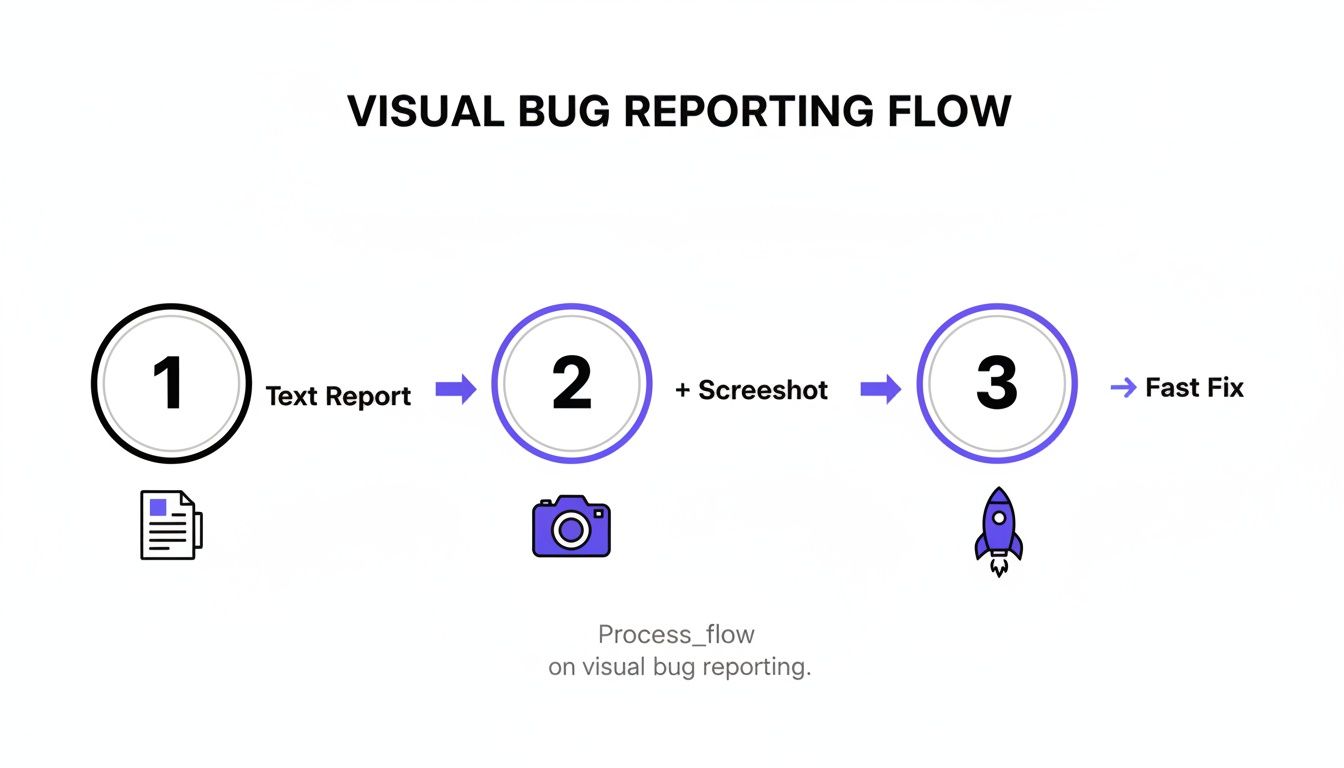
As you can see, simply pairing a text report with a screenshot cuts through the noise and gets you to a fix much, much faster.
Automate Your Task Creation
Manual data entry is a productivity killer. Seriously, nobody wants to find a bug, type it up, and then manually copy and paste all those details into a Jira ticket. That's where automation becomes your best friend.
By connecting your feedback tool to your project management system, you can ensure every single bug report instantly becomes an actionable task without anyone lifting a finger.
For instance, you could set up a workflow that looks something like this:
A client leaves feedback on a staging site using Beep.
Beep automatically grabs a screenshot, browser data, OS info, and console logs.
A new ticket is instantly created in your "Bug Triage" column in Jira, already filled out with your template.
The project manager gets a ping in Slack that a new issue is ready for review.
This hands-off process means no bug ever falls through the cracks, and it saves your team countless hours of boring admin work.
Manage Issues End-to-End with Kanban
Once a bug is reported, its journey is just getting started. You need a clear system to track it from submission all the way to resolution. A Kanban board is perfect for this, giving everyone a clean, visual overview of every issue's status.
Plenty of teams already use Kanban boards in tools like Trello or Jira, but platforms like Beep also offer a built-in board to manage the entire feedback lifecycle from start to finish.
A typical Kanban workflow for bug tracking might look like this:
To Do: All new bug reports land here automatically. The project manager triages and prioritizes them.
In Progress: A developer grabs a ticket and drags it here when they start working on the fix.
In Review: The fix is pushed, and the ticket moves here for QA testing or stakeholder approval.
Done: The fix is verified and deployed. The ticket moves into its final resting place.
This visual approach makes it dead simple for anyone on the team to see a bug's status at a glance. It kills the need for constant "what's the update on this?" meetings and keeps everyone perfectly aligned.
The industry is already moving in this direction. Market data shows that cloud-based bug tracking solutions, which lean heavily on intuitive templates, held 55.80% of the market share. This growth is all about making bug submission easier for everyone, not just developers. For product managers and web developers, the efficiency gains are huge; using structured templates with visual annotations can slash communication overhead by as much as 50%.
When you integrate your bug reporting template directly into an automated workflow, you turn it from a static document into a dynamic engine for your development process. For a deep dive into different systems, check out our guide on the 12 best bug tracking tools for dev teams in 2025. This kind of integration ensures consistency, accelerates fixes, and builds a culture where reporting issues is both easy and incredibly effective.
Common Bug Reporting Mistakes to Avoid
Even with the world's best bug reporting template, things can still go sideways. It usually comes down to a few common, completely human habits that introduce confusion and slow everything down. Trust me, I've seen it happen. Avoiding these classic slip-ups is just as crucial as having a solid template to begin with.
One of the biggest culprits I see is subjectivity. Reports peppered with personal feelings like, "the checkout process feels clunky" or "I think the new font looks weird" just aren't helpful. Developers can't work with feelings; they need cold, hard facts.
So instead of describing how a feature feels, zero in on what it actually does (or doesn't do). This one little shift transforms a vague critique into a concrete problem that someone can actually solve.
The Pitfall of Vague Descriptions
When you give a developer subjective feedback, you're forcing them to play a guessing game. That's a one-way ticket to wasted time and frustration. The fix is simple: stick to the facts and lean on that "Expected vs. Actual" format we've been talking about.
Don't Do This:
"The sign-up form is broken and confusing."
Do This Instead:
Expected: "After entering my email and password, clicking 'Sign Up' should create my account and take me to the dashboard."
Actual: "After clicking 'Sign Up,' the button grays out, but nothing happens. The page never reloads, and no account is created."
See the difference? One is a complaint, the other is a clear, testable scenario.
Bundling Unrelated Bugs
It's tempting, I know. You find a handful of issues on one page and think, "I'll just toss them all into one ticket to save time." This is a classic mistake. A single ticket titled "Bugs on the Profile Page" might end up containing a broken avatar upload, a typo in the bio, and a password reset link that leads to a 404 error.
This creates an absolute nightmare for tracking. A developer might fix the typo quickly but leave the other, more complex issues lingering. The ticket stays marked as "in progress" forever, clogging up the workflow and making it impossible to see what's actually been fixed.
One Bug, One Ticket. This is the golden rule of bug reporting. It ensures every single issue can be individually tracked, assigned, prioritized, and closed. It keeps your workflow clean and your progress measurable.
Forgetting Critical Environment Details
Ever had a developer tell you they "could not reproduce" a bug? A missing environment detail is almost always the reason why. A bug that pops up on Chrome for macOS might be completely non-existent on Firefox for Windows.
Your bug reporting template absolutely must have mandatory fields for this stuff:
Browser & Version: (e.g., Chrome 125)
Operating System: (e.g., Windows 11)
Device: (e.g., iPhone 15 Pro, Desktop)
Without this data, developers are flying blind. Honestly, the best way to handle this is to use a tool like Beep that captures all this information automatically. It guarantees these crucial details are never missed.
Finally, remember to build a blame-free reporting culture. When your team feels safe pointing out problems without worrying about getting called out, they’ll report issues more often and with better detail. That's how you catch the small stuff before it becomes a big problem for your users.
Got Questions About Bug Reporting? We've Got Answers.
Even with the perfect bug reporting template, questions always come up once you start using it in the wild. It’s totally normal. Getting the details right is what makes the whole system click for everyone, from the devs deep in the code to the marketing folks who just want to point out a typo.
Let's walk through some of the most common questions I hear. Nailing these will help turn your bug reporting template from just another document into a genuine workflow accelerator.
How Should Bug Reporting Differ for Mobile vs Web Projects?
While the heart of a good bug report is the same everywhere, the environment details are a whole different ballgame between web and mobile. A web report is all about the browser and OS, but for mobile, you have to get way more specific.
For any mobile project, your template absolutely must capture:
Device Model: (e.g., iPhone 15 Pro, Samsung Galaxy S23)
Operating System Version: (e.g., iOS 17.5.1, Android 14)
App Version: (e.g., v2.3.1 build 452)
Connection Type: (e.g., Wi-Fi, 5G, Offline)
Trust me, this extra data is non-negotiable. So many mobile bugs—especially weird visual glitches or performance lags—are tied to a specific piece of hardware or an OS update. A generic template just won't cut it here.
What Is the Best Way to Manage a High Volume of Bug Reports?
When the bug reports start pouring in, it's easy to feel like you're drowning. The biggest challenge isn't the volume; it's the triage. Without a solid system, critical issues get lost in the noise.
The secret is to immediately assign a severity and priority level to every single report that comes in. This simple step is a game-changer, allowing you to filter and sort your backlog effectively.
A flood of bug reports can be a great sign of user engagement, but it demands a ruthless triage process. Focus on the critical, user-blocking issues first. Don't be afraid to send minor cosmetic tweaks to the bottom of the backlog for later.
I'm a big fan of using a Kanban board with columns like "New," "Triaged," "In Progress," and "Done." It’s a super visual way for anyone on the team to see a bug's status at a glance, which helps stop duplicate work before it starts and keeps everyone on the same page.
How Can We Encourage Template Adoption Across Non-Technical Teams?
Getting your non-technical teammates to consistently use a bug reporting template can be tough. The key? Make the process completely frictionless. If reporting a bug feels like filling out tax forms, they just won't do it. I've seen it happen a dozen times.
Here are three strategies that work like a charm:
Automate Data Collection: Find a tool that automatically grabs all the technical stuff—browser, OS, screen size, console logs. This takes the guesswork and manual entry off their plate entirely.
Focus on Visuals: Nudge them toward using annotated screenshots instead of writing a novel. A picture with an arrow and a quick note is faster for them to create and infinitely clearer for a developer to understand.
Integrate with Their Tools: If your marketing team lives in Slack, let them report bugs right from there. Meeting people where they already work is the single fastest way to get them to adopt a new process.
When you lower the barrier to entry, you make it easy for everyone to contribute valuable feedback, which ultimately makes your product and your QA process way stronger.
Ready to stop chasing down vague feedback? Beep lets your team report bugs visually, right on your live website, automatically capturing all the technical data your developers need. Try it for free and see how much faster you can fix issues. Get started with Beep today.
Comments