
.png)
A Guide to Project Management for Website Development
- shems sheikh
- Jan 6
- 18 min read

Let’s get real for a minute—without a plan, most website projects are a fast track to chaos. I’ve seen it happen more times than I can count. What starts as an exciting idea quickly spirals into missed deadlines, soaring budgets, and those soul-crushing, never-ending feedback loops that leave everyone feeling exhausted. It's rarely about a lack of talent; it's almost always about the lack of a blueprint.
So, what exactly is project management for website development? Think of it as the framework that keeps everything and everyone together—from the first sketch on a napkin to the final, live website and all the maintenance that comes after. It’s how you plan tasks, manage your team, and keep the whole project humming along on time and, crucially, within budget.
Why Most Web Projects Fail Without a Plan
Trying to build a website without a project plan is like trying to build a house without an architect. You can have the best crew and top-of-the-line materials, but what happens? Walls end up in weird places, the plumbing doesn't connect, and you might even find out the foundation can't hold the weight of the second floor. It's a guaranteed recipe for a confusing and very expensive mess. That’s exactly what happens when teams jump straight into coding and design without a solid plan.
The True Cost of an Unstructured Approach
Wingin' it just doesn't work. It creates an environment where miscommunication is the norm and nobody knows who’s responsible for what. Without a clear roadmap, you're practically inviting disaster. Teams inevitably run into:
Scope Creep: That "one little change" turns into ten, and suddenly your timeline and budget are stretched to the breaking point.
Communication Breakdowns: Designers, developers, and clients are all working in their own little bubbles, which leads to tons of rework and frustration.
Budget Overruns: Unplanned tasks and endless revisions start eating up money faster than you can track it.
Missed Deadlines: When you don't have clear milestones, launch dates become wishful thinking instead of actual targets.
And this isn't just a hunch. The data backs it up. A staggering 54% of traditional website redesigns take longer than six months to finish, and a huge chunk of those—nearly 80%—drag on for over a year. The delays are real, and they are costly.
A solid project management framework is the single most critical factor that transforms a great idea into a high-performing, functional website. It provides the clarity, direction, and control needed to navigate complexity with confidence.
Ultimately, good project management for website development is your way out of the chaos. It lays out a clear, predictable path from A to Z. If you're ready to build that foundation, starting with a detailed web site project plan is the absolute best first step you can take.
The Five Essential Phases of Web Development
Let's be real: trying to manage a website project without a clear plan is like setting off on a cross-country road trip with no map. You might have a general direction in mind, but you're almost guaranteed to get lost, waste time, and probably run out of gas somewhere in Nebraska. In the world of web development, our map is a set of five essential phases that guide us from a vague idea to a fully functioning website.
Each phase stacks on top of the last one, creating a logical flow that keeps everyone moving in the same direction. Skipping a step is like missing a critical turn—it just leads to frustration, backtracking, and a whole lot of "I thought you were doing that!" conversations. Nailing this process is the secret to keeping your project on time and, more importantly, on budget.
If you skip the planning, you’re basically inviting chaos to the party. The path from a non-existent plan to a failed project is brutally short.
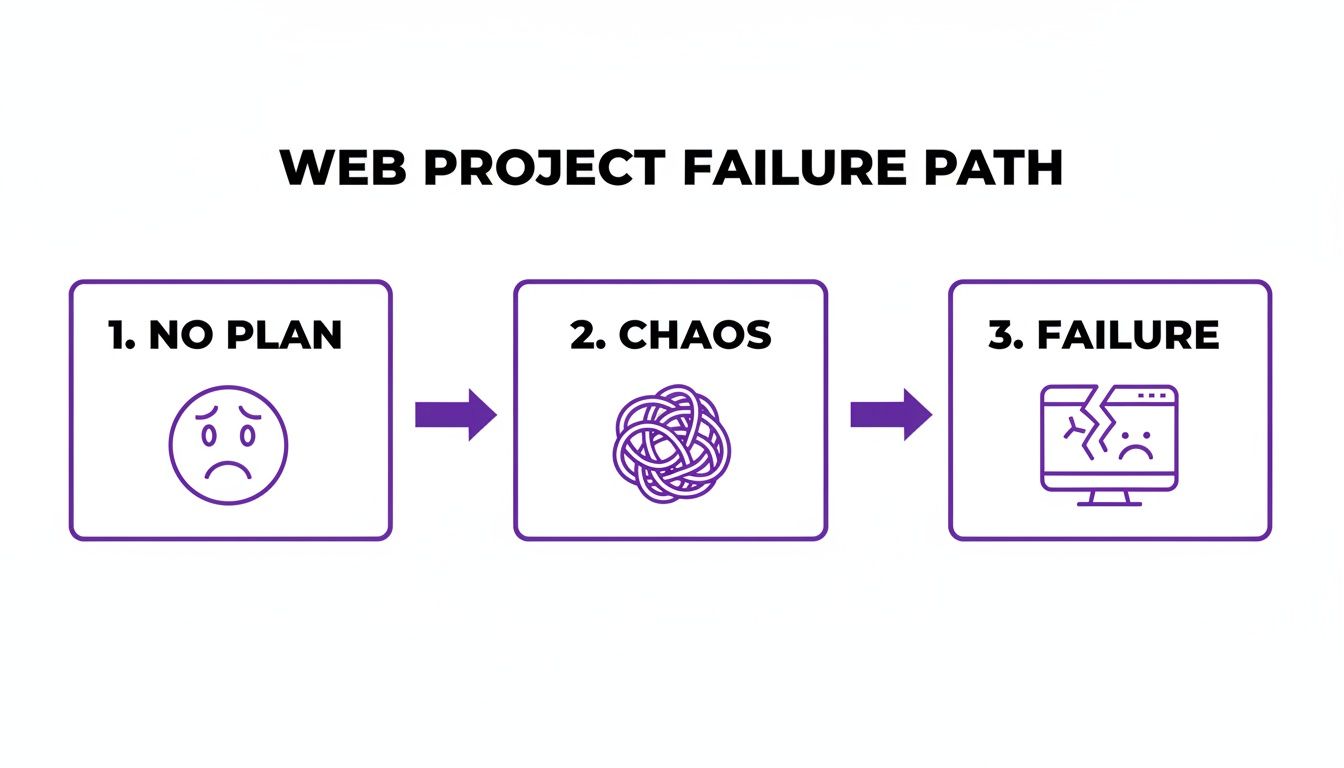
As you can see, winging it is a surefire recipe for disaster. Let's make sure that doesn't happen.
Phase 1: Discovery and Planning
This is where it all begins. Think of this phase as the foundation of your house—if you get it wrong, the whole structure will be unstable. The goal here is to get crystal clear on what you're building, who you're building it for, and why. This is your best defense against scope creep, that sneaky project-killer where "just one more little thing" slowly blows up your timeline and budget.
You'll spend this time talking to stakeholders, digging into what competitors are doing, and defining what success actually looks like (your Key Performance Indicators, or KPIs). The main thing you walk away with is a detailed project scope document. This isn't just paperwork; it’s your North Star for the entire project.
Think of the project scope as a contract between your team and the stakeholders. It explicitly states what will be delivered, creating a single source of truth that prevents misunderstandings and protects your timeline and budget.
Phase 2: UI and UX Design
With a rock-solid plan in hand, it's time to bring the vision to life visually. But this phase is about so much more than just picking pretty colors and cool fonts. It's about designing an intuitive user experience (UX) that makes it easy for visitors to do what they came to do. This usually happens in three key steps:
Wireframes: These are the bare-bones blueprints of your website. They're simple, black-and-white layouts that focus purely on structure, layout, and where content will go. No distractions, just the architectural skeleton.
Mockups: Now we add the flesh to the bones. Mockups are high-fidelity, static designs that show exactly what the final site will look like, complete with colors, typography, and imagery.
Prototypes: Finally, we make the mockups clickable. Prototypes are interactive versions that let you simulate the user journey, click through pages, and test the flow. Getting feedback at this stage is invaluable—it’s so much easier to change a design than to rewrite code.
Phase 3: Development
Time to fire up the code editors! This is where the approved designs get turned into a real, working website. I always think of this phase as having two tracks running at the same time: front-end development (everything the user sees and interacts with) and back-end development (the server, database, and all the magic happening behind the scenes).
Developers will take the prototypes and meticulously translate them into clean, efficient code. They’ll build out the features, hook up a content management system (CMS) if needed, and get the server infrastructure ready. Constant communication and code reviews are key here to make sure what's being built perfectly matches the plan.
Phase 4: Testing and Quality Assurance
Before you pop the champagne, the site has to go through the wringer. The Quality Assurance (QA) phase is all about hunting down and squashing bugs. We need to make sure the website works flawlessly for everyone, no matter what device or browser they're using.
Here's what a good testing process looks like:
Functionality Testing: Does every single button, link, and form work exactly as it should? We click everything.
Cross-Browser Compatibility: We check how the site looks and performs on Chrome, Firefox, Safari, and Edge. You'd be surprised how different they can be.
Performance Testing: How fast does it load? Page speed is a huge deal. One study found that 47% of consumers expect a webpage to load in two seconds or less.
User Acceptance Testing (UAT): We put the site in front of actual users to see if it meets their needs and if they find it easy to use.
Phase 5: Deployment and Launch
This is the moment we've all been waiting for. Once the site has passed every test and the client gives the final thumbs-up, it’s time to go live. Deployment is the process of moving the website from a private staging server to the live server where the world can see it. It’s a nerve-wracking but exciting step that requires a very careful checklist.
But the job isn't done once the site is live. We immediately switch into monitoring mode to catch any weird issues that might pop up. From there, the project moves into ongoing maintenance—handling security updates, fixing any new bugs, and making sure the website stays healthy and performs well for years to come.
Of course, these phases can look a little different depending on the project. For instance, the specifics of building an e-commerce website come with their own unique set of challenges and considerations that need special attention.
To give you a clearer picture, here's a quick breakdown of what you can expect to come out of each phase.
Key Deliverables of Each Web Development Phase
Phase | Primary Goal | Key Deliverables |
|---|---|---|
1. Discovery & Planning | Define project scope, goals, and requirements. | Project Scope Document, Sitemap, Technical Specs, Budget & Timeline |
2. UI/UX Design | Create a visual and functional blueprint of the website. | Wireframes, High-Fidelity Mockups, Interactive Prototypes, Style Guide |
3. Development | Write code to build a fully functional website based on designs. | Functional Website (Front-end & Back-end), CMS Integration, Database Setup |
4. Testing & QA | Identify and fix bugs, ensuring cross-browser compatibility. | QA Test Plan, Bug Reports, Performance Reports, UAT Feedback Summary |
5. Deployment & Launch | Make the website live and transition to maintenance. | Live Website, Post-Launch Monitoring Plan, Maintenance Schedule |
Having this kind of checklist for each phase keeps everyone aligned and ensures nothing important falls through the cracks.
Choosing the Right Project Management Method
Picking a project management method is a bit like choosing the right tool for a home improvement job. You wouldn't use a sledgehammer to hang a picture frame, and you definitely wouldn't use a tiny screwdriver to break up concrete. The same logic applies to project management for website development—the best approach depends entirely on what you're trying to build.
There’s no magic bullet or single "best" method. Instead, you have a toolkit of proven frameworks, and the real skill is knowing which one to pull out for a specific project. Getting this right means you can build a workflow that perfectly fits your team, keeps your client happy, and handles the complexity of the website you’re creating.
Let's break down the big three.
The Waterfall Method: An Assembly Line Approach
Waterfall is the classic, old-school way of doing things. Think of it like a factory assembly line. Each station completes its task in a strict, linear order before passing the product down the line. You can't start painting the car until the frame is 100% built.
In web development, this translates to finishing each phase—Discovery, Design, Development, Testing—completely before the next one can even begin. Everything gets signed off in sequence.
This rigid, step-by-step process is actually great for projects with crystal-clear, unchanging requirements. If a client needs a simple five-page brochure website and knows exactly what they want from day one, Waterfall gives you a predictable timeline, clear milestones, and a solid budget.
But its greatest strength is also its biggest weakness. That rigidity makes it incredibly hard to adapt. If a client suddenly decides they need a new feature halfway through development, it’s like trying to stop the entire assembly line to redesign a single part. It can get messy and expensive, fast.
The Agile Method: A Dynamic Workshop
If Waterfall is an assembly line, Agile is a fast-paced, collaborative workshop. Instead of trying to build the entire website in one massive push, the team works in short, iterative cycles called sprints, which usually last one to four weeks.
At the beginning of each sprint, the team grabs a small handful of features from the project backlog and gets to work designing, developing, and testing them. By the end of the sprint, they deliver a small, functional piece of the website. Then they do it all over again, constantly building, testing, and gathering feedback.
Agile methodologies are built on the core value of "responding to change over following a plan." This makes them exceptionally well-suited for complex projects where requirements are likely to evolve as the team learns more.
This is the perfect approach for big, complex projects where you don't know all the answers upfront. It lets you pivot and make adjustments along the way, ensuring the final product is what users actually need. The only catch? Its flexibility can lead to "scope creep" if you're not disciplined about managing the project backlog.
The Hybrid Model: The Best of Both Worlds
So, what do you do when your project has some concrete requirements but also needs room to breathe? This is where a Hybrid approach really shines. I’ve found that most modern web development teams end up blending elements of Waterfall and Agile to create a workflow that just plain works better.
A popular hybrid model is to use a Waterfall approach for the initial Discovery and Planning phase. This lets you lock down the core strategy, overall scope, and high-level design. Once that solid foundation is in place, the team switches to an Agile method for the development and testing phases, building out features in sprints.
This approach gives you the predictability of Waterfall when you need it most—at the beginning—while keeping the flexibility of Agile for the hands-on building process.
How to Choose Your Method
Here’s a quick cheat sheet to help you decide.
Methodology | Best For... | Key Advantage | Potential Downside |
|---|---|---|---|
Waterfall | Simple projects with fixed, unchangeable requirements. | Predictable timelines and budgets. | Inflexible and difficult to adapt to change. |
Agile | Complex projects where requirements are expected to evolve. | High adaptability and continuous feedback. | Can lead to scope creep without a strong product owner. |
Hybrid | Projects needing upfront planning but also development flexibility. | Balances structure with adaptability. | Requires clear communication on when to switch modes. |
Building Your High-Performance Web Team
Let's be real: a great website isn't just about clean code or a slick design. It's the outcome of a great team working in perfect sync. Think of it like a symphony orchestra—every musician is a master of their instrument, but the magic only happens when they follow the conductor and play as one.
Without clear roles, your project can spiral into chaos fast. Who signs off on the final design? When do the developers take over? Who's hunting for bugs before the big launch? Nailing down these questions upfront is how you build a tight-knit unit that moves with purpose instead of tripping over its own feet.
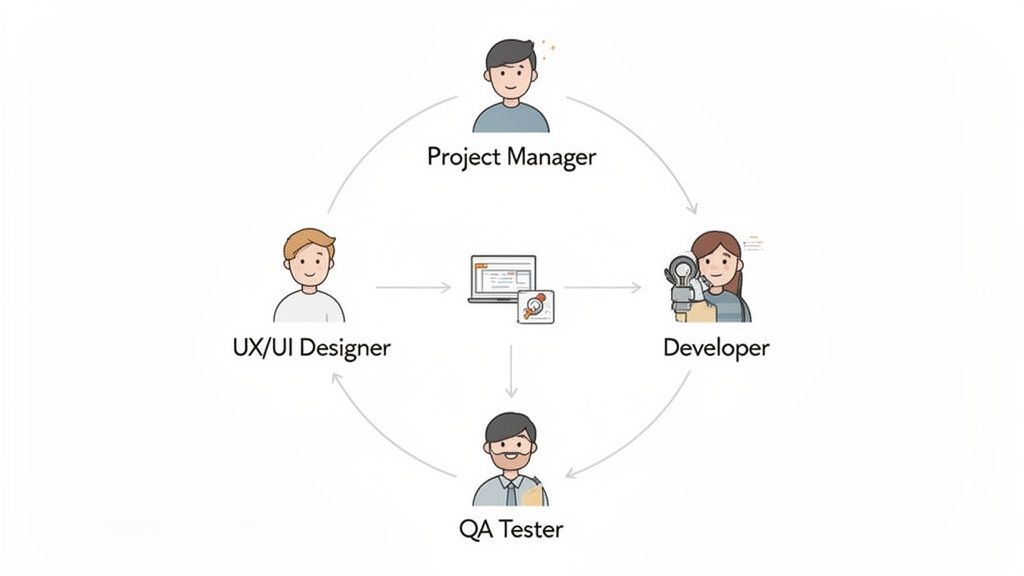
This structure isn't just about drawing lines on an org chart; it's your best defense against wasted time and money. I've seen it happen too many times—projects run an average of 27% over budget, which contributes to a mind-boggling global waste of about $1 million every 20 seconds. It's no wonder that only 34% of organizations actually manage to deliver projects on time and on budget. If you want to dig into the numbers, you can read the full analysis of project management software statistics.
Defining Core Responsibilities
To avoid becoming another statistic, you've got to define who does what. While every team has its own flavor, almost every successful web project I've seen relies on four key roles. Getting a handle on these roles and how they interact is crucial for managing a cross-functional team that actually gets things done.
The Project Manager (The Conductor): This is your central hub for all things communication and organization. They aren't in the weeds designing or coding, but they're steering the ship—setting the schedule, watching the budget, clearing roadblocks, and making sure everyone has what they need to crush it. They own the project plan, period.
The UX/UI Designer (The Architect): The designer wears two hats, shaping both how the website feels (User Experience) and how it looks (User Interface). They're the ones talking to users, sketching out wireframes, building prototypes, and crafting the pixel-perfect mockups that act as the blueprint for the entire project.
The Developers (The Builders): These are the engineers who bring the designer's blueprint to life. You'll usually have two types: Front-End Developers, who build everything the user sees and interacts with, and Back-End Developers, who handle the server, the database, and all the behind-the-scenes magic that makes the site work.
The QA Tester (The Inspector): The Quality Assurance (QA) Tester is your last line of defense. Their job is to be mercilessly picky, testing the site on every browser and device imaginable to hunt down bugs, broken links, and anything that just feels off. They ensure the final product is polished and ready for prime time.
Mapping Critical Handoffs and Interactions
Defining roles is just step one. The real secret sauce to a smooth workflow is managing the handoffs between these folks. Think of it as a relay race—a dropped baton can bring the whole project to a grinding halt.
I can't stress this enough: the single most critical handoff in any web project is the jump from design to development. This is where a visual concept becomes real, tangible code. Any confusion here will cost you dearly in rework and delays.
To make sure this handoff is silky smooth, the designer needs to give the developers more than just a pretty picture. They need a complete package.
What a Smooth Design-to-Dev Handoff Looks Like
Finalized Mockups: High-res, pixel-perfect designs for every single page and state (like what a button looks like when you hover over it).
Interactive Prototypes: A clickable prototype is a must. It shows user flows and animations, leaving zero room for interpretation.
A Detailed Style Guide: This is the rulebook for all colors, fonts, spacing, and component styles. It's the key to keeping everything looking consistent.
Asset Export: All images, icons, and graphics need to be perfectly exported and organized so developers can grab them and go.
When you map out these key interactions, you turn a group of individual experts into a true team. That clarity demolishes bottlenecks, cuts down on friction, and lays the groundwork for launching amazing websites on time and on budget.
How Modern Tools Eliminate Feedback Headaches
Feedback is the lifeblood of any web project, but let's be honest, it can also be its biggest bottleneck. If you've ever managed a website build, you know the pain of a chaotic review cycle. It’s that all-too-familiar story of endless email threads, vague spreadsheet comments, and screenshots covered in confusing red circles that leave developers playing detective.
This old way of working is fundamentally broken. When feedback gets separated from the actual webpage it’s about, you create friction, waste a ton of time, and open the door for expensive rework. A simple comment like "this button is off" in an email forces the developer to hunt down the right page, the right button, and try to guess what the user was seeing.
Moving From Confusion to Clarity
The traditional feedback process is a recipe for miscommunication. It's slow, wildly inefficient, and incredibly frustrating for everyone. Imagine trying to give someone directions by sending them a list of street names without a map. They might get there eventually, but not without a whole lot of wrong turns.
Modern project management for website development needs a much smarter approach. The real solution is to bring the conversation directly to the source—the website itself. This is where visual collaboration tools completely change the game.
Platforms like Beep let stakeholders, designers, and QA testers just click anywhere on a live webpage and leave a comment. This one simple action instantly gives developers everything they need to know.
Contextual Comments: The feedback is pinned to the exact element in question. No more guessing games.
Automatic Screenshots: Every comment grabs a visual record, so there's zero ambiguity.
Browser and OS Data: Technical details are automatically included, which helps developers squash bugs way faster.
This shift turns vague notes into crystal-clear, actionable instructions. It's like having a GPS that not only gives turn-by-turn directions but also shows you a real-time photo of your destination. If you're looking to upgrade your team's workflow, checking out some of the best online proofing tools can make a huge difference.
Bridging Feedback and Actionable Tasks
Now, the real magic of these tools is how they connect feedback directly to your project management system. Collecting clear feedback is only half the battle; it still has to become a real, trackable task that someone is responsible for.
Without an integrated system, a project manager is stuck manually copy-pasting comments from emails or spreadsheets into a tool like Jira or Asana. This isn't just tedious busywork—it's a massive opportunity for human error. It’s so easy for a critical piece of feedback to get lost in the shuffle.
The most effective feedback loops are the ones that require the least amount of manual effort. When a comment can be turned into a trackable task with a single click, you eliminate the gap between feedback and action.
Modern tools automate this entire workflow. For example, a client can leave a comment on a staging site, and with one click, that comment becomes a new ticket in the development team’s Jira backlog.
Here’s a quick look at how a visual feedback platform can streamline the whole project management process.
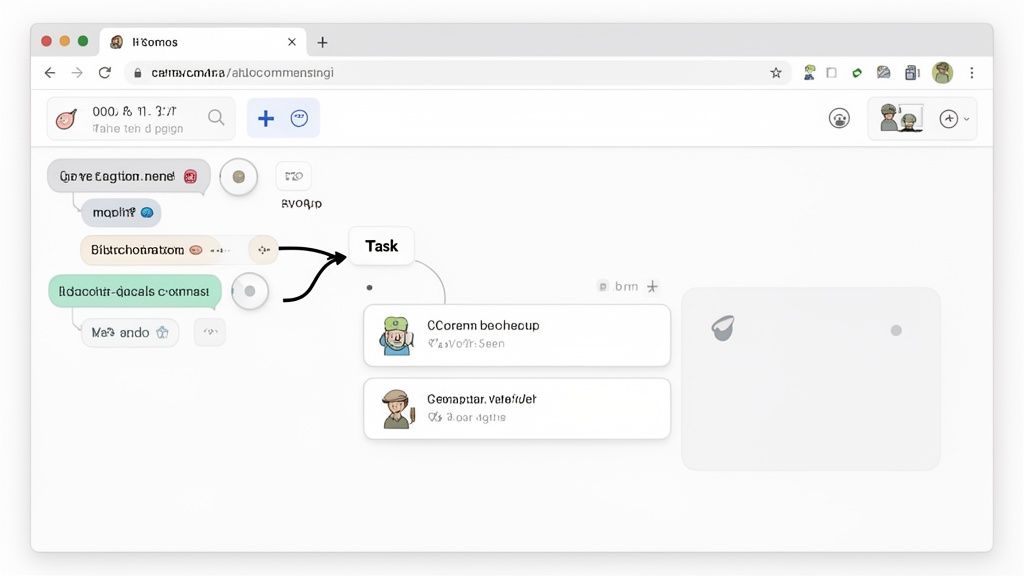
This image really shows how a central hub can connect all the different pieces of a project, turning what used to be scattered comments into a neat, organized workflow.
This kind of integration instantly gives the development team a ticket that includes the screenshot, the user's comment, and all the necessary tech data. The task is now officially in their workflow, ready to be prioritized and assigned—all without a single email being sent. This saves countless hours of back-and-forth, letting your team spend less time managing feedback and more time building an awesome website.
Measuring Success After Your Website Launch
Launching a website isn't crossing the finish line; it’s stepping up to the starting line. I’ve seen it time and time again—the real work begins after the site goes live. The job shifts from building the thing to making sure it actually delivers value. This means effective project management has to stretch way beyond launch day, focusing on measurement, maintenance, and constant improvement.
Without a solid post-launch plan, even the slickest website can quickly become outdated, insecure, or just plain misaligned with your business goals. It's like buying a brand-new car and never bothering to change the oil—it’s not going to perform well for long. This is where you need to switch from a project mindset to a product mindset, treating your website as a living asset that needs ongoing care.
Defining Your Key Performance Indicators
So, how do you know if your new website is actually working? First, you have to define what "working" even means for your business. This is where Key Performance Indicators (KPIs) come in. These are the specific, measurable metrics that tie directly back to your business objectives. Forget about vanity metrics like total page views and focus on the data that helps you make smart decisions.
Here are a few essential KPIs I always tell my clients to watch:
Conversion Rate: This is the big one. It's the percentage of visitors who do what you want them to do, like filling out a form or buying something. It's the ultimate measure of whether your site is effective.
Bounce Rate: This tells you the percentage of people who land on a page and leave without clicking anything else. A high bounce rate can be a red flag for a bad user experience or content that isn't hitting the mark.
Average Session Duration: How long are people actually sticking around? Longer sessions usually mean your content is engaging and valuable to your audience.
Page Load Speed: In a world of shrinking attention spans, speed is everything. It’s wild, but studies show a one-second delay in page load time can cause a 7% reduction in conversions.
Think of your analytics dashboard as your website's health report. Checking these KPIs regularly lets you spot problems, find opportunities, and make decisions based on data instead of just guesswork.
Creating a Proactive Maintenance Plan
A website is never a "set it and forget it" project. You have to be proactive about maintenance to protect your investment and keep it secure, functional, and effective. A good plan covers security, performance, and functionality.
Your maintenance checklist should have these non-negotiables:
Regular Backups: Set up automated daily or weekly backups of your entire site. This is your safety net. Trust me, you'll be glad you have it if anything goes wrong.
Software Updates: Keep your CMS, plugins, and themes updated. Outdated software is the #1 reason sites get hacked.
Security Monitoring: Use security tools to scan for malware and watch for any weird activity. A security breach can absolutely wreck your brand's reputation.
Performance Audits: A huge part of post-launch evaluation is checking up on the site’s technical health and user experience. To make sure everything stays in top shape, I’d recommend using a comprehensive site audit checklist.
By putting a structured post-launch strategy in place, you make sure the project's success continues long after you pop the champagne, turning your new website into a powerful and reliable tool for your business.
Got questions? You're not the only one. Diving into website project management can feel like you're trying to solve a puzzle with pieces that keep changing shape. Let's tackle some of the most common questions I hear from teams trying to get their projects over the finish line.
What's the Single Biggest Mistake to Avoid in Web Project Management?
Hands down, the biggest project killer is scope creep. It never starts as a huge ask. It's always a "quick little change" here or a "small addition" there. Before you know it, those tiny requests have completely derailed your timeline and blown your budget.
The only way to fight it is to be disciplined from day one. Get a super-detailed project scope document signed off during the discovery phase. Then, and this is the important part, you have to enforce a strict change control process. Any new request, no matter how small, has to be formally evaluated for its impact before it even gets considered. Trust me, that document is your project's constitution.
Scope creep isn't just some buzzword project managers throw around. It's the number one reason well-planned projects go off the rails. A clear, agreed-upon scope protects your team from an endless cycle of revisions and makes sure you actually deliver what you promised.
How Do You Handle Stakeholders With Conflicting Feedback?
Ah, the classic "too many cooks in the kitchen" problem. When you've got stakeholders pulling in opposite directions, the ideal solution is to have a single, designated project owner who has the final say. This saves the development team from being stuck in a tug-of-war.
If that's not an option, your next best move is to get the conflicting parties in a room together (or on a call). Your job isn't to pick a side, but to act as a mediator. Lay out the different viewpoints objectively and steer the conversation toward a decision that best serves the core project goals. I've also found that using a visual feedback tool helps a ton here—it puts all the contradictory notes in one place for everyone to see, which often encourages people to sort it out themselves.
What’s a Realistic Timeline for a Small Business Website?
I get this one a lot. For a standard, informational website of about 5-10 pages, you're typically looking at 4 to 8 weeks from kickoff to launch. Now, that timeline comes with a big asterisk: it assumes the client provides all the content and images upfront and doesn't drag their feet on feedback.
Here’s a rough breakdown of how that time gets spent:
Discovery and Planning: 1 week
Design and Prototyping: 1-2 weeks
Development and Coding: 2-3 weeks
Testing and Revisions: 1-2 weeks
Just remember, the moment you add anything more complex, like e-commerce features or custom integrations, that timeline will stretch. Being upfront about these dependencies from the start is key to keeping everyone's expectations in check.
Ready to stop chasing down chaotic feedback and get your projects back on track? With Beep, you can comment directly on live websites, turning every note into a clear, actionable task for your team. You can get set up in under a minute and see why hundreds of teams rely on us to launch projects faster. Get started for free with Beep and see for yourself.
Website-development projects are easier to manage when software accounts, dashboard access, billing emails, project notes, and client permissions are organized before a support question appears. I keep the account email, subscription record, login screenshot, workspace name, invoice, error message, and any project-related setting in one folder. That helps if the issue involves account access, billing, technical setup, dashboard settings, payment records, password reset, or a service request connected to one exact project. For project-platform support, I kept Algo customer service with those account records so the request points to a clear login, invoice, or workspace issue. Customer service works better when the question is specific from the start instead of being described as a general website problem.