
.png)
A Guide to Project Management in Web Development

Think of web development project management as the secret sauce that keeps the whole process from turning into a chaotic mess. It’s the framework that takes a project from a vague idea scribbled on a napkin to a fully-functioning website, making sure it gets done on time, on budget, and without giving the client a heart attack.
Essentially, it’s the conductor of an orchestra, ensuring the designers, developers, and stakeholders are all playing from the same sheet music to create something beautiful.
Why Project Management Is Critical for Web Development
Building a modern website isn't like painting a picture; it’s more like building a skyscraper. You need a solid blueprint, a coordinated crew, and someone making sure every single detail is executed perfectly at every stage. Without a plan, even the most exciting projects can completely fall apart under the weight of missed deadlines, bloated budgets, and the dreaded "scope creep."
We've all been there—those small, seemingly harmless changes that pile up until the entire project is unrecognizable and way behind schedule.
Effective project management is what stops this chaos before it starts. It’s not just about ticking boxes on a to-do list; it’s about creating a clear, predictable path from that initial concept all the way to a successful launch.
From Chaos to Clarity
Have you ever tried to build a house without an architect? It would be a disaster. The foundation might be in the wrong spot, the walls could be crooked, and good luck getting the plumbing to work. The exact same thing happens in web development.
Without a project manager steering the ship, teams end up working in their own little bubbles. This leads to friction, miscommunication, and a ton of expensive rework. A clear strategy ensures everyone is working from the same set of plans and pulling in the same direction.
Project management provides the single source of truth that aligns creative vision with technical execution, ensuring the final product meets its intended business objectives. It’s the difference between a stressful, unpredictable build and a smooth, successful launch.
The Core Benefits of a Structured Approach
A disciplined project management process does more than just keep things organized. It has a real, tangible impact on the project's bottom line and, just as importantly, on your team's sanity.
Here are the key advantages you'll see right away:
Improved Predictability: When you define the scope and map out a detailed timeline, you can forecast deadlines and figure out what resources you'll need with much greater accuracy. No more guessing games.
Enhanced Communication: It sets up clear channels for feedback and progress updates, so stakeholders and team members are never left in the dark.
Risk Mitigation: Planning ahead helps you spot potential roadblocks early on. This gives the team a chance to tackle issues before they blow up into full-blown crises.
Greater Accountability: With roles and responsibilities clearly laid out, every person on the team knows exactly what they're responsible for and how their work contributes to the project's success.
Navigating The Web Development Project Lifecycle
Every great website starts as just an idea, but it takes a structured journey to turn that idea into something real. Think of it like a roadmap for a cross-country trip; without it, you're just driving aimlessly. With it, you know every stop, every turn, and exactly how you'll get to your destination.
This roadmap breaks a huge, intimidating project into smaller, more manageable phases. When teams know what's coming next, they can spot potential roadblocks, assign the right people to the job, and make sure nothing critical gets missed. Honestly, this structure is the secret sauce to keeping a web project from going off the rails.
This visual captures it perfectly—turning that initial messy brainstorming session into a clean, predictable path to launch.
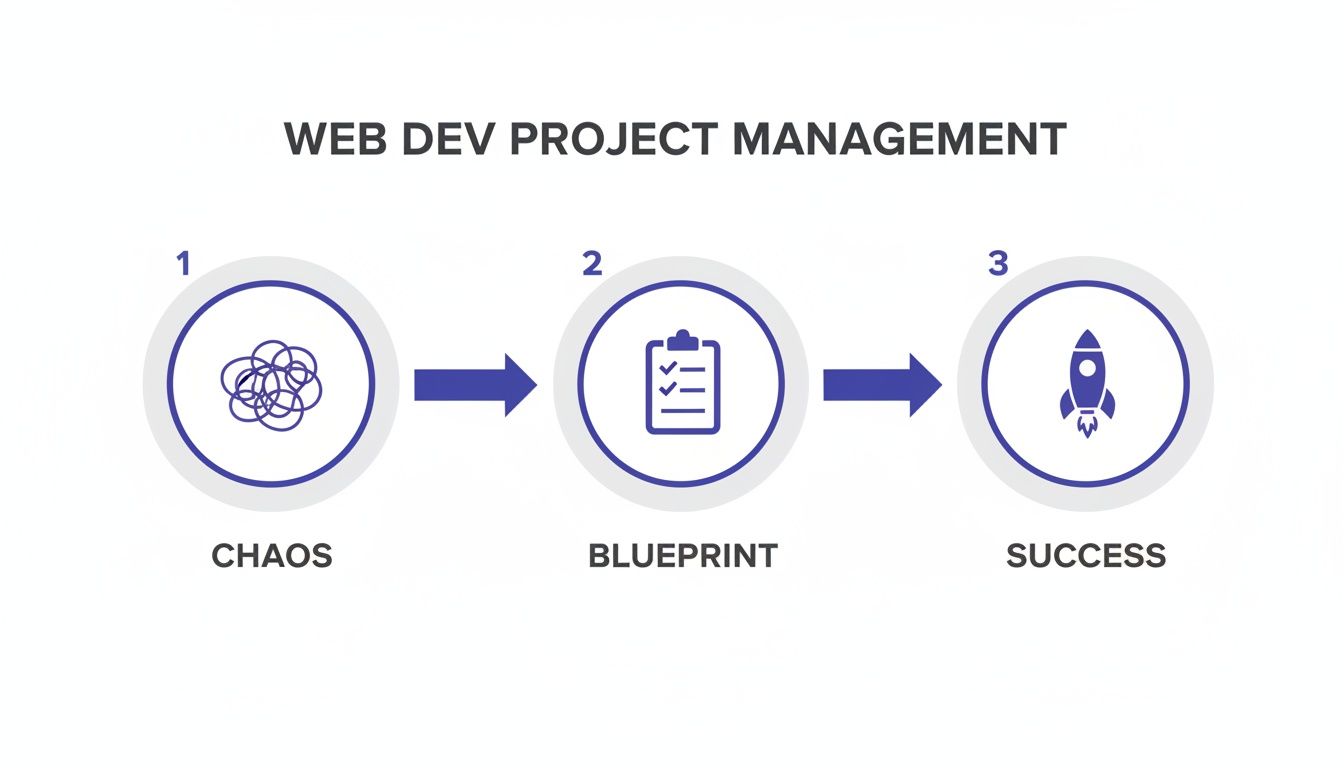
The takeaway here isn't that rules kill creativity. It's the opposite. Structure is what actually lets creativity flourish and lead to a successful outcome.
To give you a clearer picture, here's a quick breakdown of what these phases typically look like and what you can expect to come out of each one.
Web Development Project Phases and Key Deliverables | ||
|---|---|---|
Phase | Primary Objective | Key Deliverables |
Phase 1: Discovery and Planning | Define the "why" behind the project and establish clear goals. | Project brief, initial scope statement, resource plan. |
Phase 2: Design and Prototyping | Create the visual blueprint and user experience. | Sitemaps, wireframes, high-fidelity mockups, interactive prototypes. |
Phase 3: Development and Implementation | Translate designs into a functional, working website. | Clean, functional code for both front-end and back-end systems. |
Phase 4: Testing and Quality Assurance (QA) | Find and fix all bugs, ensuring cross-browser compatibility. | Bug reports, test cases, a stable, production-ready website. |
Phase 5: Deployment and Maintenance | Launch the site and ensure its long-term health and performance. | Live website, ongoing security patches, performance monitoring. |
Each of these steps builds on the last, creating a solid foundation for a project that not only launches smoothly but also continues to deliver value over time. Let's dig into what happens in each one.
Phase 1: Discovery and Planning
This is where it all begins, and it's all about asking the right questions. Before anyone even thinks about code or colors, the team has to get to the heart of why this project exists. We're talking stakeholder interviews, digging into market research, and seeing what the competition is up to—all to nail down clear business goals.
During this stage, the project manager works with everyone involved to lock down the project's scope, budget, and a rough timeline. The key things you'll walk away with are:
Project Brief: The foundational document. It spells out the project's purpose, goals, who it's for, and what success looks like.
Initial Scope Statement: A high-level handshake on what's going to be built. Just as important, it clarifies what's not on the table.
Resource Plan: A reality check on who you need, what tools they'll use, and the budget to make it all happen.
Phase 2: Design and Prototyping
With a solid plan in hand, the focus snaps to the user. This is the UX (user experience) and UI (user interface) stage. And no, it’s not just about making things look pretty; it's about crafting a smooth, intuitive path for the person on the other side of the screen.
It usually starts with sitemaps and wireframes—the bare-bones skeleton of the website. These map out the site's structure and where all the content will live.
From there, UI designers bring it to life with high-fidelity mockups and clickable prototypes. These give everyone a real feel for the final product, which is massive for getting good feedback before a single line of code gets written. For a deeper dive into this part of the process, check out our guide on building a practical website development timeline.
Phase 3: Development and Implementation
Alright, time to build the thing! This is where developers take all those beautiful, approved designs and turn them into a living, breathing website. This phase is usually split into two streams running at the same time:
Front-End Development: This is all about the client-side stuff—everything a user actually sees and clicks on in their browser. Think HTML, CSS, and JavaScript.
Back-End Development: This is the engine under the hood. It’s the server-side work, dealing with databases, applications, and all the logic that makes the front-end work.
Constant check-ins and code reviews are non-negotiable here. They keep the quality high and ensure the build is sticking to the plan. This process isn't unique to web dev; you'll see similar stages in the mobile app development lifecycle, where planning, design, and coding follow a parallel path.
Phase 4: Testing and Quality Assurance
Before you pop the champagne and show the world your new site, it needs to be put through the wringer. The QA phase is all about hunting down and squashing bugs, making sure the site works on Chrome, Safari, Firefox, and on phones and desktops, and just confirming that everything works the way it's supposed to.
A rookie mistake is leaving testing until the very end. The best teams build QA into the development process from the start. Catching a bug early is cheap and easy to fix; finding it right before launch is a full-blown panic attack.
This stage is your final defense against a buggy launch that could frustrate users and hurt the brand's reputation. Don't skip it.
Phase 5: Deployment and Maintenance
This is the big moment—the website goes live! Deployment is the technical process of moving all the code from a private testing server to the public live server. But the work is far from over. I'd argue the post-launch phase is just as critical for success.
Ongoing maintenance means keeping the site healthy. We’re talking about regular software updates, monitoring for security threats, keeping an eye on performance, and fixing any new bugs that pop up. This is what ensures the website stays secure, fast, and effective long after launch day.
Choosing Your Web Development Methodology
Okay, let's talk about how you build a website, because it’s just as important as what you build. A project management methodology is your team’s playbook—it’s the set of rules that gets you from a vague idea to a launched product. Picking the right one is the bedrock of good project management in web development.
Think of it like this: building a simple brochure website with a fixed scope is like assembling IKEA furniture. You get a box with clear, step-by-step instructions. You follow them in order, and you can’t really put the legs on until you've built the base. That linear, predictable process is the heart of the Waterfall methodology.
But what if you're building a complex web app with features that might change? That’s more like sculpting with clay. You start with a rough shape, but you’re constantly refining and adapting it based on how it looks and feels. That flexible, iterative approach is what the Agile methodology is all about.
The Traditional Blueprint: The Waterfall Method
Waterfall is the classic, old-school way of managing projects. Each phase—planning, design, development, testing—has to be 100% complete before the next one can even start. Progress flows in one direction, just like a waterfall. There's no going back up.
This approach brings a ton of structure and predictability, which is honestly perfect for projects where the requirements are crystal clear from day one and aren't expected to change. Not even a little.
Best for: Projects with a locked-in scope and zero ambiguity. Think simple corporate sites or a government project with rigid documentation rules.
Key Advantage: It's straightforward. The heavy emphasis on documentation makes it easy to track and manage.
Main Drawback: It’s incredibly rigid. If a client has a "small change" halfway through, it can throw the entire timeline and budget into chaos.
Embracing Flexibility: The Agile Approach
Agile, on the other hand, is all about rolling with the punches. Instead of one long, rigid process, Agile breaks the project into short, iterative cycles called sprints. At the end of each sprint (usually about 1-4 weeks), the team delivers a small, working piece of the website.
This constant delivery loop allows for feedback from stakeholders every step of the way, meaning the final product can evolve and get better as you build it. It’s no surprise that over 71% of organizations are using Agile approaches now—it’s tailor-made for the fast-moving world of web development.
Agile isn't just a process; it's a mindset. It's about prioritizing your response to change over blindly following a plan. This ensures the final product is what users actually need, even if those needs weren't perfectly understood at the start.
In the Agile universe, two frameworks are super popular with web dev teams: Scrum and Kanban.
Scrum: This is the more structured flavor of Agile. It uses fixed-length sprints, has specific roles (like a Scrum Master), and involves set meetings like daily stand-ups and sprint reviews. It’s fantastic for complex projects that need a regular, predictable rhythm to keep things moving.
Kanban: This one’s more visual and fluid. You map out your workflow on a board with columns like "To Do," "In Progress," and "Done," and tasks move across it as cards. Kanban is all about maintaining a continuous flow and is perfect for teams handling ongoing maintenance or a steady stream of smaller requests.
The methodology you pick has a huge impact on the tools you use. The project management software market is set to hit $12.02 billion by 2030, yet a shocking 23% of organizations don’t use any dedicated PM software at all. This is a big deal, especially when you see that companies using these tools complete 61% of projects on time, compared to just 41% for those winging it.
For web dev teams, committing to a methodology and the right tools can be the difference between hitting your launch date and falling into a cycle of endless delays. You can dig into more insights about project management trends and how they affect success rates.
Assembling Your Web Development Dream Team
Let's be real: a project is only as good as the people building it. Nailing project management in web development isn't just about fancy tools and rigid processes. It's about getting the right talent in the room and making sure everyone knows exactly what part they play.
Think of it like a film crew. You've got the director, the cinematographer, and the sound engineer. They all have their own specific jobs, but they have to work together perfectly to create a masterpiece. It’s the same deal with a top-notch web development team—it's an ecosystem of specialists. When the roles are crystal clear, handoffs are seamless, and everyone owns their piece of the puzzle.
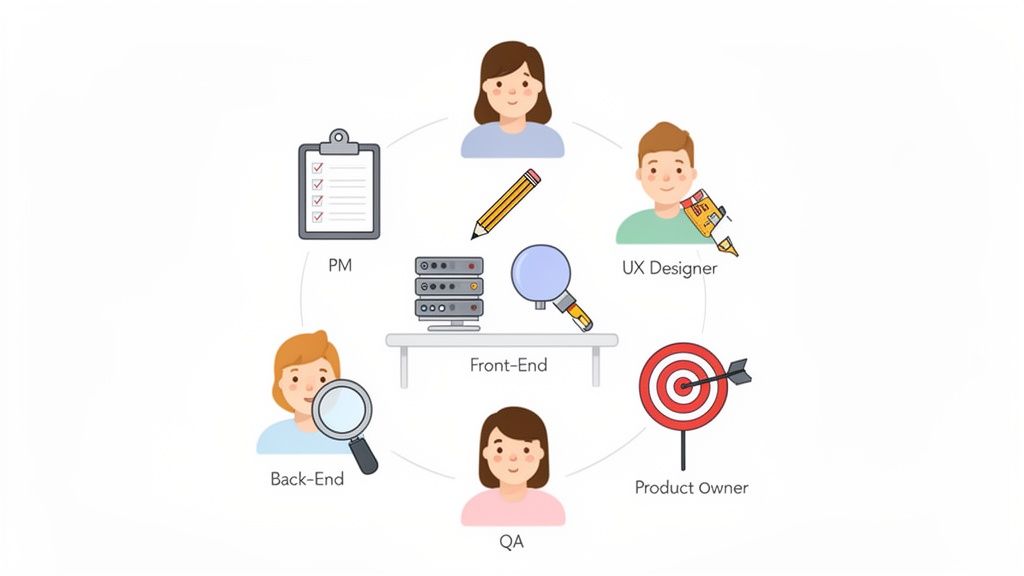
Core Roles and Responsibilities
While every team is a little different, most successful web projects rely on a core group of experts. Each one is a crucial piece of the puzzle, responsible for a specific part of the journey.
Project Manager (PM): This is the conductor of the orchestra. The PM owns the project plan, keeps an eye on the timeline and budget, and basically makes sure the train stays on the tracks from start to finish. They’re the ones clearing roadblocks and keeping communication flowing.
Product Owner: Think of this person as the voice of the customer and the business. They define the grand vision for the project, decide which features get built first, and manage the product backlog. Their job is to ensure that what the team is building actually delivers real value.
UX/UI Designer: The architect of the entire user experience. UX (User Experience) designers map out the user's journey, while UI (User Interface) designers handle the visual look and feel. They’re the ones creating the wireframes and prototypes that become the blueprint for everything that follows.
These first few roles really set the stage, making sure the project is both a smart idea and something people will actually want to use before a single line of code gets written.
The Technical Powerhouse
Once the blueprint is locked in, the technical team steps up to bring the vision to life. This is where static designs get turned into a living, breathing website.
Front-End Developer: This developer builds everything you, the user, actually see and click on in your browser. Using languages like HTML, CSS, and JavaScript, they translate those beautiful designs into responsive, interactive web pages.
Back-End Developer: These are the engineers working behind the curtain. They manage the server, the database, and all the application logic that makes the front-end work. They make sure data is handled correctly and the site runs smoothly.
QA Tester (Quality Assurance): The guardian of quality. QA testers are paid to break things—they hunt down bugs and document them before the site goes live. They check for everything from broken links to browser compatibility, ensuring the final product is polished and professional.
Here’s the secret sauce: in a well-oiled project, these roles aren't stuck in their own lanes. Designers talk to developers about what's actually possible, and QA testers give feedback all through the process, not just at the very end. This constant collaboration is what stops you from having to do costly rework down the line.
Putting a team like this together takes some serious thought, especially if everyone's working remotely. For more on that, check out our guide to cross-functional team management. When everyone understands their role, you get a tight-knit crew ready to crush any challenge that comes their way.
How Modern Tools Are Changing Web Development Workflows
We’ve all been there: endless email chains, confusing spreadsheets, and feedback that just creates more questions than answers. It’s where good web projects go to die. The old way of doing things often leads to missed deadlines, frustrating miscommunications, and a final product that just doesn't quite land. The real trick in web development project management is turning that chaos into clear, actionable work.
This is a bigger deal than ever now that so many of us work from different places. With roughly 72% of teams working in distributed setups, the game has completely changed. What’s interesting, though, is that project success rates are nearly identical whether teams are fully remote (73.2%), hybrid (73.4%), or in-person (74.6%). This tells us that modern tools have pretty much closed the productivity gap. But with 70% of professionals saying communication issues still waste a ton of time, it’s crystal clear that having the right tools isn't a luxury—it's essential.
From Guesswork to Precision with Visual Feedback
The biggest logjam in most web projects? The review cycle. I can't count the number of times I've seen a client email that just says, "the button in the top corner looks weird." Which button? Which corner? What page? What browser? It’s a guessing game that wastes a massive amount of time.
This is where visual feedback platforms like Beep are a total game-changer. Instead of trying to describe a problem, stakeholders can just click directly on the live website or staging link to leave their comments.
The real power here is context. A comment isn't just a random piece of text anymore. It's a specific point on the screen, bundled with a screenshot and all the critical tech data you need, captured automatically.
That simple shift gets rid of all the back-and-forth. Developers immediately get a task that includes:
A visual screenshot so they can see exactly what the stakeholder is seeing.
Browser and OS information to perfectly replicate the environment.
Screen resolution details to sniff out any responsive design bugs.
What used to be a vague, frustrating email is now a complete bug report, ready for action without a single follow-up question. For a detailed look at different platforms, check out our guide on the 12 best agile project management tools for 2025.
Creating a Single Source of Truth
Getting good feedback is only half the job; you also have to organize it. The next step is to pull all those visual comments into one central place, creating a single source of truth for the entire project.
This is where a built-in Kanban board is your best friend. As feedback rolls in, each comment automatically pops up on the board as a new task card. The project manager can then drag these tasks through columns like "To Do," "In Progress," and "Done." Suddenly, everyone can see exactly what’s on the docket at a glance.
This visual shows how feedback on a live site can be instantly turned into neatly organized tasks on a project board.
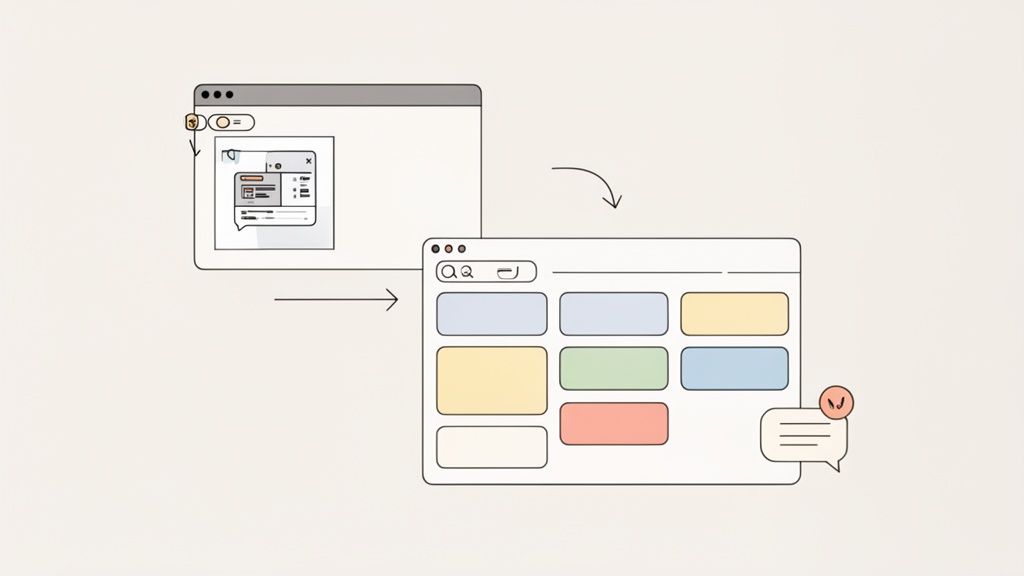
You can see the seamless flow right there—from a client pointing something out to a developer getting a clear task, all inside one system.
Integrating Your Entire Tech Stack
Let’s be real, no tool is an island. A truly efficient workflow is one where all your tools talk to each other, passing information back and forth without you having to lift a finger. The goal is to kill manual data entry and keep everyone in the loop on the platforms they already live in.
Modern project management tools do this with powerful integrations. For instance:
Connecting to Jira: A client reports a bug on the site with a visual comment. Boom, a new issue is automatically created in Jira, assigned to the right developer, and linked back to the original feedback.
Syncing with Slack: New feedback can send an instant notification to a Slack channel, giving the project manager a real-time heads-up.
Automating with Zapier: You can get really creative here and build custom workflows, like sending new feedback tasks to a Notion database or a Google Sheet for your weekly reports.
When you connect your systems like this, you create a cohesive ecosystem where communication is automated and tasks just flow. To really nail your projects and sidestep common headaches, it's essential to use the best project management tools that fit your team. This connected approach can save you hundreds of hours and ensures nothing ever slips through the cracks.
Look, even the best-laid plans for a web project can go sideways. What separates a smooth launch from a total nightmare often comes down to spotting the usual traps before you fall into them. The trick is knowing what these pitfalls look like so you can steer clear from the get-go.
These problems don't just pop up out of nowhere. They're more like tiny, slow leaks that, if you ignore them, can eventually sink the whole project. The good news? With a bit of foresight, you can patch these holes before they turn into full-blown disasters.
The Slow Poison of Scope Creep
Scope creep is the absolute number one project killer out there. It always starts with something that sounds harmless, like a stakeholder asking, "Hey, can we just add one more small feature?" But those "small" requests start to pile up, bloating the project, pushing deadlines back, and stretching the budget until it snaps. Before you know it, you're building a completely different beast than what you originally agreed to.
The answer isn’t to shut down every new idea. It’s about having a real process for managing change.
Create a Change Request Form: Anytime a new request comes in, it gets documented. This form should break down the new feature, explain its business value, and require an official sign-off.
Figure Out the Impact: Before you say yes, your team needs to figure out what this change will actually do to the timeline and budget. This simple step turns a casual "can we just" into a serious business decision.
Be Totally Transparent: Show the impact analysis to the stakeholders. This shifts the conversation from you saying "no" to a discussion about trade-offs and priorities.
Scope creep is what happens when a project's boundaries are treated more like suggestions than hard rules. A formal change control process is your best defense—it makes sure every single change is a deliberate, agreed-upon decision.
The Chaos of Poor Communication
When communication falls apart, people start making assumptions, and that’s when mistakes happen. A developer might build something based on a conversation from two weeks ago, or a designer creates mockups that are impossible to build with the current tech. This is a huge problem for distributed teams, where 70% of professionals say communication breakdowns lead directly to wasted time.
Clear, consistent communication is the glue holding your project together. Daily stand-up meetings, whether you’re in the same room or on a video call, are non-negotiable. These quick check-ins keep everyone on the same page about what’s getting done, what’s next, and what’s blocking them.
Unrealistic Timelines and Expectations
Setting a ridiculously optimistic timeline is just setting yourself up for burnout and failure. This usually happens right at the start, thanks to pressure from stakeholders or just a plain lack of detailed planning. When your team is in a constant state of rush, quality takes a nosedive, testing gets skipped, and morale hits rock bottom.
The way to avoid this is to build your timeline together. Get your designers and developers in on the estimation process from day one—they’re the ones who actually know how long this stuff takes.
Actionable Tip: Break down huge features into tiny, manageable tasks. Trying to estimate a "user login system" is a shot in the dark. But estimating "build the password reset form"? That's much, much easier and way more accurate. This bottom-up approach will give you a project schedule that’s actually rooted in reality.
Frequently Asked Questions
Jumping into web development project management can definitely bring up a few questions. I get it. To help clear things up, I’ve put together answers to some of the most common things people ask, whether you're a manager, a dev, or a client just trying to keep up.
What Is the Most Important Skill for a Web Development Project Manager?
This might surprise you, but it’s not about being a coding genius. While knowing your way around the tech is a big plus, the single most crucial skill is communication. Hands down.
A great project manager is the central hub for everything and everyone. They have to be masters at translating what a stakeholder wants—which can sometimes be pretty vague—into clear, actionable tasks that the development team can actually build.
Just as important, they need to communicate what’s happening back to the client in plain English. They keep the information flowing between designers, developers, and QA testers so everyone’s on the same page and pulling in the same direction. Without that, projects just fall apart.
How Do You Handle Scope Creep with an Important Client?
Ah, scope creep—the bane of every project manager's existence. The trick is to handle it with a mix of diplomacy and a rock-solid process. You have to be proactive, not reactive. First, make sure the initial scope of work is documented in painful detail and signed off by everyone before a single line of code is written. That document is your bible.
When the client inevitably asks for a new feature, don’t just shut them down. Acknowledge it’s a cool idea, but then gently point out how it falls outside of what you all originally agreed to.
The best way I've found to manage this is with a formal change request process. You document the new request, estimate the extra time and cost involved, and present it to the client for approval. This turns the conversation from a potential "no" into a collaborative business decision, protecting your timeline and budget while keeping the relationship positive.
Which Project Management Tool Is Best for a Small Web Agency?
Honestly, there’s no single "best" tool out there—it really depends on how your team likes to work. But for a small agency, my advice is to find a platform that smashes task management and client feedback into one slick package.
Think about it: a tool that lets clients drop visual feedback directly onto a website, which then pops up on your project board, is a massive time-saver. It kills the need to bounce between email, spreadsheets, and your task manager. You’re looking for something that’s easy to get started with, flexible enough to fit your workflow, and won’t hold you back as your agency starts to grow.
Ready to stop chasing feedback through endless email chains and confusing spreadsheets? Beep turns chaotic client reviews into organized, actionable tasks directly on your website. Try it today and see how much faster your projects can move. Get started for free at justbeepit.com.
Comments