
.png)
A Practical Guide to Building Your Issue Tracking Template

An issue tracking template is really just a standardized way to log, prioritize, and fix problems. Think of it as the central playbook for everything from pesky software bugs and new feature ideas to serious project risks. Its whole purpose is to make sure every issue is captured with the same consistent, actionable info. Honestly, a simple tool like this is the bedrock of clear communication and smooth workflows.
Why a Standardized Issue Tracking Template Matters
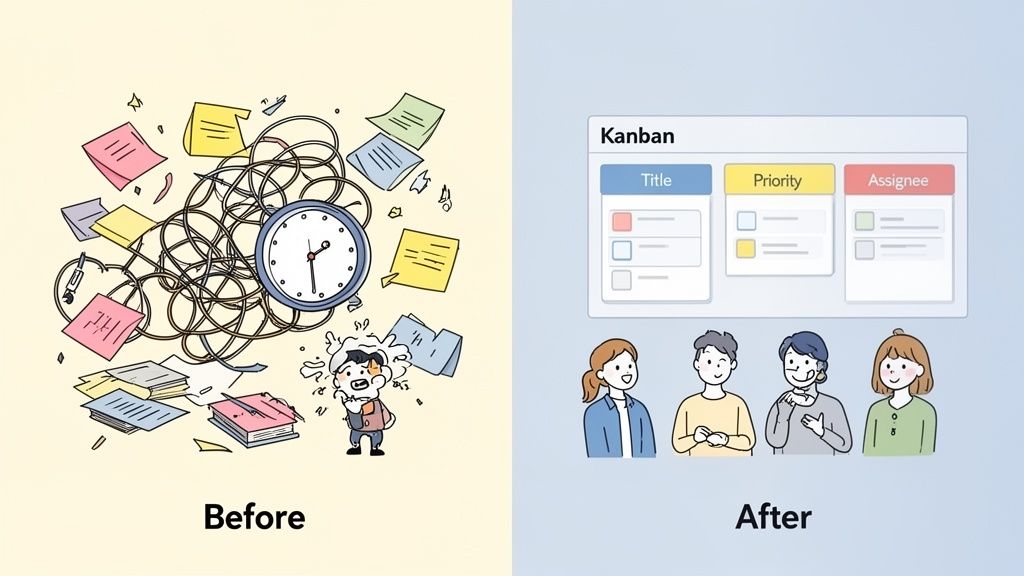
Before you even think about building your template, you need to understand why it’s a total non-negotiable for any team that wants to get things done. I’ve seen it happen time and again: without a standard system, issue management turns into a nightmare of scattered emails, random Slack DMs, and forgotten sticky notes. This isn’t just frustrating—it costs you real time and money.
When every problem is reported differently, developers waste their time just trying to get the basic details instead of actually fixing the bug. Priorities become a total guessing game. You end up with critical issues getting ignored while someone works on a low-impact task. That kind of confusion creates friction, kills momentum, and is a fast track to missed deadlines and a burnt-out team.
From Chaos to Clarity
A well-thought-out issue tracking template flips the script, turning that chaos into predictable, organized clarity. You’re essentially creating a single source of truth, and that benefits everyone involved.
Here’s what you get:
Faster Fixes: Developers get the context they need right away—steps to reproduce, environment details, screenshots—letting them jump straight into solving the problem.
Clearer Communication: Everyone from product managers to QA testers is speaking the same language. This cuts down on the back-and-forth and eliminates guesswork.
Smarter Decisions: When your data is structured, you can start seeing patterns. You can spot recurring problems, analyze your team's performance, and make much better calls on where to put your resources.
The results are pretty dramatic. The global market for the bug tracking software that powers these templates is expected to hit $601.64 million by 2026. That growth isn't random; it shows that companies get how crucial structured processes are. In fact, studies show that teams using standardized templates resolve bugs 30-50% faster. That’s a huge advantage, especially when you consider that a staggering 70% of web development projects face delays. You can discover more insights from this bug tracking market research.
Look at it this way: Adopting a standardized template is an investment in your team’s sanity and your project’s success. It’s the foundation that makes methodologies like Agile and Kanban actually work, moving you from constantly putting out fires to a proactive, organized workflow.
At the end of the day, this simple document does more than just track problems. It helps build a culture of accountability and continuous improvement. It guarantees that every single issue, no matter how small, gets seen, prioritized, and pushed through to resolution in a systematic way.
Anatomy of an Effective Issue Tracking Template
A great issue tracking template isn't just a form with a bunch of fields—it’s a communication tool built for speed and clarity. Every single part of it should be designed to answer a critical question, completely killing the need for those endless follow-up emails or Slack pings.
Think about it from the developer's side for a second. When they open a ticket, they need to know exactly what’s broken, how to see it for themselves, and why it even matters. A vague title like "Website broken" is a one-way ticket to frustration and hours of wasted time. This is where getting the core anatomy of your template right really pays off.
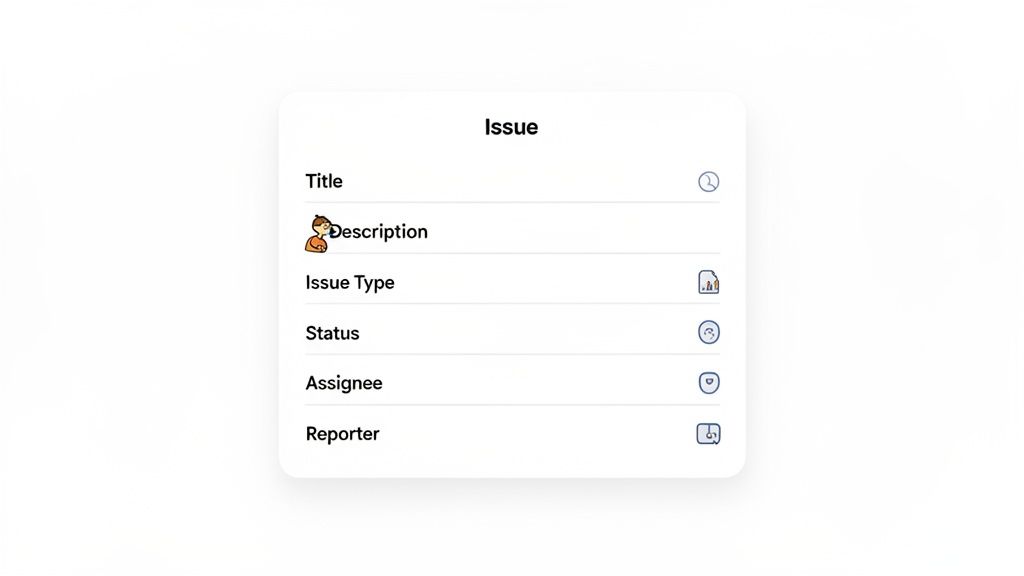
The Must-Have Fields
Every solid template I've ever used starts with a core set of non-negotiable fields. These are the absolute basics for clear communication and smooth workflows, no matter what your team does.
I've put together a quick table of the essentials that should be in every template you build.
Essential Fields for Your Issue Tracking Template
Field Name | Purpose | Example Value |
|---|---|---|
Title | A short, descriptive summary. | "User profile avatar fails to upload on Chrome." |
Description | The full story: steps to reproduce, expected behavior, actual result. | "1. Go to Profile page. 2. Click 'Upload new avatar'. 3. Select a JPG file. Expected: Avatar updates. Actual: Error message 'Upload failed'." |
Issue Type | Categorizes the work. | Bug, Feature Request, Task, Question |
Priority | Helps with triage and planning. | Critical, High, Medium, Low |
Status | Tracks the issue's lifecycle. | To Do, In Progress, In Review, Done |
Assignee | Who is working on this? | Jane Doe |
Reporter | Who found the issue? | John Smith |
Getting these fields right provides the structured data that methods like Kanban absolutely thrive on. It’s no wonder that 60% of enterprises have adopted a hybrid Agile-Kanban model. In my experience, teams that nail their templates see a huge productivity boost—often around 25%—with bug fixes dropping from weeks to just days.
Customizing Your Template for Real-World Scenarios
While those core fields are your foundation, the real magic happens when you start tailoring the template to your team's specific needs. A one-size-fits-all approach just doesn't cut it, because different teams need different information to get their jobs done.
The best issue tracking template is a living document. It should evolve with your projects and adapt to the unique language and workflow of your team.
A software development team, for instance, would find an Environment field (like Staging or Production) indispensable. A UX designer, on the other hand, might not care about that but would get huge value from a User Persona field to add context to a confusing workflow they’ve flagged.
Here are a few more team-specific tweaks I’ve seen work wonders:
Marketing Team: Add a Campaign field to link issues or tasks directly back to specific marketing initiatives.
Content Team: Include a Content Type field (e.g., Blog Post, Landing Page) for better organization and filtering.
QA Team: A Browser/Device field is non-negotiable. You can't replicate bugs without it. For a deeper dive on this, check out our guide on the 12 best bug report templates to streamline your workflow in 2025.
Adapting Your Template for Different Team Workflows
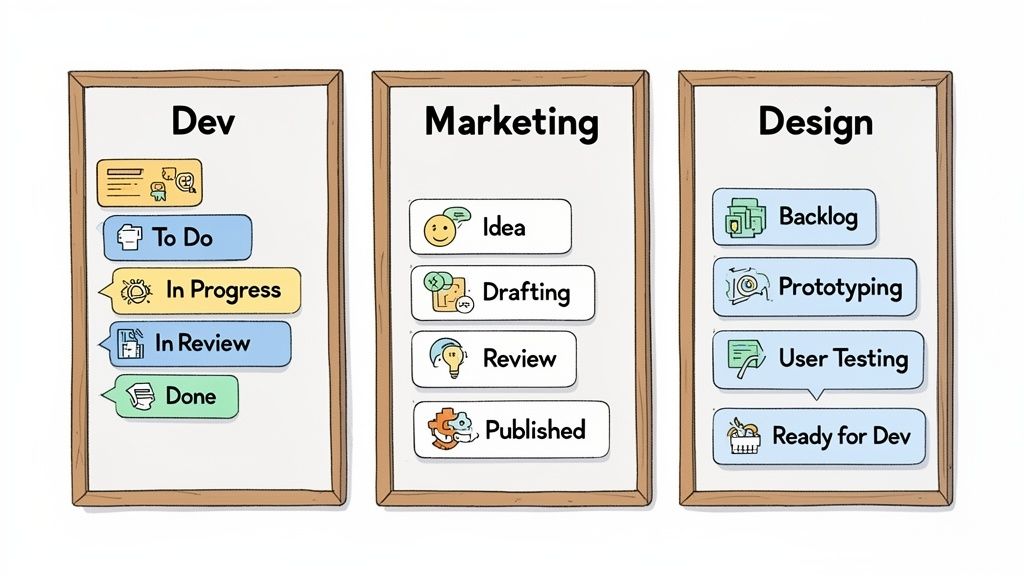
An issue tracking template is only useful if it actually mirrors how your team gets things done. Trust me, forcing a rigid, one-size-fits-all process on everyone is a surefire way to get ignored. The real magic happens when you make your template flexible enough to speak the language of each department.
What a software team needs to ship code is worlds away from what a marketing team needs to launch a campaign. The trick is to start with your core template fields and then customize the most important one of all: the Status. This field should be a direct reflection of a task's real-world journey from "just an idea" to "all done" for that specific team.
Software Development Sprint Workflow
For a dev team, life revolves around sprints. Their workflow is all about a clear, step-by-step march from a reported bug or new feature request to a deployed solution. Quality checks are baked right in.
A pretty standard setup looks something like this:
To Do: This is the prioritized backlog. It’s the stack of features or bug fixes that are ready to be tackled in the current sprint.
In Progress: A developer has grabbed the ticket and is actively writing code. Hands on keyboards.
In Review: The code is written, and now it's up for a peer code review. This is a non-negotiable quality gate.
Done: The code passed review, got merged into the main branch, and is now live. Ship it!
This simple structure gives a product manager an instant snapshot of the sprint's health. You can see what’s moving, what’s getting stuck in review, and what’s ready for the next release. It’s all about code quality and keeping the development train moving.
The whole point of adapting a workflow is to make your team's process visible. It should feel natural and kill any confusion, not just add more admin work to their plate.
Content Marketing Production Pipeline
Okay, let's switch gears completely. A content marketing team isn't dealing with code reviews; they're in the business of creativity, feedback rounds, and hitting "publish." Their issue tracking template has to map out the journey of a piece of content.
Their status pipeline is going to look totally different:
Idea: A big old list of potential blog posts, case studies, or social media campaigns waiting for the green light.
Drafting: A writer has claimed a topic and is hammering out the first version.
Review: The draft is now in the hands of an editor, a subject matter expert, or maybe even the legal team. This is where feedback happens.
Published: The content got the final sign-off and is now live on the website or out on social media.
This workflow is gold for a content manager. It helps them see how quickly content is being produced and spot any bottlenecks. If a dozen articles are piled up in the "Review" column, it’s a clear sign that the feedback loop needs a tune-up.
Product Design Feedback Cycle
Last up, let's look at a product design team. Their world is all about user experience, whipping up prototypes, and getting real-world validation. For them, "done" isn't a straight line—it's an iterative loop of feedback and tweaking before anything ever gets handed off to the engineers.
A designer's workflow might be structured like this:
Backlog: A collection of user problems or feature ideas that need a design solution.
Prototyping: A designer is in their element, creating wireframes or high-fidelity mockups.
User Testing: The prototype is now in front of actual users to see if it makes sense and to gather feedback.
Ready for Dev: The design has been tested, tweaked, finalized, and is officially ready for the engineering team to build.
This process ensures that design choices are backed by user feedback before development starts, which saves a ton of rework down the line. When you take the time to adapt your issue tracking template for each team, you give them a system that genuinely helps them do their best work.
Sample Workflows by Team Type
To give you a clearer picture, let's compare how these different status stages might look side-by-side. You'll notice that while some concepts are similar (like a starting and ending point), the language and the steps in between are tailored to the team's unique process.
Stage | Web Development Team | Marketing Team | UX/UI Design Team |
|---|---|---|---|
Backlog/To-Do | To Do / Icebox | Idea Backlog | Backlog / Discovery |
Active Work | In Progress | Drafting / Creating | Prototyping / Wireframing |
Review/Feedback | In Review / QA Testing | In Review (Editorial) | User Testing / Feedback |
Blocked/Paused | Blocked | On Hold | Paused |
Completion | Done / Deployed | Published / Live | Ready for Dev / Handoff |
As you can see, each column tells a different story. The "Done" for a developer is "Published" for a marketer and "Ready for Dev" for a designer. These small tweaks in language make a huge difference in getting your team to actually use and love the system you build.
Mastering Issue Triage and Prioritization
Okay, so your shiny new issue tracking template is live. Fantastic. But now the real work begins as tickets start flooding in. An organized flow of issues is definitely better than random emails and Slack messages, but without a solid plan for triage and prioritization, you’ll just be creating a well-organized swamp. Your team will end up drowning in low-impact tasks while the truly critical problems sink to the bottom.
The whole point isn't just to log issues; it's to have a system for deciding what actually deserves your team's immediate attention. This is where issue triage comes in. Think of it as the emergency room for your project—you're quickly assessing new tickets to categorize, assign, and, most importantly, prioritize them. You've got to stabilize the patient before you can even think about scheduling major surgery.
Frameworks for Decisive Prioritization
To get past just going with your gut, many of the best teams I've worked with lean on proven frameworks. These aren't meant to be rigid, bureaucratic rules. Instead, they’re mental models that bring some much-needed clarity to the decision-making chaos.
The Eisenhower Matrix: This is a classic for a reason. It sorts tasks into four quadrants based on urgency and importance. Is it urgent and important? Do it now. Important but not urgent? Schedule it. Urgent but not important? Delegate it. Neither? Just delete it. It's perfect for those quick, daily triage huddles to cut through the noise.
The MoSCoW Method: This one is a lifesaver for feature requests and tense stakeholder discussions. It forces you to categorize work into Must-have, Should-have, Could-have, and Won't-have buckets. This simple exercise is brilliant for managing expectations and sparking real conversations about what's essential for a release versus what’s just a nice-to-have.
A prioritization framework isn't about adding more red tape. It’s about creating a shared language that helps your team make consistent, smart decisions about where to focus their limited time and energy.
Running Effective Triage Meetings
A triage meeting should never be a long, drawn-out debate club. It has to be a fast, decisive session. I've found that a 20-minute daily stand-up focused only on new tickets is incredibly effective. The goal is simple: quickly review each new issue, get clarification on any fuzzy details, slap a priority level on it, and assign an owner.
The person who reported the issue should be on standby to answer quick questions. If a ticket is too vague (like the dreaded "Login is broken"), it gets bounced right back to the reporter for more details before it even gets a whiff of the backlog. This is a non-negotiable rule to protect your developers from wasting hours on wild goose chases. For a deeper dive, check out our guide on backlog grooming best practices and 8 proven tips to keep your workflow squeaky clean.
To really level up, think about automating parts of this process. Things like the auto-assignment of WhatsApp chats and tickets can seriously streamline your workflow. When the initial assignment is handled automatically, it frees up your team to focus on the more complex work of assessment and problem-solving, making sure nothing important ever slips through the cracks.
Putting Your Template into Action with Beep
An issue tracking template on its own is just a blueprint. To really bring it to life, you need the right tool to drive the workflow. This is the moment you shift from planning the process to actively managing it, and a visual feedback tool like Beep makes this jump feel completely natural.
Let’s be honest, the biggest bottleneck in any issue-tracking system is usually the very first step—getting an accurate report of the problem in the first place.
Beep tackles this problem head-on. It lets anyone, and I mean anyone, leave a comment directly on a live webpage. That one simple action instantly grabs a screenshot and all the critical browser and system data, completely cutting out the frustrating back-and-forth that drives so many teams crazy. What starts as a simple click becomes a perfectly structured task on a Kanban board, packed with all the context a developer or designer could ever need.
Connecting Your Template to a Visual Workflow
Remember all those fields we designed earlier? Things like Priority, Assignee, and Status map directly onto Beep’s task cards. You can set up your Kanban board to mirror the exact workflow you created, whether that’s a simple "To Do, In Progress, Done" or a more complex, multi-stage pipeline for your design team.
This visual approach turns a flat, static template into a dynamic, living workspace. Instead of just reading about an issue, your team sees it.
This process is incredibly intuitive. A user just points, clicks, and types their feedback right on the element they’re talking about.
That single click automatically creates a task card, turning what was once subjective feedback into an actionable item with zero friction. It’s a total game-changer, especially for collecting feedback from non-technical stakeholders.
Creating a Central Hub for All Your Issues
The real magic happens when you connect Beep to the other tools your team already uses every day. By integrating with platforms like Slack, Jira, or Notion, you create a central command center for all your issues. A comment left on your website can trigger a Slack notification for the project manager while simultaneously creating a detailed ticket in your Jira backlog.
This creates an unbroken chain of information, making sure nothing gets lost in translation as it moves between different platforms. If you want to dive deeper, check out our practical guide to integrating Beep with Jira.
The goal is to build a system where reporting an issue is as easy as sending a message. When the barrier to entry is this low, you capture more feedback, identify problems faster, and ultimately build better products.
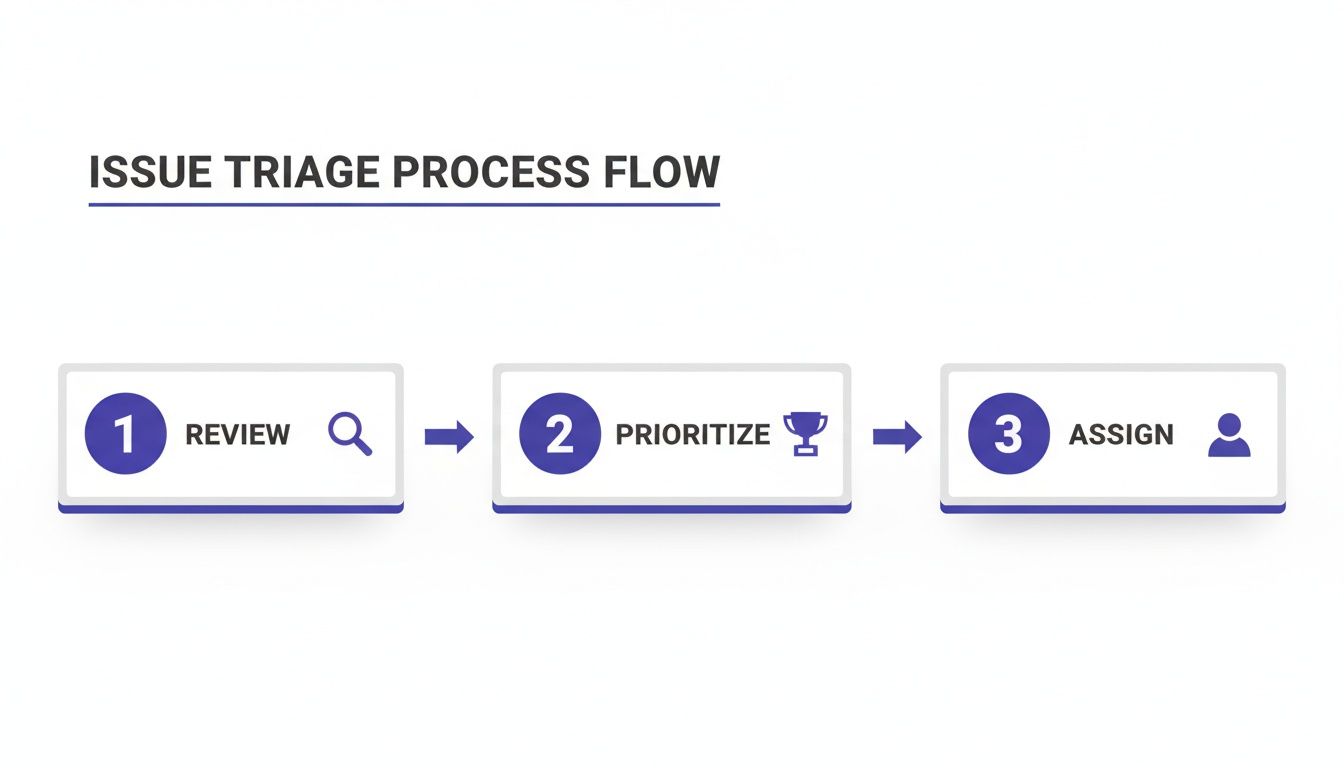
The simple but powerful triage flow this enables is everything.
This shows how a reported issue moves quickly from initial review to prioritization and then to final assignment, keeping the whole process clean and efficient. As you put your own issue tracking template into action, looking into different project management tools can also give you the platform you need for a smooth rollout.
By combining a solid template with a tool like Beep, you cut down on pointless meetings and free up your team to focus on what they do best—solving problems.
Got Questions About Issue Tracking Templates? We've Got Answers
As teams start getting more organized with how they handle problems, the same few questions always seem to pop up. Let's get those sorted out right now so you can avoid hitting any early roadblocks and make sure your new process actually sticks.
Instead of getting lost in theory, I'll tackle the practical questions I hear all the time from people in the trenches, trying to make their issue tracking template work for everyone.
What Is the Most Important Field?
Look, every field has its place, but if I had to pick just one, it’s Priority. It's the one that directly answers the most important question of all: "What should we work on next?"
A clearly defined priority level—like Critical, High, Medium, or Low—is what keeps your team’s effort lined up with the big-picture business goals. It stops the really painful problems from getting buried in the backlog and makes sure your people are always focused where it matters most, not wasting time on low-value tasks.
A great template doesn't just capture what's wrong; it forces a conversation about what's important. The priority field is the heart of that conversation.
How Often Should We Triage New Issues?
Honestly, this really depends on how fast your project is moving and how many tickets are flying in. A fast-paced Agile dev team? They'll probably find a quick daily triage, maybe 15-20 minutes every morning, is perfect for staying ahead of new bugs and feature requests.
But for a team with a slower rhythm, like a content or marketing team, a weekly triage session is usually more than enough. The key isn't some rigid schedule—it's being consistent. Regular triage keeps the backlog clean, guarantees nothing slips through the cracks, and keeps priorities sharp as goals shift.
Can I Just Use a Spreadsheet?
For a tiny project or a solo founder just getting started? Absolutely. A spreadsheet can be a fantastic starting point. It’s simple, everyone knows how to use one, and it gets the basic job of logging issues done without any fuss.
But you'll feel the pain as soon as your team and project start to grow. Spreadsheets are just not built for real-time collaboration, they don't have automated notifications, and trying to manage any kind of real workflow is a nightmare. Before you know it, you're spending more time managing the spreadsheet than you are managing the actual issues.
Dedicated tools are built from the ground up for this stuff, offering features that are massive time-savers and prevent all sorts of manual errors. Think about it:
Ready to ditch the spreadsheets and chaos? Beep completely changes the game with a visual-first approach. Your team can leave feedback directly on your live website, instantly creating detailed tasks on a shared Kanban board. Start for free and streamline your workflow in under a minute.
Solving account-related problems usually starts long before speaking with customer service. Receipts, account records, and recent correspondence were organized in advance, while Zeal customer service number became part of the background information used to better understand customer experiences. Preparing everything beforehand made the discussion far more efficient and significantly reduced the chances of misunderstandings during the process.